Skip to content
  • Recent
  • Tags
  • Popular
  • Users
  • Groups
  • Donate
Collapse

Plutonium

  1. Home
  2. BO2 Modding Releases & Resources
  3. [Release - T6MP] Black Ops 3 Hitmarkers for Black Ops 2

[Release - T6MP] Black Ops 3 Hitmarkers for Black Ops 2

Scheduled Pinned Locked Moved BO2 Modding Releases & Resources
7 Posts 5 Posters 3.9k Views 1 Watching
  • Oldest to Newest
  • Newest to Oldest
  • Most Votes
Reply
  • Reply as topic
Log in to reply
This topic has been deleted. Only users with topic management privileges can see it.
  • xNandoundefined Offline
    xNandoundefined Offline
    xNando
    wrote on last edited by xNando
    #1

    👋 HELLO EVERYBODY!! 👋

    ⚠️ First of all, I'm sorry if I make a mistake when writing but it's because I don't speak English natively. 😬

    Today I'm sharing whit you the Black Ops 3 Hitmarkers for Black Ops 2.
    I decided to create this post because some users asks if somebody have or can create the Black Ops 3 Hitmarkers for Black Ops 2, so I decided to create the hitmarker and publish this post.

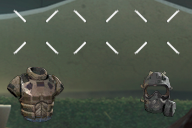
    Here are the differences between the hitmarker from Black Ops 2 and Black Ops 3:
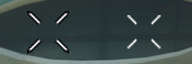

    diferencia.png
    (Black Ops 2 at the left and Black Ops 3 at the right)
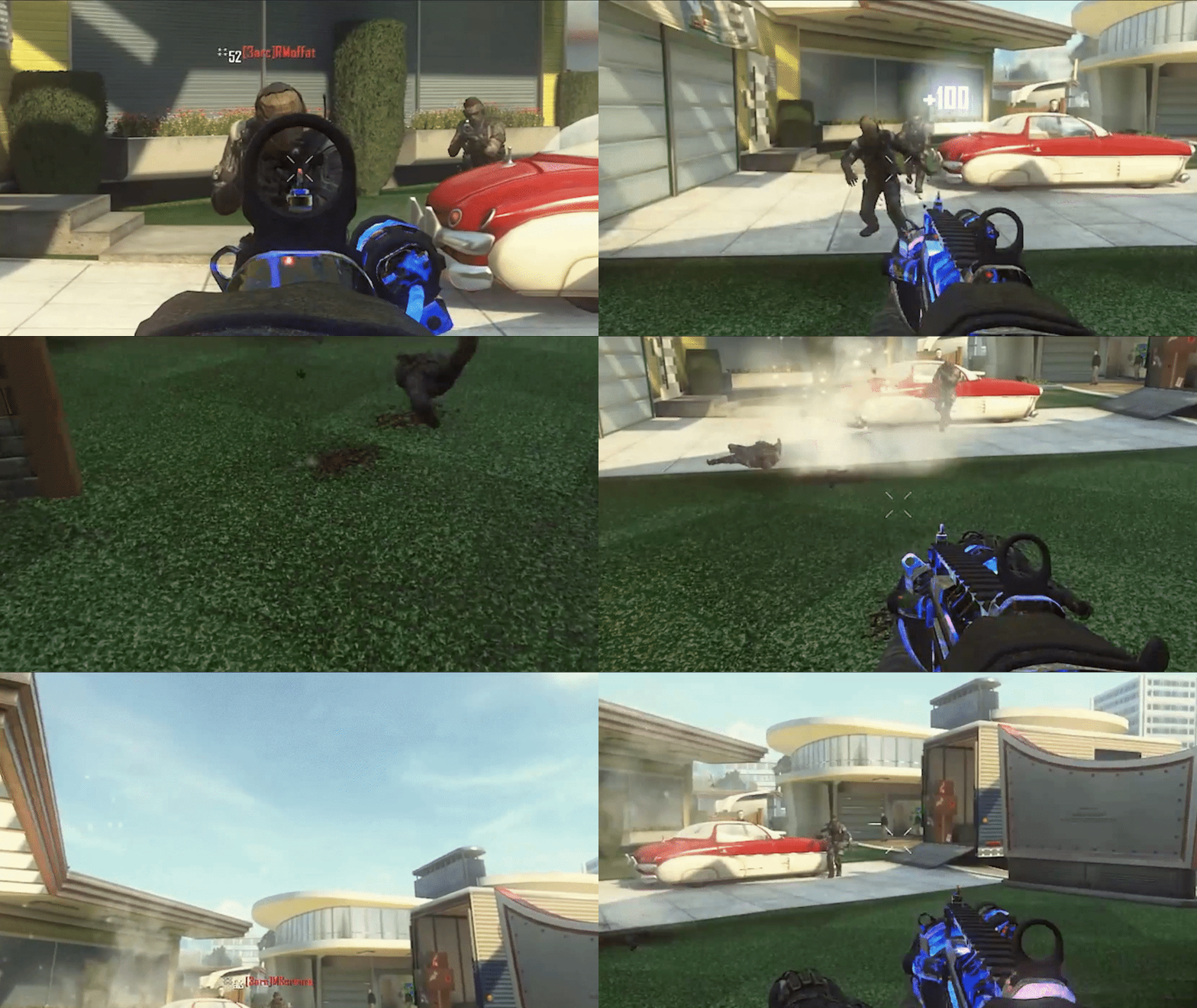
    alt text
    (Example of how the Black Ops 3 hitmarker looks like)
    (Obviously, in-game, the hitmarker will look 1000% better)


    As you can see, the Black Ops 2 Hitmarker has a black outline and it's bigger compared to the Black Ops 3 design.

    Also, I edited the hitmarkers when an enemy has Flak Jacket and Tactical Mask.

    ejemplo.png


    📝 STEPS TO REPLACE AND SET THE BLACK OPS 3 HITMARKERS 📝

    First of all, you need to download the files from this link below:

    📁📥 DOWNLOAD LINK 📥📁

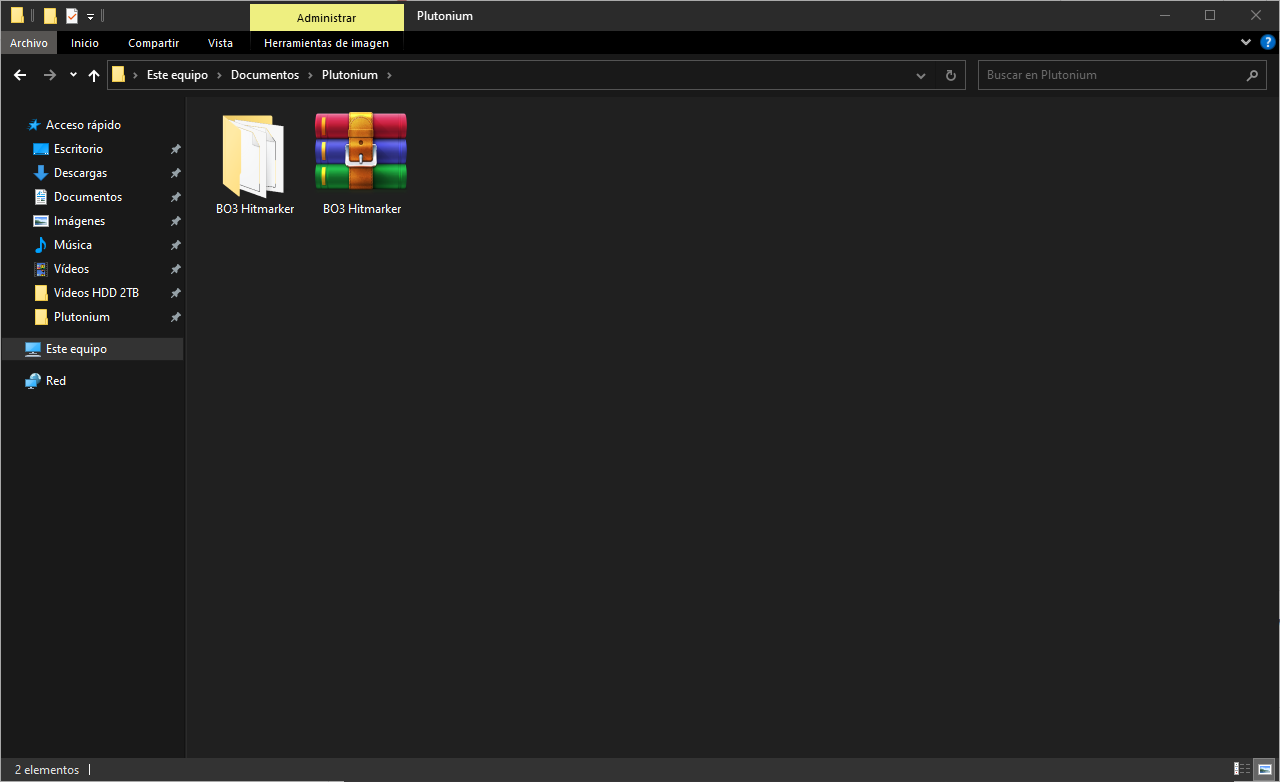
    Once you've downloaded the files, extract it with WinRAR, 7Zip or WinZip.

    796471d7-d714-4a6c-b82e-1cfebe25116a-image.png


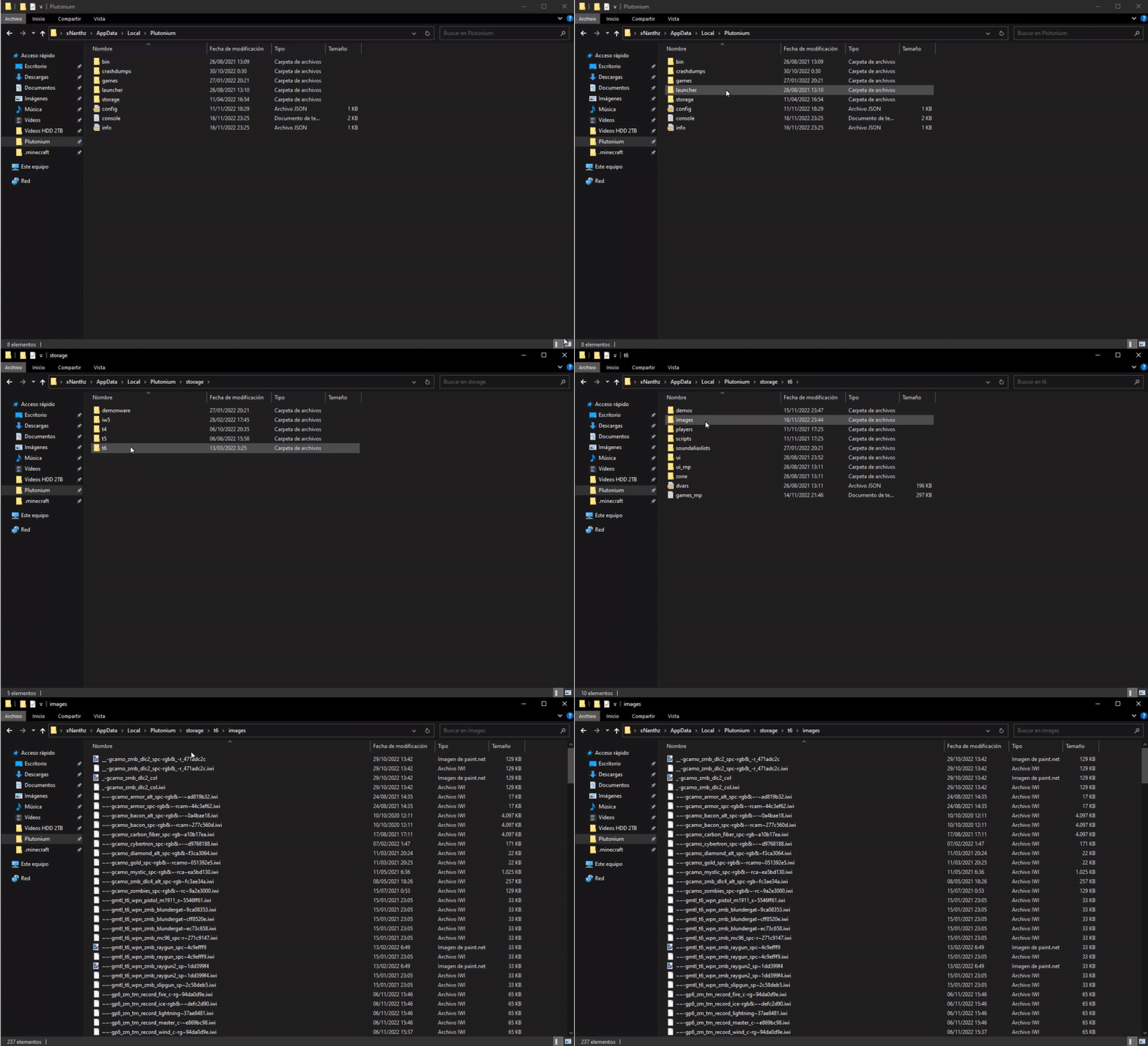
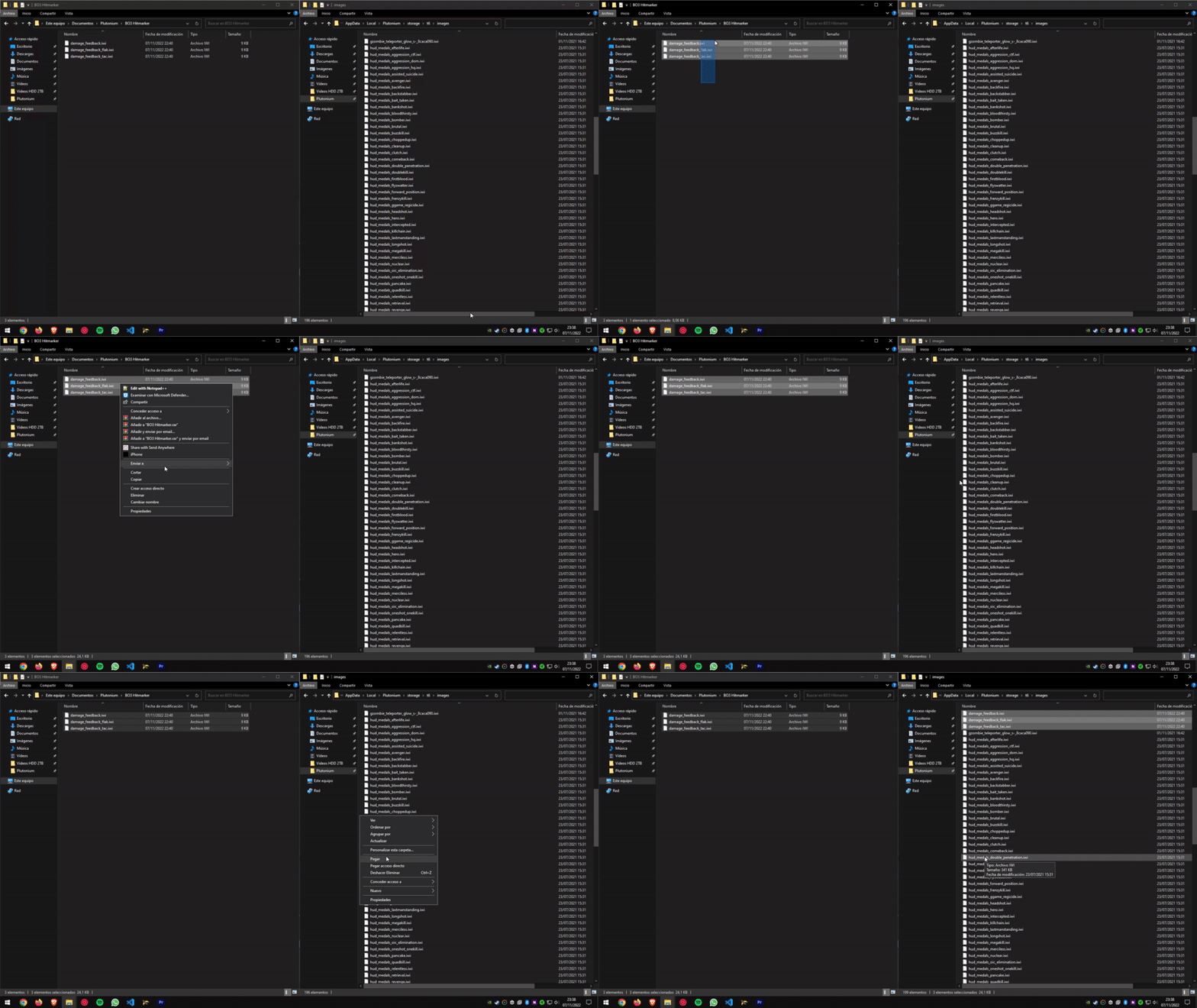
    Now open the folder and just "Drag & Drop" or "Copy & Paste" the files to the "images" folder where you have the game installed or in this directory (use Windows key + R and type "%localappdata%"):

    C:\AppData\Local\Plutonium\storage\t6\images

    alt text


    🎉 And there you have it!! Ready to enjoy it!! 🎉

    1 Reply Last reply
    4
    • GhostRider0125undefined Offline
      GhostRider0125undefined Offline
      GhostRider0125
      Banned
      wrote on last edited by
      #2

      nice little change : )

      1 Reply Last reply
      1
      • Angelku_undefined Offline
        Angelku_undefined Offline
        Angelku_
        wrote on last edited by
        #3

        no me sale la carpeta de images, que puedo hacer?

        xNandoundefined 1 Reply Last reply
        0
        • Angelku_undefined Angelku_

          no me sale la carpeta de images, que puedo hacer?

          xNandoundefined Offline
          xNandoundefined Offline
          xNando
          wrote on last edited by
          #4

          Angelku_ simplemente la creas, si lo vas a hacer en "%localappadata%" tienes que tener la carpeta "t6" en el directorio de "C:\Users\TU USUARIO\AppData\Local\Plutonium\storage" y dentro de la carpeta t6, crear la carpeta images

          alt text

          1 Reply Last reply
          0
          • SantiTheIIundefined Offline
            SantiTheIIundefined Offline
            SantiTheII
            wrote on last edited by
            #5

            Could you please make the BO3 crosshair as well?
            Por favor pudieras hacer los puntos centrals de BO3 para este juego?

            1 Reply Last reply
            0
            • Mizushinaundefined Offline
              Mizushinaundefined Offline
              Mizushina
              wrote on last edited by
              #6

              link down

              xNandoundefined 1 Reply Last reply
              0
              • Xerxesundefined Xerxes moved this topic from BO2 Modding Releases & Resources on
              • Mizushinaundefined Mizushina

                link down

                xNandoundefined Offline
                xNandoundefined Offline
                xNando
                wrote on last edited by
                #7

                Mizushina I just re-uploaded it

                1 Reply Last reply
                0
                • Xerxesundefined Xerxes moved this topic from BO2 Modding Support & Discussion on
                Hello! It looks like you're interested in this conversation, but you don't have an account yet.

                Getting fed up of having to scroll through the same posts each visit? When you register for an account, you'll always come back to exactly where you were before, and choose to be notified of new replies (either via email, or push notification). You'll also be able to save bookmarks and upvote posts to show your appreciation to other community members.

                With your input, this post could be even better 💗

                Register Login
                Reply
                • Reply as topic
                Log in to reply
                • Oldest to Newest
                • Newest to Oldest
                • Most Votes


                • Login

                • Don't have an account? Register

                • Login or register to search.
                • First post
                  Last post
                0
                • Recent
                • Tags
                • Popular
                • Users
                • Groups
                • Donate