Skip to content
  • 0 Unread 0
  • Recent
  • Tags
  • Popular
  • Users
  • Groups
  • Donate
Collapse

Plutonium

  1. Home
  2. BO2 Modding Releases & Resources
  3. custom Obsidian like Gold m1911

custom Obsidian like Gold m1911

Scheduled Pinned Locked Moved BO2 Modding Releases & Resources
41 Posts 11 Posters 14.4k Views 1 Watching
  • Oldest to Newest
  • Newest to Oldest
  • Most Votes
Reply
  • Reply as topic
Log in to reply
This topic has been deleted. Only users with topic management privileges can see it.
  • GhostRider0125 GhostRider0125

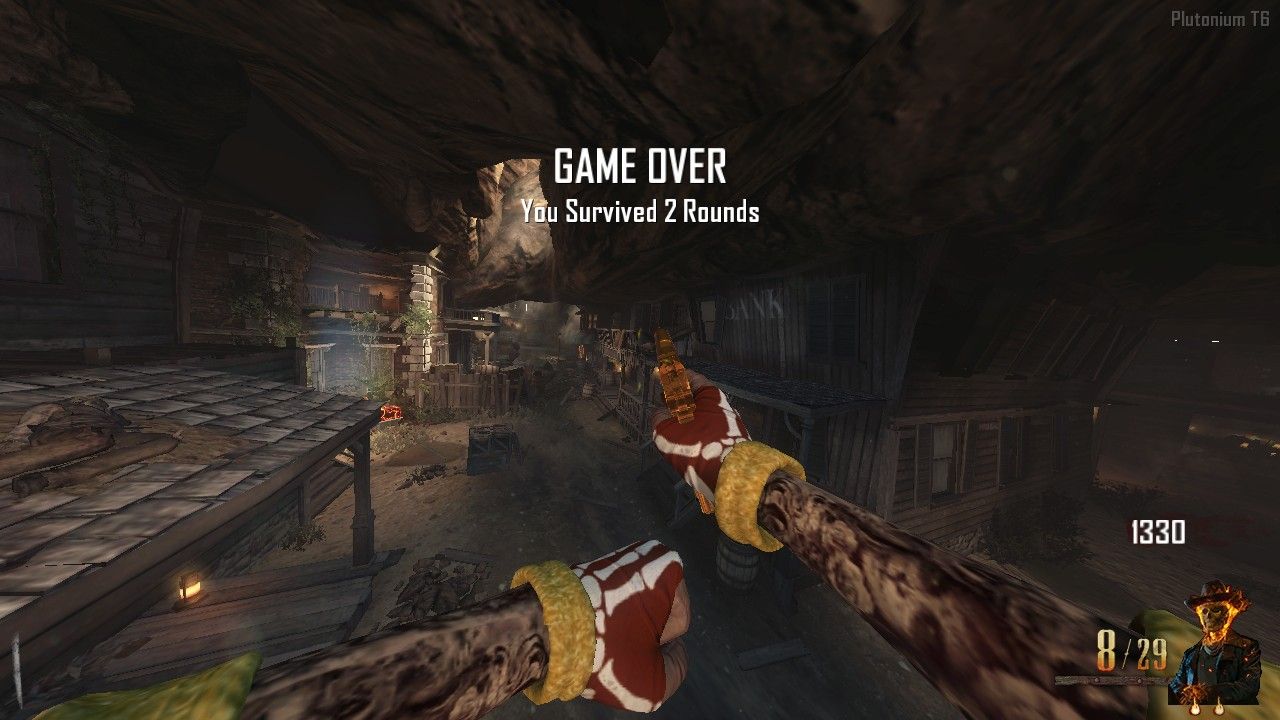
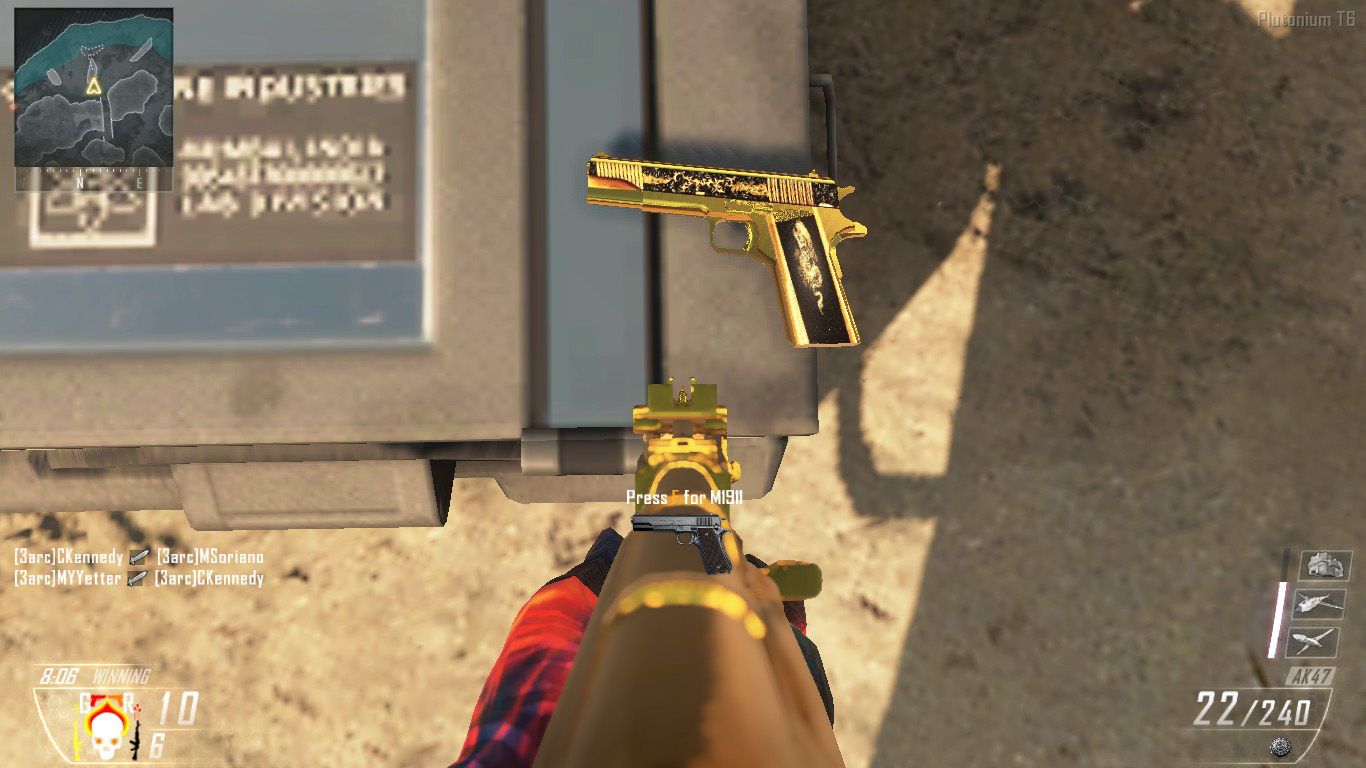
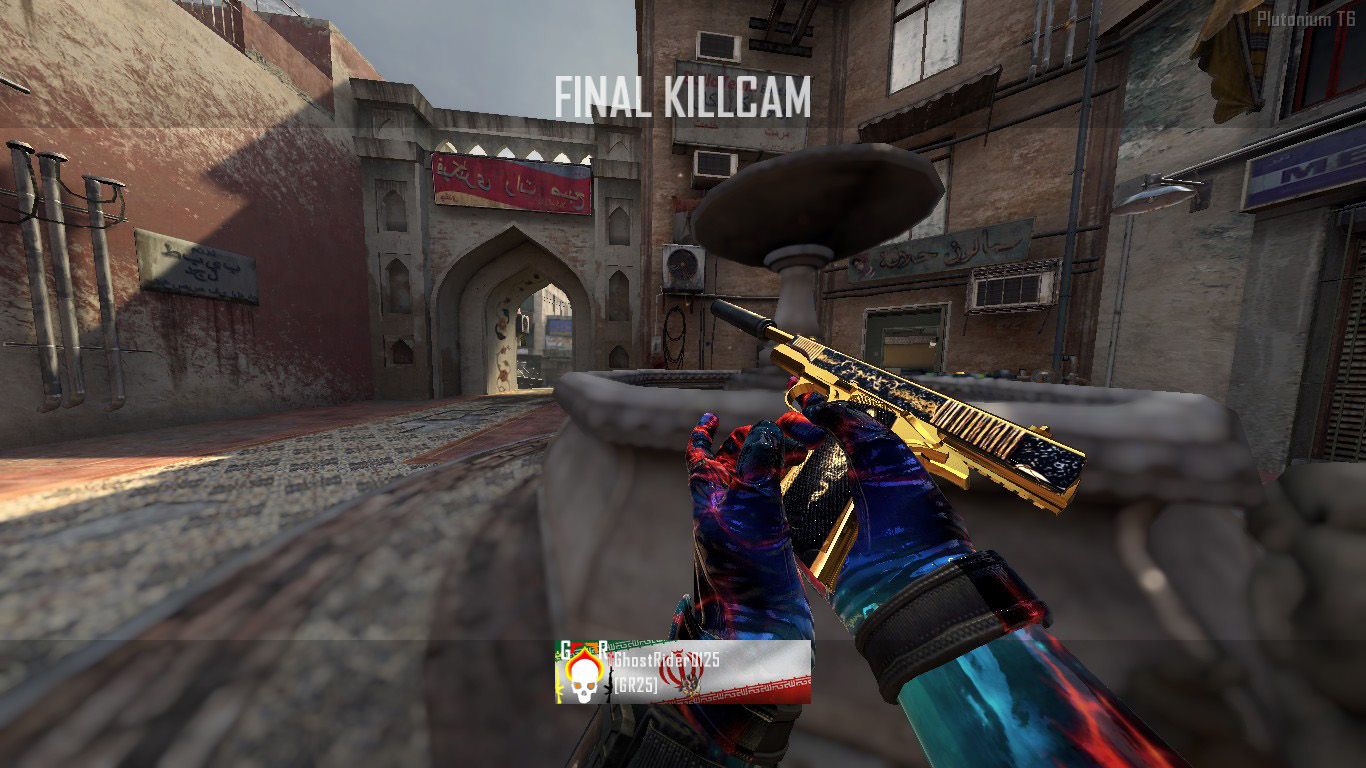
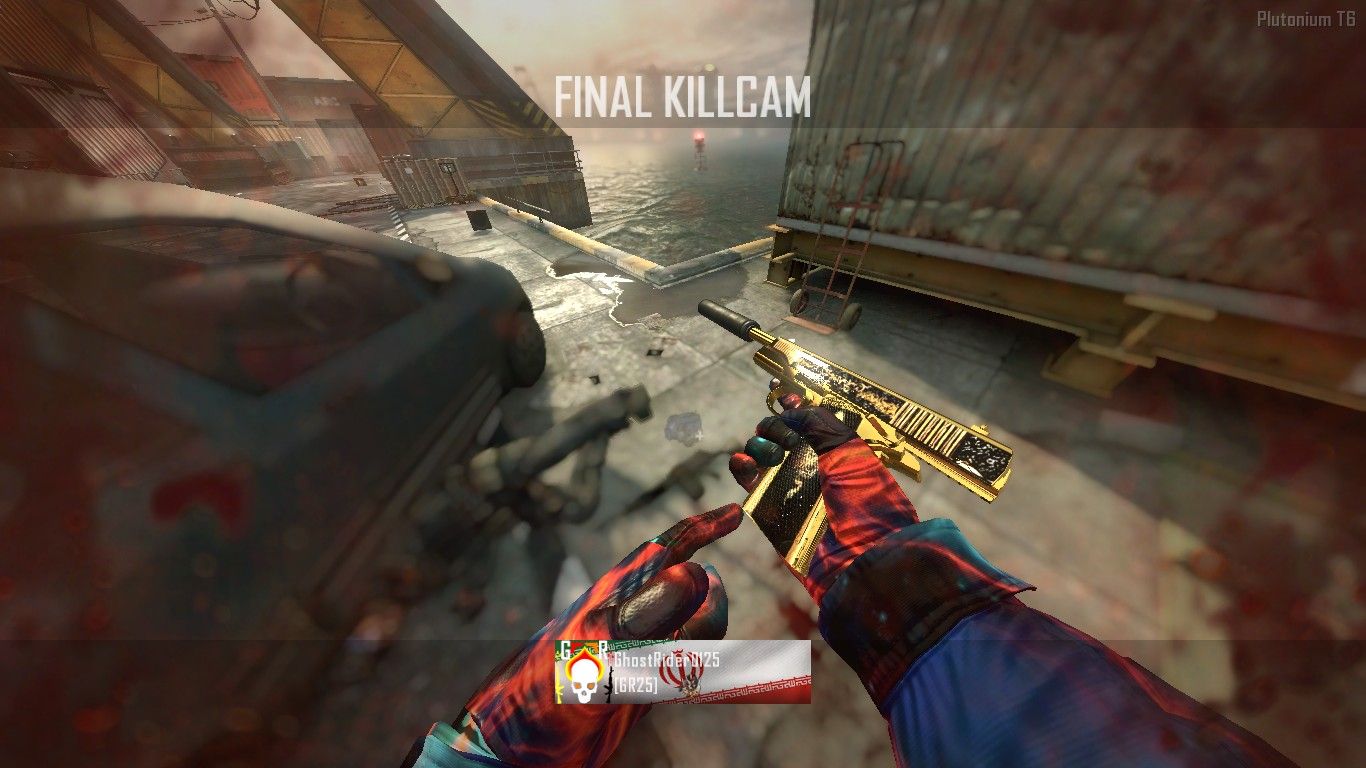
    heres my custom m1911 that i requested but nobody did it right so i got up my A$$ and made it myself😆
    sorry my texture quality was on normal it looks better in extra😅
    zmshot0004.jpg

    zmshot0006.jpg

    zmshot0024.jpg

    M1911 (6).jpg M1911 (7).jpg M1911 (8).jpg M1911 (10).jpg
    https://mega.nz/file/y2xzUbrb#4TkjcNsDKPmWt0EGXKnNRWr2Leu_BraXoAL8DBiKlq4

    Cawldwink Offline
    Cawldwink Offline
    Cawldwink
    wrote on last edited by
    #21

    GhostRider0125 lmao, this post just reminded me I needed to add some mod patches. Figured out how to get the menu pictures and also how to fix the the second mag that apparently comes invisible

    1 Reply Last reply
    1
    • LKurama LKurama

      TahjGadd mods. Check CawldWink's releases on Pluto

      TahjGadd Offline
      TahjGadd Offline
      TahjGadd
      wrote on last edited by
      #22

      LKurama link?

      LKurama 1 Reply Last reply
      1
      • TahjGadd TahjGadd

        LKurama link?

        LKurama Offline
        LKurama Offline
        LKurama
        wrote on last edited by
        #23

        TahjGadd https://forum.plutonium.pw/topic/35582/mp-tac45-m1911-replace-tac45-with-bo1-m1911/

        TahjGadd 1 Reply Last reply
        1
        • LKurama LKurama

          TahjGadd https://forum.plutonium.pw/topic/35582/mp-tac45-m1911-replace-tac45-with-bo1-m1911/

          TahjGadd Offline
          TahjGadd Offline
          TahjGadd
          wrote on last edited by
          #24

          LKurama is it only one weapon ?

          LKurama 1 Reply Last reply
          1
          • TahjGadd TahjGadd

            LKurama is it only one weapon ?

            LKurama Offline
            LKurama Offline
            LKurama
            wrote on last edited by
            #25

            TahjGadd Yeah bcs that's what you asked for

            TahjGadd 1 Reply Last reply
            1
            • LKurama LKurama

              TahjGadd Yeah bcs that's what you asked for

              TahjGadd Offline
              TahjGadd Offline
              TahjGadd
              wrote on last edited by
              #26

              LKurama is there more i mean

              LKurama 1 Reply Last reply
              1
              • TahjGadd TahjGadd

                LKurama is there more i mean

                LKurama Offline
                LKurama Offline
                LKurama
                wrote on last edited by
                #27

                TahjGadd Check his topics by yourself, i dunno man

                TahjGadd 1 Reply Last reply
                1
                • LKurama LKurama

                  TahjGadd Check his topics by yourself, i dunno man

                  TahjGadd Offline
                  TahjGadd Offline
                  TahjGadd
                  wrote on last edited by
                  #28

                  LKurama bruh

                  GhostRider0125 1 Reply Last reply
                  1
                  • TahjGadd TahjGadd

                    LKurama bruh

                    GhostRider0125 Offline
                    GhostRider0125 Offline
                    GhostRider0125
                    Banned
                    wrote on last edited by
                    #29

                    TahjGadd heres my beloved 47 and the 1911 in MP by Cawldwink on god😆🤣

                    https://forum.plutonium.pw/topic/37733/release-mp-ma-boi-ak-add-ak47-to-mp-1911-addon

                    1 Reply Last reply
                    0
                    • sontrecs43 Offline
                      sontrecs43 Offline
                      sontrecs43
                      wrote on last edited by
                      #30

                      😞 Camo only showing in zombies nothing in MP ive put the files into "images" folder and tried both of CawldWink's m1911 mods, but no mp skin appears on m1911

                      LKurama 1 Reply Last reply
                      1
                      • sontrecs43 sontrecs43

                        😞 Camo only showing in zombies nothing in MP ive put the files into "images" folder and tried both of CawldWink's m1911 mods, but no mp skin appears on m1911

                        LKurama Offline
                        LKurama Offline
                        LKurama
                        wrote on last edited by
                        #31

                        sontrecs43 it's because the mod uses different textures

                        sontrecs43 1 Reply Last reply
                        1
                        • LKurama LKurama

                          sontrecs43 it's because the mod uses different textures

                          sontrecs43 Offline
                          sontrecs43 Offline
                          sontrecs43
                          wrote on last edited by sontrecs43
                          #32

                          LKurama How would i use the skin and the mod together as in the screenshots ?

                          LKurama GhostRider0125 2 Replies Last reply
                          1
                          • sontrecs43 sontrecs43

                            LKurama How would i use the skin and the mod together as in the screenshots ?

                            LKurama Offline
                            LKurama Offline
                            LKurama
                            wrote on last edited by
                            #33

                            sontrecs43 Good question i dunno, maybe you'll need to rename the iwi files

                            1 Reply Last reply
                            1
                            • sontrecs43 sontrecs43

                              LKurama How would i use the skin and the mod together as in the screenshots ?

                              GhostRider0125 Offline
                              GhostRider0125 Offline
                              GhostRider0125
                              Banned
                              wrote on last edited by
                              #34

                              sontrecs43 i have left instructions in the post itself but oh well ill tell ya here anyway😆

                              just open the mod.iwd and go to its image folder and extract all of its iwi files then replace them with yours or with mine from the post😄

                              https://forum.plutonium.pw/topic/37733/release-mp-ma-boi-ak-add-ak47-to-mp-1911-addon/13

                              1 Reply Last reply
                              0
                              • GhostRider0125 GhostRider0125 referenced this topic on
                              • spc.1 Offline
                                spc.1 Offline
                                spc.1
                                wrote on last edited by
                                #35

                                Still cool as fuckkkk

                                1 Reply Last reply
                                1
                                • GhostRider0125 GhostRider0125

                                  @Tatico-DJ thanks hope you enjoy using it😁

                                  adamitox69 Offline
                                  adamitox69 Offline
                                  adamitox69
                                  wrote on last edited by
                                  #36

                                  GhostRider0125 how do you make it ? im asking bc i want to turn some skins to troll stuff etc etc

                                  GhostRider0125 1 Reply Last reply
                                  1
                                  • adamitox69 adamitox69

                                    GhostRider0125 how do you make it ? im asking bc i want to turn some skins to troll stuff etc etc

                                    GhostRider0125 Offline
                                    GhostRider0125 Offline
                                    GhostRider0125
                                    Banned
                                    wrote on last edited by GhostRider0125
                                    #37

                                    adamitox69 if your talking on how to make skins heres guide lad

                                    you need to have these tools greyhound paint.net iwi fast convertor and photoshop ( i have an old version thats around 363 mb i dont want extra tools and shiat that i dont know how to work with them for 3 gb or somethin plus mine is portable and can convert png to dds pretty well (not working for mw3 though that boi is difrent XD) so yeah😆
                                    here the links what they do

                                    greyhound: it extracts the textures from the game in order to do that you open it then press load then you go to your mw3 bo1 or 2 game diractory and for each is difrent for bo2 once your there you go to zone then all and here is all your bo2 textures orginaized in sections but for bo1 an mw3 once your there you go to main then you have to go through all iwd files to find whach yo looking for🤣
                                    https://github.com/Scobalula/Greyhound/releases/download/1.23.31.0/Greyhound.V.1.23.31.0-release.zip

                                    paint.net: just for converting your png or jpg to dds you dont really need it if you have my old photoshop for changing bo2 only but if you want to change some of bo1 or mw3 textures i recommend having it
                                    https://github.com/paintdotnet/release/releases/download/v5.0.10/paint.net.5.0.10.install.anycpu.web.zip

                                    iwi fast converter: its in the name you just drag your iwi files in it to turn it to dds then you change the texture to whatever you want then you drag the new dds to iwi again type the number version of the cod game you want to covert it to 😁
                                    https://www.itsmods.com/forum/attachment.php?aid=2433

                                    photoshop: i mean if you dont know this one then idk what to tell ya man where have you been its your main tool for changing textures thats it there are a lot of tips and tricks you can learn and make your texture changing much faster and less stresful theyre other alternatives to photoshop go watch some youtube videos youll thank me later😆😁 (if you want my portable old version just tell me ill send it to ya)
                                    this is all you need to know to start texture changing animated shit is another can of poop you can see in youtube
                                    and for changing textures in photoshop watch this
                                    https://www.youtube.com/watch?v=vqgaPhVmCqA
                                    https://www.youtube.com/watch?v=WpqMCQ-BlzY

                                    spc.1 1 Reply Last reply
                                    0
                                    • GhostRider0125 GhostRider0125

                                      adamitox69 if your talking on how to make skins heres guide lad

                                      you need to have these tools greyhound paint.net iwi fast convertor and photoshop ( i have an old version thats around 363 mb i dont want extra tools and shiat that i dont know how to work with them for 3 gb or somethin plus mine is portable and can convert png to dds pretty well (not working for mw3 though that boi is difrent XD) so yeah😆
                                      here the links what they do

                                      greyhound: it extracts the textures from the game in order to do that you open it then press load then you go to your mw3 bo1 or 2 game diractory and for each is difrent for bo2 once your there you go to zone then all and here is all your bo2 textures orginaized in sections but for bo1 an mw3 once your there you go to main then you have to go through all iwd files to find whach yo looking for🤣
                                      https://github.com/Scobalula/Greyhound/releases/download/1.23.31.0/Greyhound.V.1.23.31.0-release.zip

                                      paint.net: just for converting your png or jpg to dds you dont really need it if you have my old photoshop for changing bo2 only but if you want to change some of bo1 or mw3 textures i recommend having it
                                      https://github.com/paintdotnet/release/releases/download/v5.0.10/paint.net.5.0.10.install.anycpu.web.zip

                                      iwi fast converter: its in the name you just drag your iwi files in it to turn it to dds then you change the texture to whatever you want then you drag the new dds to iwi again type the number version of the cod game you want to covert it to 😁
                                      https://www.itsmods.com/forum/attachment.php?aid=2433

                                      photoshop: i mean if you dont know this one then idk what to tell ya man where have you been its your main tool for changing textures thats it there are a lot of tips and tricks you can learn and make your texture changing much faster and less stresful theyre other alternatives to photoshop go watch some youtube videos youll thank me later😆😁 (if you want my portable old version just tell me ill send it to ya)
                                      this is all you need to know to start texture changing animated shit is another can of poop you can see in youtube
                                      and for changing textures in photoshop watch this
                                      https://www.youtube.com/watch?v=vqgaPhVmCqA
                                      https://www.youtube.com/watch?v=WpqMCQ-BlzY

                                      spc.1 Offline
                                      spc.1 Offline
                                      spc.1
                                      wrote on last edited by
                                      #38

                                      GhostRider0125 said in custom Obsidian like Gold m1911:

                                      My way of making camos is converting the iwi's to DDS to png. Edit them in PS and convert them using a DDS converter and the normal IWI fast converter. Pretty complicated but its my preferred way of doing camos.

                                      GhostRider0125 1 Reply Last reply
                                      1
                                      • spc.1 spc.1

                                        GhostRider0125 said in custom Obsidian like Gold m1911:

                                        My way of making camos is converting the iwi's to DDS to png. Edit them in PS and convert them using a DDS converter and the normal IWI fast converter. Pretty complicated but its my preferred way of doing camos.

                                        GhostRider0125 Offline
                                        GhostRider0125 Offline
                                        GhostRider0125
                                        Banned
                                        wrote on last edited by
                                        #39

                                        @FomroMadia whatever makes it tick for ya i guess😆

                                        1 Reply Last reply
                                        0
                                        • RyanGamer Offline
                                          RyanGamer Offline
                                          RyanGamer
                                          wrote on last edited by
                                          #40

                                          When I put the file in the images folder it still doesn't work

                                          GhostRider0125 1 Reply Last reply
                                          1

                                          Hello! It looks like you're interested in this conversation, but you don't have an account yet.

                                          Getting fed up of having to scroll through the same posts each visit? When you register for an account, you'll always come back to exactly where you were before, and choose to be notified of new replies (either via email, or push notification). You'll also be able to save bookmarks and upvote posts to show your appreciation to other community members.

                                          With your input, this post could be even better 💗

                                          Register Login
                                          Reply
                                          • Reply as topic
                                          Log in to reply
                                          • Oldest to Newest
                                          • Newest to Oldest
                                          • Most Votes


                                          • 1
                                          • 2
                                          • 3
                                          • Login

                                          • Don't have an account? Register

                                          • Login or register to search.
                                          • First post
                                            Last post
                                          0
                                          • Unread 0
                                          • Recent
                                          • Tags
                                          • Popular
                                          • Users
                                          • Groups
                                          • Donate