[Release] [Zombies] HealthBar on the screen
-
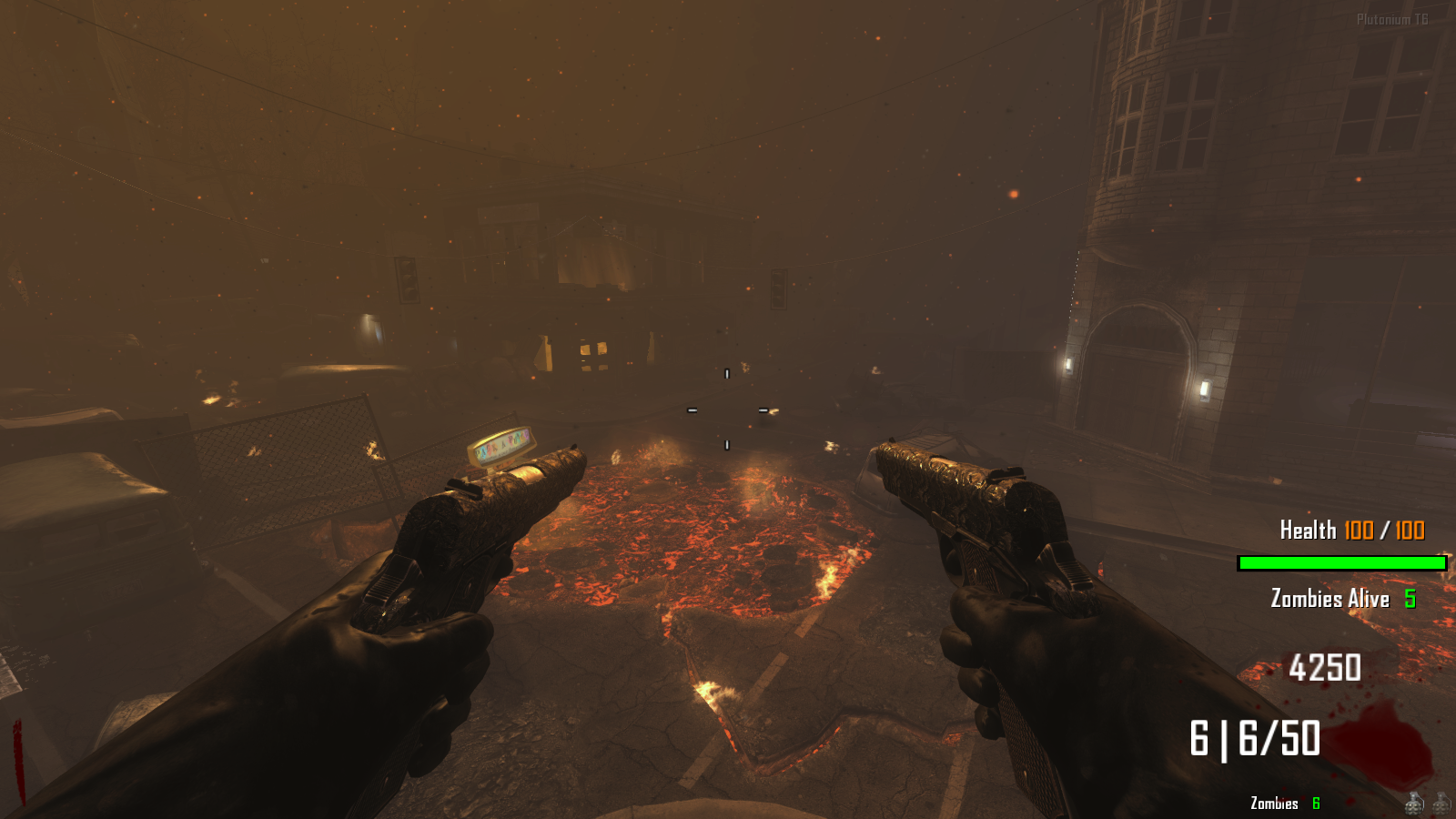
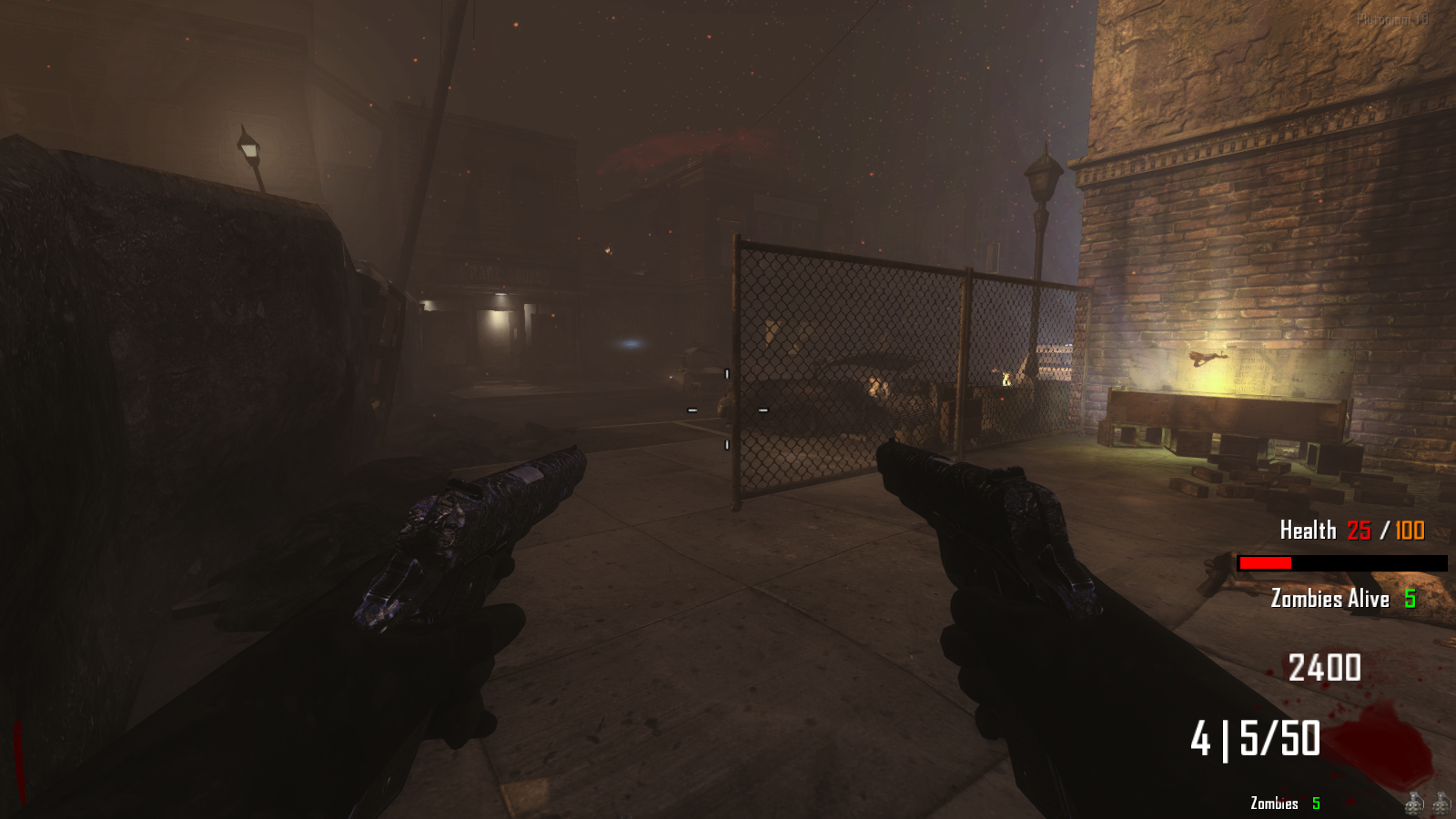
Health Bar Custom GSC script that works on all maps.
Download from here:
https://github.com/Rise166/Health-BarVirus Total for Virus checking:
https://www.virustotal.com/gui/file/d661e995c03c6130593ea992f2c66adab8942d128e53e6e2eaf3ecbb36fa9897?nocache=1Features:
1: The bar will appear on the Far Right side of the game UI
2: Colors of bar change depending on the health countInstallation:
Download the Healthbar.gsc provided in my github. Copy the healthbar.gsc and press windows key + r and paste %localappdata%/Plutonium/storage/t6 and hit enter;
For new people create a scripts folder inside t6 and paste the Healthbar.gsc and you're good to go.For old people you know the drill tbh
I have posted Screenshots below:
Optional:
If you want to display Health Counter and Zombies Counter, you can go to the post in the plutonium forum given below:
https://forum.plutonium.pw/topic/40568/release-zombies-zombies-counter-and-health-counter
(dont worry about the raygun in the box, I didn't leave the game before grabbing it)UPDATES:
Future Updates will be coming on this Bar whether to decide where the bar should display in the screen. Might change coordinates. Also comment for any misallignments or bugs in different maps. keep gaming till then. -
 Rise166 referenced this topic on
-
 Astroolean referenced this topic on



Hello! It looks like you're interested in this conversation, but you don't have an account yet.
Getting fed up of having to scroll through the same posts each visit? When you register for an account, you'll always come back to exactly where you were before, and choose to be notified of new replies (either via email, or push notification). You'll also be able to save bookmarks and upvote posts to show your appreciation to other community members.
With your input, this post could be even better 💗
Register Login