Skip to content
  • Recent
  • Tags
  • Popular
  • Users
  • Groups
  • Donate
Collapse

Plutonium

  1. Home
  2. BO2 Client Support
  3. Need Help, New PC- Getting BO2 CL_CGAmeNeedsServerCommand Error
Need Help, New PC- Getting BO2 CL_CGAmeNeedsServerCommand Error

Scheduled Pinned Locked Moved BO2 Client Support
10 Posts 2 Posters 231 Views 2 Watching
  • Oldest to Newest
  • Newest to Oldest
  • Most Votes
Reply
  • Reply as topic
Log in to reply
This topic has been deleted. Only users with topic management privileges can see it.
  • ZOMBIESTRIKERPRundefined Offline
    ZOMBIESTRIKERPRundefined Offline
    ZOMBIESTRIKERPR
    wrote last edited by
    #1

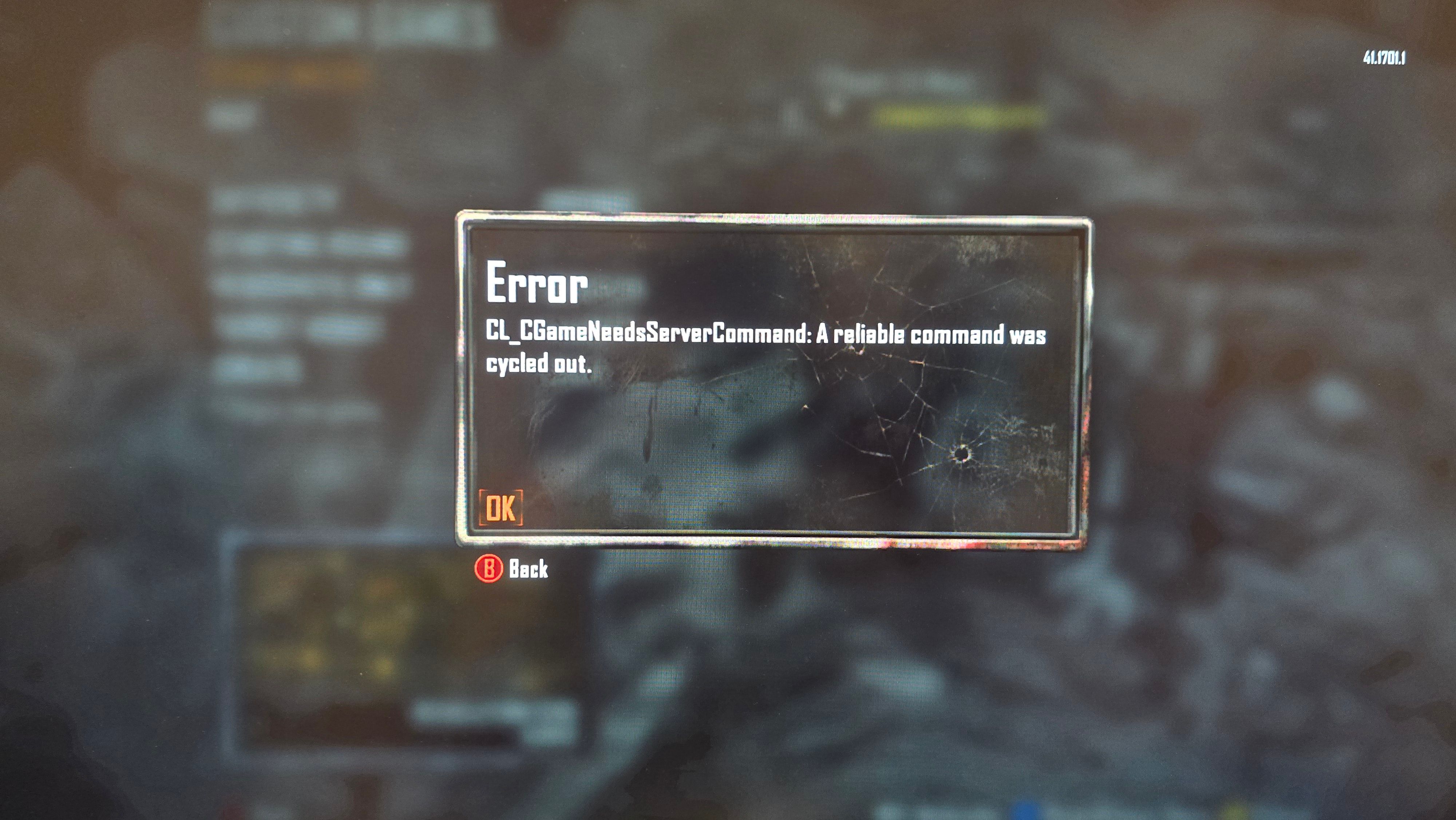
    I just bough and built a new PC and tried to play some BO2 Plutonium and I keep getting this error. I'm also not able to play BO2 from steam since de the game keeps crashing and giving me unexpected error.
    20251227_091547.jpg

    1 Reply Last reply
    0
    • Hadi77KSAundefined Offline
      Hadi77KSAundefined Offline
      Hadi77KSA
      Contributor
      wrote last edited by
      #2

      If you have installed custom mods/scripts, remove them and restart the game then see if that fixes it. Otherwise, press Win+R, write this into the window that opens: %localappdata%\Plutonium\storage\t6\main, press Ok, and provide the console_zm.log file that contains the error you experienced.

      ZOMBIESTRIKERPRundefined 1 Reply Last reply
      0
      • ZOMBIESTRIKERPRundefined Offline
        ZOMBIESTRIKERPRundefined Offline
        ZOMBIESTRIKERPR
        wrote last edited by
        #3

        I had no previous mod installed. I wont let me attach the Console ZM Log. Howe can I send it/ show it ?

        1 Reply Last reply
        0
        • Hadi77KSAundefined Hadi77KSA

          If you have installed custom mods/scripts, remove them and restart the game then see if that fixes it. Otherwise, press Win+R, write this into the window that opens: %localappdata%\Plutonium\storage\t6\main, press Ok, and provide the console_zm.log file that contains the error you experienced.

          ZOMBIESTRIKERPRundefined Offline
          ZOMBIESTRIKERPRundefined Offline
          ZOMBIESTRIKERPR
          wrote last edited by
          #4

          Hadi77KSA
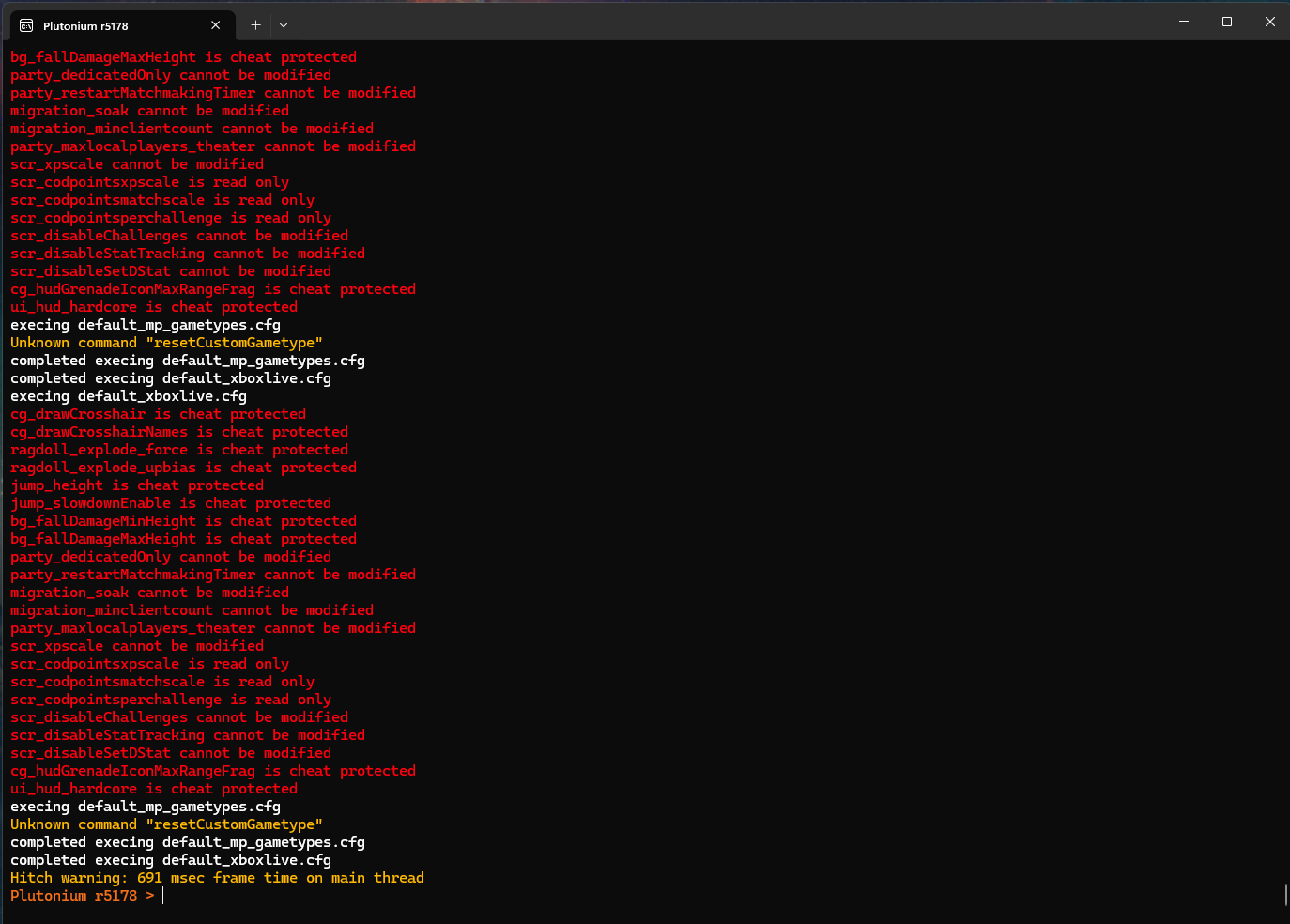
          Screenshot 2025-12-27 113220.png

          1 Reply Last reply
          0
          • Hadi77KSAundefined Offline
            Hadi77KSAundefined Offline
            Hadi77KSA
            Contributor
            wrote last edited by Hadi77KSA
            #5

            The screenshot you provided isn’t enough. You could either upload it to somewhere like MediaFire and share the link, or make it into a ZIP file then change the extension to .iwd and upload it here. Please make sure the log file you upload contains the error from your first picture.

            ZOMBIESTRIKERPRundefined 1 Reply Last reply
            0
            • Hadi77KSAundefined Hadi77KSA

              The screenshot you provided isn’t enough. You could either upload it to somewhere like MediaFire and share the link, or make it into a ZIP file then change the extension to .iwd and upload it here. Please make sure the log file you upload contains the error from your first picture.

              ZOMBIESTRIKERPRundefined Offline
              ZOMBIESTRIKERPRundefined Offline
              ZOMBIESTRIKERPR
              wrote last edited by
              #6

              Hadi77KSA Sorry for taking long, I got a little busy over the weekend. But here is the file. I want to mention that the only maps i get this error on is All of the Green Run maps and Nuketown. All the other maps load just fine. console_zm.iwd

              Hadi77KSAundefined 1 Reply Last reply
              0
              • ZOMBIESTRIKERPRundefined ZOMBIESTRIKERPR

                Hadi77KSA Sorry for taking long, I got a little busy over the weekend. But here is the file. I want to mention that the only maps i get this error on is All of the Green Run maps and Nuketown. All the other maps load just fine. console_zm.iwd

                Hadi77KSAundefined Offline
                Hadi77KSAundefined Offline
                Hadi77KSA
                Contributor
                wrote last edited by
                #7

                ZOMBIESTRIKERPR this doesn’t contain the error in your original post. Please send one that contains it.

                ZOMBIESTRIKERPRundefined 1 Reply Last reply
                0
                • Hadi77KSAundefined Hadi77KSA

                  ZOMBIESTRIKERPR this doesn’t contain the error in your original post. Please send one that contains it.

                  ZOMBIESTRIKERPRundefined Offline
                  ZOMBIESTRIKERPRundefined Offline
                  ZOMBIESTRIKERPR
                  wrote last edited by
                  #8

                  Hadi77KSA This one is from the 27th, It should contain it. console_zm.iwd

                  Hadi77KSAundefined 1 Reply Last reply
                  0
                  • ZOMBIESTRIKERPRundefined ZOMBIESTRIKERPR

                    Hadi77KSA This one is from the 27th, It should contain it. console_zm.iwd

                    Hadi77KSAundefined Offline
                    Hadi77KSAundefined Offline
                    Hadi77KSA
                    Contributor
                    wrote last edited by
                    #9

                    ZOMBIESTRIKERPR press Win+R, paste this: %localappdata%\Plutonium\storage\t6\players\plutonium_zm.cfg then press Ok and open with Notepad if it asks what to open it with, go to the bottom of the file, paste this into it:

                    seta r_shaderWarming "0"
                    

                    save the file, and see if that fixes the problem.

                    ZOMBIESTRIKERPRundefined 1 Reply Last reply
                    0
                    • Hadi77KSAundefined Hadi77KSA

                      ZOMBIESTRIKERPR press Win+R, paste this: %localappdata%\Plutonium\storage\t6\players\plutonium_zm.cfg then press Ok and open with Notepad if it asks what to open it with, go to the bottom of the file, paste this into it:

                      seta r_shaderWarming "0"
                      

                      save the file, and see if that fixes the problem.

                      ZOMBIESTRIKERPRundefined Offline
                      ZOMBIESTRIKERPRundefined Offline
                      ZOMBIESTRIKERPR
                      wrote last edited by
                      #10

                      Hadi77KSA It Worked!!!! Thank you so much for the help.

                      1 Reply Last reply
                      0
                      Reply
                      • Reply as topic
                      Log in to reply
                      • Oldest to Newest
                      • Newest to Oldest
                      • Most Votes


                      • Login

                      • Don't have an account? Register

                      • Login or register to search.
                      • First post
                        Last post
                      0
                      • Recent
                      • Tags
                      • Popular
                      • Users
                      • Groups
                      • Donate