Animated Camos V2.0 [ZM]
-
Bone Crusher Actually never mind I thought I had posted a link to my github at the end of the game not my discord, I will probably just change it to my github since I dont even use my discord anymore
Bone Crusher Don't worry about it. I just use your old patch, which replaces the starting text instead, calling some dude named frost a bitch lol. I don't know, I like the game over text just cuz there's something nice about playing a lengthy game and seeing that text. I've been playing zombies for a decade and dying and not seeing that text just felt odd in so many ways. It felt almost anticlimactic, as if my brain was expecting some more but the more in question didn't come. I guess my brain is just used to reading that text and associating it with the end of the game and not seeing it just made it feel odd. Btw thank you for your work. This whole animated camo patch stuff is really cool.
-
 HomerJay42 referenced this topic on
-
 spc.1 referenced this topic on
-
 pops3381999 referenced this topic on
-
pops3381999 referenced this topic on
-
OUTDATED MOD, CHECK THIS MOD INSTEAD
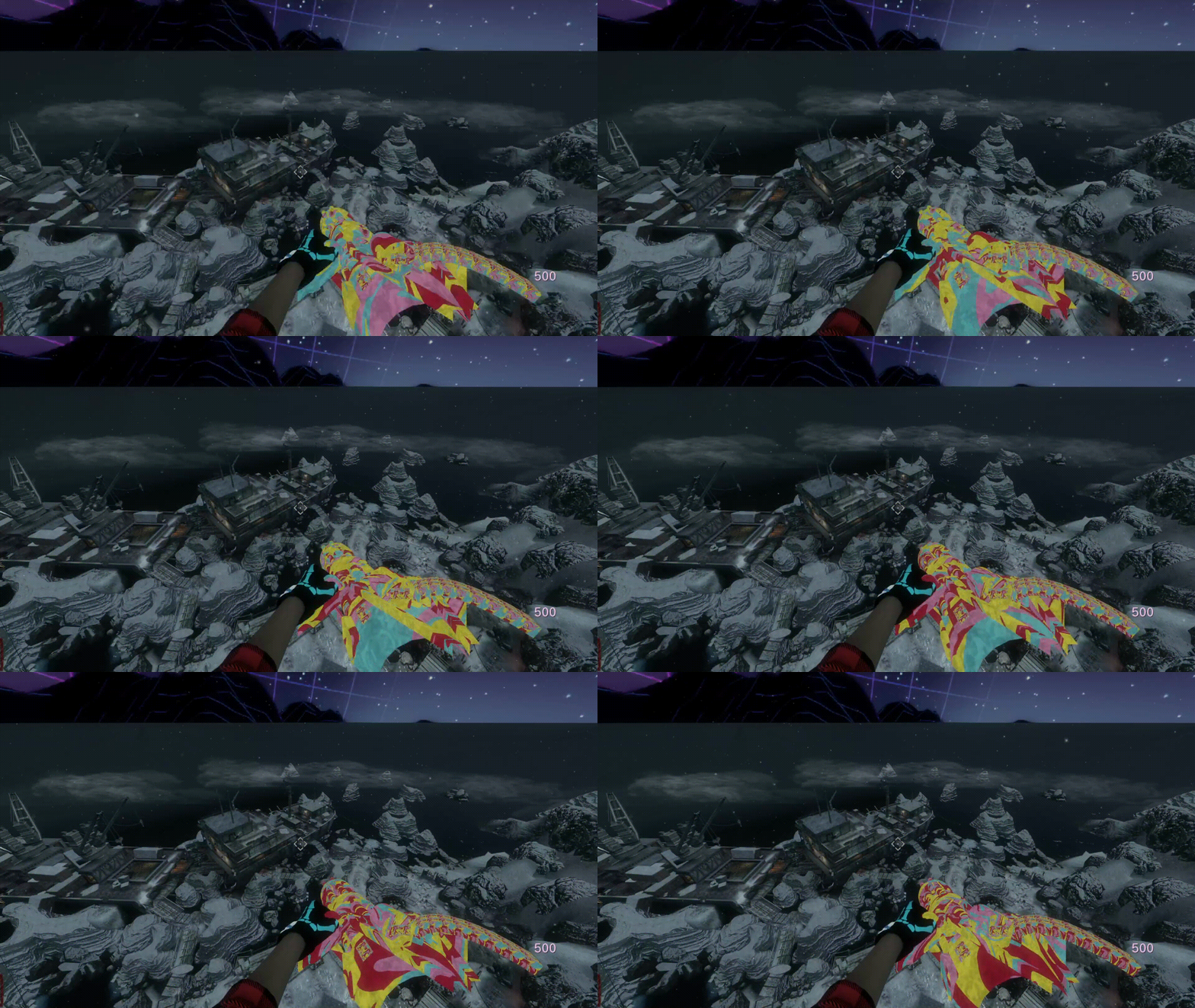
Animated Camo example
https://youtu.be/cNmVdrlMJPw
How to make animated camos
https://youtu.be/fieIAzDooWsHow to install
- Download the files
- Drop the iw_animatedcamos.iwd on your main folder
(C:\Program Files (x86)\Steam\steamapps\common\Call of Duty Black Ops\main) - Drop the rest of the files in your zone folder
(C:\Program Files (x86)\Steam\steamapps\common\Call of Duty Black Ops\zone\Common)
Last Updates
(05/11/2023)
- Added minigun animation
- Added animated hands
(26/6/2023)
- Fixed Japanese version
- Fixed plutonium crashing when you get the cz-75 dual weild
- Removed white ash trail from dogs
- Removed zombie eye color overlay
- Added a version without Misty
(15/06/2023)
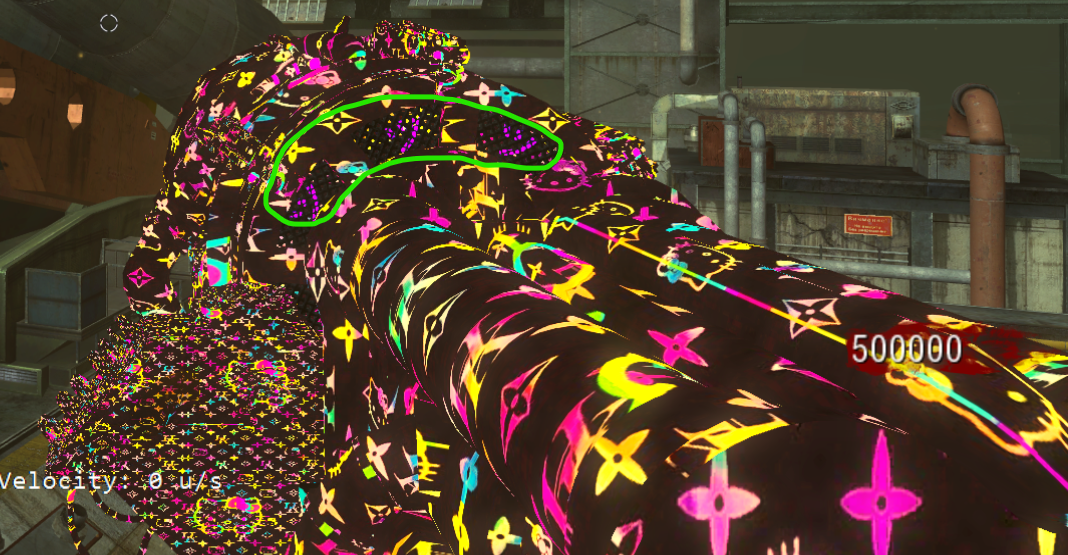
- Removed the color overlay from the lights of the Tgun
Custom weapons
- Karambit
- Sliquifire
Animated weapons
- AK74U
- AUG
- Ballistic Knife
- BBgun
- Betty
- Bowie
- China-Lake
- Claymore
- Crossbow
- Commando
- CZ
- Dragunov
- FAL
- FAMAS
- G11
- Galil
- Gershes
- HK21
- HS10
- L96A1
- Law72
- M14
- M16
- M1911
- Minigun
- Monkeys
- MP5
- MP40
- Olympia
- Python
- Raygun
- RPK
- Scavenger
- Sliquifire
- SPAS
- Spectre
- Stakeout
- STG-44
- Tgun
- Thompson
- Waffe
- Wavegun
- Leff-handed zapgun
- Right-handed zapgun
Other Stuff
- Misty
- Custom fx
- Earth gif
Shout out to:
- TC - For making some animated camos
- Badger - For making the animated betty
- Clippy95 - For adding misty model
Made by BoneCrusher
This post is deleted! -
 VodkaAt3Am referenced this topic on
-
im using these camos and they are very cool but i noticed the misty gloves are also affected by the textures and was wondering if theres any way to remove the animated camo from the misty gloves while still keeping all the weapon camos and everything, thank you!
-
 PSR referenced this topic on
-
Do any smart people know where the code that makes the camos animated is located in the fast files?
-
Do any smart people know where the code that makes the camos animated is located in the fast files?
-
BlemBlaster yes, me
Bone Crusher would it be possible to gain this knowledge? I tried looking in the fast files for the code but I couldn’t find it. I really like the mod and I wanted to edit it to only have the camos and not things like perk machine colour changes and the dog changes.
-
Bone Crusher would it be possible to gain this knowledge? I tried looking in the fast files for the code but I couldn’t find it. I really like the mod and I wanted to edit it to only have the camos and not things like perk machine colour changes and the dog changes.
BlemBlaster You have all the files needed to build the mod here:
https://github.com/Fraaagaaa/Animated-CamosThere is no code to make it work, I just swapped the original materials that the models of the weapons use for an animated one. you can find them here https://github.com/Fraaagaaa/Animated-Camos/tree/main/raw/materials
And the gdt to build them here: https://github.com/Fraaagaaa/Animated-Camos/blob/main/raw/texure_assets/camos.gdt
The process is really hard to explain specially since english is not my first language but if I was able to figure it out without this you should be able to do so too looking at the files.
-
 danielsen69 referenced this topic on
-
OUTDATED MOD, CHECK THIS MOD INSTEAD
Animated Camo example
https://youtu.be/cNmVdrlMJPw
How to make animated camos
https://youtu.be/fieIAzDooWsHow to install
- Download the files
- Drop the iw_animatedcamos.iwd on your main folder
(C:\Program Files (x86)\Steam\steamapps\common\Call of Duty Black Ops\main) - Drop the rest of the files in your zone folder
(C:\Program Files (x86)\Steam\steamapps\common\Call of Duty Black Ops\zone\Common)
Last Updates
(05/11/2023)
- Added minigun animation
- Added animated hands
(26/6/2023)
- Fixed Japanese version
- Fixed plutonium crashing when you get the cz-75 dual weild
- Removed white ash trail from dogs
- Removed zombie eye color overlay
- Added a version without Misty
(15/06/2023)
- Removed the color overlay from the lights of the Tgun
Custom weapons
- Karambit
- Sliquifire
Animated weapons
- AK74U
- AUG
- Ballistic Knife
- BBgun
- Betty
- Bowie
- China-Lake
- Claymore
- Crossbow
- Commando
- CZ
- Dragunov
- FAL
- FAMAS
- G11
- Galil
- Gershes
- HK21
- HS10
- L96A1
- Law72
- M14
- M16
- M1911
- Minigun
- Monkeys
- MP5
- MP40
- Olympia
- Python
- Raygun
- RPK
- Scavenger
- Sliquifire
- SPAS
- Spectre
- Stakeout
- STG-44
- Tgun
- Thompson
- Waffe
- Wavegun
- Leff-handed zapgun
- Right-handed zapgun
Other Stuff
- Misty
- Custom fx
- Earth gif
Shout out to:
- TC - For making some animated camos
- Badger - For making the animated betty
- Clippy95 - For adding misty model
Made by BoneCrusher
Bone Crusher how do i remove watermark at the end of a round
-
Bone Crusher how do i remove watermark at the end of a round
HollyWooDDiemndz This mod is outdated, check this one https://forum.plutonium.pw/topic/44479, it does not have a watermark
-
can i pls get the patch files from this mod? i cant download anymore and i cant find how to contact ur discord ur links dont work
-
Bone Crusher i dont know if im stupid and im mjissing it but the ones i want are the ones that go in zone-common that are like zombies.moon.ff for example
zenjifu you can just rename the .ff to whatever you want
-
 GhostRider01250 referenced this topic on
-
GhostRider01250 referenced this topic on


Hello! It looks like you're interested in this conversation, but you don't have an account yet.
Getting fed up of having to scroll through the same posts each visit? When you register for an account, you'll always come back to exactly where you were before, and choose to be notified of new replies (either via email, or push notification). You'll also be able to save bookmarks and upvote posts to show your appreciation to other community members.
With your input, this post could be even better 💗
Register Login