[Release][ZM] Custom BO1 Animated Origins Pack A Punch Camos

-
Hello i put together an Origins-inspired Pack-A-Punch camo pack for BO1 (T5). I tried to get it as close to the classic Origins aesthetic as possible, let me know how I did!
There are actually a lot more weapons covered in this pack, but I didn't want to make the post a mile long, so here is a quick look at a few of them in-game.
Previews
AK47u

AUG

Commando

Dragunov

Galil

L96A1

M14

MP40

MPL

Python
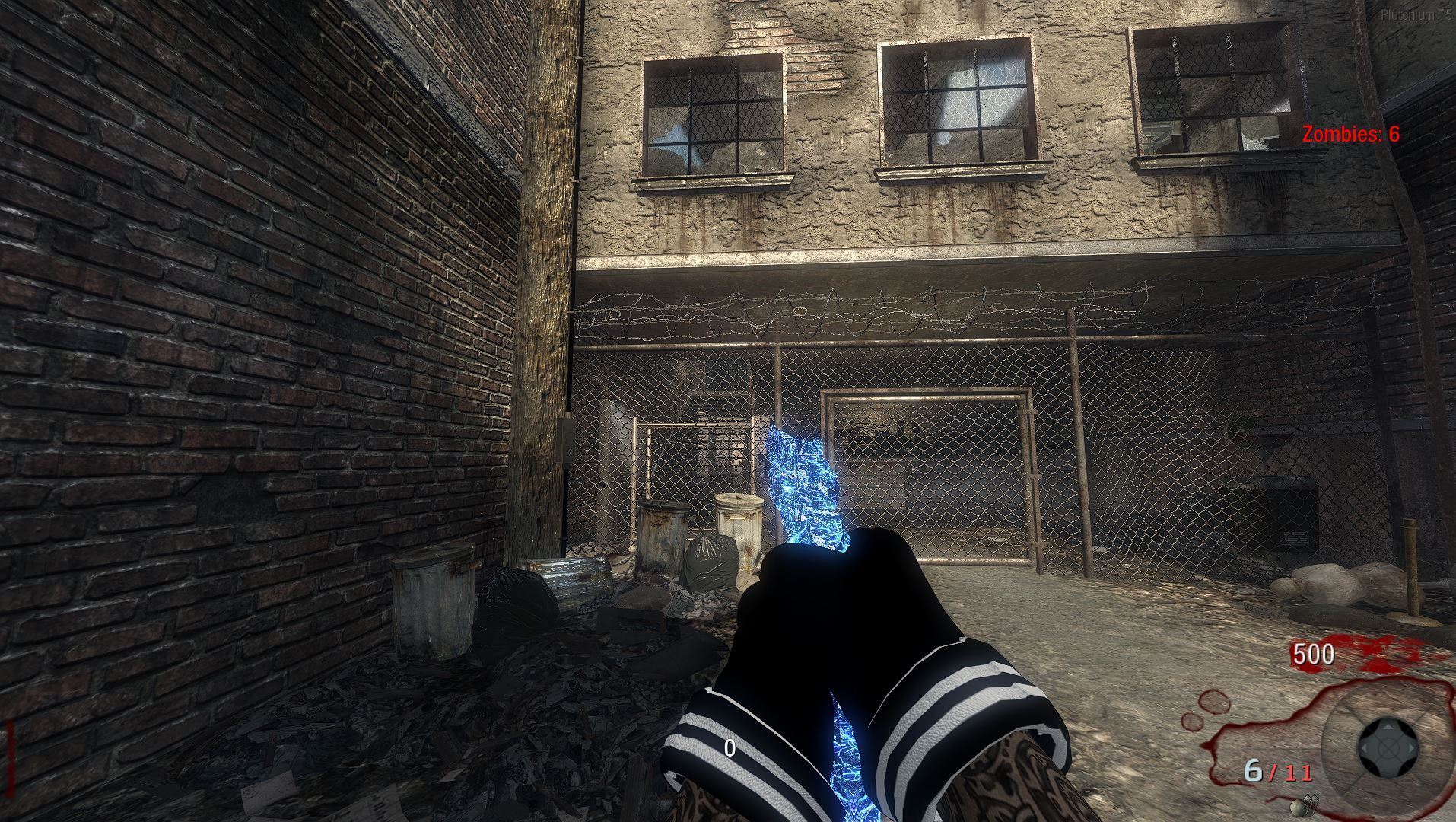
Ray Gun

Stakeout

Thundergun

Download
Installation Guide
To install this file setup in your T5 client, follow these steps:
- Locate your main game installation directory. Standard examples include:
- Standalone Client:
...\pluto_t5_full_game\ - Steam Client:
...\steamapps\common\Call of Duty Black Ops\
- Standalone Client:
- Open the
mainfolder inside that game directory. - Drop the downloaded
iw_39.iwdfile directly into thatmainfolder. - Next, navigate to the
zone\commonfolder inside your game directory. - Drop the custom patch files from the downloaded folder straight into that
zone\commonfolder. - Boot up Plutonium T5 and enjoy!
If you run into any issues or have feedback, reply below or reach out to me on Discord: p7zu.
- Locate your main game installation directory. Standard examples include:
-
Hello i put together an Origins-inspired Pack-A-Punch camo pack for BO1 (T5). I tried to get it as close to the classic Origins aesthetic as possible, let me know how I did!
There are actually a lot more weapons covered in this pack, but I didn't want to make the post a mile long, so here is a quick look at a few of them in-game.
Previews
AK47u
AUG
Commando
Dragunov
Galil
L96A1
M14
MP40
MPL
Python
Ray Gun
Stakeout
Thundergun
Download
Installation Guide
To install this file setup in your T5 client, follow these steps:
- Locate your main game installation directory. Standard examples include:
- Standalone Client:
...\pluto_t5_full_game\ - Steam Client:
...\steamapps\common\Call of Duty Black Ops\
- Standalone Client:
- Open the
mainfolder inside that game directory. - Drop the downloaded
iw_39.iwdfile directly into thatmainfolder. - Next, navigate to the
zone\commonfolder inside your game directory. - Drop the custom patch files from the downloaded folder straight into that
zone\commonfolder. - Boot up Plutonium T5 and enjoy!
If you run into any issues or have feedback, reply below or reach out to me on Discord: p7zu.
- Locate your main game installation directory. Standard examples include:
-
major W though
-
@cherenkov it doesn't look like origins camos but it does look pretty cool may i ask if i can use that camo?
-
mr.kennutbuster yeah go ahead dude i dont mind lol
@cherenkov thanks it looks so good even if it's not what you wanted to look like
-
@cherenkov thanks it looks so good even if it's not what you wanted to look like
-
@mr.kennutbuste tysm bro it means alot.
@cherenkov no problem this will be part of my camo pack with different color variants i will ofc shout you out also
-
-
GAH DAHYUM love it

-
GhostRider01250 thank you it means alot
 i took a big break due to just bad mental state i was just sad 24-7 but im back and making more stuff now
ak47uh good to have you back dude hope you get better and have an amazing and happy life



Hello! It looks like you're interested in this conversation, but you don't have an account yet.
Getting fed up of having to scroll through the same posts each visit? When you register for an account, you'll always come back to exactly where you were before, and choose to be notified of new replies (either via email, or push notification). You'll also be able to save bookmarks and upvote posts to show your appreciation to other community members.
With your input, this post could be even better 💗
Register Login