[Release] PHDModManager – Mod manager/launcher for Plutonium (BO2) mods
-

 English
Hey everyone, sharing PHDModManager, a launcher I built to manage Plutonium (BO2) mods without having to manually copy or edit files.
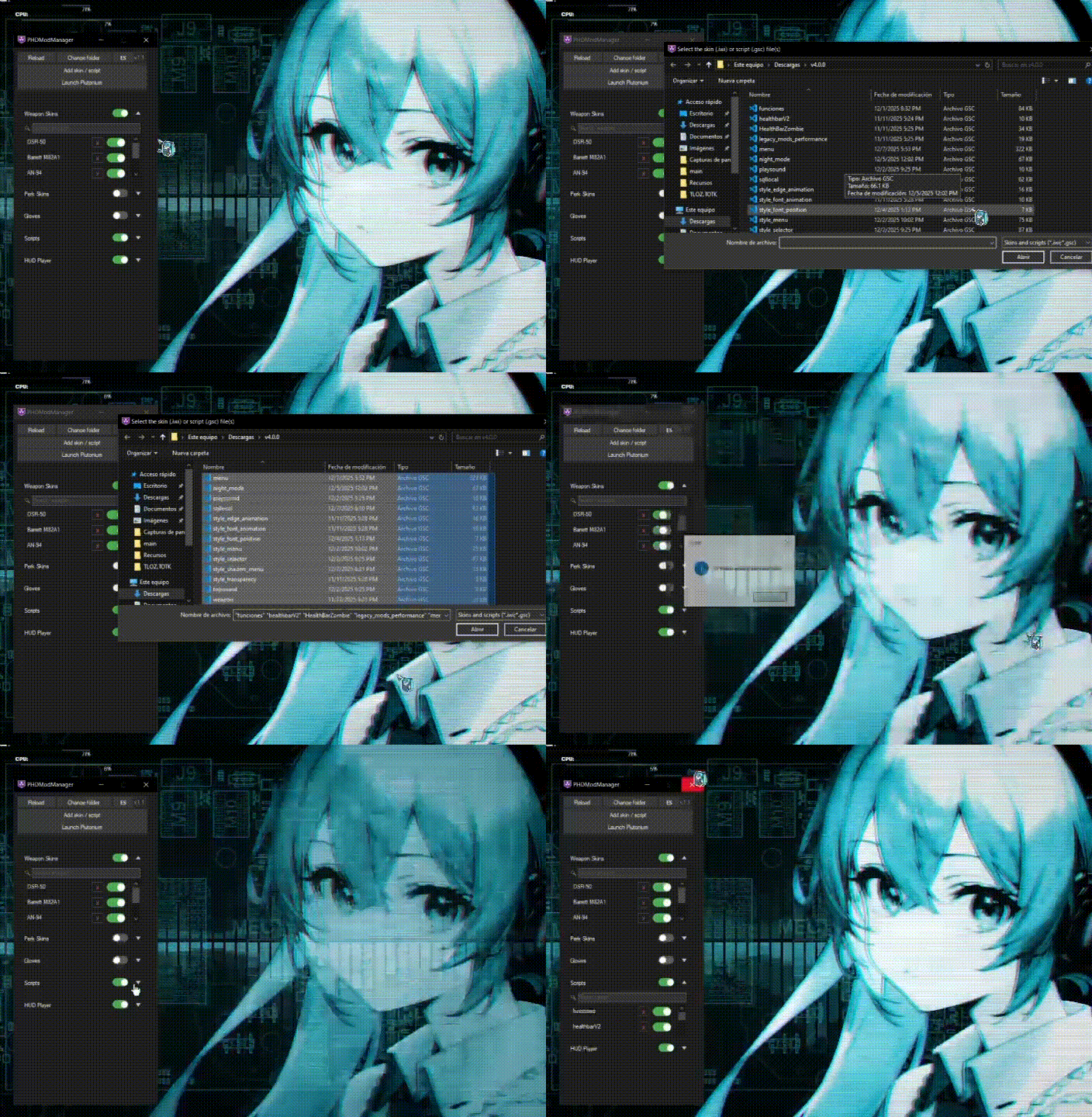
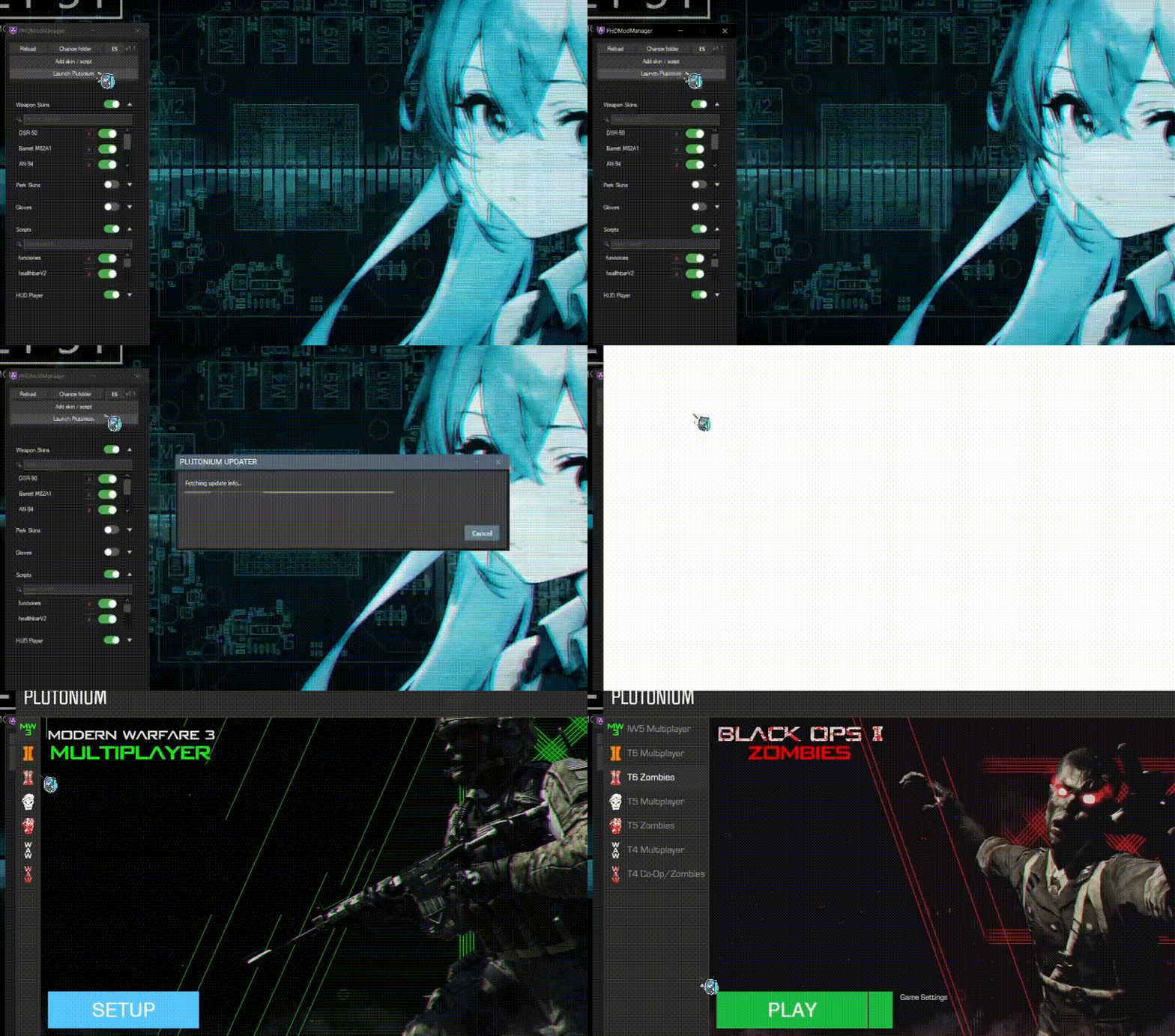
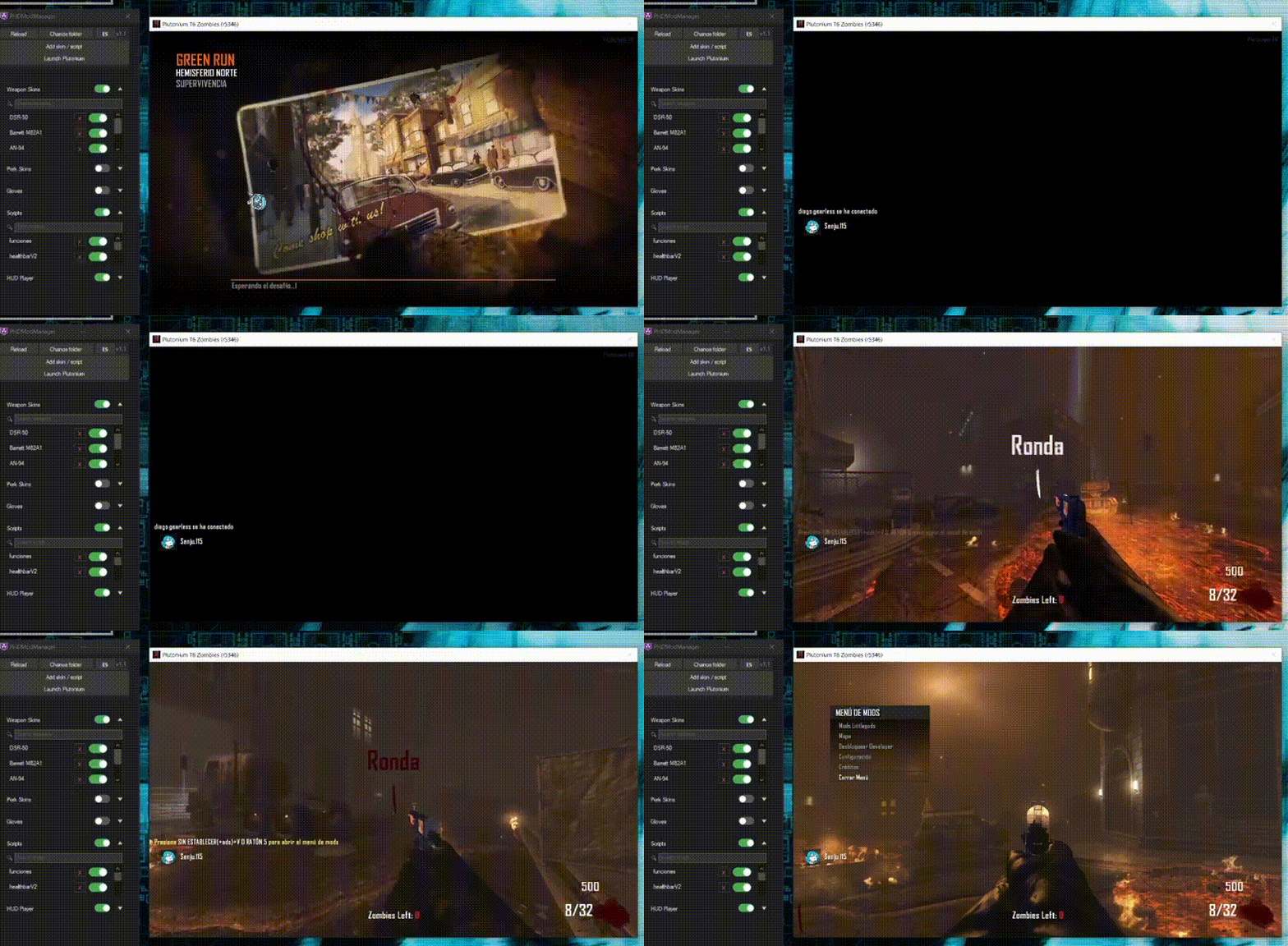
What it does
- Enable or disable mods by full category or individually
- Categories: Weapon Skins, Perk Skins, Gloves, Scripts, HUD Player
- Search bar within each category
- Visual HUD position editor (for adjusting on-screen icons and text)
- Automatically installs enabled mods into the Plutonium folder
- Dark theme, bilingual interface (Spanish/English)
Download & installation
- Download the
.zipfrom the repository: GitHub - PHDModManager - Extract it to a folder of your choice
- Run
PHDModManager.exe - Enable the mods you want and press "Launch Plutonium"
Future updates
- I'm still working on fixing visual bugs, but they're purely cosmetic and don't affect the program's normal functionality
- Things like icon customization, so you can set whatever you want, are something I'll be working on implementing into my project to make it more user-friendly. The script that lets you see this in-game and the icons themselves are the work of MiaDeexire and you can find them separately on their profile
Source code is open for anyone who wants to check it out, and feedback or bug reports are welcome.
 Español
Hola a todos, comparto PHDModManager, un launcher que hice para gestionar mods de Plutonium (BO2) sin tener que copiar o editar archivos manualmente.
¿Qué hace?
- Activa o desactiva mods por categoría completa o de forma individual
- Categorías: Weapon Skins, Perk Skins, Gloves, Scripts, HUD Player
- Buscador dentro de cada categoría
- Editor visual de posición del HUD (para ajustar íconos y texto en pantalla)
- Instala automáticamente los mods activados en la carpeta de Plutonium
- Interfaz con tema oscuro y bilingüe (español/inglés)
Descarga e instalación
- Descarga el
.zipdesde el repositorio: GitHub - PHDModManager - Extráelo en la carpeta que prefieras
- Ejecuta
PHDModManager.exe - Activa los mods que quieras y presiona "Launch Plutonium"
Actualizaciones futuras
- sigo trabajando en arreglar bugs visuales pero es meramente estetico y no afectan en el funcionamiento normal del programa
- Cosas como la customización del icono para que puedas poner lo que quieras lo estare trabajando para su implementación dentro de mi proyecto y hacerlo mas amigable para el usuario, el script que gestiona que puedas ver esto ingame y los iconos son trabajo de MiaDeexire y estos los puedes encontrar por separado dentro de su perfil
Todo el código es abierto para quien quiera revisarlo, y cualquier feedback o reporte de bugs es bienvenido.
-

that a very good thing, that can change the mods community icl
-

-
how to run on linux?
FaZe Flick Damn, I was so focused on getting it to work on my PC that I forgot to use a framework that's cross-platform for Linux and Mac too. A temporary solution would be to install Framework 4.8 on Linux with Wine and run PHDModManager with Wine as well, and wait a couple of weeks for everything to migrate to a framework that's natively compatible with Linux. The latter is safe because I am interested in also creating things that work on Linux since I plan to migrate there soon.
-
FaZe Flick Damn, I was so focused on getting it to work on my PC that I forgot to use a framework that's cross-platform for Linux and Mac too. A temporary solution would be to install Framework 4.8 on Linux with Wine and run PHDModManager with Wine as well, and wait a couple of weeks for everything to migrate to a framework that's natively compatible with Linux. The latter is safe because I am interested in also creating things that work on Linux since I plan to migrate there soon.
Senju115 where can i find this framework you speak of? im on cachyos
-
Senju115 where can i find this framework you speak of? im on cachyos
FaZe Flick if you already have wine installed, it will be enough to put the following line of code in your terminal
winetricks dotnet48
but if you don't have wine installed, follow these steps:
sudo pacman -S wine winetricks
export WINEPREFIX=$HOME/.wine-dotnet48
export WINEARCH=win64
and finally use:
winetricks dotnet48
-
Random bit. You can use .webp or .jxl animated files instead of the outdated gif format
Hello! It looks like you're interested in this conversation, but you don't have an account yet.
Getting fed up of having to scroll through the same posts each visit? When you register for an account, you'll always come back to exactly where you were before, and choose to be notified of new replies (either via email, or push notification). You'll also be able to save bookmarks and upvote posts to show your appreciation to other community members.
With your input, this post could be even better 💗
Register Login