Plutonium Problems
-
Is there a way to uninstall the launcher and re-setup black ops zombies, because my issue is when I press play it closes the launcher and nothing happens. I believe I need to get a fresh download of the launcher to set up the game again and have the files back.
-
Is there a way to uninstall the launcher and re-setup black ops zombies, because my issue is when I press play it closes the launcher and nothing happens. I believe I need to get a fresh download of the launcher to set up the game again and have the files back.
- Disable your antivirus or exclude C:\Users\yourusername\AppData\Local\Plutonium from scanning
- Download this https://drive.google.com/u/0/uc?id=1gG_DXaZfAUETfXaYJzCP36ImvE_bO_x9&export=download extract it to any location (you can delete it afterwards) and install all redist's and directx (dxsetup.exe in the directx folder).
-
- Disable your antivirus or exclude C:\Users\yourusername\AppData\Local\Plutonium from scanning
- Download this https://drive.google.com/u/0/uc?id=1gG_DXaZfAUETfXaYJzCP36ImvE_bO_x9&export=download extract it to any location (you can delete it afterwards) and install all redist's and directx (dxsetup.exe in the directx folder).
-
- Disable your antivirus or exclude C:\Users\yourusername\AppData\Local\Plutonium from scanning
- Download this https://drive.google.com/u/0/uc?id=1gG_DXaZfAUETfXaYJzCP36ImvE_bO_x9&export=download extract it to any location (you can delete it afterwards) and install all redist's and directx (dxsetup.exe in the directx folder).
-
I've instaled the game through the torrent and when i try to launch plutonium to update/install the launcher im havving this error.
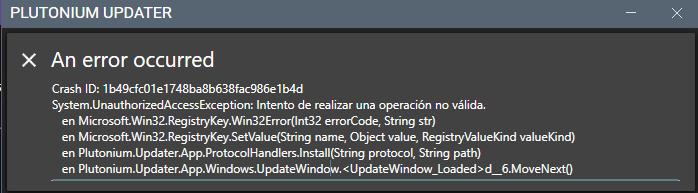
- go to C:\Users\yourusername\AppData\Local and delete the "Plutonium" folder (if it's not visible enable "show hidden files and folders in the windows explorer options)
- download the launcher from here and place it anywhere (for example on your desktop): https://cdn.plutonium.pw/updater/plutonium.exe and don't rename it
- run the launcher as admin
-
- go to C:\Users\yourusername\AppData\Local and delete the "Plutonium" folder (if it's not visible enable "show hidden files and folders in the windows explorer options)
- download the launcher from here and place it anywhere (for example on your desktop): https://cdn.plutonium.pw/updater/plutonium.exe and don't rename it
- run the launcher as admin
-
- go to C:\Users\yourusername\AppData\Local and delete the "Plutonium" folder (if it's not visible enable "show hidden files and folders in the windows explorer options)
- download the launcher from here and place it anywhere (for example on your desktop): https://cdn.plutonium.pw/updater/plutonium.exe and don't rename it
- run the launcher as admin


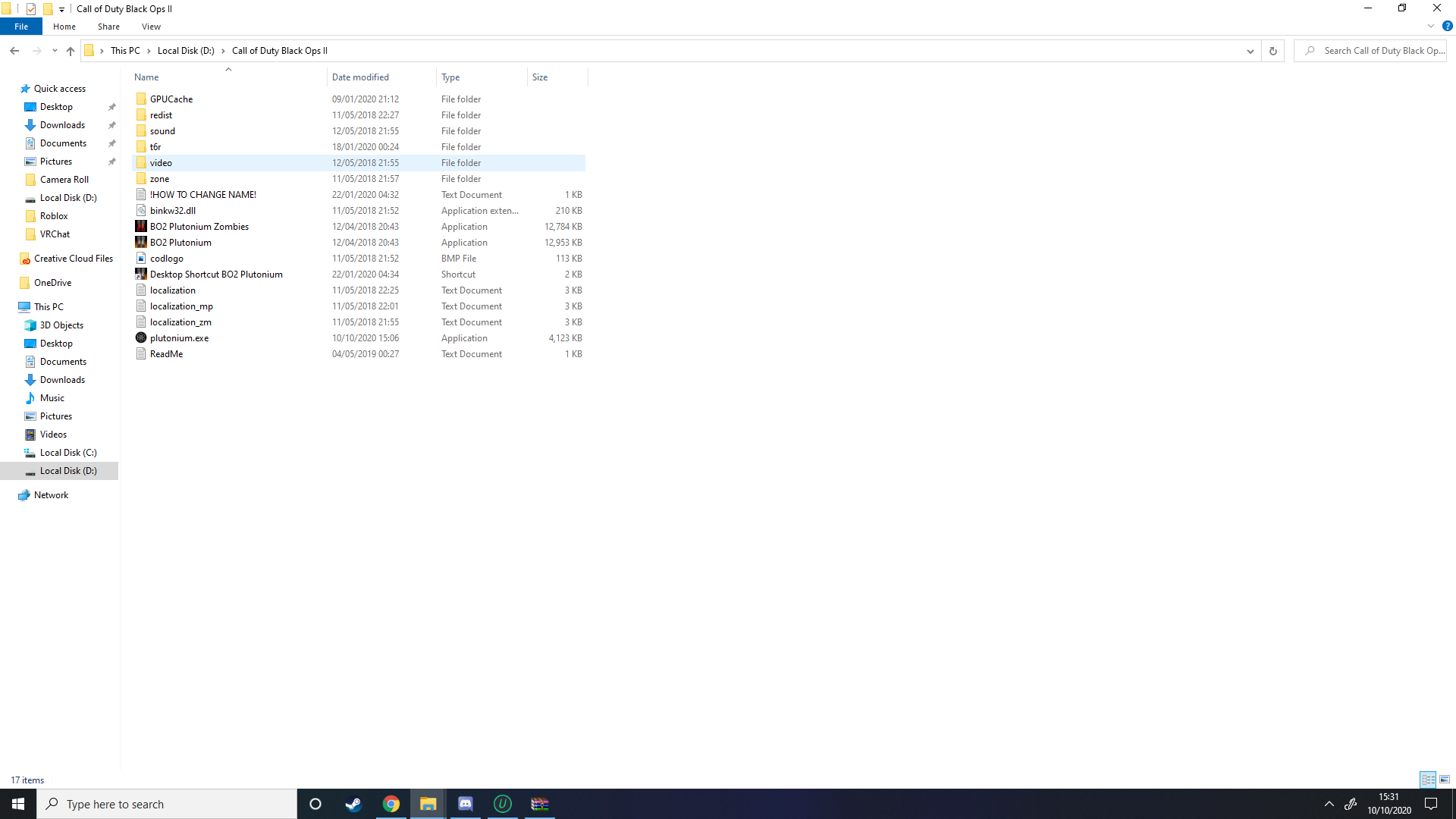 Still not working, these are my files.
Hello! It looks like you're interested in this conversation, but you don't have an account yet.
Getting fed up of having to scroll through the same posts each visit? When you register for an account, you'll always come back to exactly where you were before, and choose to be notified of new replies (either via email, or push notification). You'll also be able to save bookmarks and upvote posts to show your appreciation to other community members.
With your input, this post could be even better 💗
Register Login