Skip to content
  • 0 Unread 0
  • Recent
  • Tags
  • Popular
  • Users
  • Groups
  • Donate
Collapse

Plutonium

  1. Home
  2. BO2 Client Support
  3. D3DCOMPILER_47.dll is missing
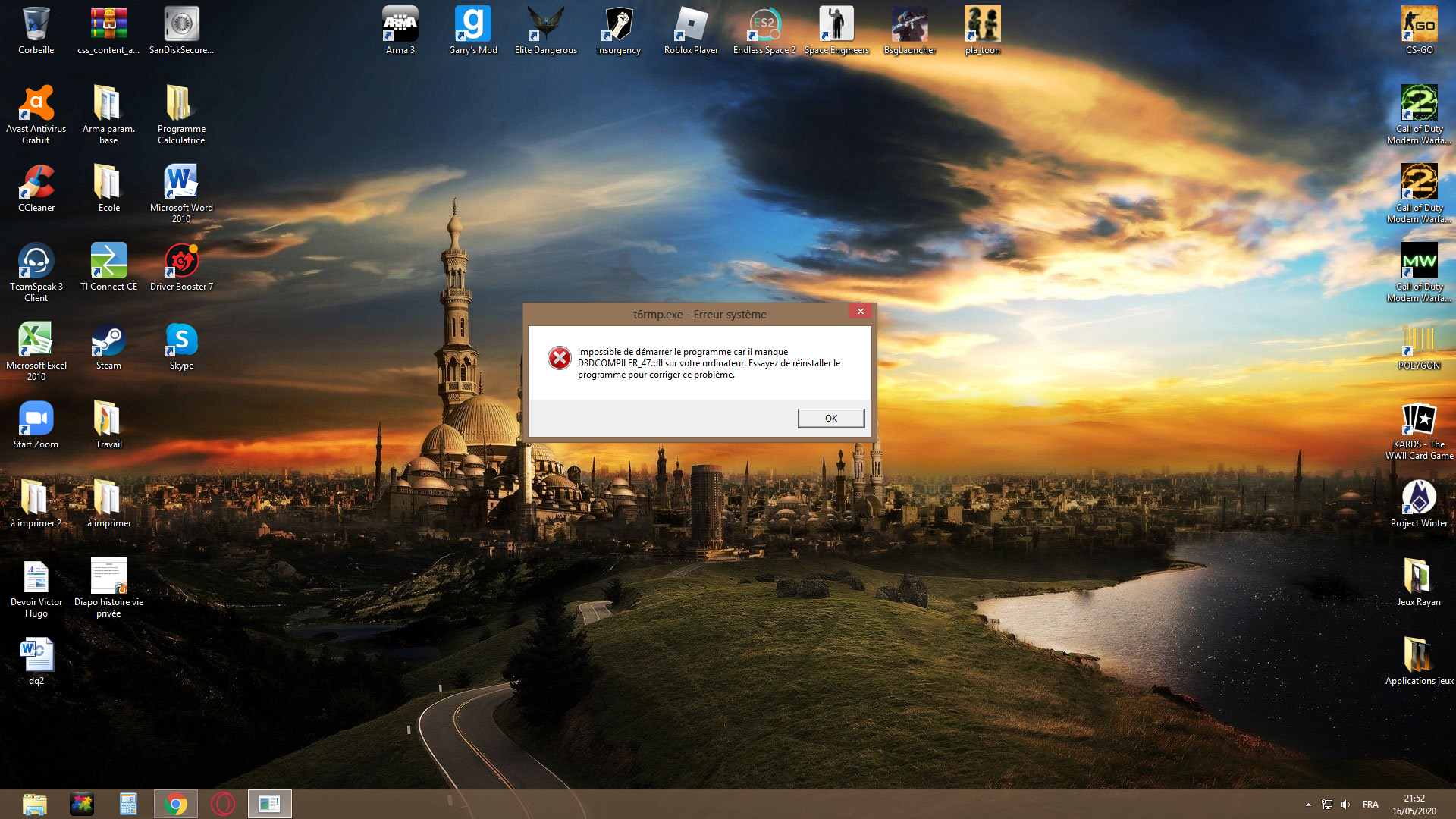
D3DCOMPILER_47.dll is missing

Scheduled Pinned Locked Moved BO2 Client Support
36 Posts 5 Posters 6.6k Views
  • Oldest to Newest
  • Newest to Oldest
  • Most Votes
Reply
  • Reply as topic
Log in to reply
This topic has been deleted. Only users with topic management privileges can see it.
  • Abordur Abordur

    I don’t understand now I delete the files and reinstall the game or I put the file in the main game?

    Dss0 Offline
    Dss0 Offline
    Dss0
    Plutonium Staff
    wrote on last edited by
    #26

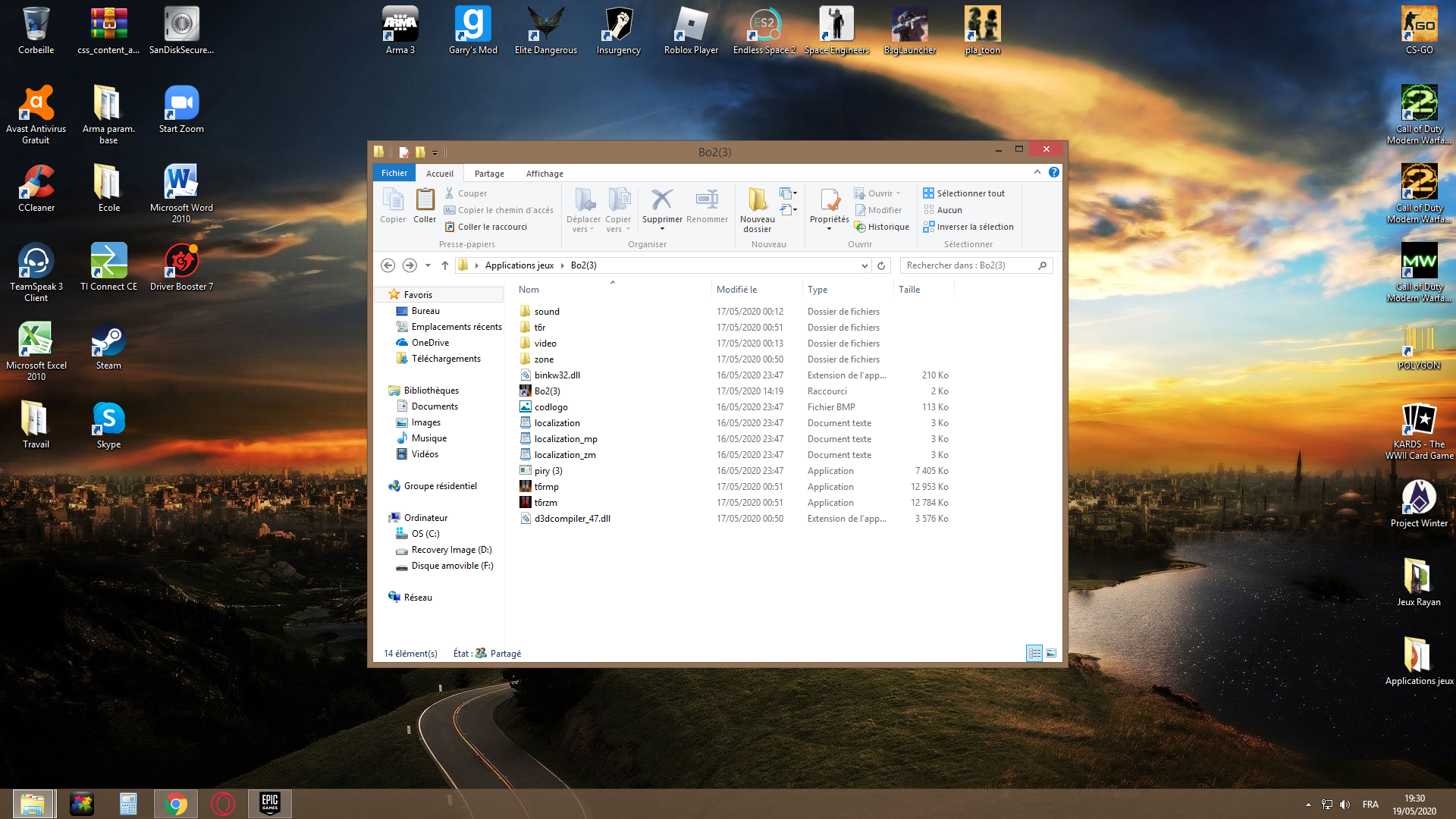
    Abordur COPY d3dcompiler_47.dll from

    /bo2(3)/t6r/cef/
    

    to

    /bo2(3)/
    
    1 Reply Last reply
    0
    • Abordur Offline
      Abordur Offline
      Abordur
      wrote on last edited by
      #27

      Capture d’écran (4).png its ok ?

      Dss0 1 Reply Last reply
      0
      • Abordur Offline
        Abordur Offline
        Abordur
        wrote on last edited by
        #28

        oooh yes !!

        1 Reply Last reply
        0
        • Abordur Abordur

          Capture d’écran (4).png its ok ?

          Dss0 Offline
          Dss0 Offline
          Dss0
          Plutonium Staff
          wrote on last edited by
          #29

          Abordur yes, try launching the game now.

          1 Reply Last reply
          0
          • Abordur Offline
            Abordur Offline
            Abordur
            wrote on last edited by
            #30

            Is working very big thx but is cut my other sounds
            Is it normal ?

            Dss0 1 Reply Last reply
            0
            • Abordur Abordur

              Is working very big thx but is cut my other sounds
              Is it normal ?

              Dss0 Offline
              Dss0 Offline
              Dss0
              Plutonium Staff
              wrote on last edited by
              #31

              Abordur It cut your sound? not sure what you mean.

              1 Reply Last reply
              0
              • Abordur Offline
                Abordur Offline
                Abordur
                wrote on last edited by
                #32

                I have the sound of the game but I no longer have the sound windows or for example if I launch youtube in the background it will not work

                1 Reply Last reply
                0
                • Abordur Offline
                  Abordur Offline
                  Abordur
                  wrote on last edited by
                  #33

                  oooh no its ok
                  is working but my game crash

                  1 Reply Last reply
                  0
                  • tilajo Offline
                    tilajo Offline
                    tilajo
                    wrote on last edited by HannesC
                    #34

                    If I download the missing file from <link removed by staff> would that fix my error message of missing the d3d file?

                    Cahz 1 Reply Last reply
                    0
                    • tilajo tilajo

                      If I download the missing file from <link removed by staff> would that fix my error message of missing the d3d file?

                      Cahz Offline
                      Cahz Offline
                      Cahz
                      VIP
                      wrote on last edited by
                      #35

                      tilajo Quoting Dss0 here:

                      Installing dx9 is the solution to that error.
                      Did you by any chance download any dlls that the game told you were missing manually? If yes, delete them.
                      Make sure no instances of the game are still open in the background (check task manager).

                      1 Reply Last reply
                      0
                      • HannesC Offline
                        HannesC Offline
                        HannesC
                        Plutonium Staff
                        wrote on last edited by
                        #36

                        tilajo You didn't have to revive a 7 month old post for this... Install the redists and run dxsetup.exe inside the directx folder, from the redist folder provided with the basegame. If you have any other issues, create a new thread.

                        //Locked.

                        1 Reply Last reply
                        0

                        Hello! It looks like you're interested in this conversation, but you don't have an account yet.

                        Getting fed up of having to scroll through the same posts each visit? When you register for an account, you'll always come back to exactly where you were before, and choose to be notified of new replies (either via email, or push notification). You'll also be able to save bookmarks and upvote posts to show your appreciation to other community members.

                        With your input, this post could be even better 💗

                        Register Login
                        Reply
                        • Reply as topic
                        Log in to reply
                        • Oldest to Newest
                        • Newest to Oldest
                        • Most Votes


                        • 1
                        • 2
                        • Login

                        • Don't have an account? Register

                        • Login or register to search.
                        • First post
                          Last post
                        0
                        • Unread 0
                        • Recent
                        • Tags
                        • Popular
                        • Users
                        • Groups
                        • Donate