Missing Files even though they are all downloaded
-
I have downloaded world at war and set the game folder thing to where it is documents/WaW/pluto_t4_full_game and when i launch the game it says files are missing i have also done the repair thing and it still does not work.
-
I have downloaded world at war and set the game folder thing to where it is documents/WaW/pluto_t4_full_game and when i launch the game it says files are missing i have also done the repair thing and it still does not work.
Only0neFPS Send these screenshots :
- Screenshot of the error
- Screenshot of your path in the launcher (click on Game Settings)
- Screenshot of your game files
-
Only0neFPS Send these screenshots :
- Screenshot of the error
- Screenshot of your path in the launcher (click on Game Settings)
- Screenshot of your game files
-
@lResxt
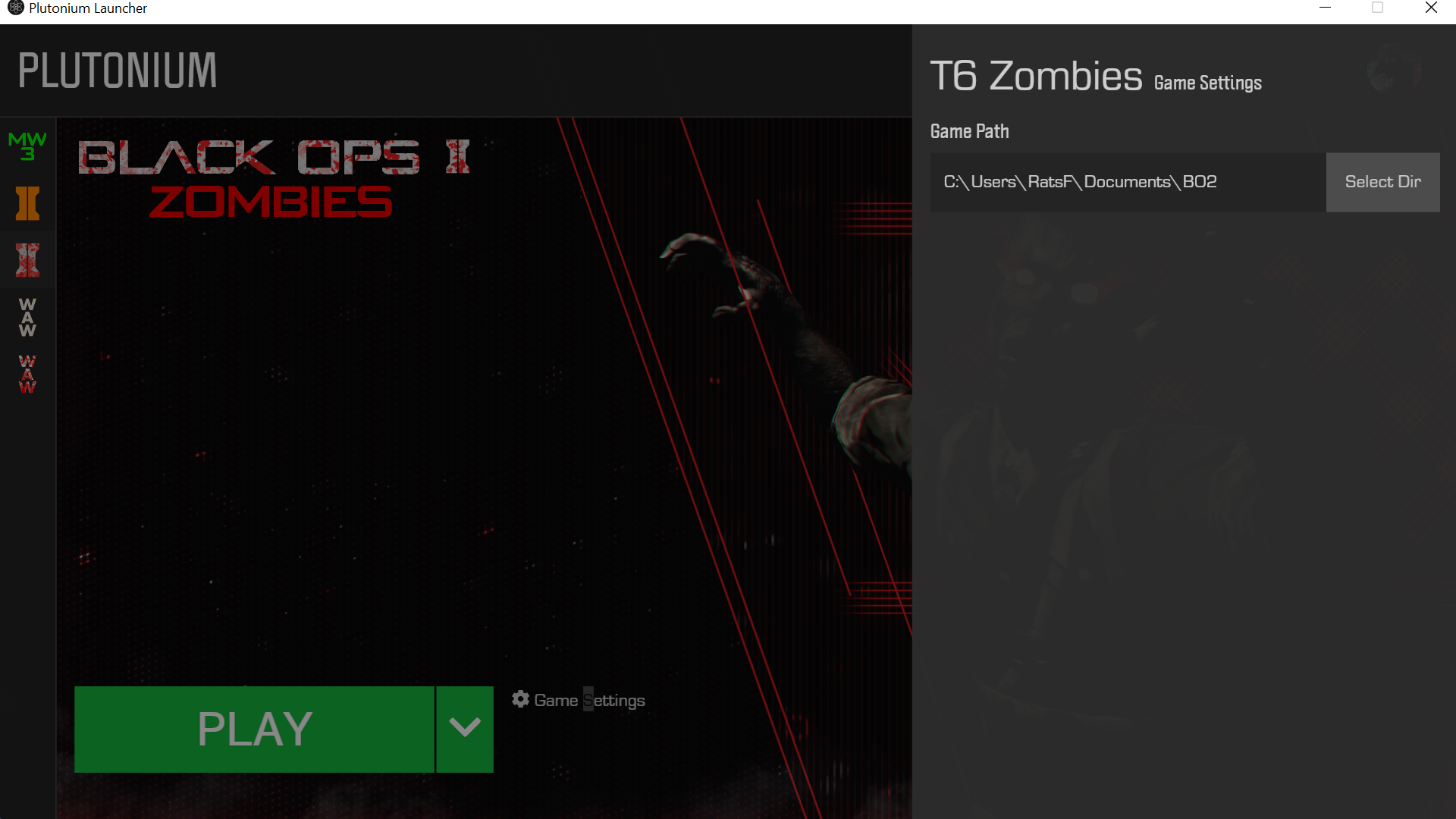
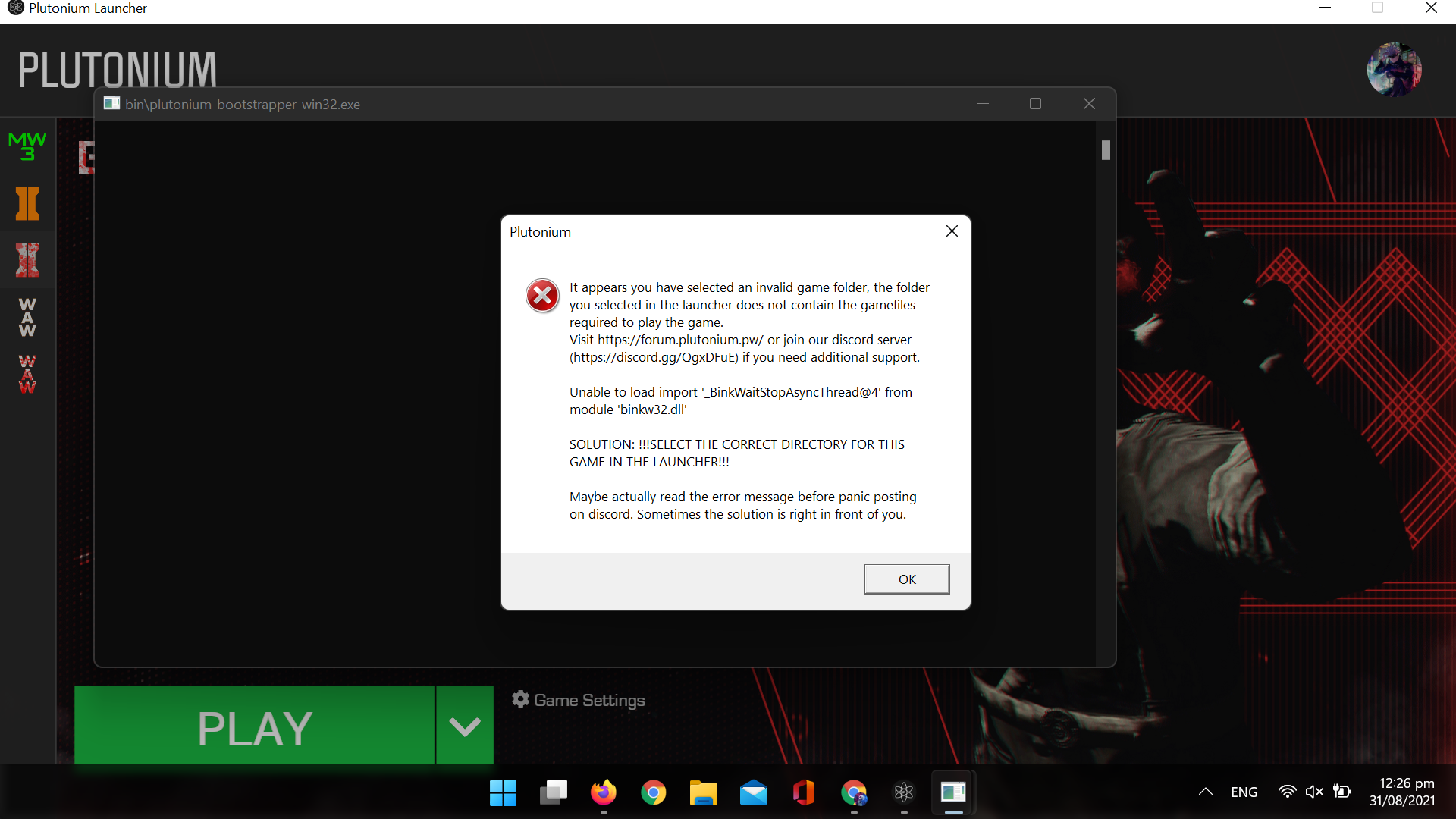
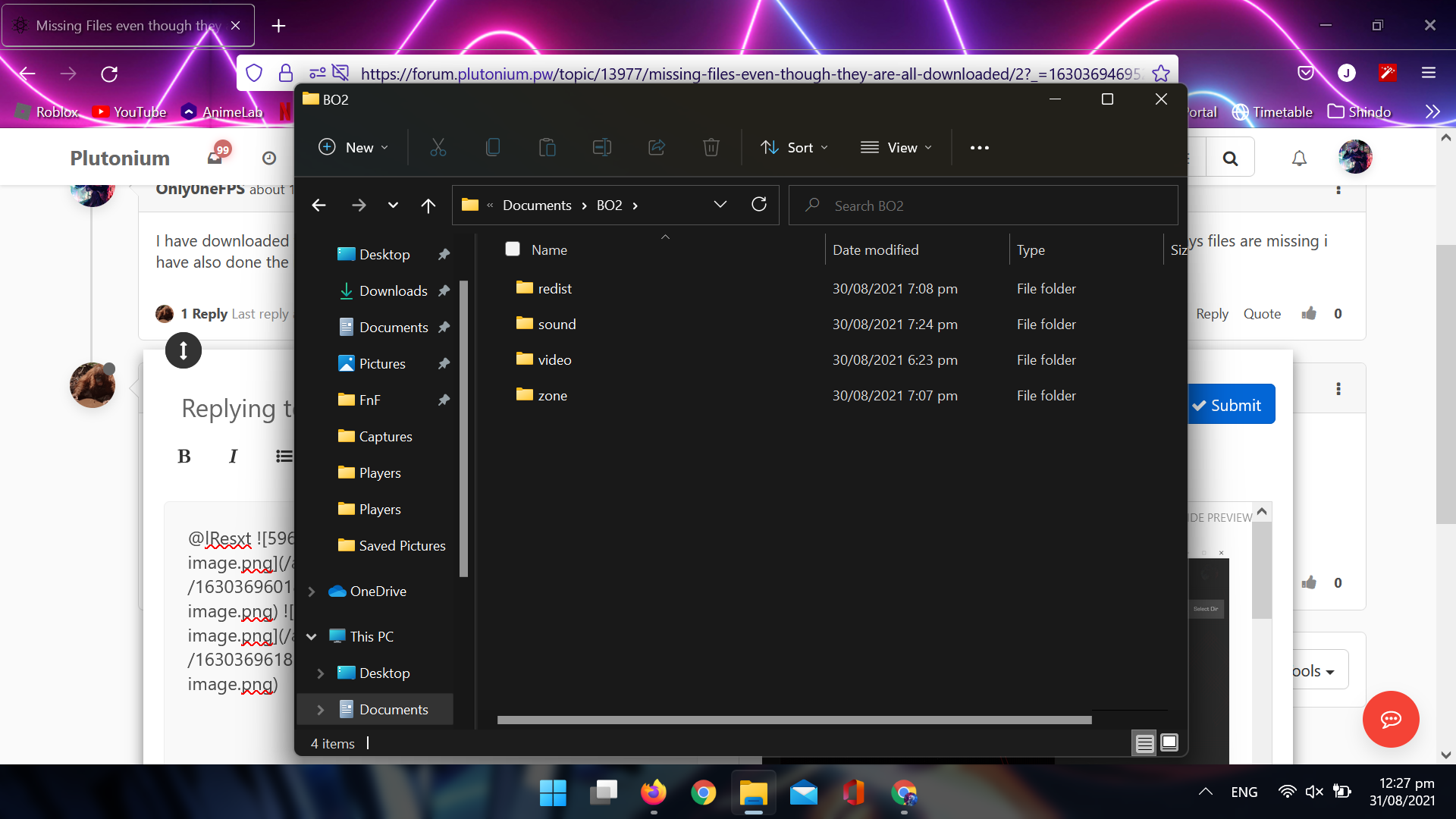
Only0neFPS I'm very confused. Are you trying to play Black Ops 2 or World At War? Your screenshots all point to you trying to play Black Ops 2 but you are asking in the World At War support section.
-
oh sorry i fixed the bo2 i was also having the same issue with world at war but i gave up on trying sorry about that
-
Why is your game folder missing so many needed files?
Also the Documents folder is in most cases not a good idea to use, you really should consider creating a Games folder on C:\.




Hello! It looks like you're interested in this conversation, but you don't have an account yet.
Getting fed up of having to scroll through the same posts each visit? When you register for an account, you'll always come back to exactly where you were before, and choose to be notified of new replies (either via email, or push notification). You'll also be able to save bookmarks and upvote posts to show your appreciation to other community members.
With your input, this post could be even better 💗
Register Login