Connecting to online services error
-
Hello,
I recently found out about your work and I wanted to give it a try. I installed via steam the dedicated server and installed the plutonium and dlc acordingly with the guide.
The game opens and works on the menu but pressing Server Browser, Callsign, Barracks and Vault pops a "Connecting to online services..." and after 1 minute i get the error: "MW3 server is not available at this time" etc.
cmd error is: Com_ERROR: EXE_DEMONWARE_DISCONNECT
I added an exception rule on windows security and firewall for the bootstrapper and launcher and verified the integrity of the files plus re-installed the game and the plutonium from scratch without success.
On a video I saw, the person said something about activating my account. I never got the activation mail and I don't know if I should.
I asked on Discord several times but noone answered to my question.
Anyone knows what's wrong?
Thank you in advance.
-
Hello,
I recently found out about your work and I wanted to give it a try. I installed via steam the dedicated server and installed the plutonium and dlc acordingly with the guide.
The game opens and works on the menu but pressing Server Browser, Callsign, Barracks and Vault pops a "Connecting to online services..." and after 1 minute i get the error: "MW3 server is not available at this time" etc.
cmd error is: Com_ERROR: EXE_DEMONWARE_DISCONNECT
I added an exception rule on windows security and firewall for the bootstrapper and launcher and verified the integrity of the files plus re-installed the game and the plutonium from scratch without success.
On a video I saw, the person said something about activating my account. I never got the activation mail and I don't know if I should.
I asked on Discord several times but noone answered to my question.
Anyone knows what's wrong?
Thank you in advance.
-
MaiNdoL no, your account has nothing to do with it. Try syncing your system time and also try using a vpn if you have one (just to see if it's a connection issue).
Dss0 said in Connecting to online services error:
MaiNdoL no, your account has nothing to do with it. Try syncing your system time and also try using a vpn if you have one (just to see if it's a connection issue).
The time is properly synced and the installation of windows plus the runtimes and directx are clean installed. I formatted my pc like 20 days ago and installed everything.
I don't have currently a VPN to check out but would you recommend a port to forward? Or try to find with my ISP if I can whitelist any of the ip's you're currently running the main server?
Thanks for your reply.
-
Dss0 said in Connecting to online services error:
MaiNdoL no, your account has nothing to do with it. Try syncing your system time and also try using a vpn if you have one (just to see if it's a connection issue).
The time is properly synced and the installation of windows plus the runtimes and directx are clean installed. I formatted my pc like 20 days ago and installed everything.
I don't have currently a VPN to check out but would you recommend a port to forward? Or try to find with my ISP if I can whitelist any of the ip's you're currently running the main server?
Thanks for your reply.
-
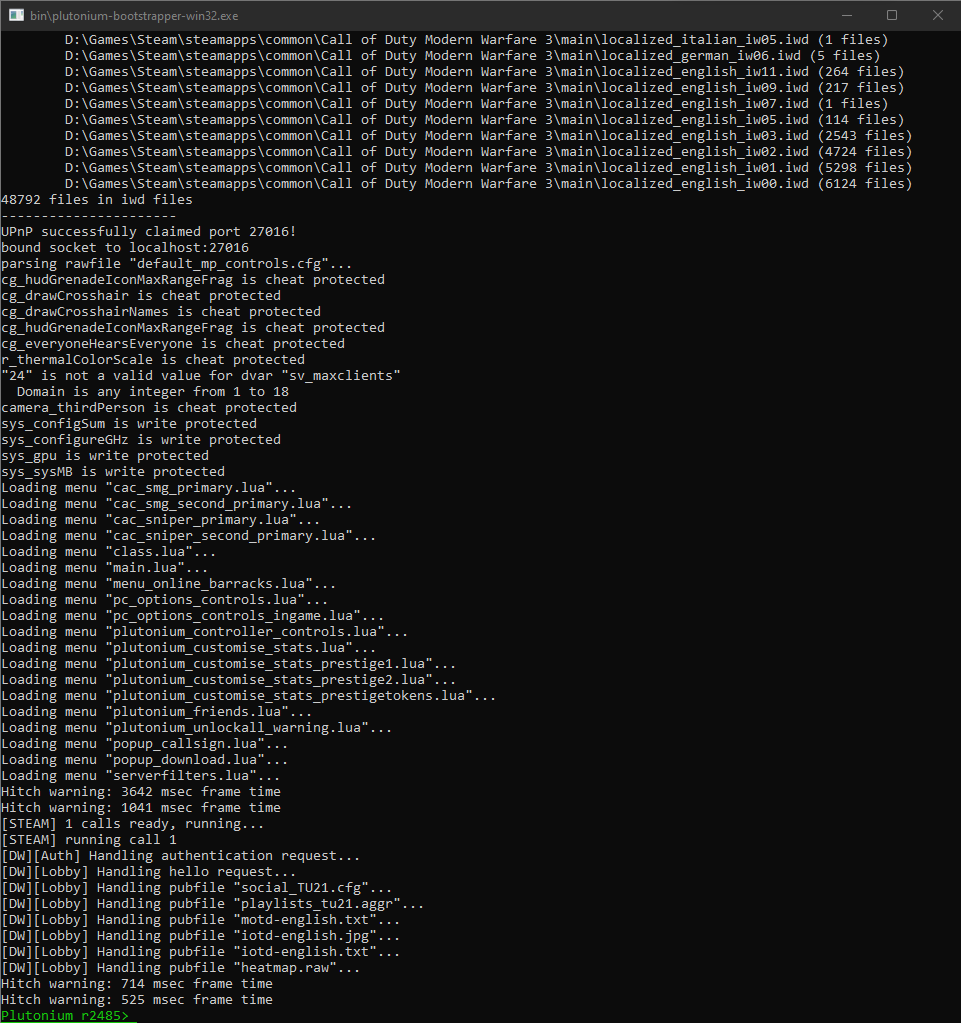
I have the stock defender comming with the installation of windows. Tried ProtonVPN too but no success. I got the console on the second screen and I saw with red letters: UPnP failed status 1, if that matters. Any way to get a log from the cmd to see if something doesn't work?
-
Can you screenshot the error? Is there an "Error Code 260" or something similar in the error?
-
Well can you play fine now? Since that error's resolved?
-
Try deleting %localappdata%/Plutonium, changing DNS (https://www.windowscentral.com/how-change-your-pcs-dns-settings-windows-10), making sure no firewalls are blocking Pluto (Bitdefender, Bullguard are known to block Pluto) or using a VPN. Saw that you already tried ProtonVPN, try another VPN.
Other than that, I've got no idea tbh. Pluto still calls the original stun server (of steam mw3) iirc so try launching Steam MW3 and see if you can play it fine. If you can't, definitely a network issue on your end. Your ISP probably.
-
Try deleting %localappdata%/Plutonium, changing DNS (https://www.windowscentral.com/how-change-your-pcs-dns-settings-windows-10), making sure no firewalls are blocking Pluto (Bitdefender, Bullguard are known to block Pluto) or using a VPN. Saw that you already tried ProtonVPN, try another VPN.
Other than that, I've got no idea tbh. Pluto still calls the original stun server (of steam mw3) iirc so try launching Steam MW3 and see if you can play it fine. If you can't, definitely a network issue on your end. Your ISP probably.
HannesC I already did the delete %localappdata%/Plutonium before the post here. I already have CloudFlare dns on my router, should I use google dns or another one? I use windows firewall and already added an exception on the list for both launcher and bootstrapper. I'll test for another vpn later that day or tomorrow.



Hello! It looks like you're interested in this conversation, but you don't have an account yet.
Getting fed up of having to scroll through the same posts each visit? When you register for an account, you'll always come back to exactly where you were before, and choose to be notified of new replies (either via email, or push notification). You'll also be able to save bookmarks and upvote posts to show your appreciation to other community members.
With your input, this post could be even better 💗
Register Login