Skip to content
  • 0 Unread 0
  • Recent
  • Tags
  • Popular
  • Users
  • Groups
Collapse

Plutonium

  1. Home
  2. BO2 Client Support
  3. Bo2 Multiplayer won't start up

Bo2 Multiplayer won't start up

Scheduled Pinned Locked Moved BO2 Client Support
7 Posts 2 Posters 1.2k Views 1 Watching
  • Oldest to Newest
  • Newest to Oldest
  • Most Votes
Reply
  • Reply as topic
Log in to reply
This topic has been deleted. Only users with topic management privileges can see it.
  • Surrygamingundefined Offline
    Surrygamingundefined Offline
    Surrygaming
    wrote on last edited by
    #1

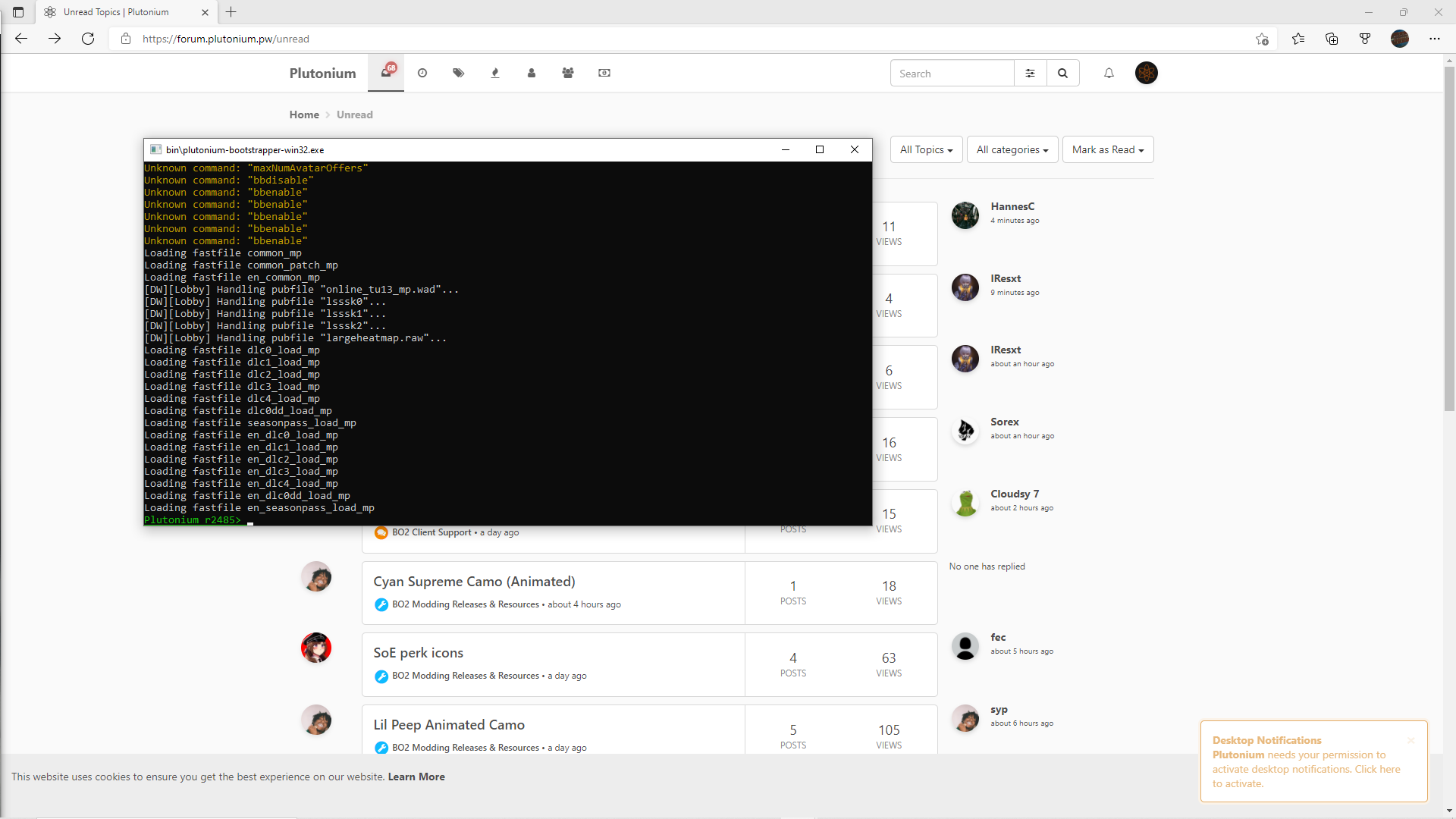
    My bo2 multiplayer won't load up at all, but when i use mw3 or zombies it works. I took some screenshots here.![2_1640859583685_Screenshot (117).png](Uploading 100%) ![1_1640859583685_Screenshot (116).png](Uploading 100%) Screenshot (115).png

    1 Reply Last reply
    0
    • HannesCundefined Offline
      HannesCundefined Offline
      HannesC
      Plutonium Staff
      wrote on last edited by
      #2

      Type r_fullscreen 0; vid_restart into the bootstrapper cmd window and try alt-tabbing into the game again.

      1 Reply Last reply
      0
      • Surrygamingundefined Offline
        Surrygamingundefined Offline
        Surrygaming
        wrote on last edited by
        #3

        nope still won't work

        1 Reply Last reply
        0
        • HannesCundefined Offline
          HannesCundefined Offline
          HannesC
          Plutonium Staff
          wrote on last edited by
          #4

          Make sure you don't have any overlays/dx hooking apps running in the background (afterburner/rivatuner/avermedia/etc). Basically just quit any useless apps running in the background. You can also try this but doubt anything would change - https://plutonium.pw/docs/repair/

          Did it used to work earlier? Until you changed some graphics settings/installed reshade/got any custom camos and such?

          Surrygamingundefined 1 Reply Last reply
          0
          • HannesCundefined HannesC

            Make sure you don't have any overlays/dx hooking apps running in the background (afterburner/rivatuner/avermedia/etc). Basically just quit any useless apps running in the background. You can also try this but doubt anything would change - https://plutonium.pw/docs/repair/

            Did it used to work earlier? Until you changed some graphics settings/installed reshade/got any custom camos and such?

            Surrygamingundefined Offline
            Surrygamingundefined Offline
            Surrygaming
            wrote on last edited by
            #5

            HannesC i played about a week ago and it was working, but no I didn't add any custom camos or anything

            1 Reply Last reply
            0
            • HannesCundefined Offline
              HannesCundefined Offline
              HannesC
              Plutonium Staff
              wrote on last edited by
              #6

              Changed anything windows related? Try updating your GPU drivers. What antivirus do you have? Try adding %localappdata%/Plutonium to its exclusions. Also try deleting the _mp configs from %localappdata%\Plutonium\storage\t6\players and from pluto_t6_full_game/players folder.

              Surrygamingundefined 1 Reply Last reply
              0
              • HannesCundefined HannesC

                Changed anything windows related? Try updating your GPU drivers. What antivirus do you have? Try adding %localappdata%/Plutonium to its exclusions. Also try deleting the _mp configs from %localappdata%\Plutonium\storage\t6\players and from pluto_t6_full_game/players folder.

                Surrygamingundefined Offline
                Surrygamingundefined Offline
                Surrygaming
                wrote on last edited by
                #7

                HannesC i have my security off and i deleted the configs and restarted it still not working

                1 Reply Last reply
                0

                Hello! It looks like you're interested in this conversation, but you don't have an account yet.

                Getting fed up of having to scroll through the same posts each visit? When you register for an account, you'll always come back to exactly where you were before, and choose to be notified of new replies (either via email, or push notification). You'll also be able to save bookmarks and upvote posts to show your appreciation to other community members.

                With your input, this post could be even better 💗

                Register Login
                Reply
                • Reply as topic
                Log in to reply
                • Oldest to Newest
                • Newest to Oldest
                • Most Votes


                • Login

                • Don't have an account? Register

                • Login or register to search.
                • First post
                  Last post
                0
                • Unread 0
                • Recent
                • Tags
                • Popular
                • Users
                • Groups