My Bo2 won't load; "unhandled exceptions caught"
-
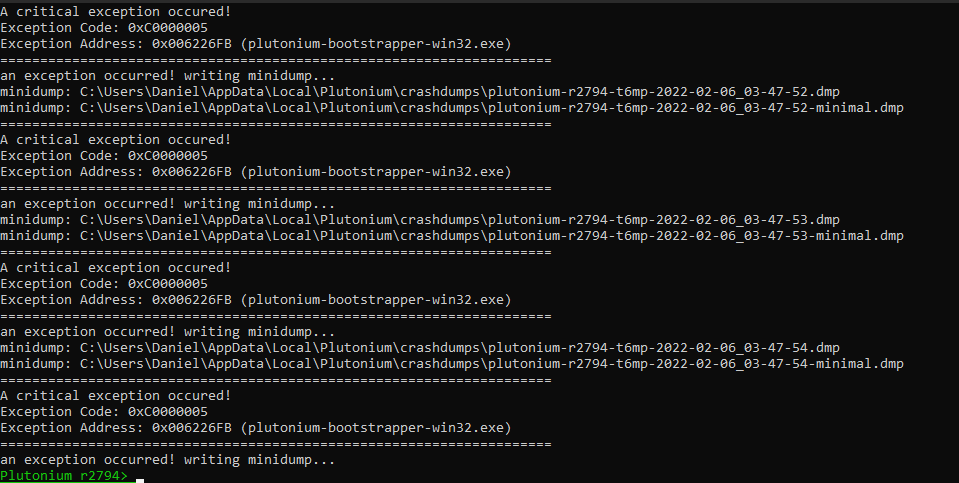
Recently my bo2 plutonium will not load, neither will my steam versions of the game load either, they all crash about 10 seconds after I try to load the game, with an error message saying "unhandled exceptions caught" I also get this crash dump on plutonium (see attached image). I've uninstalled it all, reinstalled; same issue. I've verified the cache, and updated DirectX and so on, basically all the solutions I could find I have tried and I still get the same issue. Does anyone know how I could fix this issue?
-
Do you have any overlays running in the background? Have any VR headsets plugged in? If yes, quit them or unplug them. Also upload the dump from %localappdata%/Plutonium/crashdumps to gdrive and post the link here.
Also steam game should launch fine, it's probably crashing because Plutonium deletes the steam_api.dll on launch, reverify integrity of files through Steam and you should be able to launch Steam BO2 again.
-
Do you have any overlays running in the background? Have any VR headsets plugged in? If yes, quit them or unplug them. Also upload the dump from %localappdata%/Plutonium/crashdumps to gdrive and post the link here.
Also steam game should launch fine, it's probably crashing because Plutonium deletes the steam_api.dll on launch, reverify integrity of files through Steam and you should be able to launch Steam BO2 again.
HannesC Nah, I don't even have the plutonium launcher installed at the moment, and I've uninstalled and reinstalled steam bo2 and still have the same issue, I don't think this is even a plutonium issue, I think the reason plutonium doesn't work, is because the steam version doesn't work since it uses the same files.


Hello! It looks like you're interested in this conversation, but you don't have an account yet.
Getting fed up of having to scroll through the same posts each visit? When you register for an account, you'll always come back to exactly where you were before, and choose to be notified of new replies (either via email, or push notification). You'll also be able to save bookmarks and upvote posts to show your appreciation to other community members.
With your input, this post could be even better 💗
Register Login