Bo2 Zombies Crash
-
So I enjoy the zombies, however I keep crashing randomly, I can't pinpoint a certain thing that makes it happen, sometimes it happens 3 rounds into the game, sometimes I'll be about to complete the easter egg and it will, I've looked around on this forum to avoid having a duplicate post, I've disabled my windows defender completely, added plutonium (every file, folder, everything possible to do with plutonium just in case windows defender turns itself back on again, I also don't have any other type of anti-virus of any sort, no Discord overlay, anything else I've seen on this forum that would cause a crash, and it doesn't particularly "crash", it just closes completely with no error at all, I'm gonna attach a video of it happening as well, I don't see a crash message other than one time where it did actually give me a crash error but that doesn't happen most of the time. (Checked in the %localappdata% plutonium crash folder
Crash video -
bump lol
-
Did you try searching for anything Plutonium related in the Windows event logs? Event Viewer -> Windows Logs -> Application.
Plus I don't see why you should disable defender if you've already added exclusions to %localappdata%/Plutonium since defender does respect user's exclusions. Re-enable it.
-
Did you try searching for anything Plutonium related in the Windows event logs? Event Viewer -> Windows Logs -> Application.
Plus I don't see why you should disable defender if you've already added exclusions to %localappdata%/Plutonium since defender does respect user's exclusions. Re-enable it.
HannesC said in Bo2 Zombies Crash:
Did you try searching for anything Plutonium related in the Windows event logs? Event Viewer -> Windows Logs -> Application.
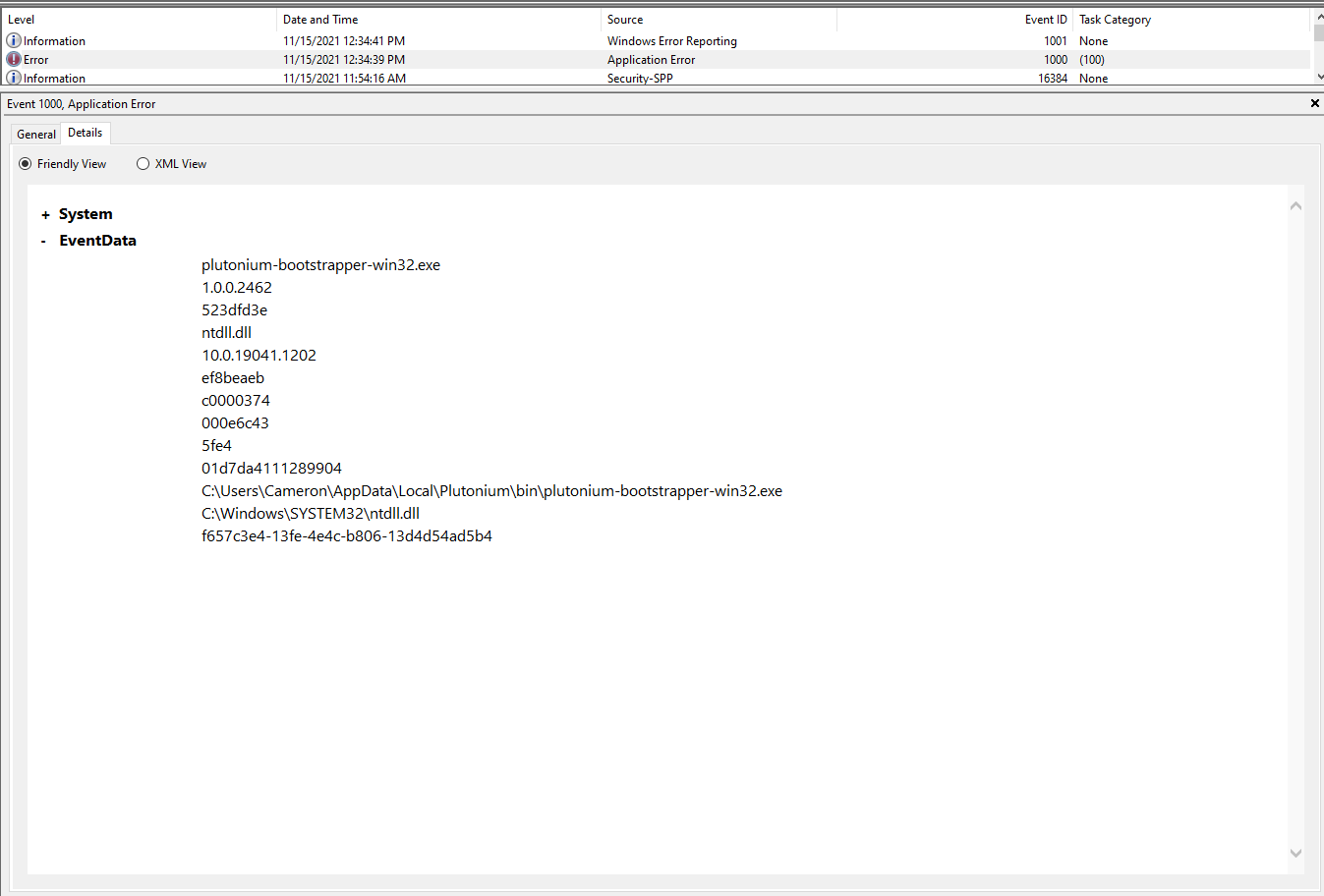
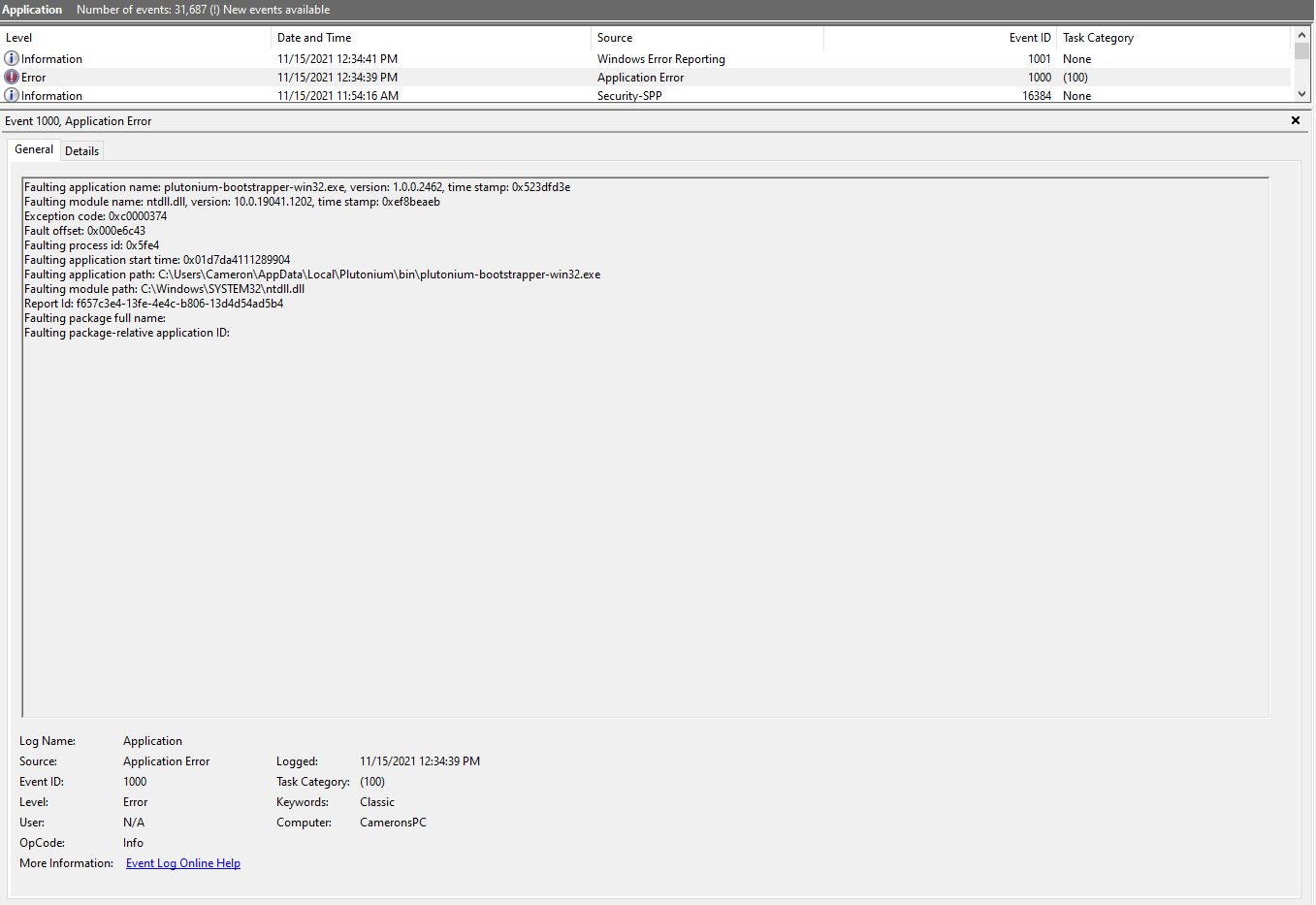
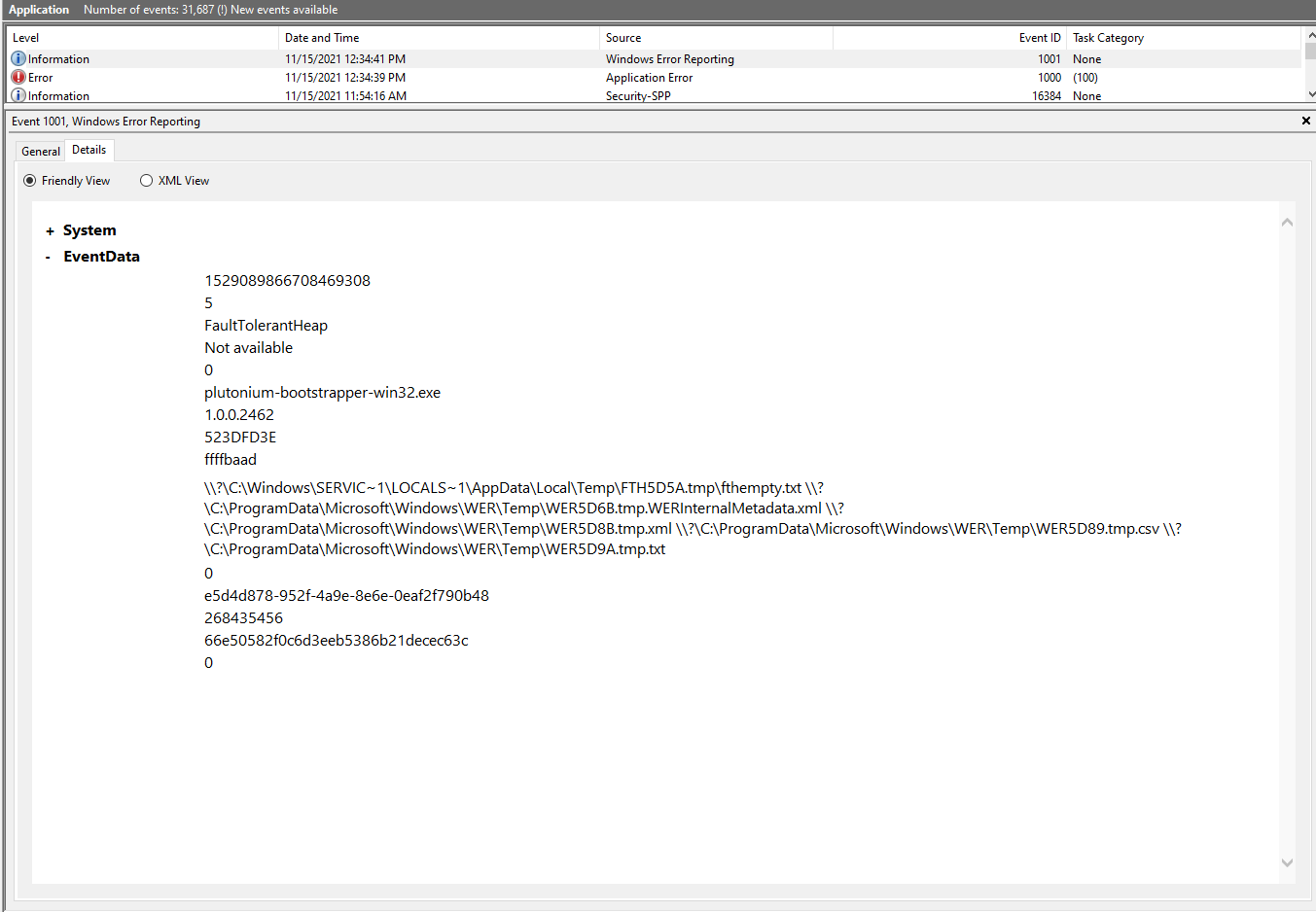
Just did this, didn't think of it before, I'll attach photos of what it shows
Plus I don't see why you should disable defender if you've already added exclusions to %localappdata%/Plutonium since defender does respect user's exclusions. Re-enable it.
I typically leave it disabled anyways, I don't download anything I don't trust

-
HannesC said in Bo2 Zombies Crash:
Did you try searching for anything Plutonium related in the Windows event logs? Event Viewer -> Windows Logs -> Application.
Just did this, didn't think of it before, I'll attach photos of what it shows
Plus I don't see why you should disable defender if you've already added exclusions to %localappdata%/Plutonium since defender does respect user's exclusions. Re-enable it.
I typically leave it disabled anyways, I don't download anything I don't trust
Dialoguesxd the crash occurs in ntdll so your windows kernel.. i'd try repairing your system files as something seems to be severly broken:
- open the start menu and search for "cmd"
- run cmd as admin
- execute the following command
dism /online /cleanup-image /restorehealth- after dism has finished repairing your system restart your pc



Hello! It looks like you're interested in this conversation, but you don't have an account yet.
Getting fed up of having to scroll through the same posts each visit? When you register for an account, you'll always come back to exactly where you were before, and choose to be notified of new replies (either via email, or push notification). You'll also be able to save bookmarks and upvote posts to show your appreciation to other community members.
With your input, this post could be even better 💗
Register Login