Skip to content
  • Recent
  • Tags
  • Popular
  • Users
  • Groups
  • Donate
Collapse

Plutonium

  1. Home
  2. MW3 Client Support
  3. IW5 Error message: Direct3DDevice9:: Present failed: An invalid paramater was passed to the returning function
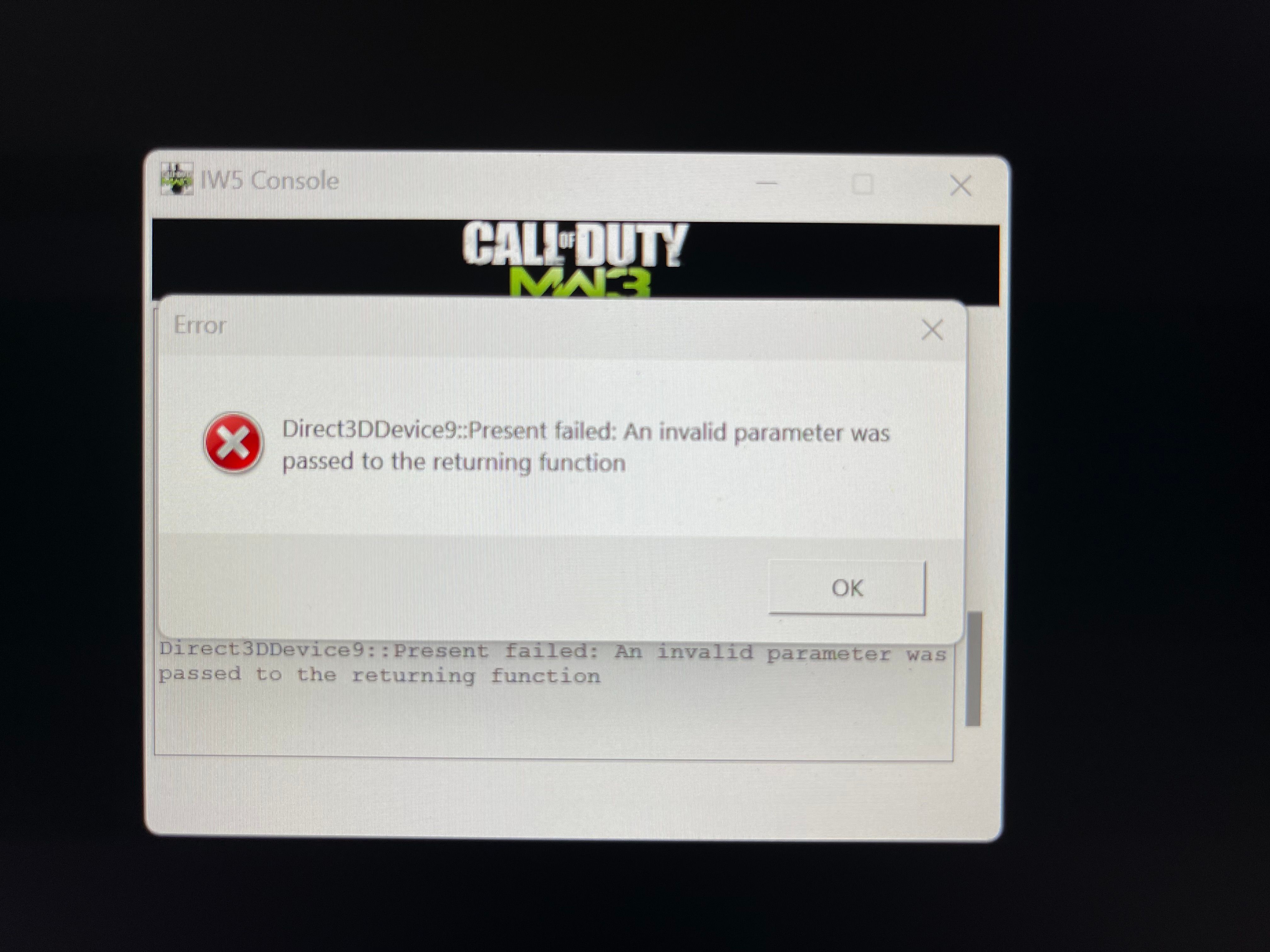
IW5 Error message: Direct3DDevice9:: Present failed: An invalid paramater was passed to the returning function

Scheduled Pinned Locked Moved MW3 Client Support
24 Posts 8 Posters 8.2k Views 1 Watching
  • Oldest to Newest
  • Newest to Oldest
  • Most Votes
Reply
  • Reply as topic
Log in to reply
This topic has been deleted. Only users with topic management privileges can see it.
  • AF thinkerundefined Offline
    AF thinkerundefined Offline
    AF thinker
    wrote on last edited by
    #15

    So what's the deal, can someone help me fix this or what?

    1 Reply Last reply
    0
    • UniverSixundefined Offline
      UniverSixundefined Offline
      UniverSix
      wrote on last edited by
      #16

      the same happens here: https://zombiemodding.com/index.php?topic=14342.0

      AF thinkerundefined 1 Reply Last reply
      0
      • UniverSixundefined UniverSix

        the same happens here: https://zombiemodding.com/index.php?topic=14342.0

        AF thinkerundefined Offline
        AF thinkerundefined Offline
        AF thinker
        wrote on last edited by
        #17

        @NicePanxiety Doesn't offer any solution. All my graphics drivers are updated, and this is the only game I get this error message

        1 Reply Last reply
        0
        • AF thinkerundefined Offline
          AF thinkerundefined Offline
          AF thinker
          wrote on last edited by
          #18

          Update: still not working. If I wasn't the only person on here having this issue, then maybe there would be a fix by now

          UniverSixundefined 1 Reply Last reply
          0
          • AF thinkerundefined AF thinker

            Update: still not working. If I wasn't the only person on here having this issue, then maybe there would be a fix by now

            UniverSixundefined Offline
            UniverSixundefined Offline
            UniverSix
            wrote on last edited by
            #19

            @SadPackersFan
            Did you read everything on the website I mentioned? Bcz its say its a drive problem, and probably the post has stoped bcz the problem its solved, so......

            AF thinkerundefined 1 Reply Last reply
            0
            • UniverSixundefined UniverSix

              @SadPackersFan
              Did you read everything on the website I mentioned? Bcz its say its a drive problem, and probably the post has stoped bcz the problem its solved, so......

              AF thinkerundefined Offline
              AF thinkerundefined Offline
              AF thinker
              wrote on last edited by
              #20

              @NicePanxiety All of my drivers are updated like I said before. If that was the problem, I wouldn't be able to play my other games which I'm able to do.

              1 Reply Last reply
              0
              • AF thinkerundefined Offline
                AF thinkerundefined Offline
                AF thinker
                wrote on last edited by
                #21
                This post is deleted!
                1 Reply Last reply
                0
                • dedsegueundefined Offline
                  dedsegueundefined Offline
                  dedsegue
                  wrote on last edited by
                  #22

                  Hello

                  I got the same error message and i managed to fix it.

                  Right-click on plutonium.exe → Properties
                  Go to the Compatibility tab
                  Check: Run this program in compatibility mode for: Select Windows 8 from the list

                  it fixed it for me.

                  Hope it can help some people

                  1 Reply Last reply
                  0
                  • cryektorundefined Offline
                    cryektorundefined Offline
                    cryektor
                    wrote last edited by
                    #23

                    I got the same problem here, did you already resolved yet?

                    1 Reply Last reply
                    0
                    • crumpler.308undefined Offline
                      crumpler.308undefined Offline
                      crumpler.308
                      wrote last edited by
                      #24

                      same here Direct3DDevice9::Present failed: Device removed when i connect to a server

                      1 Reply Last reply
                      0
                      Reply
                      • Reply as topic
                      Log in to reply
                      • Oldest to Newest
                      • Newest to Oldest
                      • Most Votes


                      • 1
                      • 2
                      • Login

                      • Don't have an account? Register

                      • Login or register to search.
                      • First post
                        Last post
                      0
                      • Recent
                      • Tags
                      • Popular
                      • Users
                      • Groups
                      • Donate