Skip to content
  • 0 Unread 0
  • Recent
  • Popular
  • Users
  • Donate
Collapse
Home Docs Stats Discord Donate
Download
  1. Home
  2. BO2 Modding Releases & Resources
  3. [ZM] Dark Matter

[ZM] Dark Matter

Scheduled Pinned Locked Moved BO2 Modding Releases & Resources
26 Posts 9 Posters 8.1k Views 1 Watching
  • Oldest to Newest
  • Newest to Oldest
  • Most Votes
Reply
  • Reply as topic
Log in to reply
This topic has been deleted. Only users with topic management privileges can see it.
  • Cam Out2u
    Cam Out2u
    Cam Out2u
    wrote on last edited by Cam Out2u
    #1

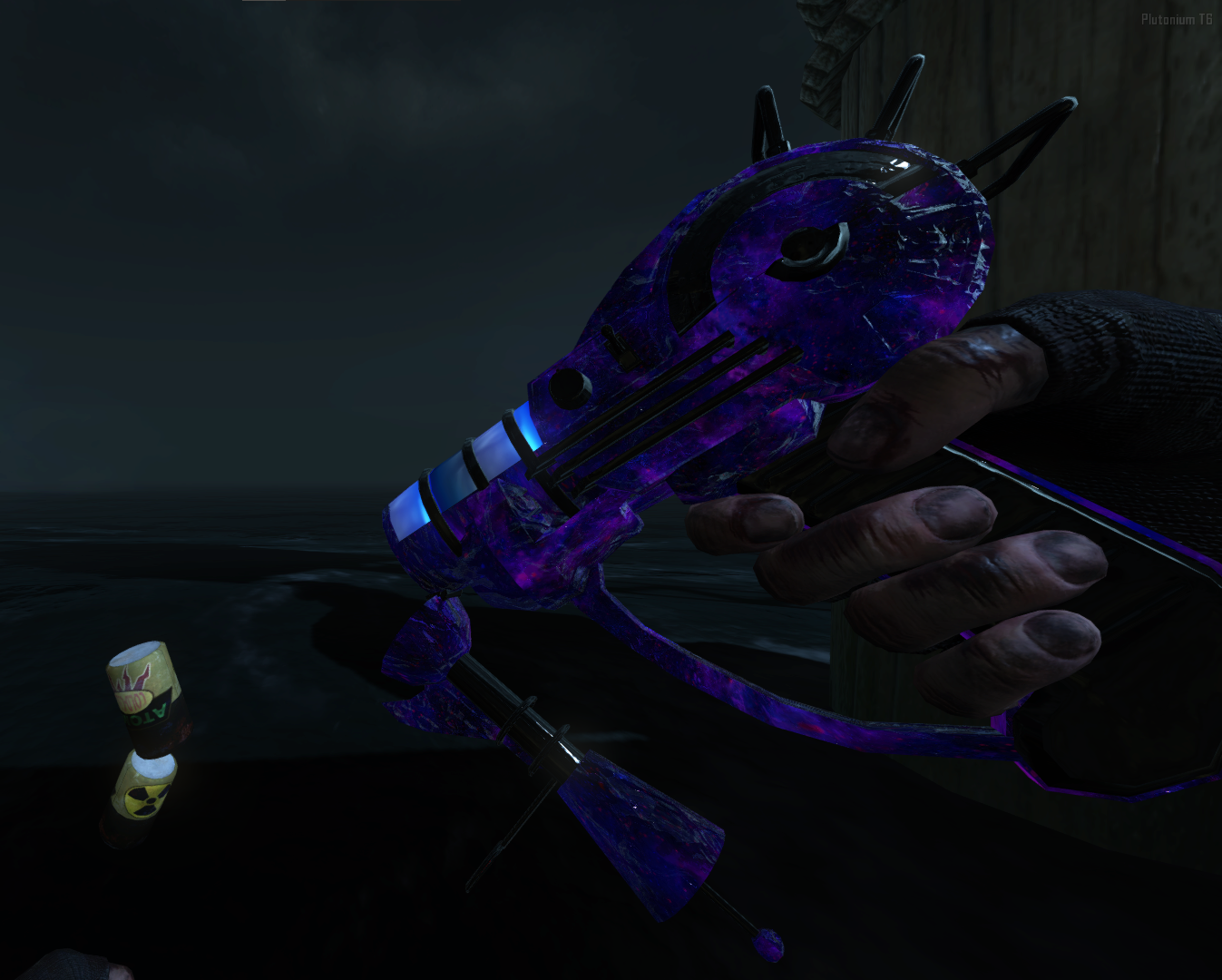
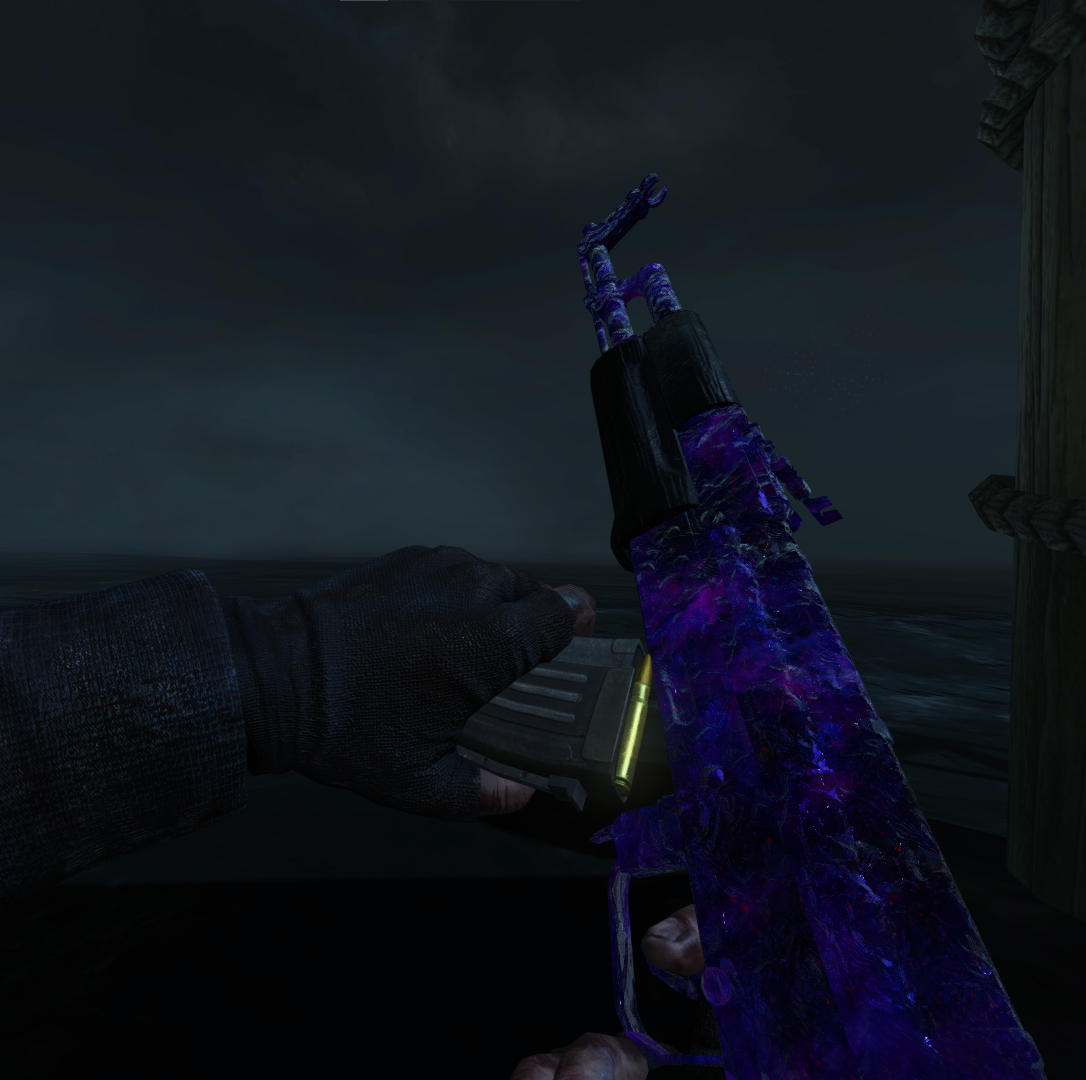
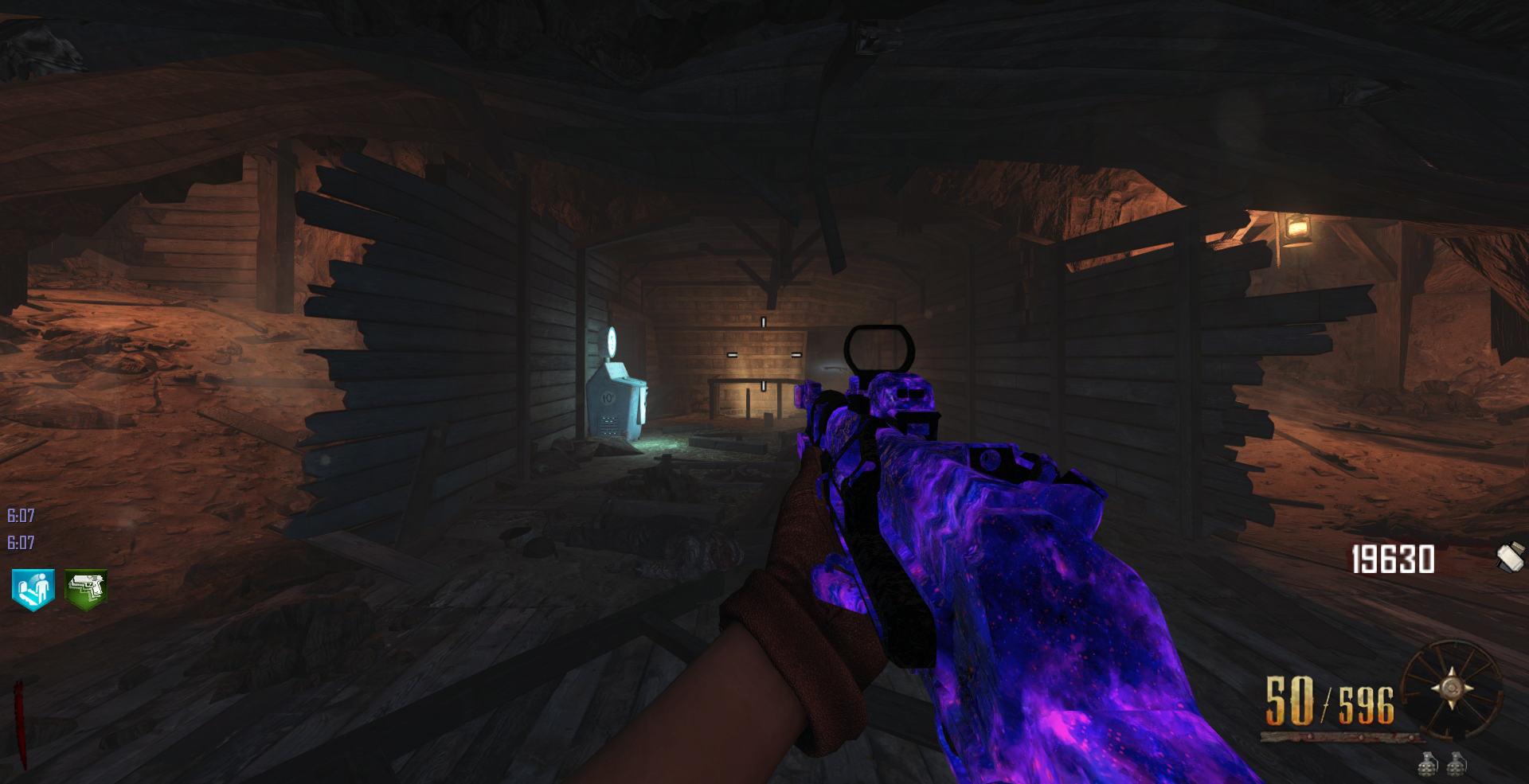
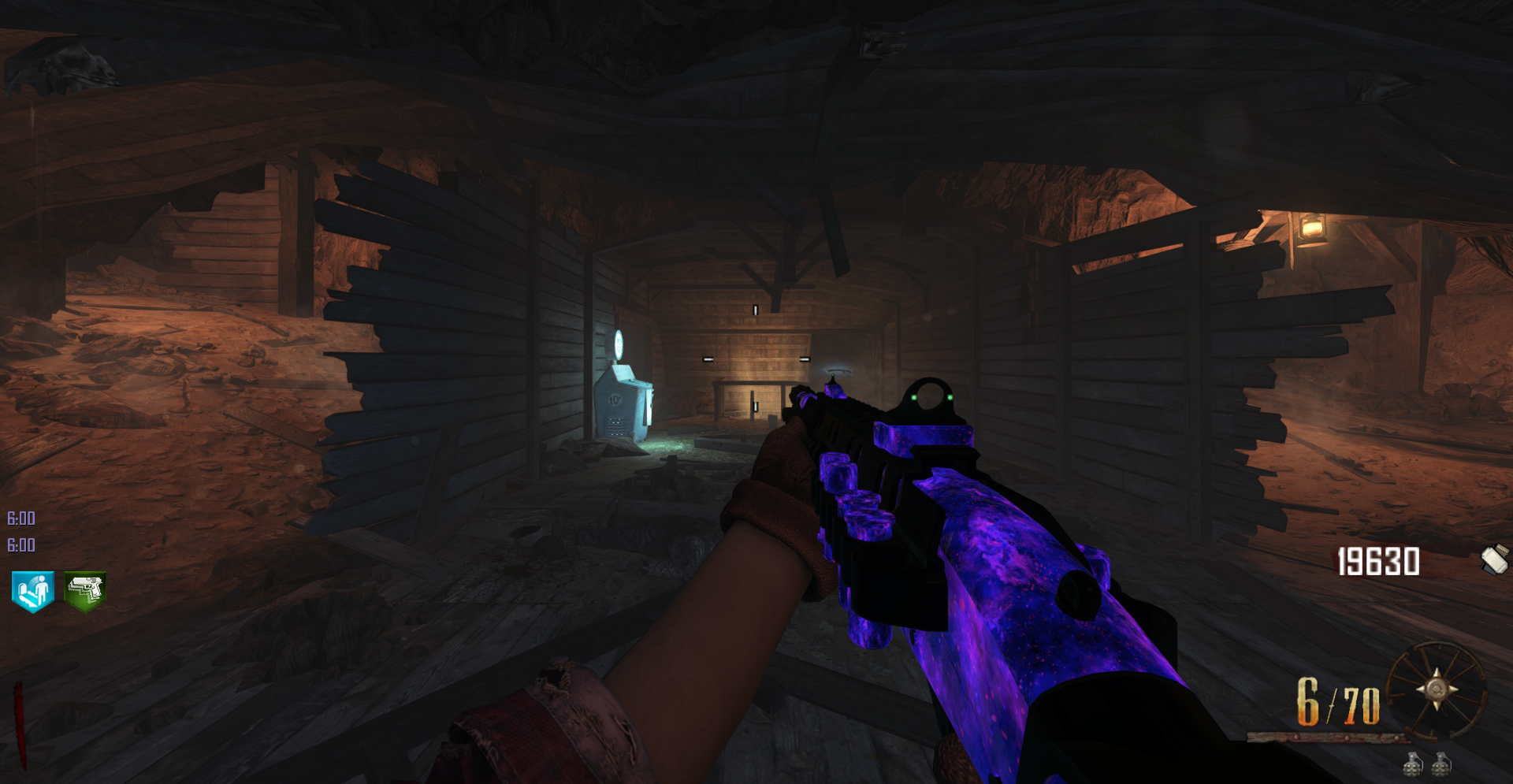
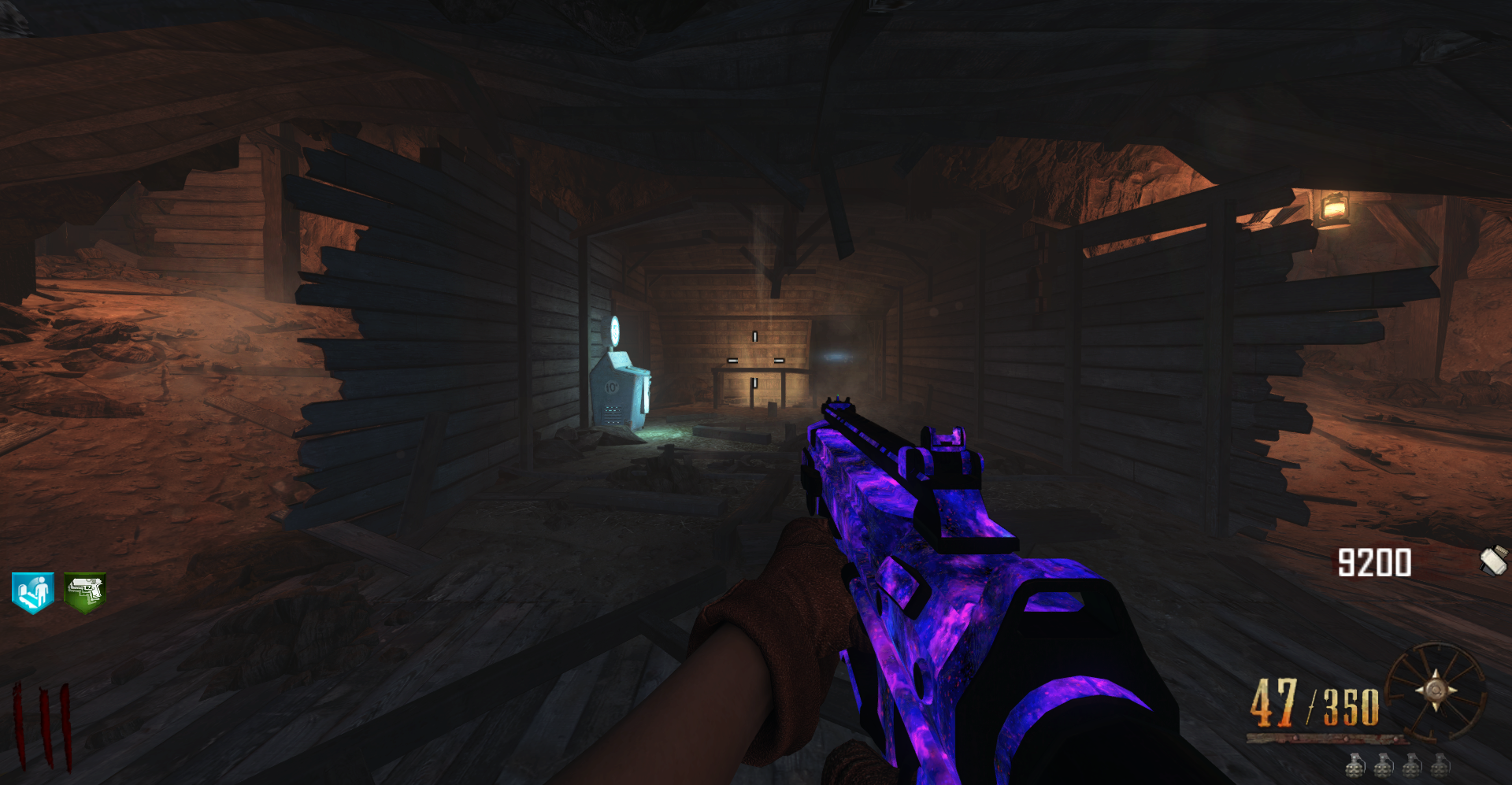
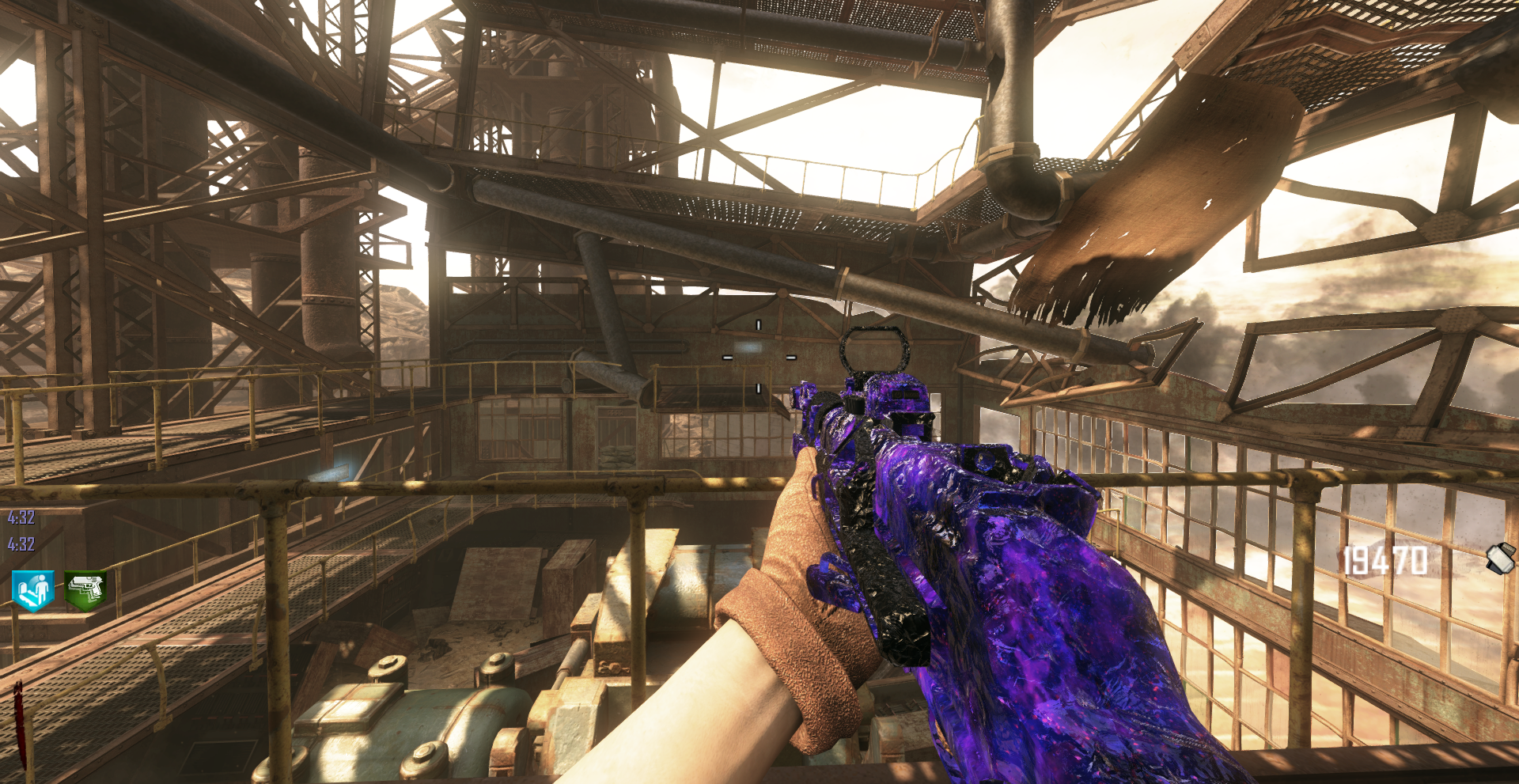
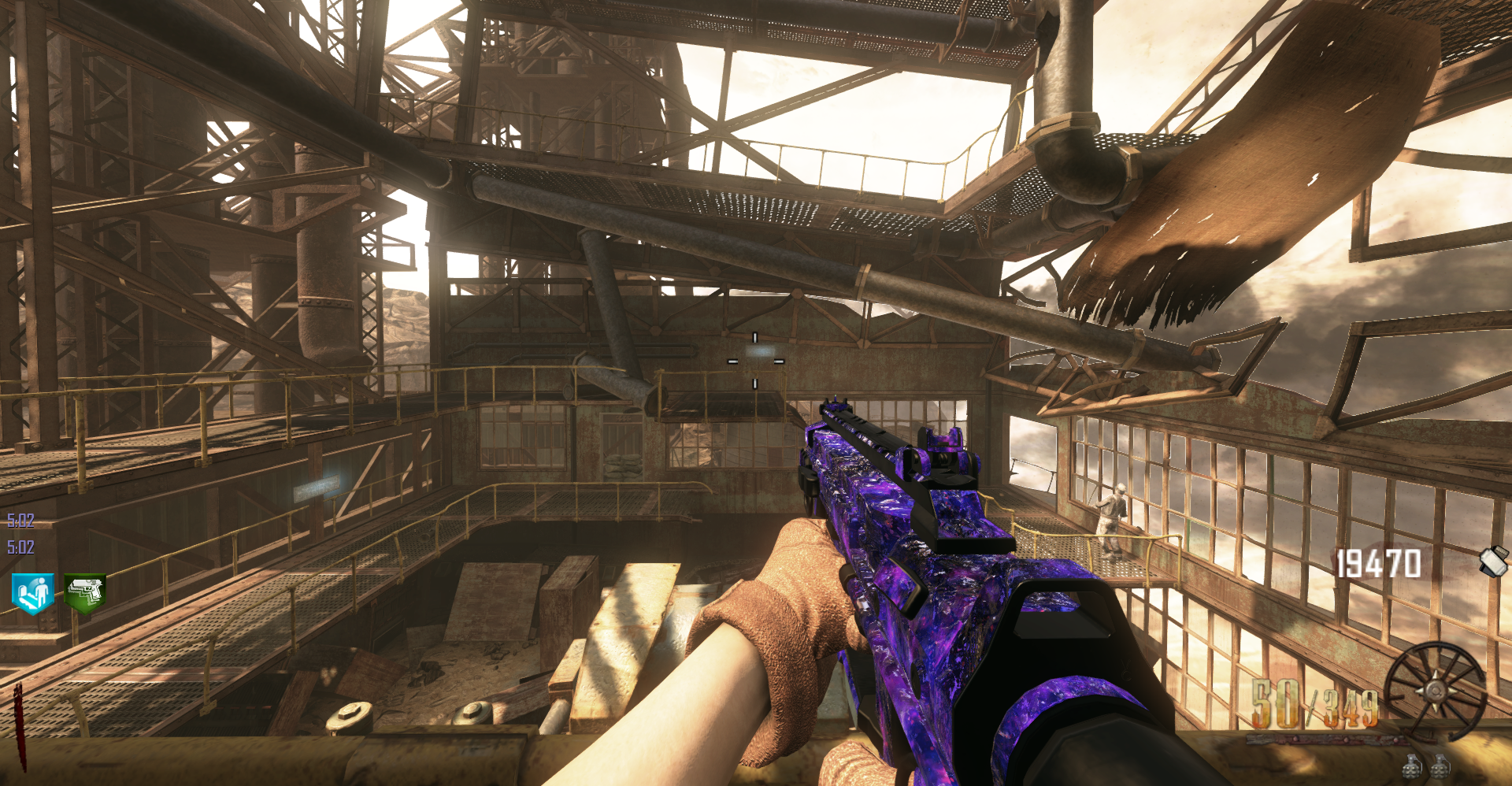
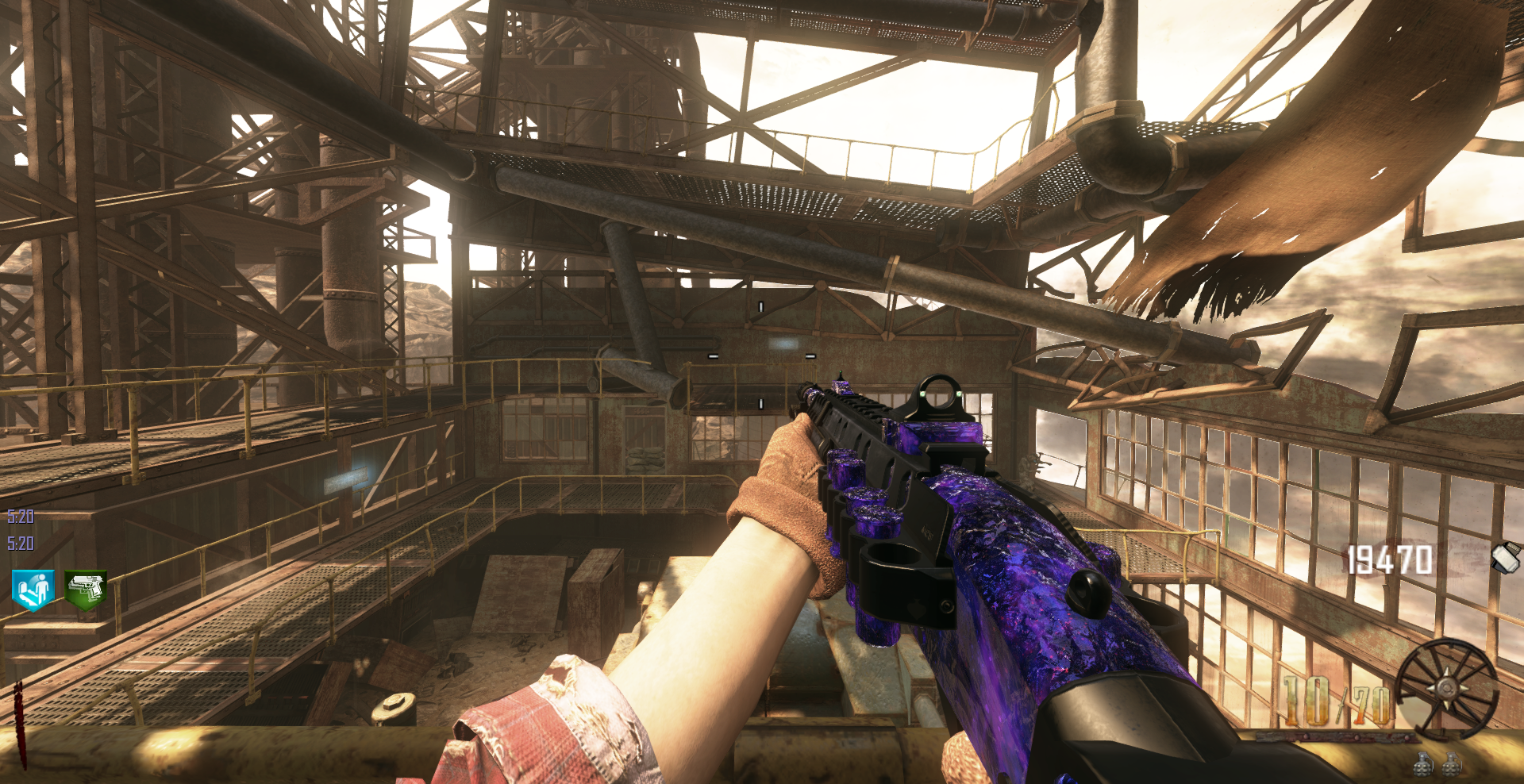
    Dark Matter Camo Port for Zombies (Replaces MOTD PAP Camo)
    Camo Download
    Multiplayer Camo By sable nitroca
    Preview:
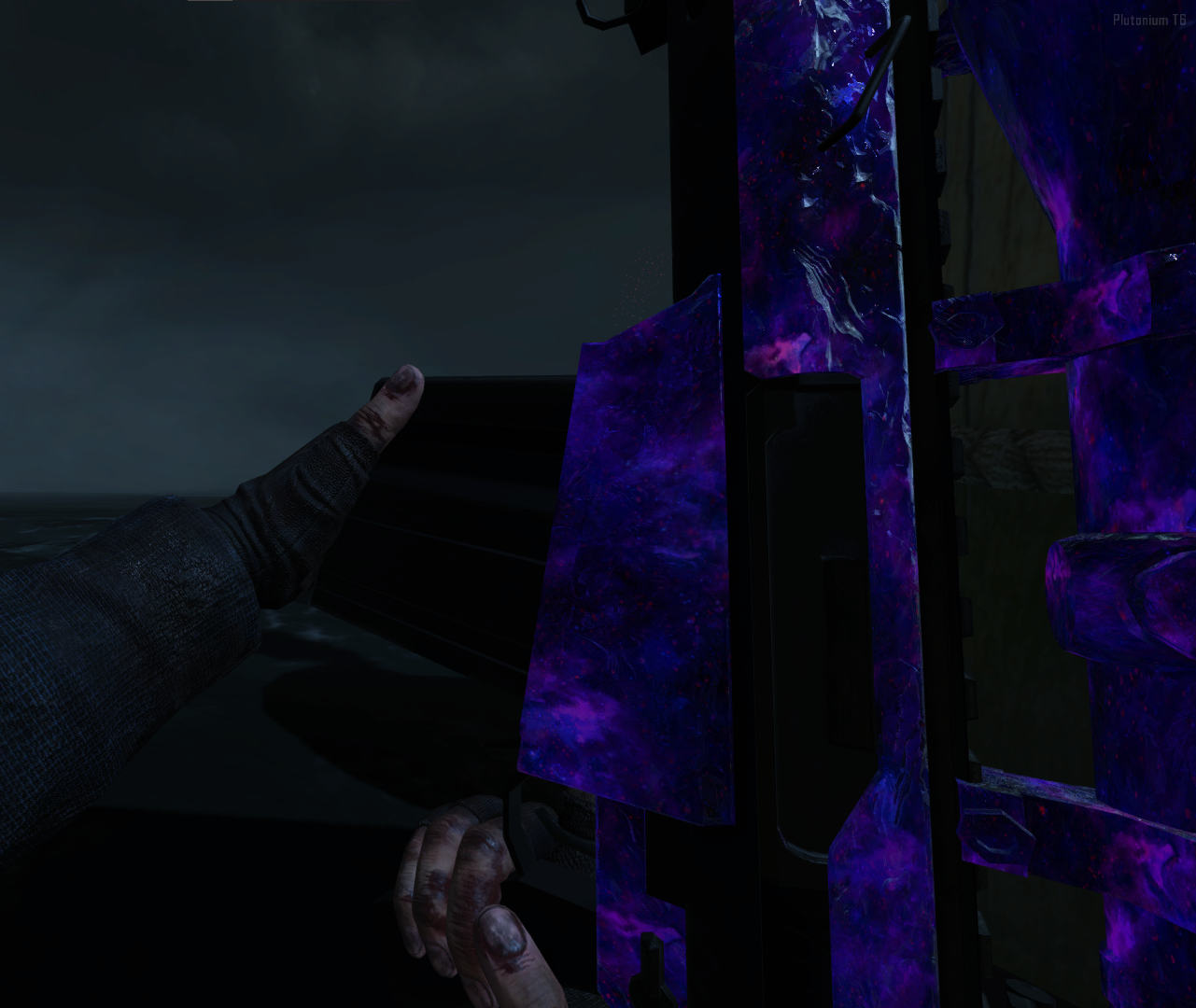
    image1.png
    image.png
    image3.png
    Low Light:
    image4.png
    image5.png
    image6.png
    High Light:
    image7.png
    image8.png
    image9.png

    1 Reply Last reply
    7
    • bunny
      bunny
      bunny
      wrote on last edited by
      #2
      This post is deleted!
      1 Reply Last reply
      0
      • GhostRider0125
        GhostRider0125
        GhostRider0125
        Banned
        wrote on last edited by
        #3

        Dear god it fits so damn well! Looks sick! Sad that it cant be used on older maps from mob😅

        1 Reply Last reply
        0
        • Fulanalok
          Fulanalok
          Fulanalok
          wrote on last edited by
          #4

          im trying to make it work but only the MP one works

          Cam Out2u 1 Reply Last reply
          0
          • Fulanalok Fulanalok

            im trying to make it work but only the MP one works

            Cam Out2u
            Cam Out2u
            Cam Out2u
            wrote on last edited by
            #5

            Fulanalok The camo is meant for mob of the dead but using this script Fraga it can be used on buried and origins too

            1 Reply Last reply
            0
            • Cam Out2u Cam Out2u referenced this topic on
            • COFFINDODGER25
              COFFINDODGER25
              COFFINDODGER25
              wrote on last edited by
              #6

              if its for mob only how you get it on buried

              GhostRider0125 1 Reply Last reply
              1
              • COFFINDODGER25 COFFINDODGER25

                if its for mob only how you get it on buried

                GhostRider0125
                GhostRider0125
                GhostRider0125
                Banned
                wrote on last edited by
                #7

                COFFINDODGER25 like he said in the last comment its a script that makes it replaced the pap camos on the maps that are after mob ie buried and origins😆

                if you click the download link there will be 2 zip files one being the script 😁
                https://forum.plutonium.pw/topic/30495/zm-rainbow-diamond-pap-animated

                COFFINDODGER25 1 Reply Last reply
                0
                • GhostRider0125 GhostRider0125

                  COFFINDODGER25 like he said in the last comment its a script that makes it replaced the pap camos on the maps that are after mob ie buried and origins😆

                  if you click the download link there will be 2 zip files one being the script 😁
                  https://forum.plutonium.pw/topic/30495/zm-rainbow-diamond-pap-animated

                  COFFINDODGER25
                  COFFINDODGER25
                  COFFINDODGER25
                  wrote on last edited by
                  #8

                  GhostRider0125 i found a moded zombies server (Ezz) i can just type in the chat .camo 2 and get it that way.

                  thank you anyway. much love

                  GhostRider0125 1 Reply Last reply
                  2
                  • ZeusMTS09
                    ZeusMTS09
                    ZeusMTS09
                    wrote on last edited by
                    #9

                    how i can use this camo on my guns? somebody can tell me how?

                    GhostRider0125 1 Reply Last reply
                    1
                    • COFFINDODGER25 COFFINDODGER25

                      GhostRider0125 i found a moded zombies server (Ezz) i can just type in the chat .camo 2 and get it that way.

                      thank you anyway. much love

                      GhostRider0125
                      GhostRider0125
                      GhostRider0125
                      Banned
                      wrote on last edited by
                      #10

                      COFFINDODGER25 np but what if you wanted to play solo with it yourself 😁😂

                      1 Reply Last reply
                      0
                      • ZeusMTS09 ZeusMTS09

                        how i can use this camo on my guns? somebody can tell me how?

                        GhostRider0125
                        GhostRider0125
                        GhostRider0125
                        Banned
                        wrote on last edited by
                        #11

                        ZeusMTS09 if you only want it to work normally (ie on motd only) then just download the pap camo and place it here 😁

                        at the bottom left corner of your screen right click your windows icon and select Run then type : %localappdata%

                        then go to plutonium folder then storage then t6 then images
                        Paste your .iwi files in this folder (if you dont have images folder create it) and done XD

                        if you want it to work on buried and origins too download the script i sent in four previous posts and place it inside script (which is as same folder you made images folder in t6😆) and zm folder (if i recall correct)

                        1 Reply Last reply
                        0
                        • Richard019_RJ
                          Richard019_RJ
                          Richard019_RJ
                          wrote on last edited by Richard019_RJ
                          #12

                          It doesn't work for me, I copy and paste it into images and it doesn't work, the same with the others camo, none of them work for me, someone help me please

                          GhostRider0125 1 Reply Last reply
                          2
                          • Richard019_RJ Richard019_RJ

                            It doesn't work for me, I copy and paste it into images and it doesn't work, the same with the others camo, none of them work for me, someone help me please

                            GhostRider0125
                            GhostRider0125
                            GhostRider0125
                            Banned
                            wrote on last edited by
                            #13

                            Richard019_RJ if the extinction of the file is .iwd you must put it in one folder outside of images folder that you created which is t6

                            if its .zip or .rar then you must extract it with WINRAR or 7Zip app and put all of the .iwi files in images folder😁

                            Richard019_RJ 1 Reply Last reply
                            0
                            • GhostRider0125 GhostRider0125

                              Richard019_RJ if the extinction of the file is .iwd you must put it in one folder outside of images folder that you created which is t6

                              if its .zip or .rar then you must extract it with WINRAR or 7Zip app and put all of the .iwi files in images folder😁

                              Richard019_RJ
                              Richard019_RJ
                              Richard019_RJ
                              wrote on last edited by
                              #14

                              GhostRider0125 How come bro, I don't understand, haha, could you explain it to me in detail please? The truth is that the camouflages are cool.

                              1 Reply Last reply
                              1
                              • GhostRider0125
                                GhostRider0125
                                GhostRider0125
                                Banned
                                wrote on last edited by GhostRider0125
                                #15

                                Richard019_RJ for each file (thats not a folder) has an extension infront of them which starts with (.) and end with the type like .rar .zip .iwi .iwi

                                you can turn it on to see what type they are watch this video to enable it😆

                                https://www.youtube.com/watch?v=CWyC2zs9eic

                                and again make sure that the files with .iwi are in images folder where i said you should put them

                                and .iwd files being one folder outside of images folder which is going to be in t6 folder😁

                                Also remember that the files you download theyre names will have numbers behind them and theyre ~ symbol change to - or _

                                you must go back to where you downloaded them and rename them in how they look it the post OR THEY WOULD NOT WORK!

                                1 Reply Last reply
                                0
                                • killwitch79
                                  killwitch79
                                  killwitch79
                                  wrote last edited by
                                  #16

                                  is it possible to use it on any map without using fraga cuz i cant play custom map if i dont remove the fraga.gsc and if i did i wont be able to use dark matter😢

                                  mr.kennutbuster 1 Reply Last reply
                                  0
                                  • killwitch79 killwitch79

                                    is it possible to use it on any map without using fraga cuz i cant play custom map if i dont remove the fraga.gsc and if i did i wont be able to use dark matter😢

                                    mr.kennutbuster
                                    mr.kennutbuster
                                    mr.kennutbuster
                                    wrote last edited by
                                    #17

                                    killwitch79 use b2op instead

                                    1 Reply Last reply
                                    0
                                    • killwitch79
                                      killwitch79
                                      killwitch79
                                      wrote last edited by killwitch79
                                      #18

                                      Nah that didnt work for me because when i use b2op this happened
                                      Screenshot 2026-10-13 130745.jpeg so i created my own PATCH using AI ( u can only put MOTD PAP CAMO , No unnecessary Counters and custom menu , and it also works for DLC5) here is the screenshot i took when i use my own script

                                      Screenshot 2026-10-13 132754.jpeg "BUT the only Downside when you use this script in DLC 5 most guns are covered with your MOTD PAP Camo but some guns when pap is just showing their base camo only like this one here
                                      Screenshot 2026-10-13 135107.jpeg
                                      image.jpeg
                                      but it works completely Fine in Regular BO2 so here is the script:

                                      Here is the new version of the script:
                                      https://mega.nz/file/v9YWjRDQ#mUuCaoS5M-MkD4el0sDgcevCsFUM17ROqN-mFXSC4G4
                                      The Problem of the old version is when u pap the gun in tranzit or die rise , the gun turns invisible so you wont able to see ur gun in your hands so i fix the problem but its just that MOTD pap camo wont show on tranzit and die rise so instead when u pap ur gun it will only show the base weapon camo

                                      mr.kennutbuster 2 Replies Last reply
                                      0
                                      • killwitch79 killwitch79

                                        Nah that didnt work for me because when i use b2op this happened
                                        Screenshot 2026-10-13 130745.jpeg so i created my own PATCH using AI ( u can only put MOTD PAP CAMO , No unnecessary Counters and custom menu , and it also works for DLC5) here is the screenshot i took when i use my own script

                                        Screenshot 2026-10-13 132754.jpeg "BUT the only Downside when you use this script in DLC 5 most guns are covered with your MOTD PAP Camo but some guns when pap is just showing their base camo only like this one here
                                        Screenshot 2026-10-13 135107.jpeg
                                        image.jpeg
                                        but it works completely Fine in Regular BO2 so here is the script:

                                        Here is the new version of the script:
                                        https://mega.nz/file/v9YWjRDQ#mUuCaoS5M-MkD4el0sDgcevCsFUM17ROqN-mFXSC4G4
                                        The Problem of the old version is when u pap the gun in tranzit or die rise , the gun turns invisible so you wont able to see ur gun in your hands so i fix the problem but its just that MOTD pap camo wont show on tranzit and die rise so instead when u pap ur gun it will only show the base weapon camo

                                        mr.kennutbuster
                                        mr.kennutbuster
                                        mr.kennutbuster
                                        wrote last edited by
                                        #19

                                        killwitch79 it works you just have to type "camo 40" in the ingame chat then pap your weapon

                                        1 Reply Last reply
                                        0
                                        • mr.kennutbuster
                                          mr.kennutbuster
                                          mr.kennutbuster
                                          wrote last edited by
                                          #20

                                          {963BF6C7-940E-4F77-8D36-1CB08F1269B1}.jpeg lol

                                          1 Reply Last reply
                                          0

                                          Hello! It looks like you're interested in this conversation, but you don't have an account yet.

                                          Getting fed up of having to scroll through the same posts each visit? When you register for an account, you'll always come back to exactly where you were before, and choose to be notified of new replies (either via email, or push notification). You'll also be able to save bookmarks and upvote posts to show your appreciation to other community members.

                                          With your input, this post could be even better 💗

                                          Register Login
                                          Reply
                                          • Reply as topic
                                          Log in to reply
                                          • Oldest to Newest
                                          • Newest to Oldest
                                          • Most Votes


                                          • 1
                                          • 2
                                          • Login

                                          • Don't have an account? Register

                                          • Login or register to search.
                                          • First post
                                            Last post
                                          0
                                          • Unread 0
                                          • Recent
                                          • Popular
                                          • Users
                                          • Donate