Skip to content
  • 0 Unread 0
  • Recent
  • Popular
  • Users
  • Donate
Collapse
Home Docs Stats Discord Donate
Download
  1. Home
  2. BO2 Modding Releases & Resources
  3. [ZM] Playstation 3 Controller UI Buttons
[ZM] Playstation 3 Controller UI Buttons

Scheduled Pinned Locked Moved BO2 Modding Releases & Resources
controllerhudplaystationicons
7 Posts 6 Posters 4.0k Views 1 Watching
  • Oldest to Newest
  • Newest to Oldest
  • Most Votes
Reply
  • Reply as topic
Log in to reply
This topic has been deleted. Only users with topic management privileges can see it.
  • MiaDeexire
    MiaDeexire
    MiaDeexire
    wrote on last edited by
    #1

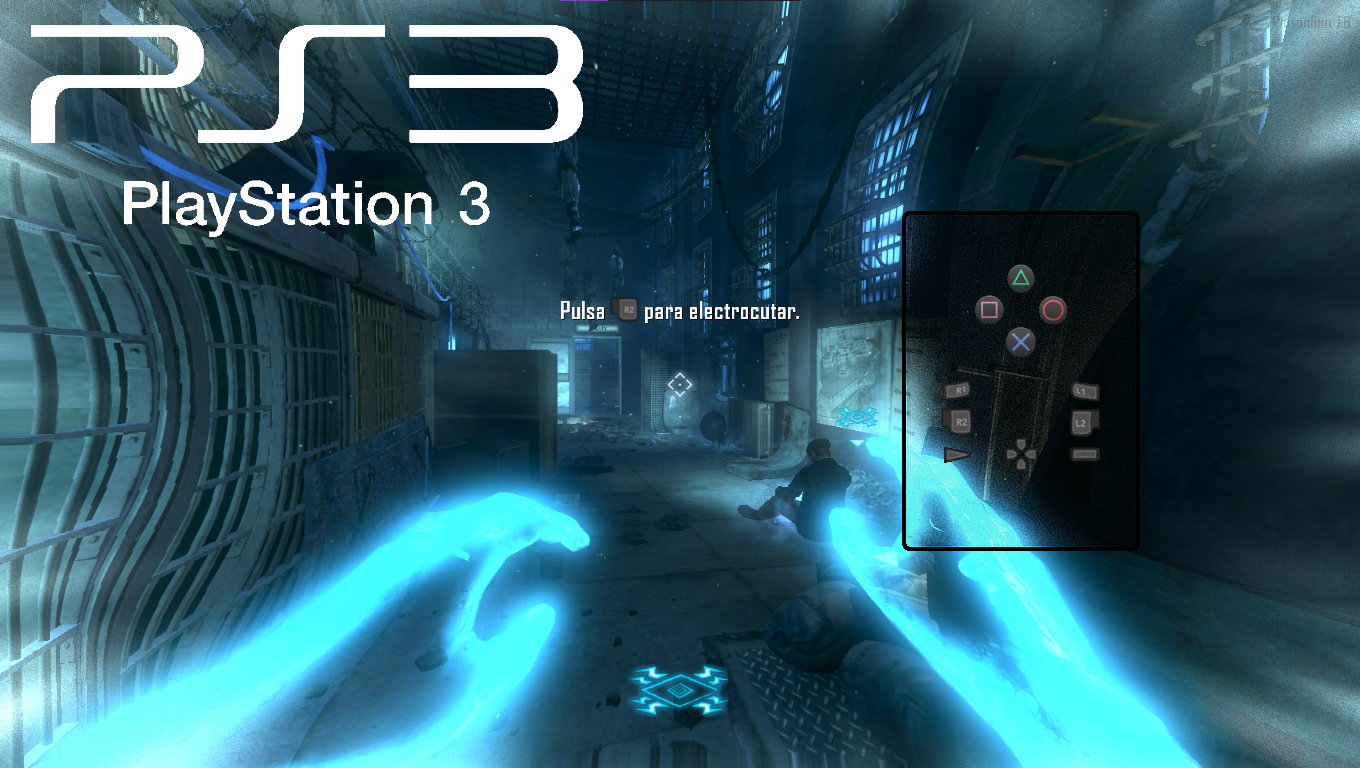
    image.png

    !Download Ps3 Ui ButtomsΒ‘

    I hope you like this PS3 button UI. πŸ˜†

    1 Reply Last reply
    4
    • GhostRider0125
      GhostRider0125
      GhostRider0125
      Banned
      wrote on last edited by
      #2

      Nice my buddy would appreciate thisπŸ˜πŸ‘

      1 Reply Last reply
      1
      • FaZeFlickAlt
        FaZeFlickAlt
        FaZeFlickAlt
        wrote on last edited by
        #3

        How did your gold motd camo post get taken down?

        MiaDeexire 1 Reply Last reply
        0
        • FaZeFlickAlt FaZeFlickAlt

          How did your gold motd camo post get taken down?

          MiaDeexire
          MiaDeexire
          MiaDeexire
          wrote on last edited by
          #4

          FaZeFlickAlt Oh yeah, I forgot, sorry, I just had the wrong screenshots, and I forgot to post it again πŸ˜‚

          1 Reply Last reply
          0
          • NSXLYY
            NSXLYY
            NSXLYY
            wrote on last edited by
            #5

            How do you install

            Penguin Man 1 Reply Last reply
            1
            • NSXLYY NSXLYY

              How do you install

              Penguin Man
              Penguin Man
              Penguin Man
              wrote on last edited by Penguin Man
              #6

              NSXLYY open a command prompt, and put %localappdata%\Plutonium\storage

              Go to the game folder then copy and paste the image files into a folder that says images. If you don't have one then just make a new one

              1 Reply Last reply
              1
              • xLuaNx
                xLuaNx
                xLuaNx
                wrote on last edited by
                #7

                you are goated bro

                1 Reply Last reply
                0

                Hello! It looks like you're interested in this conversation, but you don't have an account yet.

                Getting fed up of having to scroll through the same posts each visit? When you register for an account, you'll always come back to exactly where you were before, and choose to be notified of new replies (either via email, or push notification). You'll also be able to save bookmarks and upvote posts to show your appreciation to other community members.

                With your input, this post could be even better πŸ’—

                Register Login
                Reply
                • Reply as topic
                Log in to reply
                • Oldest to Newest
                • Newest to Oldest
                • Most Votes


                • Login

                • Don't have an account? Register

                • Login or register to search.
                • First post
                  Last post
                0
                • Unread 0
                • Recent
                • Popular
                • Users
                • Donate