[Release][ZM] Stats Web
-
Littlegods Stats Web
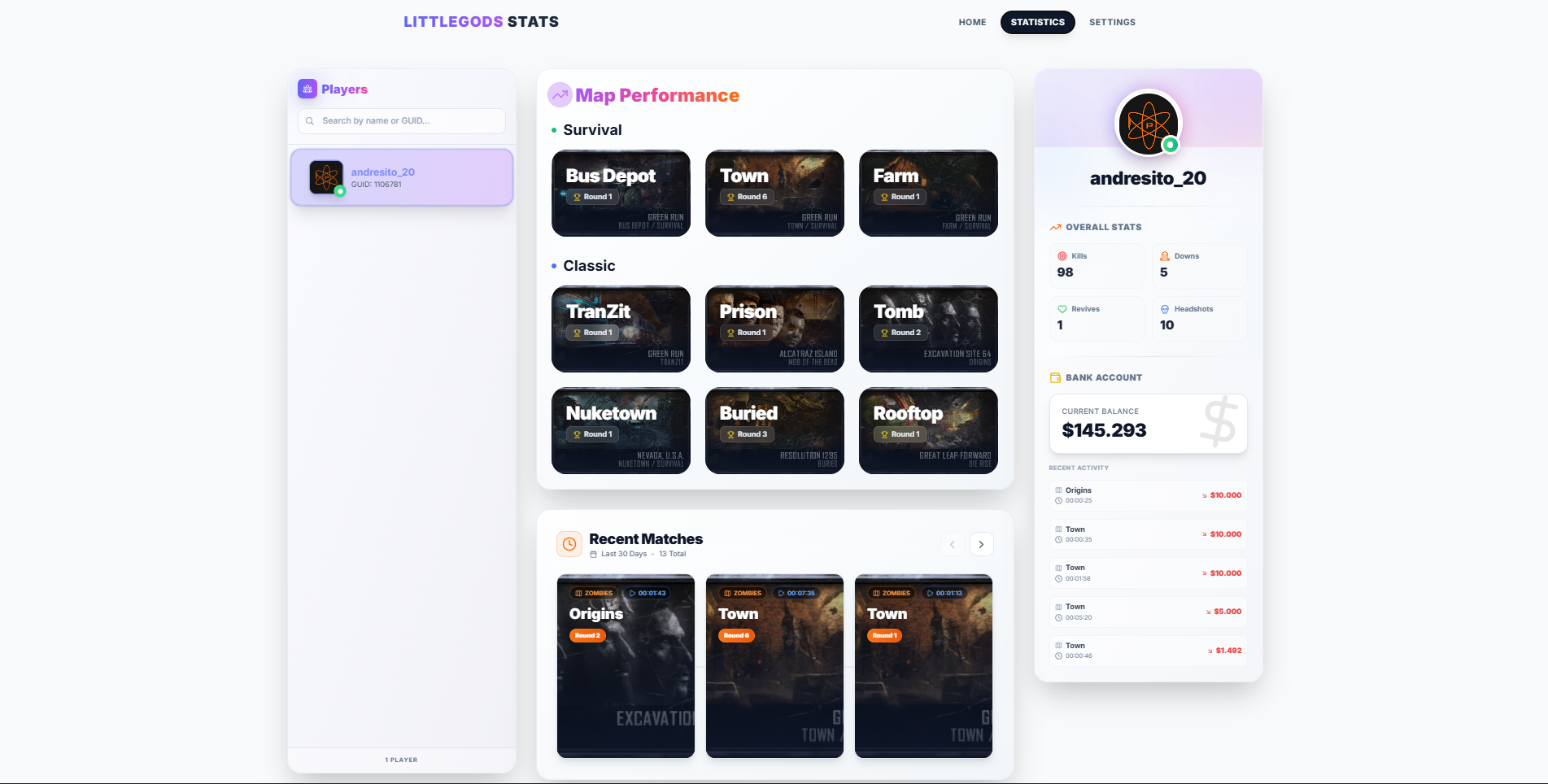
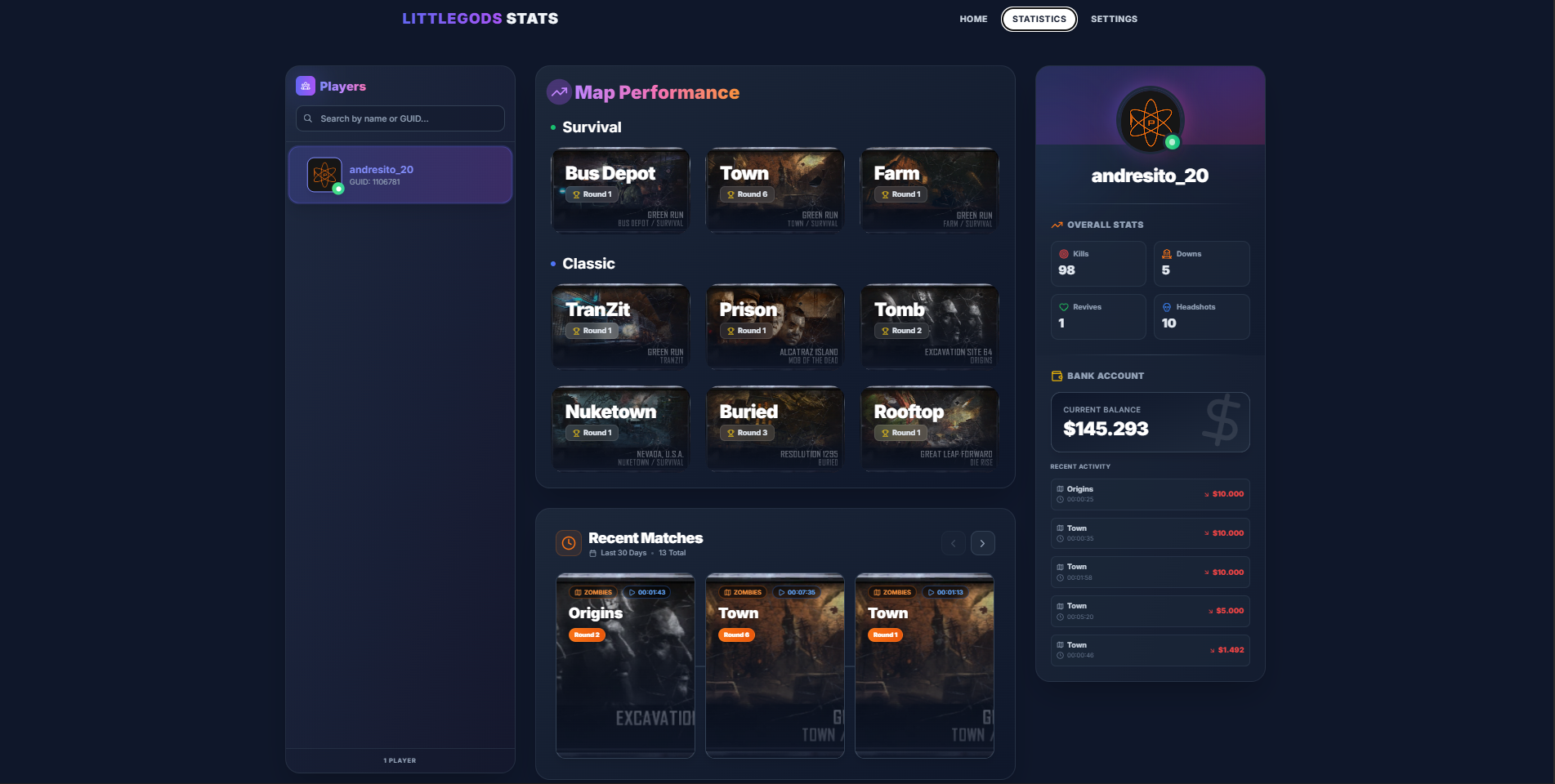
Littlegods Stats Web is a project created for the T6 Zombies community, designed for both personal use and server integration.
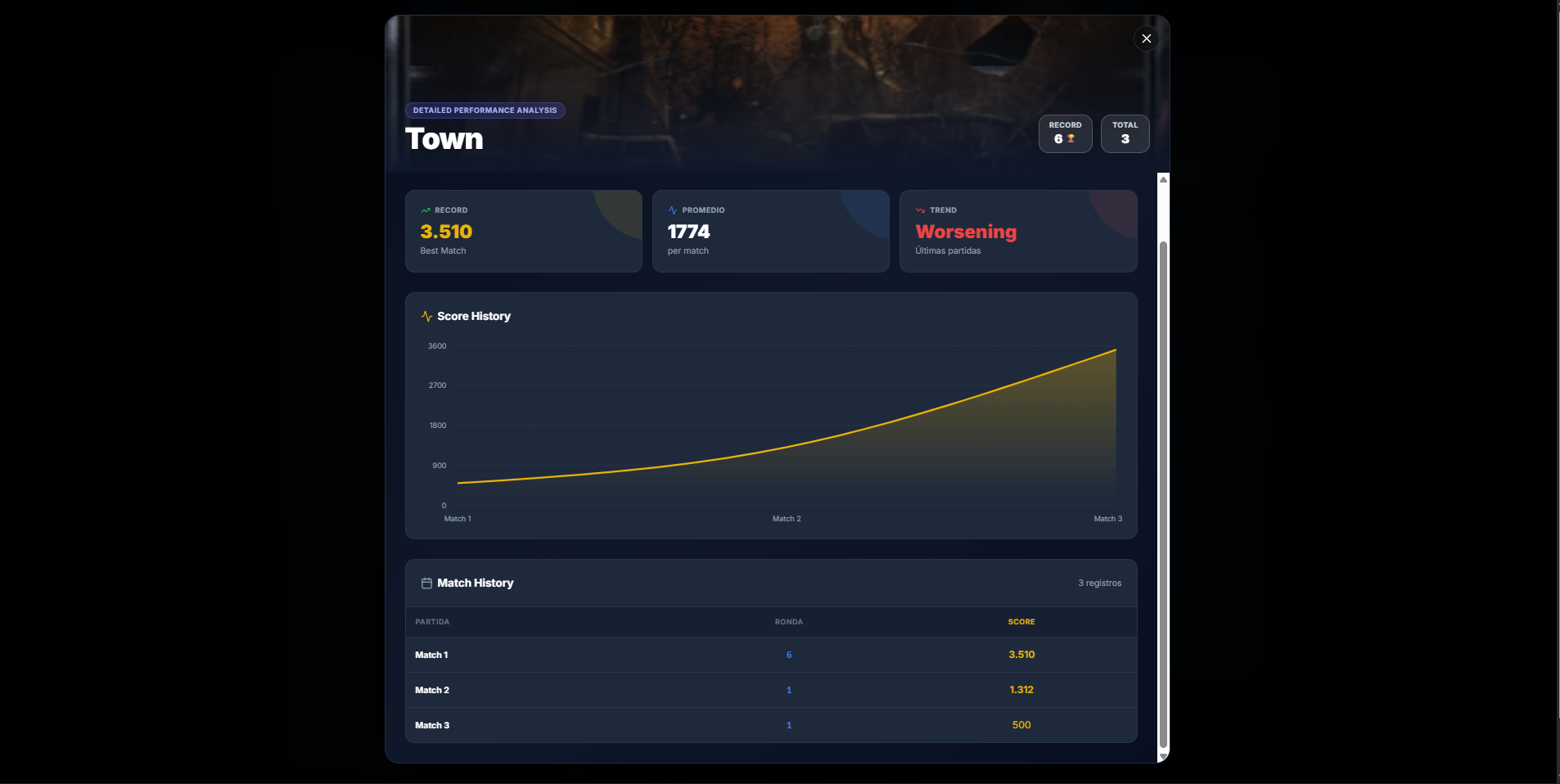
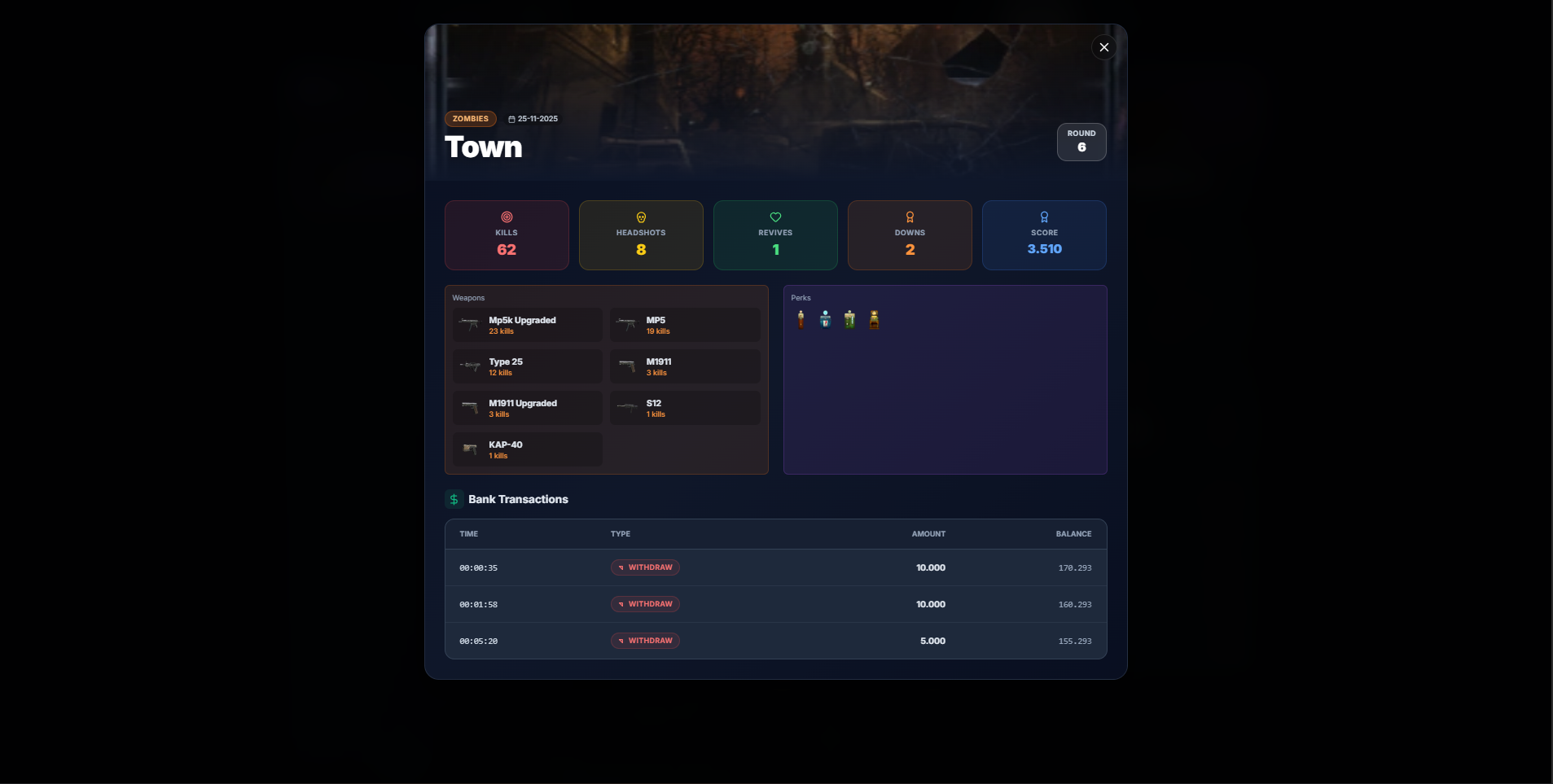
With this tool, you can save your stats, view them through a web interface, compare previous matches, and enjoy multiple visual interactions.Although this project starts at version v1.0.0, it will be continuously updated to fix issues, improve features, and add new content.
 ️ Installation Guide
1. Requirements
- Install Node.js
2. Get the project
- Clone the repository or download the
.zipversion - Extract the files and open the main folder
Everything is automated to make the process easy — simply follow these steps:
 Automatic Setup Steps
Step 1:
Go to the
utils/automaticfolder.
Inside you will find executables that allow the project to run correctly.Step 2:
Run
npm_dependencies.batThis installs all required web dependencies.
Step 3:
Run
scripts_zm.batThis will copy all
.gscfiles from the project'szmfolder into your game path:
%localappdata%\Plutonium\storage\t6\raw\scripts\zmStep 4:
Run
run_stats_web.batThis starts the full project by running:
npm run dev(web server)node utils/watchdog.js(statistics tracking)
Optional individual start:
- Step 4.1:
run_web.bat→ Starts only the web - Step 4.2:
run_watchdog.bat→ Starts only the stats tracker (recommended for performance)
Step 5:
You're done! Launch Plutonium → Zombies and have fun.
GSC
The GSC files contain player data saves and a banking system that works globally.
bank functionality -> This is just to show you how the bank works; the project on GitHub already includes the bank integrated.
RECENT MATCH #1 Example data

Player: andresito_22
GUID: 3585533
Map: town
Round Reached: 4
Duration: 00:06:48

MATCH STATS:
Kills: 24
Headshots: 4
Revives: 0
Downs: 1
Total Score: 929010
Most Used Weapon: galil_zm (8 kills)

WEAPONS USED IN THE MATCH:
galil_zm: 8 kills
galil_upgraded_zm+reflex: 8 kills
m1911_zm: 7 kills

PERKS USED IN THE MATCH:
Juggernog: 1 use
Speed Cola: 1 use
Double Tap: 1 use
Stamin-Up: 1 use

BANK TRANSACTIONS:
[00:01:07] WITHDRAW: 3000 – Balance: 47000
[00:01:08] WITHDRAW: 3000 – Balance: 44000
[00:01:10] WITHDRAW: 3000 – Balance: 41000
[00:01:12] WITHDRAW: 3000 – Balance: 38000
[00:01:12] WITHDRAW: 3000 – Balance: 35000
[00:01:15] WITHDRAW: 3000 – Balance: 32000
[00:01:15] WITHDRAW: 3000 – Balance: 29000
[00:04:08] WITHDRAW: 5000 – Balance: 24000

================================
The project is completely free and open-source, as will be all my future projects for this community.
If you ever feel like supporting the work with a small contribution, I would truly appreciate it, it helps me continue creating high-quality content for everyone. ️
️ -
Goated, love the little changes you've made!
Dec Thank you, my friend. I appreciate your support and look forward to working together in the future.
-
Littlegods dont let the pluto staff delete this post. This will be very helpful
-
Littlegods dont let the pluto staff delete this post. This will be very helpful
FaZeFlickAlt Thanks for your concern, but this project does not attempt to bypass Plutonium’s admins. It is a completely safe project for the community and fully open-source and free.
I also got the green light from the admin Xerxes when I announced the preview of this project… but in any case, I’m willing to cooperate if any issue arises.
-
as a high round player this looks extremely cool,thank you !
-
as a high round player this looks extremely cool,thank you !
briskoLEGOAT Thank you for trying this project, any feedback is welcome.
-
FaZeFlickAlt Thanks for your concern, but this project does not attempt to bypass Plutonium’s admins. It is a completely safe project for the community and fully open-source and free.
I also got the green light from the admin Xerxes when I announced the preview of this project… but in any case, I’m willing to cooperate if any issue arises.
Littlegods you should do a stats web builder for bo1 also; if you want to ofc
-
this is really cool, if you could you should add bo1 support
-
that interface looks so good
-
Littlegods you should do a stats web builder for bo1 also; if you want to ofc
FaZeFlickAlt @Frostyninja1212
Depending on the support from this project, I can expand into more modalities. -
 Littlegods referenced this topic on
-
trying to install this and when i ran up the first bat file it said this

I have no idea on what to do
-
Littlegods Stats Web
Littlegods Stats Web is a project created for the T6 Zombies community, designed for both personal use and server integration.
With this tool, you can save your stats, view them through a web interface, compare previous matches, and enjoy multiple visual interactions.Although this project starts at version v1.0.0, it will be continuously updated to fix issues, improve features, and add new content.
️ Installation Guide1. Requirements
- Install Node.js
2. Get the project
- Clone the repository or download the
.zipversion - Extract the files and open the main folder
Everything is automated to make the process easy — simply follow these steps:
Automatic Setup StepsStep 1:
Go to the
utils/automaticfolder.
Inside you will find executables that allow the project to run correctly.Step 2:
Run
npm_dependencies.batThis installs all required web dependencies.
Step 3:
Run
scripts_zm.batThis will copy all
.gscfiles from the project'szmfolder into your game path:
%localappdata%\Plutonium\storage\t6\raw\scripts\zmStep 4:
Run
run_stats_web.batThis starts the full project by running:
npm run dev(web server)node utils/watchdog.js(statistics tracking)
Optional individual start:
- Step 4.1:
run_web.bat→ Starts only the web - Step 4.2:
run_watchdog.bat→ Starts only the stats tracker (recommended for performance)
Step 5:
You're done! Launch Plutonium → Zombies and have fun.
GSC
The GSC files contain player data saves and a banking system that works globally.
bank functionality -> This is just to show you how the bank works; the project on GitHub already includes the bank integrated.
RECENT MATCH #1 Example data

Player: andresito_22
GUID: 3585533
Map: town
Round Reached: 4
Duration: 00:06:48

MATCH STATS:
Kills: 24
Headshots: 4
Revives: 0
Downs: 1
Total Score: 929010
Most Used Weapon: galil_zm (8 kills)

WEAPONS USED IN THE MATCH:
galil_zm: 8 kills
galil_upgraded_zm+reflex: 8 kills
m1911_zm: 7 kills

PERKS USED IN THE MATCH:
Juggernog: 1 use
Speed Cola: 1 use
Double Tap: 1 use
Stamin-Up: 1 use

BANK TRANSACTIONS:
[00:01:07] WITHDRAW: 3000 – Balance: 47000
[00:01:08] WITHDRAW: 3000 – Balance: 44000
[00:01:10] WITHDRAW: 3000 – Balance: 41000
[00:01:12] WITHDRAW: 3000 – Balance: 38000
[00:01:12] WITHDRAW: 3000 – Balance: 35000
[00:01:15] WITHDRAW: 3000 – Balance: 32000
[00:01:15] WITHDRAW: 3000 – Balance: 29000
[00:04:08] WITHDRAW: 5000 – Balance: 24000

================================
The project is completely free and open-source, as will be all my future projects for this community.
If you ever feel like supporting the work with a small contribution, I would truly appreciate it, it helps me continue creating high-quality content for everyone.️ -
Littlegods i did install it; was i supposed to run node first?
-
Littlegods i did install it; was i supposed to run node first?
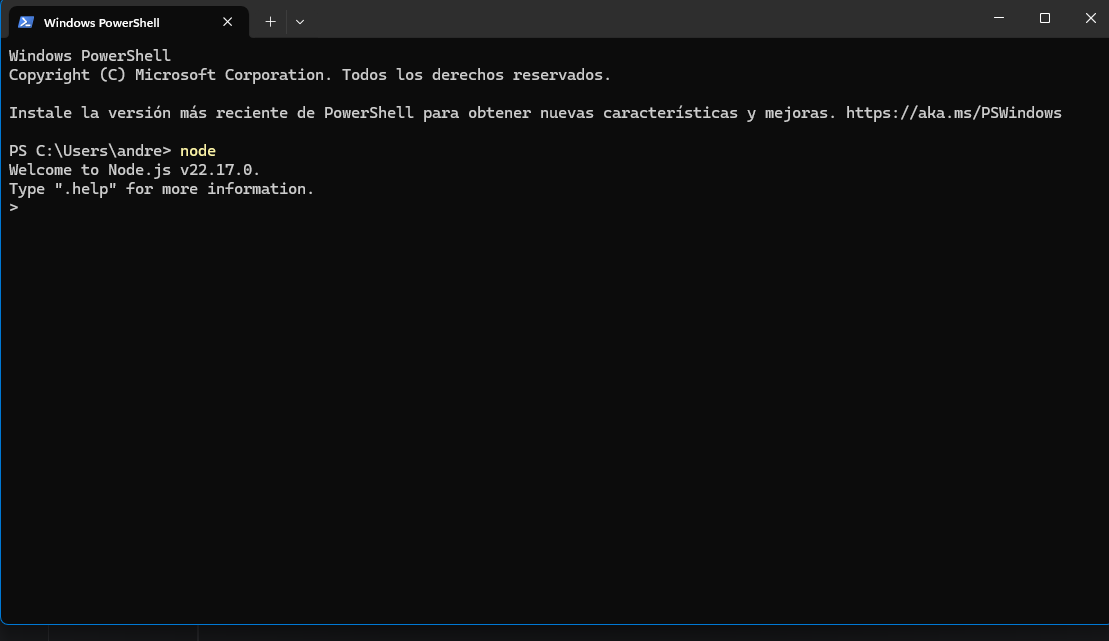
FaZe Flick If you install Node.js, to check that it's working correctly, run PowerShell and type
node. If the version number appears, it means everything is fine. Then run the project's .bat files. First, install the dependency, and you're done.
-
Littlegods i did install it; was i supposed to run node first?
FaZe Flick If the command isnt recognized and have installed node, you need to add node to your machines environment variables.
Edit your path and add the directory to the nodejs executable.








Hello! It looks like you're interested in this conversation, but you don't have an account yet.
Getting fed up of having to scroll through the same posts each visit? When you register for an account, you'll always come back to exactly where you were before, and choose to be notified of new replies (either via email, or push notification). You'll also be able to save bookmarks and upvote posts to show your appreciation to other community members.
With your input, this post could be even better 💗
Register Login