Skip to content
  • Recent
  • Tags
  • Popular
  • Users
  • Groups
  • Donate
Collapse

Plutonium

  1. Home
  2. BO2 Client Support
  3. Black screen. Is there any way to recover my zombies game without restarting?

Black screen. Is there any way to recover my zombies game without restarting?

Scheduled Pinned Locked Moved BO2 Client Support
11 Posts 4 Posters 268 Views 2 Watching
  • Oldest to Newest
  • Newest to Oldest
  • Most Votes
Reply
  • Reply as topic
Log in to reply
This topic has been deleted. Only users with topic management privileges can see it.
  • poofartjizzundefined Offline
    poofartjizzundefined Offline
    poofartjizz
    wrote last edited by
    #1

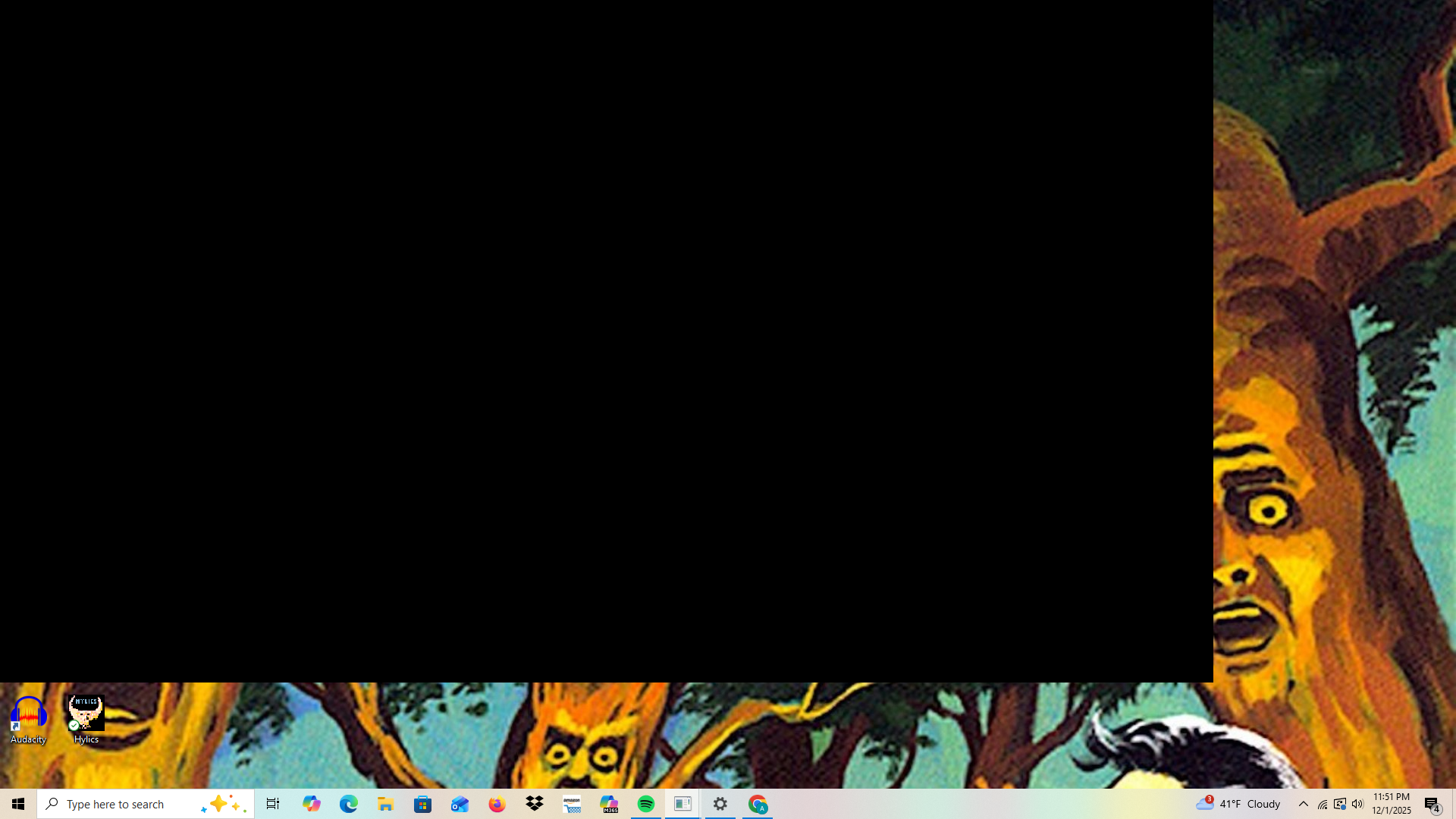
    Every time I do a high round attempt that's more than a few hours long I eventually run into this issue where if I tab out of the game to do something else and come back, there's a small chance it will be a black screen that I can't reopen again. If I close the game and reopen it always fixes it, but that's against the whole point. I'm on round 90 on origins and im so tired of restarting over and over. Screenshot (64).png
    1 Reply Last reply
    0
    • mr.kennutbusterundefined Offline
      mr.kennutbusterundefined Offline
      mr.kennutbuster
      wrote last edited by
      #2

      did you put it in hibernate ?

      poofartjizzundefined 1 Reply Last reply
      0
      • mr.kennutbusterundefined mr.kennutbuster

        did you put it in hibernate ?

        poofartjizzundefined Offline
        poofartjizzundefined Offline
        poofartjizz
        wrote last edited by
        #3

        mr.kennutbuster no, just tabbed out for a few seconds to change a song

        1 Reply Last reply
        0
        • mr.kennutbusterundefined Offline
          mr.kennutbusterundefined Offline
          mr.kennutbuster
          wrote last edited by
          #4

          uhh shit idk i hope someone can help you

          1 Reply Last reply
          0
          • Hadi77KSAundefined Offline
            Hadi77KSAundefined Offline
            Hadi77KSA
            Contributor
            wrote last edited by
            #5

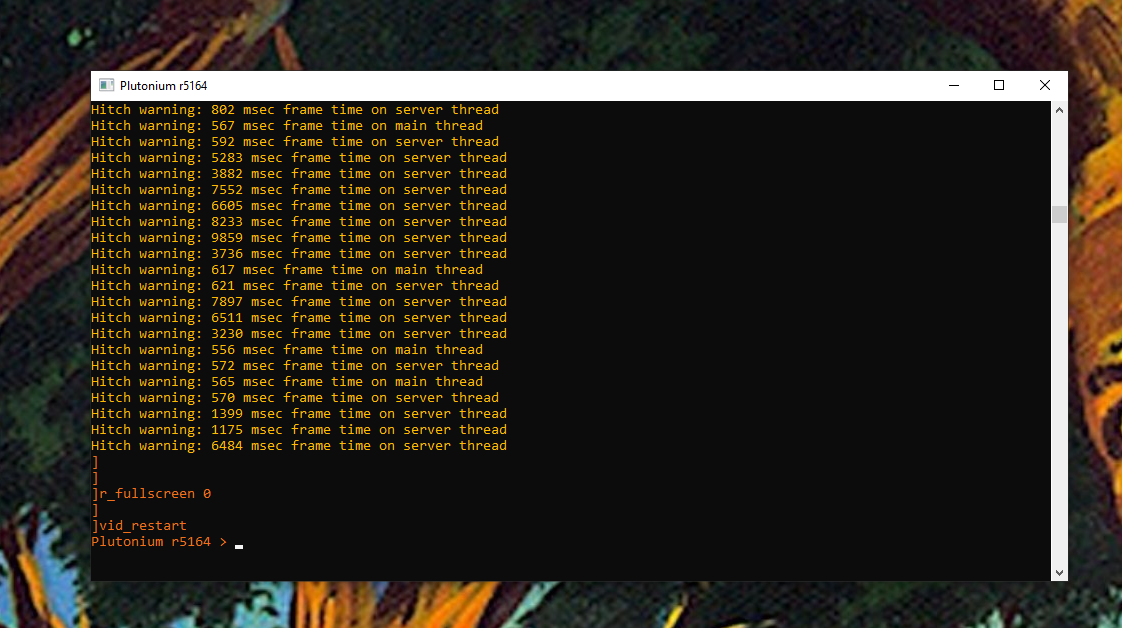
            Playing on windowed fullscreen or just windowed should mitigate if not prevent the problem from happening in the future. As for now, I’m not sure, but you could try the console command vid_restart or attempt to switch to windowed fullscreen with the command r_fullscreen 2; vid_restart, but beware this might cause it to crash.

            1 Reply Last reply
            1
            • poofartjizzundefined Offline
              poofartjizzundefined Offline
              poofartjizz
              wrote last edited by
              #6

              Screenshot (65).png
              ok im kinda new to this, where would I type those?

              Hadi77KSAundefined 1 Reply Last reply
              0
              • poofartjizzundefined poofartjizz

                Screenshot (65).png
                ok im kinda new to this, where would I type those?

                Hadi77KSAundefined Offline
                Hadi77KSAundefined Offline
                Hadi77KSA
                Contributor
                wrote last edited by
                #7

                poofartjizz where you typed them is right. Looks like it didn’t work, unfortunate.

                1 Reply Last reply
                0
                • poofartjizzundefined Offline
                  poofartjizzundefined Offline
                  poofartjizz
                  wrote last edited by
                  #8

                  Thank you for your help anyways, I appreciate it. I really dont understand how people play 100+ hour zombie games it always seems so unstable whether its plutonium or steam version. Maybe just playing on windowed fullscreen will prevent this one from happening again.

                  1 Reply Last reply
                  0
                  • poofartjizzundefined Offline
                    poofartjizzundefined Offline
                    poofartjizz
                    wrote last edited by
                    #9

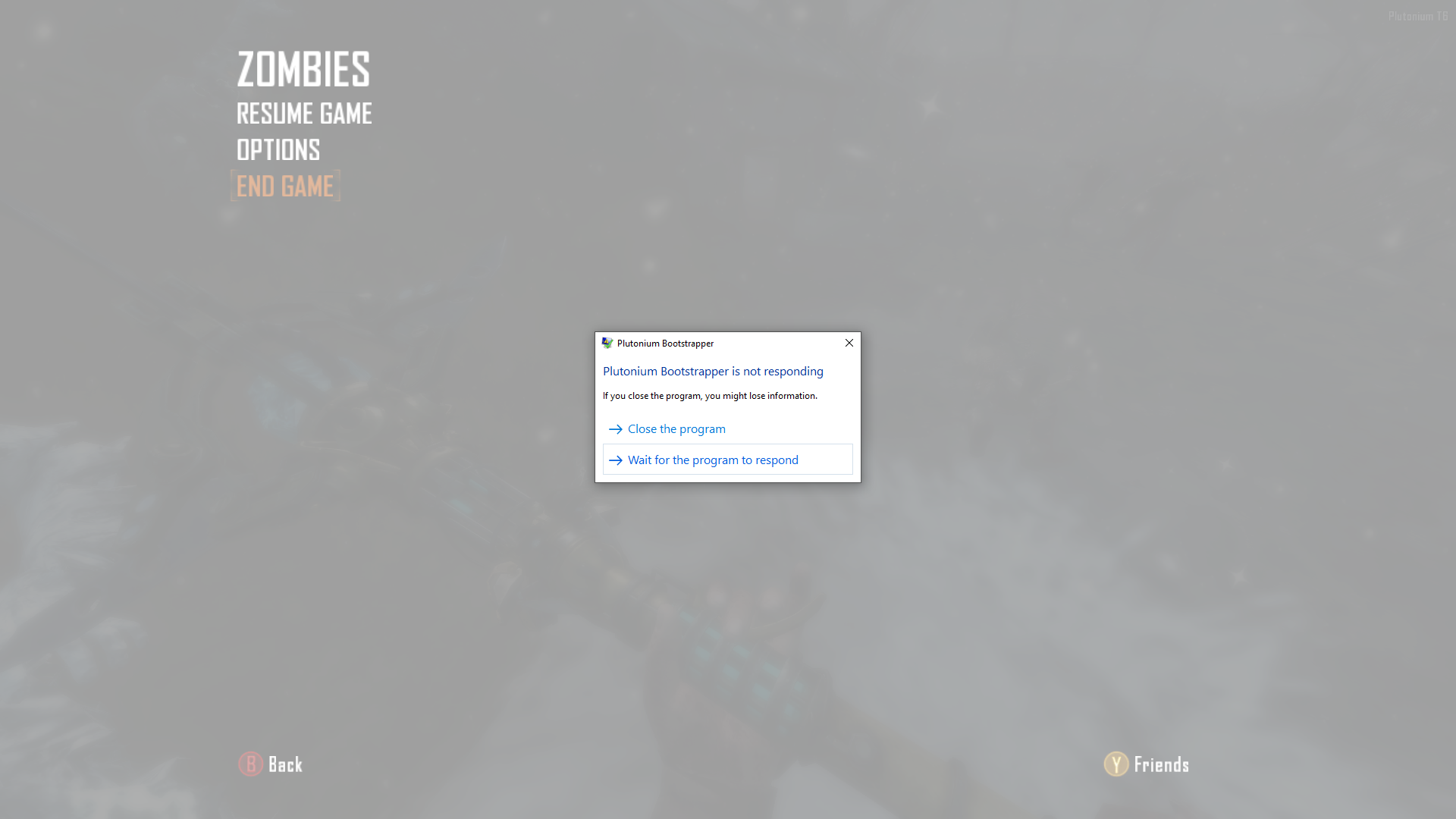
                    Screenshot (66).png
                    Ok I have an update on this issue. So I changed to window fullscreen and now I have this problem instead. But I think what is happening might have to do with an audio issue actually. It seems to happen every time I disconnect my headphones, tab out, and try to come back to the game. Is this a problem anyone else has had? Also this was on round 90 AGAIN. I think im gonna quit high rounds its so frustrating

                    Hadi77KSAundefined 1 Reply Last reply
                    0
                    • poofartjizzundefined poofartjizz

                      Screenshot (66).png
                      Ok I have an update on this issue. So I changed to window fullscreen and now I have this problem instead. But I think what is happening might have to do with an audio issue actually. It seems to happen every time I disconnect my headphones, tab out, and try to come back to the game. Is this a problem anyone else has had? Also this was on round 90 AGAIN. I think im gonna quit high rounds its so frustrating

                      Hadi77KSAundefined Offline
                      Hadi77KSAundefined Offline
                      Hadi77KSA
                      Contributor
                      wrote last edited by
                      #10

                      poofartjizz you could use a virtual audio cable and have the game output the sound through it so you don’t have to worry about freezes caused by audio device disconnects.

                      1 Reply Last reply
                      0
                      • aspfiiundefined Offline
                        aspfiiundefined Offline
                        aspfii
                        wrote last edited by aspfii
                        #11

                        I know some people said to change to windowed full screen, I personally haven't had this issue but usually running this command for me with COD games usually helps with tabbing in/out.

                        r_fullscreen 0; vid_xpos 0; vid_ypos 0; r_noborder 1; vid_restart.
                        (Make sure to restart your game for it to take effect)

                        This is like "True" windowed fullscreen, also are you playing on plutonium servers or LAN mode?

                        1 Reply Last reply
                        1
                        Reply
                        • Reply as topic
                        Log in to reply
                        • Oldest to Newest
                        • Newest to Oldest
                        • Most Votes


                        • Login

                        • Don't have an account? Register

                        • Login or register to search.
                        • First post
                          Last post
                        0
                        • Recent
                        • Tags
                        • Popular
                        • Users
                        • Groups
                        • Donate