Bootstrapper Pops Up But Nothing Happens
-
So I recently tried installing Plutonium. I made sure I selected the right folder for the game, but whenever I hit play for BO2, it shows the bootstrapper window, but nothing happens in it, then the launcher closes, and the bootstrapper window stays open with nothing happening in it until I close it. It does this for every folder I try as well, even folders without a game install, and it also happened with another install of BO2. Any help?
-
So I recently tried installing Plutonium. I made sure I selected the right folder for the game, but whenever I hit play for BO2, it shows the bootstrapper window, but nothing happens in it, then the launcher closes, and the bootstrapper window stays open with nothing happening in it until I close it. It does this for every folder I try as well, even folders without a game install, and it also happened with another install of BO2. Any help?
- If you're on win7 the only way of getting pluto to work is by upgrading to win10.
- Make sure your launcher is the latest version (you can check that by looking at the filesize, latest one is 4123KB), if it's not download it from here: https://cdn.plutonium.pw/updater/plutonium.exe.
- Install all redists and directx from the redist folder in your game folder.
- follow this video guide https://streamable.com/5giauo.
- run the launcher as admin.
-
I've already tried everything here and it still isn't working. Is it possible that there is something else I can do?
-
I've already tried everything here and it still isn't working. Is it possible that there is something else I can do?
Acro post a screenshot of your defender exclusion settings. Also do you have any other antivirus software?
-
Acro post a screenshot of your defender exclusion settings. Also do you have any other antivirus software?
Dss0
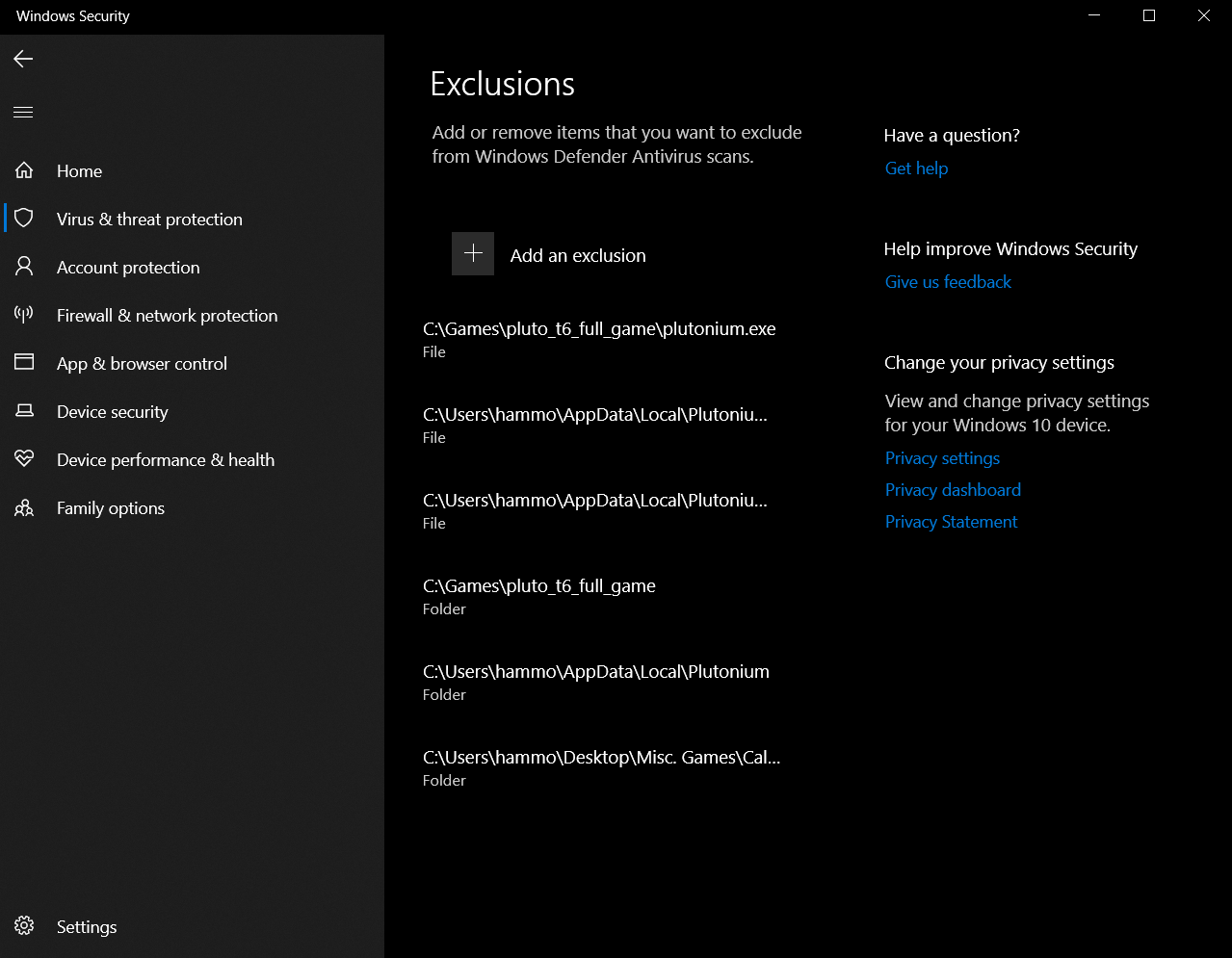 I don't have any other AVs installed either. All the extra ones are from me trouble shooting as much as possible.
 -
For some reason it just works now? I think it was the firewall settings, not sure though. At least I got it working though.
-
For some reason it just works now? I think it was the firewall settings, not sure though. At least I got it working though.
Acro what did you do to get it working? what firewall settings?



Hello! It looks like you're interested in this conversation, but you don't have an account yet.
Getting fed up of having to scroll through the same posts each visit? When you register for an account, you'll always come back to exactly where you were before, and choose to be notified of new replies (either via email, or push notification). You'll also be able to save bookmarks and upvote posts to show your appreciation to other community members.
With your input, this post could be even better 💗
Register Login