i have an issue using the launcher i can't open it!!!!!
-


Hi, I'm having a problem starting plutonium. I've always used this program, even yesterday!!! but I've been trying to fix this error all day: 0xc000007b. I patiently await an answer.
PS: This issue happend every time i try to open it
-
Hi, I'm having a problem starting plutonium. I've always used this program, even yesterday!!! but I've been trying to fix this error all day: 0xc000007b. I patiently await an answer.
PS: This issue happend every time i try to open it
Skyfin what is your antivirus? Are you using a custom OS/ISO?
Try to install both of these redists
https://www.microsoft.com/en-us/download/details.aspx?id=53840
https://www.microsoft.com/en-us/download/details.aspx?id=52685 -
Pc spect:
ryzen 5 4500g with internal graphics card
12 gb ram 3200hz
450 w power supply
the drive where i install the games is an nvme.2.0 500gb -
Skyfin what is your antivirus? Are you using a custom OS/ISO?
Try to install both of these redists
https://www.microsoft.com/en-us/download/details.aspx?id=53840
https://www.microsoft.com/en-us/download/details.aspx?id=52685Resxt i don't have at least not downloaded externally
and i tried to download the files but it says that i have alredy downloaded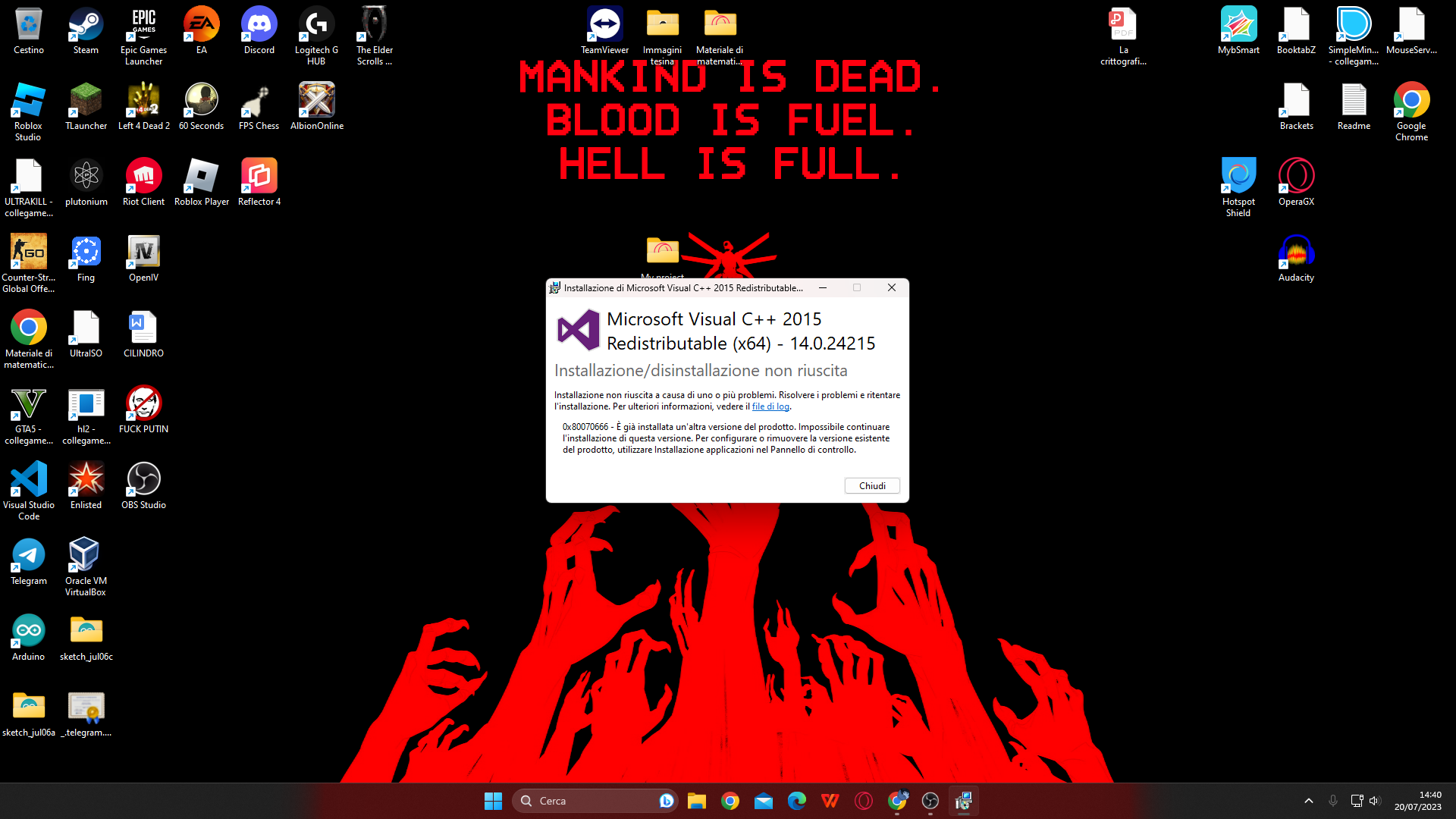
sorry im italian
-
Skyfin what is your antivirus? Are you using a custom OS/ISO?
Try to install both of these redists
https://www.microsoft.com/en-us/download/details.aspx?id=53840
https://www.microsoft.com/en-us/download/details.aspx?id=52685Resxt no, i have windows 11 home 22h2. I upgraded it from windows 10 at leat 1 month ago
-
If you use a VPN/proxy whatever disable/exit it. I don't really know what else could cause the issue, something on your end is off either network or software wise. Here are some solutions
- Add Plutonium as an exception in your antivirus or uninstall it (do what is said for your antivirus in the documentation) https://plutonium.pw/docs/antivirus
- Repair your game: https://plutonium.pw/docs/repair/
- Update your GPU drivers
- If you're running the game in a virtual machine don't, this doesn't work
- If you're using ReShade remove it. It's not supported on Plutonium and will make your game crash
- Close programs with overlays or disable their overlays (Steam, MSI Afterburner, Rivatuner etc.)
- Try to unplug devices connected to your PC (VR headset, other monitors, controllers etc.)
- If you use an Avermedia capture card uninstall its drivers
- Verify the integrity of your system files:
Open the start menu and search for "cmd"
Run cmd as admin
Copy and paste (right click) each command below one by one in the cmd and press enter after each command
Only put the next command when the one you ran is finished.
DISM /Online /Cleanup-Image /CheckHealth
DISM /Online /Cleanup-Image /ScanHealth
DISM /Online /Cleanup-Image /RestoreHealth
sfc /scannow
Once it's done restart your PC
As a last resort doing a clean install of Windows (factory reset) could solve the issue. Don't install your usual programs at first just install your GPU drivers, Direct X, your browser and Discord for example and test like that.
-
but why? there is something wrong with direct x ? i literally played yesterday, mw3 i installed a game "dark eception" and that's where it doesn't work
-
i installed the call of duty's from the website using torrent