New Mods Section on Black Ops II Zombies
-
So I updated Plutonium since I was getting that "handshake" error everyone else has been getting and when I loaded Black Ops II Zombies, I noticed a new "Mods" tab.
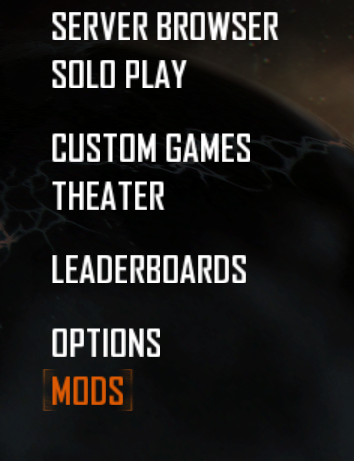
I selected it and it gave me this message.
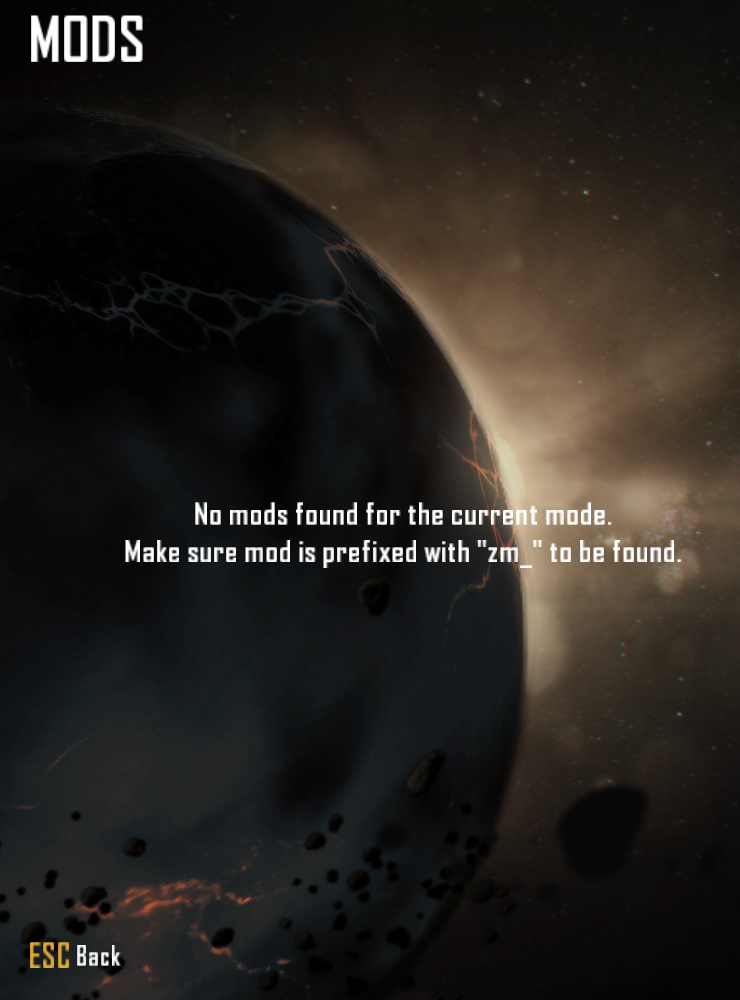
I tried loading that one Chaos Mod that did a random effect every 30 seconds into it by putting the folder it was in into the "mods" folder Plutonium had and it didn't seem to work, so my only question is how do I make it to where I can load mods with this tab instead of file manipulation? If it's at all possible.
-

Just so you know, GSC mods go in %localappdata%\Plutonium\storage\t6\scripts\zm . The mods with files like mod.ff, mod.iwd, mod.sabl go in the mods folder. GSC mods are only togglable by removing/moving the GSC script from the scripts folder entirely, or, just make a .bat file with commands to do so (you can ask Copilot/ChatGPT to help you make that bat file. I ain't so good in cmd)
-
Just so you know, GSC mods go in %localappdata%\Plutonium\storage\t6\scripts\zm . The mods with files like mod.ff, mod.iwd, mod.sabl go in the mods folder. GSC mods are only togglable by removing/moving the GSC script from the scripts folder entirely, or, just make a .bat file with commands to do so (you can ask Copilot/ChatGPT to help you make that bat file. I ain't so good in cmd)
@Cawldwink Anything that can be loaded from the storage/t6 folder can be loaded from a mods folder.
This includes scripts, you would just use the same folder structure as you would for storage/t6. -
@Cawldwink Anything that can be loaded from the storage/t6 folder can be loaded from a mods folder.
This includes scripts, you would just use the same folder structure as you would for storage/t6.
JezuzLizard My bad, I forgot. Thx
-
Just so you know, GSC mods go in %localappdata%\Plutonium\storage\t6\scripts\zm . The mods with files like mod.ff, mod.iwd, mod.sabl go in the mods folder. GSC mods are only togglable by removing/moving the GSC script from the scripts folder entirely, or, just make a .bat file with commands to do so (you can ask Copilot/ChatGPT to help you make that bat file. I ain't so good in cmd)

@Cawldwink scripts can be inside a mod too and no removing a script is not the only way to toggle it, there are multiple ways
Hello! It looks like you're interested in this conversation, but you don't have an account yet.
Getting fed up of having to scroll through the same posts each visit? When you register for an account, you'll always come back to exactly where you were before, and choose to be notified of new replies (either via email, or push notification). You'll also be able to save bookmarks and upvote posts to show your appreciation to other community members.
With your input, this post could be even better 💗
Register Login