Skip to content
  • 0 Unread 0
  • Recent
  • Popular
  • Users
  • Donate
Collapse

Plutonium

  1. Home
  2. BO2 Modding Releases & Resources
  3. [ZM] Round Counter Position (Configurable)
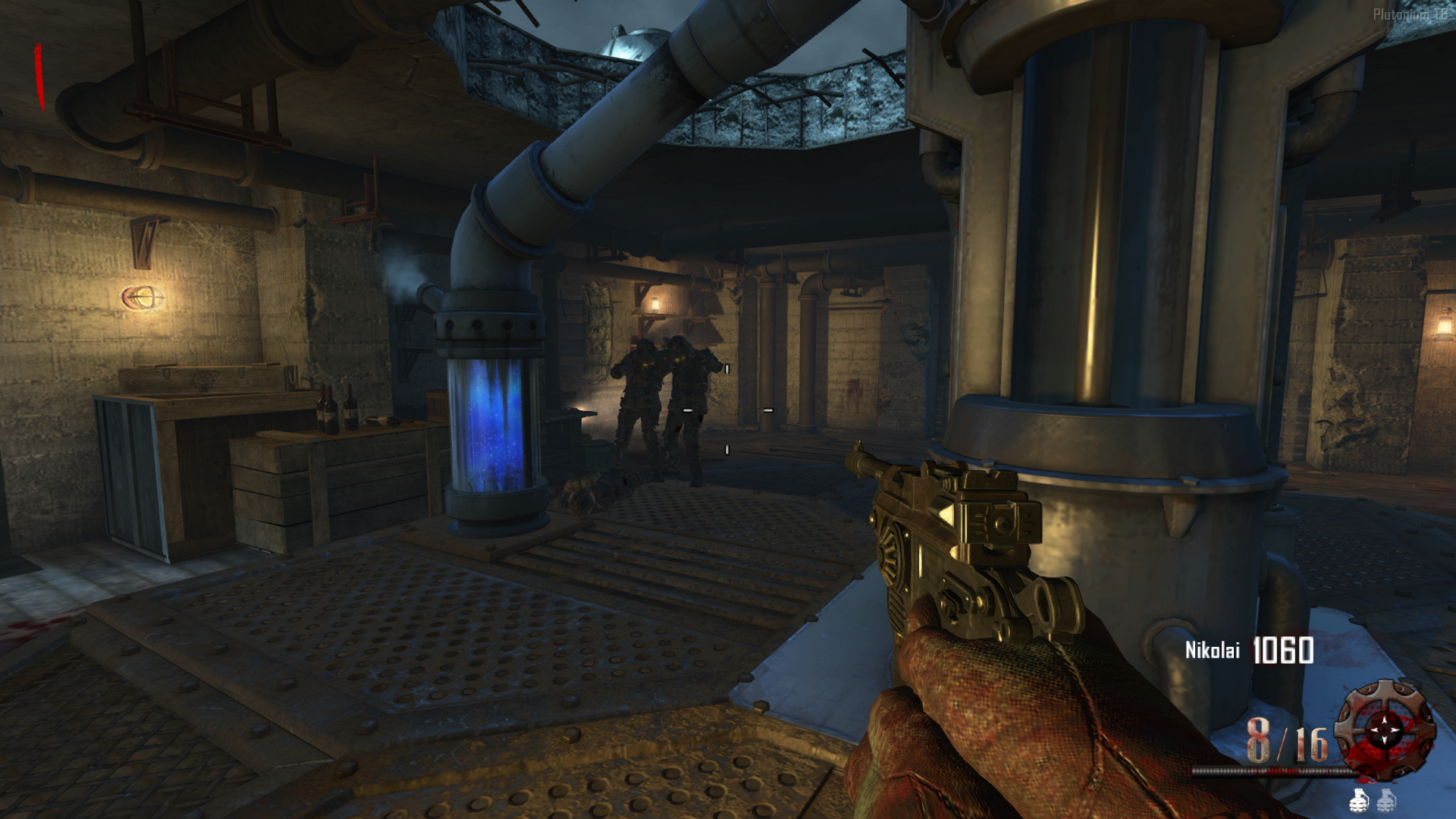
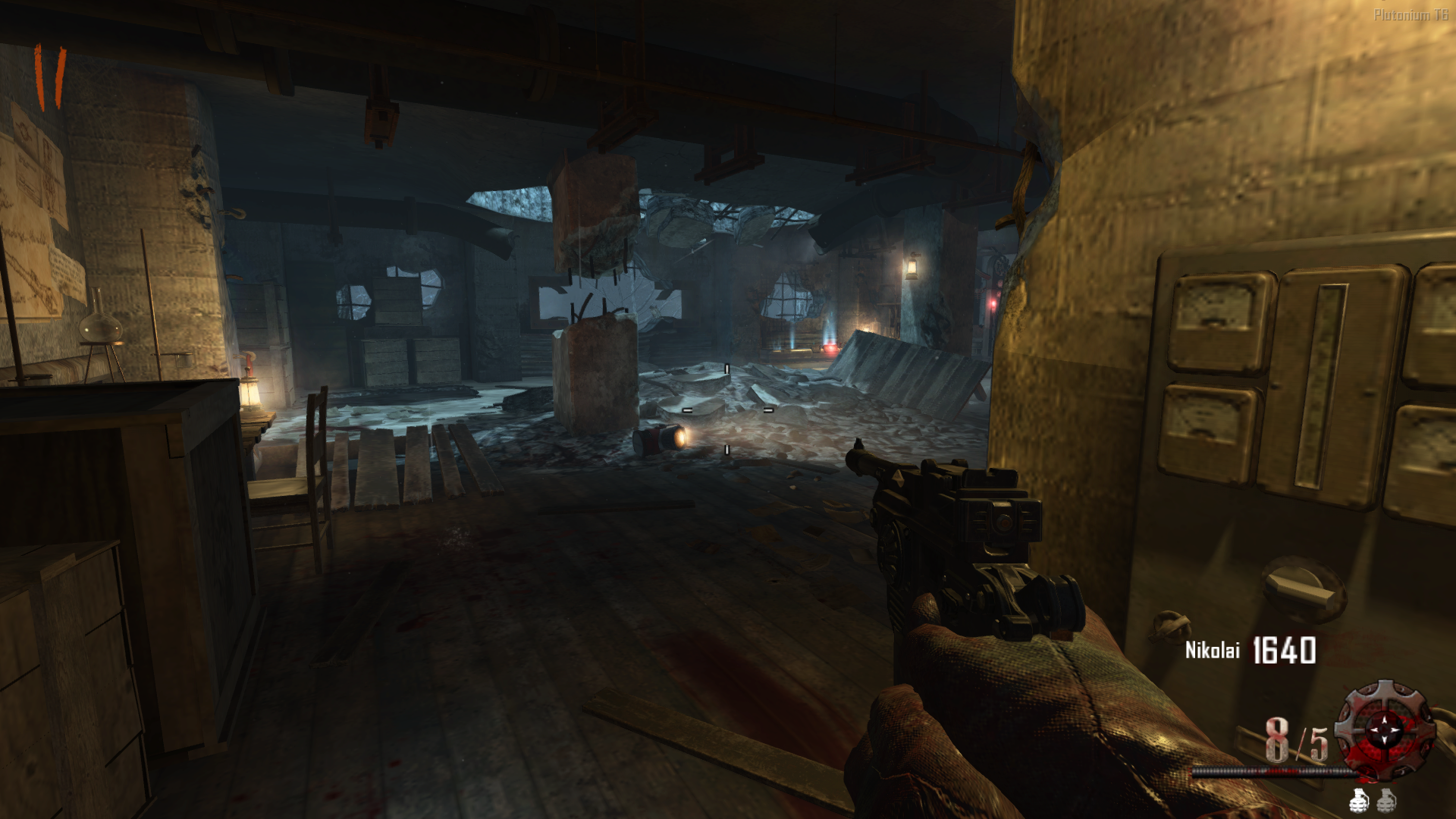
[ZM] Round Counter Position (Configurable)

Scheduled Pinned Locked Moved BO2 Modding Releases & Resources
25 Posts 9 Posters 7.6k Views 3 Watching
  • Oldest to Newest
  • Newest to Oldest
  • Most Votes
Reply
  • Reply as topic
Log in to reply
This topic has been deleted. Only users with topic management privileges can see it.
  • xNando xNando

    @deshayu_ It's possible to make the round numbers like those in the cold war mod? Instead of being chalkmarks, make them numbers from round 1

    AdrX003 Offline
    AdrX003 Offline
    AdrX003
    wrote on last edited by
    #8

    xNando would just need to get the images you want and have them in the correct format, and place the way we normally do with camos and other images

    xNando 1 Reply Last reply
    0
    • AdrX003 AdrX003

      xNando would just need to get the images you want and have them in the correct format, and place the way we normally do with camos and other images

      xNando Offline
      xNando Offline
      xNando
      wrote on last edited by
      #9

      AdrX003 thanks! and you know where i can find the images??

      AdrX003 1 Reply Last reply
      0
      • FaZe Flick Offline
        FaZe Flick Offline
        FaZe Flick
        wrote on last edited by
        #10

        this needs to be done for bo1

        1 Reply Last reply
        0
        • xNando xNando

          AdrX003 thanks! and you know where i can find the images??

          AdrX003 Offline
          AdrX003 Offline
          AdrX003
          wrote on last edited by AdrX003
          #11

          xNando you can get them from Cold War itself or extracting from the Cold War Mod that was made wich would be the easier route, after having those, just overriding them in the folder and loading the mod would be all done i guess.

          xNando 1 Reply Last reply
          0
          • AdrX003 AdrX003

            xNando you can get them from Cold War itself or extracting from the Cold War Mod that was made wich would be the easier route, after having those, just overriding them in the folder and loading the mod would be all done i guess.

            xNando Offline
            xNando Offline
            xNando
            wrote on last edited by
            #12

            AdrX003 In the end, I extracted the rounds script from the cold war mod and edited a few things and finally I was able to get it the way I wanted. Thanks for the help!!

            zelimpinho NeroSwallow 2 Replies Last reply
            1
            • xNando xNando

              AdrX003 In the end, I extracted the rounds script from the cold war mod and edited a few things and finally I was able to get it the way I wanted. Thanks for the help!!

              zelimpinho Offline
              zelimpinho Offline
              zelimpinho
              wrote on last edited by
              #13

              xNando can you share your work? 😳

              xNando 1 Reply Last reply
              0
              • zelimpinho zelimpinho

                xNando can you share your work? 😳

                xNando Offline
                xNando Offline
                xNando
                wrote on last edited by
                #14

                zelimpinho here is the link https://mega.nz/file/d4YEVbRR#JmMax_BiC75E_NdnX3MgXIL8nnlHxra_pgsXX-g96Zw

                zelimpinho 1 Reply Last reply
                1
                • xNando xNando

                  zelimpinho here is the link https://mega.nz/file/d4YEVbRR#JmMax_BiC75E_NdnX3MgXIL8nnlHxra_pgsXX-g96Zw

                  zelimpinho Offline
                  zelimpinho Offline
                  zelimpinho
                  wrote on last edited by
                  #15

                  xNando Thank you very much, it's perfect 😭

                  1 Reply Last reply
                  0
                  • xNando xNando

                    AdrX003 In the end, I extracted the rounds script from the cold war mod and edited a few things and finally I was able to get it the way I wanted. Thanks for the help!!

                    NeroSwallow Offline
                    NeroSwallow Offline
                    NeroSwallow
                    wrote on last edited by
                    #16

                    xNando said in [ZM] Round Counter Position (Configurable):

                    In the end, I extracted the rounds script from the cold war mod and edited a few things and finally I was able to get it the way I wanted. Thanks for the help!!

                    I want this counter but I don't know what to do, I have the gsc but what exactly should I do?

                    xNando 1 Reply Last reply
                    0
                    • NeroSwallow NeroSwallow

                      xNando said in [ZM] Round Counter Position (Configurable):

                      In the end, I extracted the rounds script from the cold war mod and edited a few things and finally I was able to get it the way I wanted. Thanks for the help!!

                      I want this counter but I don't know what to do, I have the gsc but what exactly should I do?

                      xNando Offline
                      xNando Offline
                      xNando
                      wrote on last edited by
                      #17

                      @Kusanagi_Z you need to put the file in the scripts folder in this path by pressing Windows Key + R

                      %localappdata%\Plutonium\storage\t6\scripts\zm
                      
                      NeroSwallow 2 Replies Last reply
                      0
                      • xNando xNando

                        @Kusanagi_Z you need to put the file in the scripts folder in this path by pressing Windows Key + R

                        %localappdata%\Plutonium\storage\t6\scripts\zm
                        
                        NeroSwallow Offline
                        NeroSwallow Offline
                        NeroSwallow
                        wrote on last edited by
                        #18
                        This post is deleted!
                        1 Reply Last reply
                        0
                        • xNando xNando

                          @Kusanagi_Z you need to put the file in the scripts folder in this path by pressing Windows Key + R

                          %localappdata%\Plutonium\storage\t6\scripts\zm
                          
                          NeroSwallow Offline
                          NeroSwallow Offline
                          NeroSwallow
                          wrote on last edited by
                          #19

                          xNando How can I make it similar to BO4?

                          xNando 1 Reply Last reply
                          0
                          • NeroSwallow NeroSwallow

                            xNando How can I make it similar to BO4?

                            xNando Offline
                            xNando Offline
                            xNando
                            wrote on last edited by
                            #20

                            @Kusanagi_Z what do you mean like bo4??

                            NeroSwallow 1 Reply Last reply
                            0
                            • xNando xNando

                              @Kusanagi_Z what do you mean like bo4??

                              NeroSwallow Offline
                              NeroSwallow Offline
                              NeroSwallow
                              wrote on last edited by
                              #21

                              xNando BO4 style numbers and animations

                              xNando 1 Reply Last reply
                              0
                              • NeroSwallow NeroSwallow

                                xNando BO4 style numbers and animations

                                xNando Offline
                                xNando Offline
                                xNando
                                wrote on last edited by
                                #22

                                @Kusanagi_Z You have to download the script from the original post, the link I posted in another comment has my own config and also is a completely different script but do the same thing.

                                NeroSwallow 1 Reply Last reply
                                0
                                • xNando xNando

                                  @Kusanagi_Z You have to download the script from the original post, the link I posted in another comment has my own config and also is a completely different script but do the same thing.

                                  NeroSwallow Offline
                                  NeroSwallow Offline
                                  NeroSwallow
                                  wrote on last edited by
                                  #23

                                  xNando That script doesn't work for me, it shows me the original counter :(, could you help me in that case?


                                  xNando 1 Reply Last reply
                                  0
                                  • obliu Offline
                                    obliu Offline
                                    obliu
                                    wrote on last edited by
                                    #24

                                    nice!!

                                    1 Reply Last reply
                                    0
                                    • NeroSwallow NeroSwallow

                                      xNando That script doesn't work for me, it shows me the original counter :(, could you help me in that case?

                                      xNando Offline
                                      xNando Offline
                                      xNando
                                      wrote on last edited by
                                      #25

                                      @Kusanagi_Z if you want the round style icons and the numbers, you need to find the images somewhere, maybe in the forum there is a post with the files, and if you also want the animation, just download the updated version of the original script.

                                      1 Reply Last reply
                                      0

                                      Hello! It looks like you're interested in this conversation, but you don't have an account yet.

                                      Getting fed up of having to scroll through the same posts each visit? When you register for an account, you'll always come back to exactly where you were before, and choose to be notified of new replies (either via email, or push notification). You'll also be able to save bookmarks and upvote posts to show your appreciation to other community members.

                                      With your input, this post could be even better 💗

                                      Register Login
                                      Reply
                                      • Reply as topic
                                      Log in to reply
                                      • Oldest to Newest
                                      • Newest to Oldest
                                      • Most Votes


                                      • 1
                                      • 2
                                      • Login

                                      • Don't have an account? Register

                                      • Login or register to search.
                                      • First post
                                        Last post
                                      0
                                      • Unread 0
                                      • Recent
                                      • Popular
                                      • Users
                                      • Donate