Skip to content
  • 0 Unread 0
  • Recent
  • Tags
  • Popular
  • Users
  • Groups
Collapse

Plutonium

  1. Home
  2. BO2 Modding Releases & Resources
  3. [ZM] Round Counter Position (Configurable)
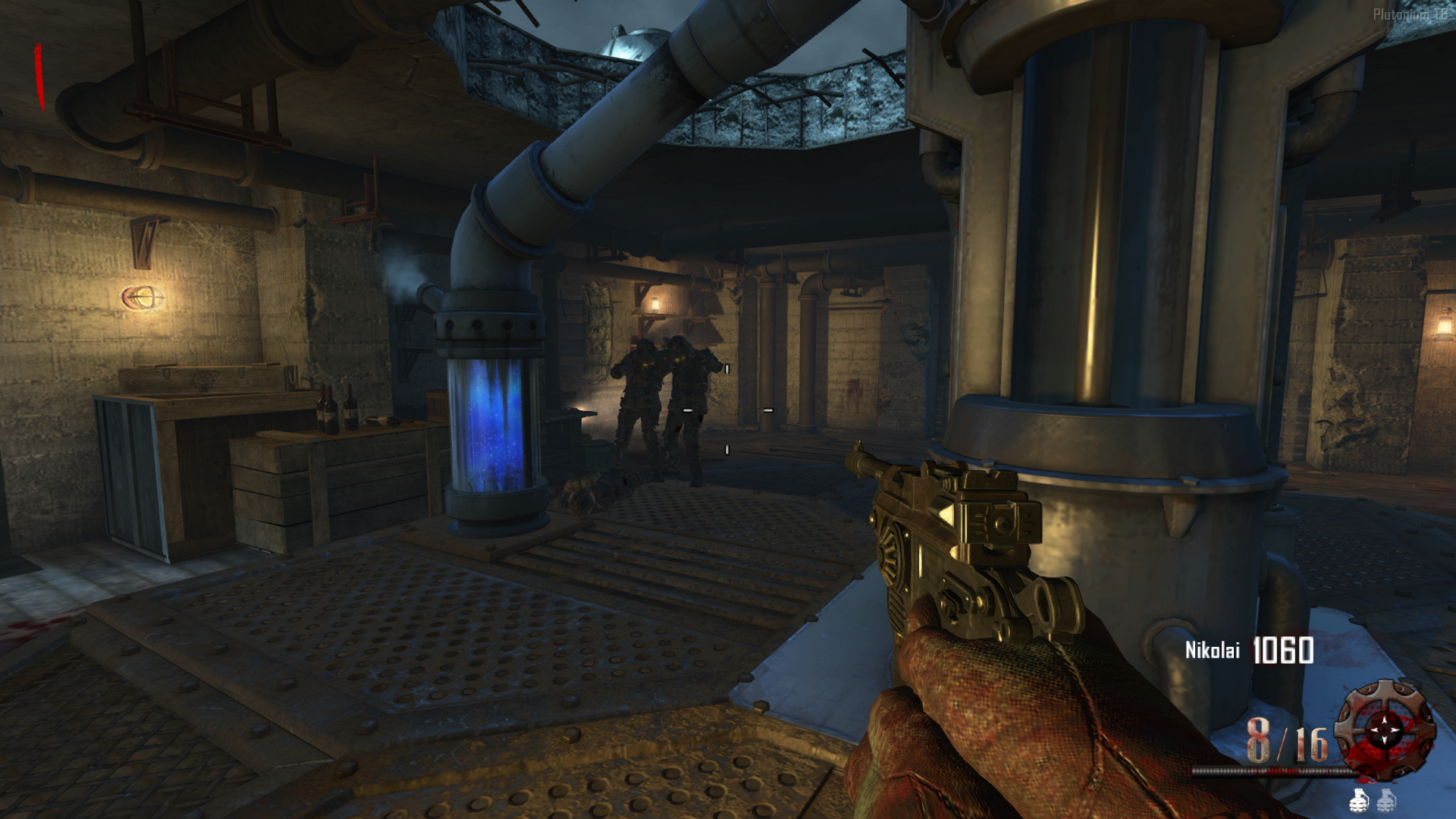
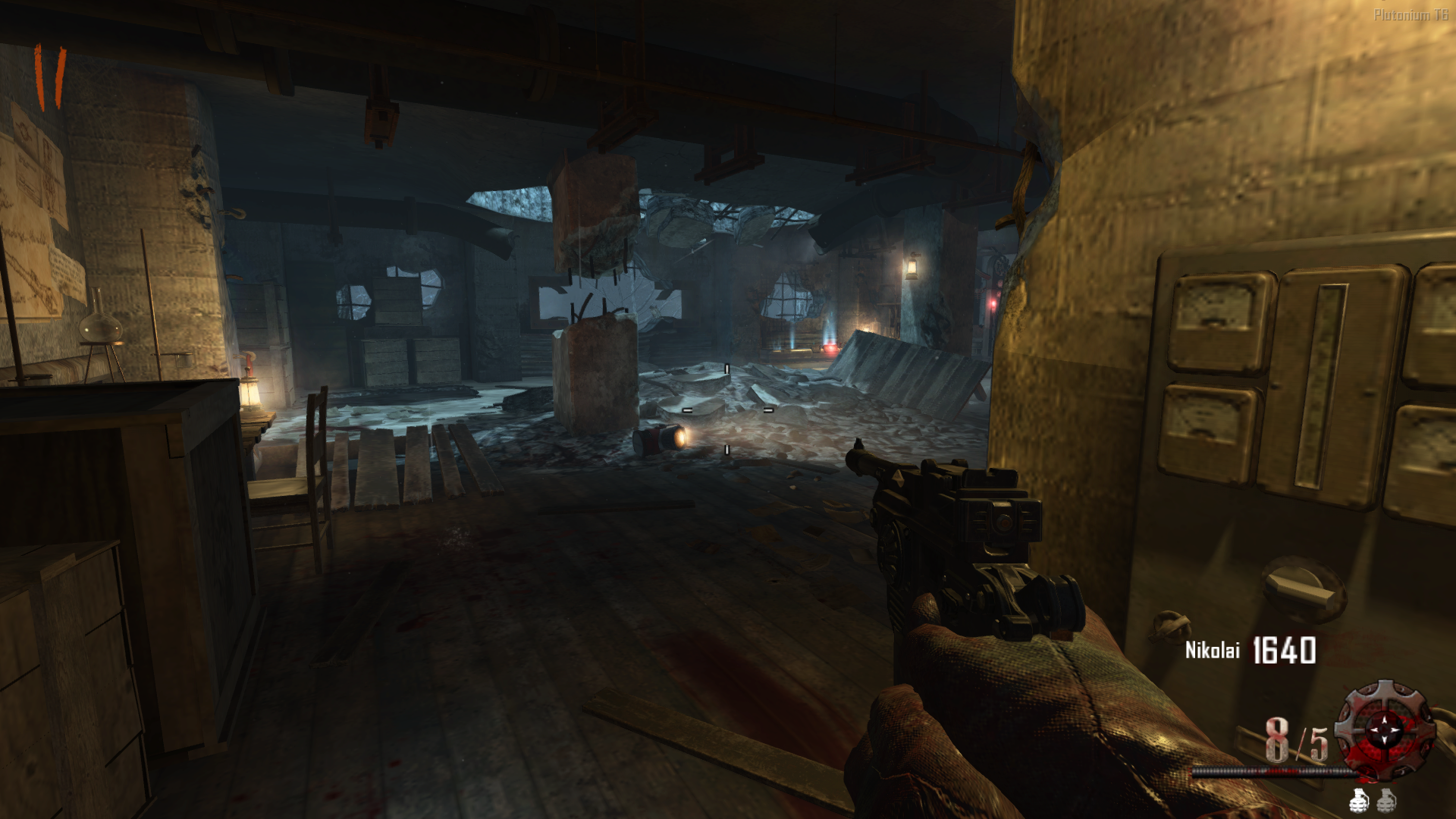
[ZM] Round Counter Position (Configurable)

Scheduled Pinned Locked Moved BO2 Modding Releases & Resources
25 Posts 9 Posters 6.6k Views 3 Watching
  • Oldest to Newest
  • Newest to Oldest
  • Most Votes
Reply
  • Reply as topic
Log in to reply
This topic has been deleted. Only users with topic management privileges can see it.
  • xNandoundefined xNando

    zelimpinho here is the link https://mega.nz/file/d4YEVbRR#JmMax_BiC75E_NdnX3MgXIL8nnlHxra_pgsXX-g96Zw

    zelimpinhoundefined Offline
    zelimpinhoundefined Offline
    zelimpinho
    wrote on last edited by
    #15

    xNando Thank you very much, it's perfect 😭

    1 Reply Last reply
    0
    • xNandoundefined xNando

      AdrX003 In the end, I extracted the rounds script from the cold war mod and edited a few things and finally I was able to get it the way I wanted. Thanks for the help!!

      NeroSwallowundefined Offline
      NeroSwallowundefined Offline
      NeroSwallow
      wrote on last edited by
      #16

      xNando said in [ZM] Round Counter Position (Configurable):

      In the end, I extracted the rounds script from the cold war mod and edited a few things and finally I was able to get it the way I wanted. Thanks for the help!!

      I want this counter but I don't know what to do, I have the gsc but what exactly should I do?

      xNandoundefined 1 Reply Last reply
      0
      • NeroSwallowundefined NeroSwallow

        xNando said in [ZM] Round Counter Position (Configurable):

        In the end, I extracted the rounds script from the cold war mod and edited a few things and finally I was able to get it the way I wanted. Thanks for the help!!

        I want this counter but I don't know what to do, I have the gsc but what exactly should I do?

        xNandoundefined Offline
        xNandoundefined Offline
        xNando
        wrote on last edited by
        #17

        @Kusanagi_Z you need to put the file in the scripts folder in this path by pressing Windows Key + R

        %localappdata%\Plutonium\storage\t6\scripts\zm
        
        NeroSwallowundefined 2 Replies Last reply
        0
        • xNandoundefined xNando

          @Kusanagi_Z you need to put the file in the scripts folder in this path by pressing Windows Key + R

          %localappdata%\Plutonium\storage\t6\scripts\zm
          
          NeroSwallowundefined Offline
          NeroSwallowundefined Offline
          NeroSwallow
          wrote on last edited by
          #18
          This post is deleted!
          1 Reply Last reply
          0
          • xNandoundefined xNando

            @Kusanagi_Z you need to put the file in the scripts folder in this path by pressing Windows Key + R

            %localappdata%\Plutonium\storage\t6\scripts\zm
            
            NeroSwallowundefined Offline
            NeroSwallowundefined Offline
            NeroSwallow
            wrote on last edited by
            #19

            xNando How can I make it similar to BO4?

            xNandoundefined 1 Reply Last reply
            0
            • NeroSwallowundefined NeroSwallow

              xNando How can I make it similar to BO4?

              xNandoundefined Offline
              xNandoundefined Offline
              xNando
              wrote on last edited by
              #20

              @Kusanagi_Z what do you mean like bo4??

              NeroSwallowundefined 1 Reply Last reply
              0
              • xNandoundefined xNando

                @Kusanagi_Z what do you mean like bo4??

                NeroSwallowundefined Offline
                NeroSwallowundefined Offline
                NeroSwallow
                wrote on last edited by
                #21

                xNando BO4 style numbers and animations

                xNandoundefined 1 Reply Last reply
                0
                • NeroSwallowundefined NeroSwallow

                  xNando BO4 style numbers and animations

                  xNandoundefined Offline
                  xNandoundefined Offline
                  xNando
                  wrote on last edited by
                  #22

                  @Kusanagi_Z You have to download the script from the original post, the link I posted in another comment has my own config and also is a completely different script but do the same thing.

                  NeroSwallowundefined 1 Reply Last reply
                  0
                  • xNandoundefined xNando

                    @Kusanagi_Z You have to download the script from the original post, the link I posted in another comment has my own config and also is a completely different script but do the same thing.

                    NeroSwallowundefined Offline
                    NeroSwallowundefined Offline
                    NeroSwallow
                    wrote on last edited by
                    #23

                    xNando That script doesn't work for me, it shows me the original counter :(, could you help me in that case?


                    xNandoundefined 1 Reply Last reply
                    0
                    • obliuundefined Offline
                      obliuundefined Offline
                      obliu
                      wrote on last edited by
                      #24

                      nice!!

                      1 Reply Last reply
                      0
                      • NeroSwallowundefined NeroSwallow

                        xNando That script doesn't work for me, it shows me the original counter :(, could you help me in that case?

                        xNandoundefined Offline
                        xNandoundefined Offline
                        xNando
                        wrote on last edited by
                        #25

                        @Kusanagi_Z if you want the round style icons and the numbers, you need to find the images somewhere, maybe in the forum there is a post with the files, and if you also want the animation, just download the updated version of the original script.

                        1 Reply Last reply
                        0

                        Hello! It looks like you're interested in this conversation, but you don't have an account yet.

                        Getting fed up of having to scroll through the same posts each visit? When you register for an account, you'll always come back to exactly where you were before, and choose to be notified of new replies (either via email, or push notification). You'll also be able to save bookmarks and upvote posts to show your appreciation to other community members.

                        With your input, this post could be even better 💗

                        Register Login
                        Reply
                        • Reply as topic
                        Log in to reply
                        • Oldest to Newest
                        • Newest to Oldest
                        • Most Votes


                        • 1
                        • 2
                        • Login

                        • Don't have an account? Register

                        • Login or register to search.
                        • First post
                          Last post
                        0
                        • Unread 0
                        • Recent
                        • Tags
                        • Popular
                        • Users
                        • Groups