Skip to content
  • Recent
  • Tags
  • Popular
  • Users
  • Groups
  • Donate
Collapse

Plutonium

  1. Home
  2. BO2 Modding Releases & Resources
  3. [Alpha] [Zombies] BO2 Zombies Bots

[Alpha] [Zombies] BO2 Zombies Bots

Scheduled Pinned Locked Moved BO2 Modding Releases & Resources
110 Posts 75 Posters 71.6k Views 11 Watching
  • Oldest to Newest
  • Newest to Oldest
  • Most Votes
Reply
  • Reply as topic
Log in to reply
This topic has been deleted. Only users with topic management privileges can see it.
  • Alwaroskiundefined Offline
    Alwaroskiundefined Offline
    Alwaroski
    wrote on last edited by
    #101

    Plutonium T6 Zombies (r4855) 27_06_2025 20_12_23.png
    I think this seems to not work. I put the 2 gsc files in "Scripts" but I can't enter a game. Whenever it is loading, it crashes back to menu.

    1 Reply Last reply
    0
    • Alwaroskiundefined Offline
      Alwaroskiundefined Offline
      Alwaroski
      wrote on last edited by
      #102

      I managed to finally get in a game, but when entering the console line to prompt 3 bots, game crashed to Windows.

      1 Reply Last reply
      0
      • GerardS0406undefined GerardS0406

        This is an Alpha! Do not expect everything to work perfectly
        Please Note: Currently does not work on Servers. The next plutonium update will allow bot support in zombies servers.

        alt text

        https://www.youtube.com/watch?v=2k8i2RRXVQ0&t=1898s

        Features:

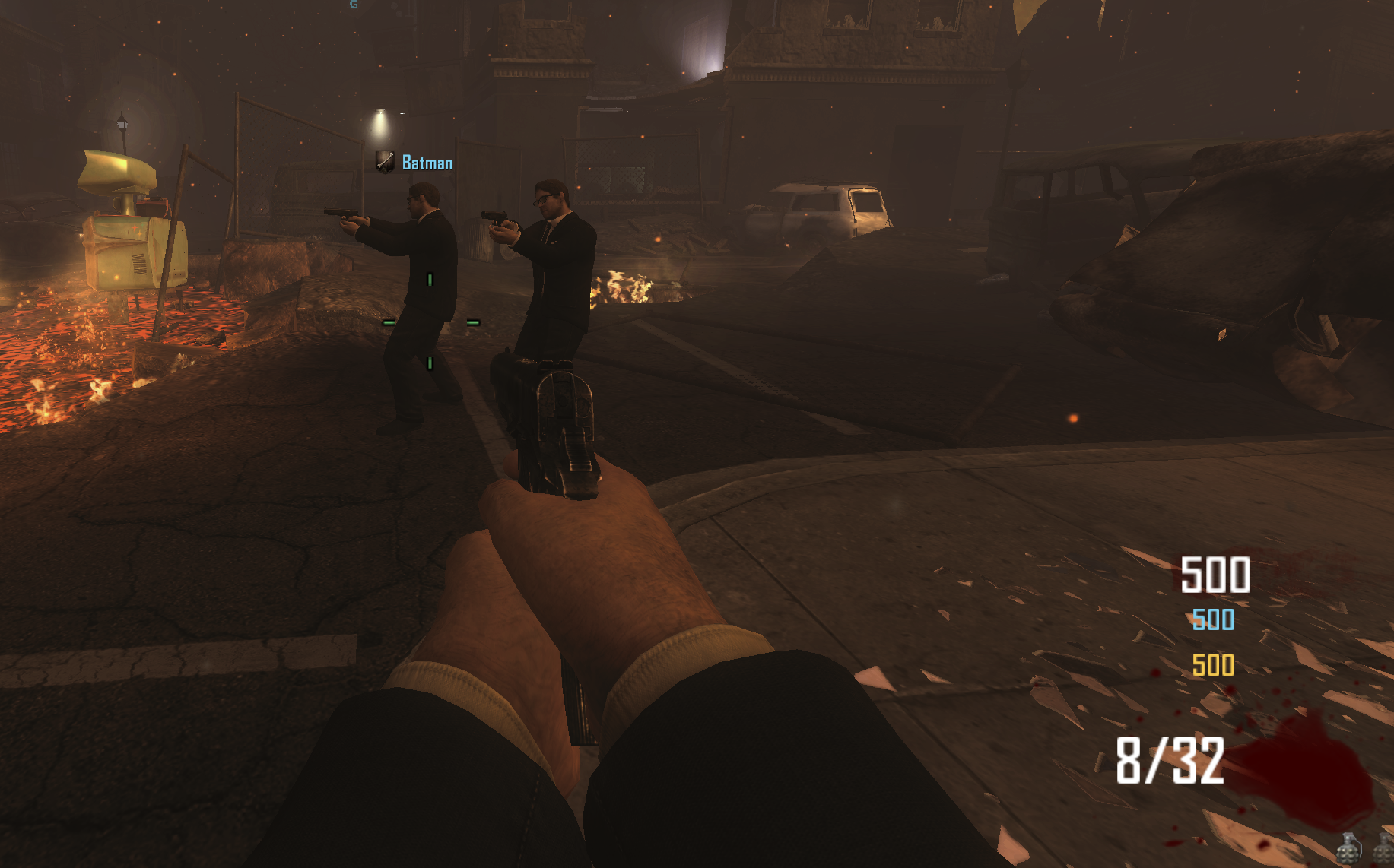
        • Friendly Bots in Zombies
        • Bots will purchase wall buys
        • Bots will pickup powerups
        • Bots will revive teammates
        • Bots will Pack a Punch when nearby
        • Bots follow host player
        • Bots will run from zombies if threatened
        • Bots have all perks
        • Bots have unlimited ammo (still have to reload)

        Plans:

        • Bots will have preference in weapon purchases
        • Bots will purchase weapons from the mystery box

        How to use:
        In console: set bo2_zm_bots_count # change # to the amount of bots.

        Download: https://github.com/GerardS0406/bo2_zm_bots/releases/tag/Alpha

        Credits:
        GerardS0406

        Mohamad8793undefined Offline
        Mohamad8793undefined Offline
        Mohamad8793
        wrote on last edited by
        #103

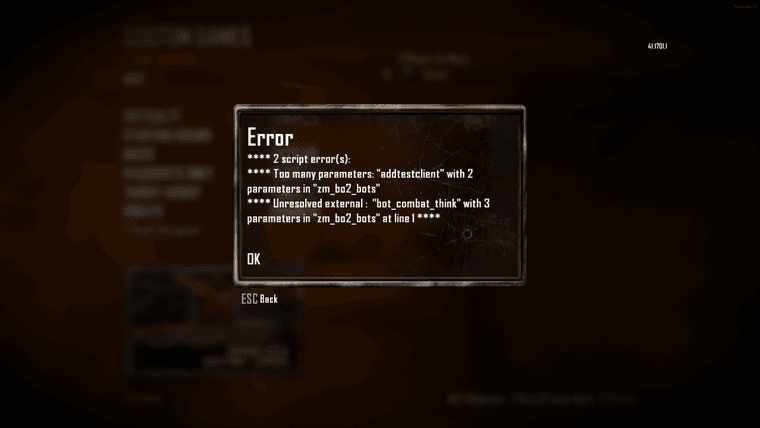
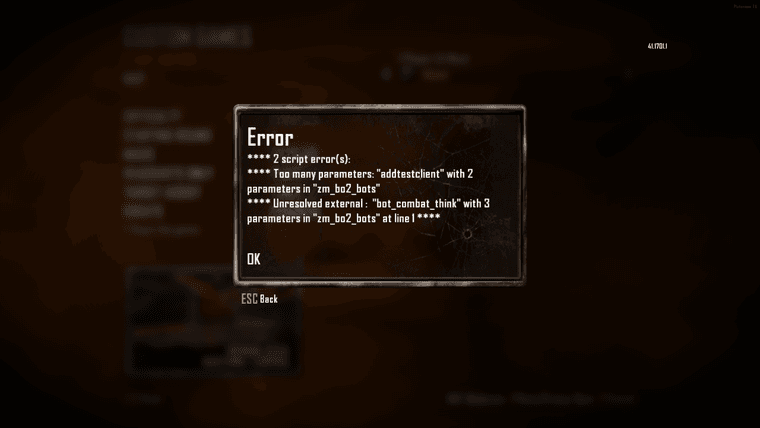
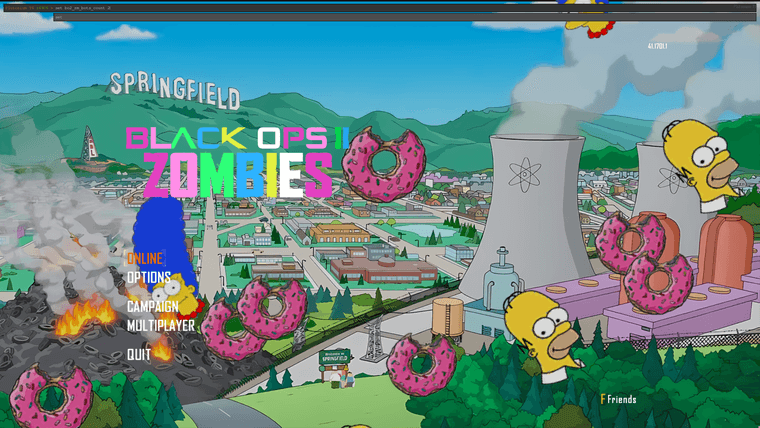
        GerardS0406 hello im reboot map after install mod this error 1443a371-0cda-4e61-8f05-f7f93f1ab542-{0CA1DE53-9CB7-4B3E-BABB-5FB761C940E3}.png please help me im set command and not work 60cdd16a-8d67-4336-8160-20de32eaf73a-{AF486462-CFCC-47C6-A2AD-BCBD1FC6A33B}.png
        1 Reply Last reply
        0
        • GerardS0406undefined GerardS0406

          This is an Alpha! Do not expect everything to work perfectly
          Please Note: Currently does not work on Servers. The next plutonium update will allow bot support in zombies servers.

          alt text

          https://www.youtube.com/watch?v=2k8i2RRXVQ0&t=1898s

          Features:

          • Friendly Bots in Zombies
          • Bots will purchase wall buys
          • Bots will pickup powerups
          • Bots will revive teammates
          • Bots will Pack a Punch when nearby
          • Bots follow host player
          • Bots will run from zombies if threatened
          • Bots have all perks
          • Bots have unlimited ammo (still have to reload)

          Plans:

          • Bots will have preference in weapon purchases
          • Bots will purchase weapons from the mystery box

          How to use:
          In console: set bo2_zm_bots_count # change # to the amount of bots.

          Download: https://github.com/GerardS0406/bo2_zm_bots/releases/tag/Alpha

          Credits:
          GerardS0406

          Mohamad8793undefined Offline
          Mohamad8793undefined Offline
          Mohamad8793
          wrote on last edited by
          #104

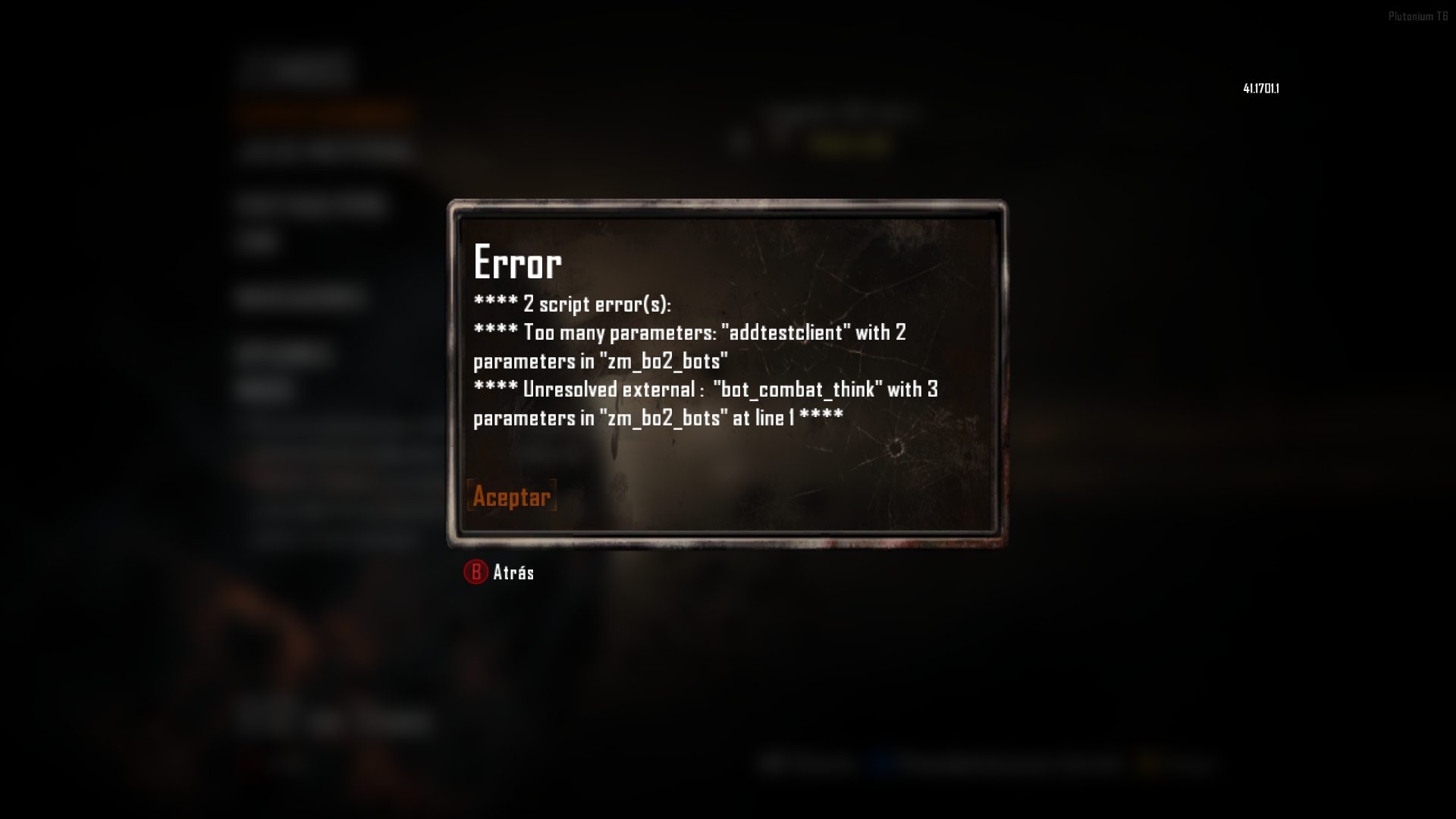
          GerardS0406 1ca5e15a-a65d-4f79-98e6-f8931abc899f-{AF486462-CFCC-47C6-A2AD-BCBD1FC6A33B}.png 2422145c-07d6-464b-b6da-80540532dc47-image.png not work

          1 Reply Last reply
          0
          • sarah88undefined Offline
            sarah88undefined Offline
            sarah88
            wrote on last edited by
            #105

            doesnt work.

            Resxtundefined 1 Reply Last reply
            0
            • sarah88undefined sarah88

              doesnt work.

              Resxtundefined Offline
              Resxtundefined Offline
              Resxt
              Plutonium Staff
              wrote on last edited by
              #106

              sarah88 it does work, in custom games

              b9c7c1d6-9200-4449-b5c5-f4e430f0e140-image.png

              1 Reply Last reply
              0
              • sarah88undefined Offline
                sarah88undefined Offline
                sarah88
                wrote on last edited by
                #107

                thank you so much, yes it does. im sorry for all the trouble, I finally understand how to mod now 🙂

                1 Reply Last reply
                0
                • Bobskin411undefined Offline
                  Bobskin411undefined Offline
                  Bobskin411
                  wrote on last edited by
                  #108

                  Resxt yea it's still not working after changing / to \ in all of the includes. Still get

                  Error
                  [ERROR):compiler-scripts/zm/zm_bo2 buts.gsc1:4: syntax
                  error, unexpected /. expecting;

                  When launching map after typing the command for bots

                  1 Reply Last reply
                  0
                  • GateDiggersundefined Offline
                    GateDiggersundefined Offline
                    GateDiggers
                    wrote on last edited by
                    #109

                    Where are the instructions at?

                    1 Reply Last reply
                    0
                    • GateDiggersundefined Offline
                      GateDiggersundefined Offline
                      GateDiggers
                      wrote on last edited by GateDiggers
                      #110

                      So heres some instructions because OP didnt provide any:

                      Go to this folder

                      %AppData%\Local\Plutonium\storage\t6\scripts

                      Make a new folder called zm

                      Then put the two gsc files in there.

                      Then start a custom lobby and type set bo2_zm_bots_count x (replace x with how many bots you want)

                      Then start the game and the bots will connect a few seconds in game. They dont connect in the lobby.

                      There. So much confusion could have been avoided if you just took the time to write a few sentences.

                      1 Reply Last reply
                      1

                      Hello! It looks like you're interested in this conversation, but you don't have an account yet.

                      Getting fed up of having to scroll through the same posts each visit? When you register for an account, you'll always come back to exactly where you were before, and choose to be notified of new replies (either via email, or push notification). You'll also be able to save bookmarks and upvote posts to show your appreciation to other community members.

                      With your input, this post could be even better 💗

                      Register Login
                      Reply
                      • Reply as topic
                      Log in to reply
                      • Oldest to Newest
                      • Newest to Oldest
                      • Most Votes


                      • 1
                      • 2
                      • 3
                      • 4
                      • 5
                      • 6
                      • Login

                      • Don't have an account? Register

                      • Login or register to search.
                      • First post
                        Last post
                      0
                      • Recent
                      • Tags
                      • Popular
                      • Users
                      • Groups
                      • Donate