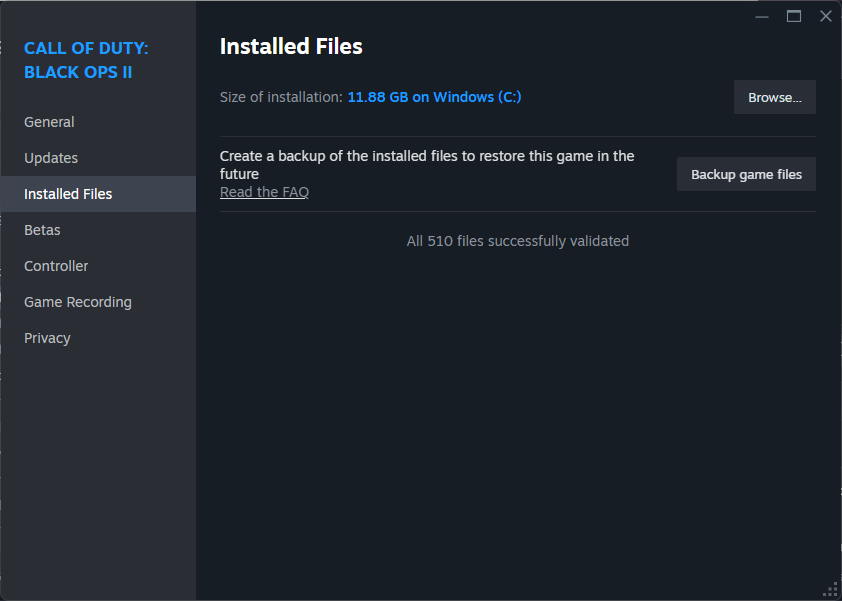
Verifying game files with Steam, but I did...
-

maybe add me on discord, so i can screenshare?
username is touchtablet
-
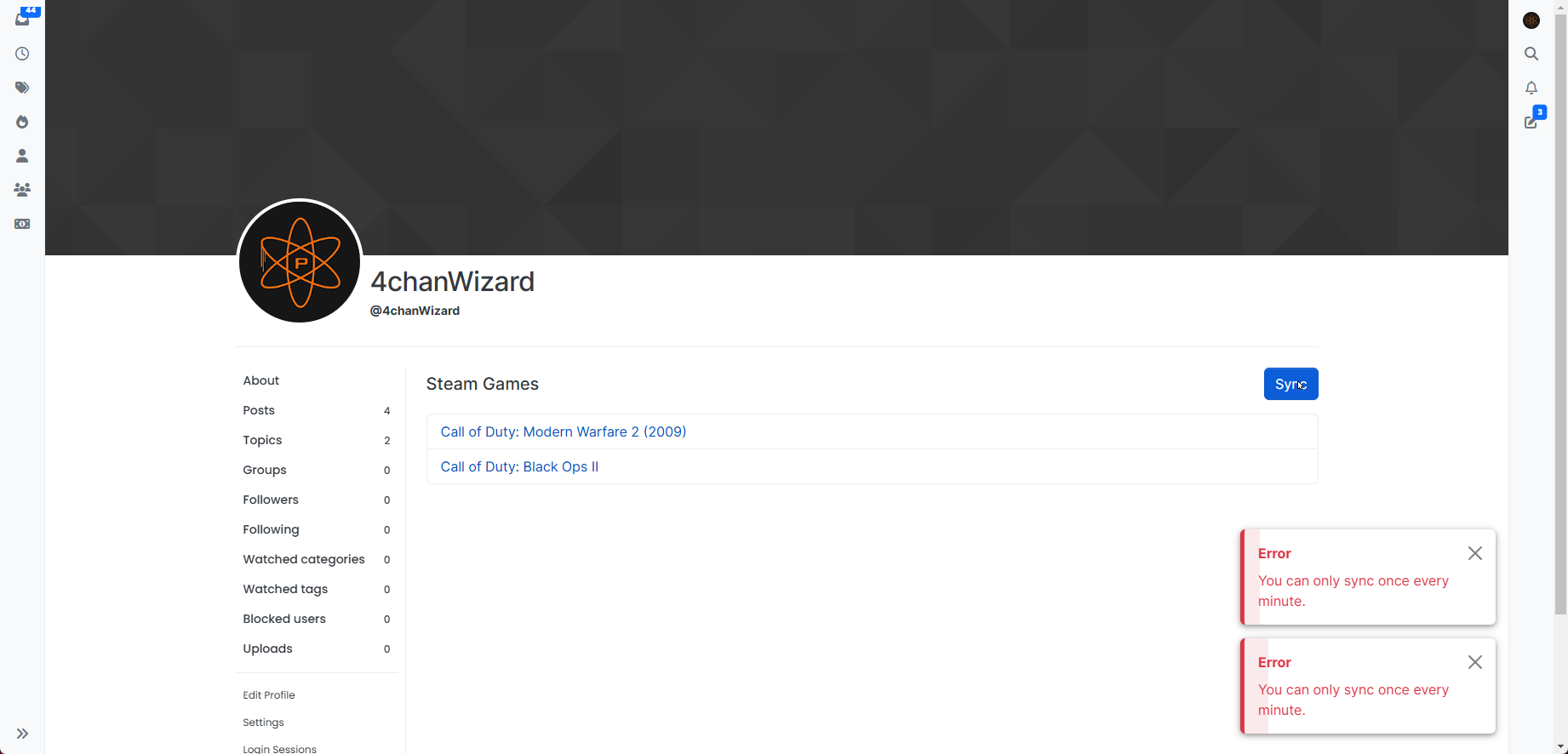
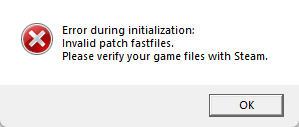
I setup bo2 correctly, as it ran without a hitch moments before. I closed the client, relaunched it and I got an error message 'Error during Initizalzation: Invalid patch fastfiles. Please verify your game files with Steam.', so I verified my game files, as shown here: https://imgur.com/809nxru , I'm excited to play, boom. same fucking error message.
I look up a guide on youtube, to see if I missed something, I didn't...
anyone help please?

-

Your screenshot shows you linking your account on Plutonium, it's not the same as verifying games file within the Steam app. Did you do that? Are you sure of what it means?
-
Your screenshot shows you linking your account on Plutonium, it's not the same as verifying games file within the Steam app. Did you do that? Are you sure of what it means?
Resxt i just clicked 'Verify Ownership' on the T6 Multiplayer Game Settings. It brought me to the Plutonium.pw Steam Games page. There is no VERIFY button, or anything that I can click to verify them, besides the Sync button. As you can see in my Imgur link, I have sync'd the games.
Resxt UPDATE: I mustve set my Game path, before I changed my Windows Username, so I changed that and now im getting this error: https://imgur.com/OsCKpjP
I have verified the files. this is super frustrating. i just want to play a good, older cod. this almost isnt worth it:/
-
Resxt i just clicked 'Verify Ownership' on the T6 Multiplayer Game Settings. It brought me to the Plutonium.pw Steam Games page. There is no VERIFY button, or anything that I can click to verify them, besides the Sync button. As you can see in my Imgur link, I have sync'd the games.
Resxt UPDATE: I mustve set my Game path, before I changed my Windows Username, so I changed that and now im getting this error: https://imgur.com/OsCKpjP
I have verified the files. this is super frustrating. i just want to play a good, older cod. this almost isnt worth it:/

4chanWizard Bruh, he's not saying verify ownership...
he's saying "verify the game files within the steam app"...
open steam, go to your library, right click on the game, click properties, click installed files and then click verify integrity of game files
-
Resxt i just clicked 'Verify Ownership' on the T6 Multiplayer Game Settings. It brought me to the Plutonium.pw Steam Games page. There is no VERIFY button, or anything that I can click to verify them, besides the Sync button. As you can see in my Imgur link, I have sync'd the games.
Resxt UPDATE: I mustve set my Game path, before I changed my Windows Username, so I changed that and now im getting this error: https://imgur.com/OsCKpjP
I have verified the files. this is super frustrating. i just want to play a good, older cod. this almost isnt worth it:/
You're making this way harder than it has to be
Your error is because YOU installed/directed the launcher to broken files
There is no ownership verification or whatever like I explained with simple words: verify your game files in the Steam app, not on our forumThe game files you are using are broken and you fail to understand anything too so that's a you issue
If you simply downloaded the game from Steam and pointed the launcher to it you wouldn't have these issues -
You're making this way harder than it has to be
Your error is because YOU installed/directed the launcher to broken files
There is no ownership verification or whatever like I explained with simple words: verify your game files in the Steam app, not on our forumThe game files you are using are broken and you fail to understand anything too so that's a you issue
If you simply downloaded the game from Steam and pointed the launcher to it you wouldn't have these issues
-
4chanWizard Bruh, he's not saying verify ownership...
he's saying "verify the game files within the steam app"...
open steam, go to your library, right click on the game, click properties, click installed files and then click verify integrity of game files
DirkRockface read my response to the jester above
-
Resxt hhh
idk what youre on about
4chanWizard you have not read the comment I linked. There are 3 apps for the game. You’re facing the error because you don’t have the mode you’re trying to play installed. You’re showing the Campaign app, a mode that’s neither of the ones that can be played on Plutonium.
-
-
Bruh, this dude have the campaign installed, but not the multiplayer nor zombies.
You need to download all 3 "Black Ops 2", they are listed in steam like if they were separated games. Or if you just open MP it should start downloading.I just had the same error message and it was because of that, downloaded the game but for my suprise, its divided in 3 "games". Since I had only BO2 in favorite list, didnt saw the zombies and mp section. So just in case this works for anyone else
-
Hes installed the game via steam and done it correctly but what hes not done is, looked at the available installs, you have Black ops II
hes done thatOP needs to install Black ops II: multiplayer and zombies separately, as the steam install just installs campaign, OP needs to also search in steam black ops II multiplayer to install it.
then it will be the same directory that plutonium looks for starting the game.
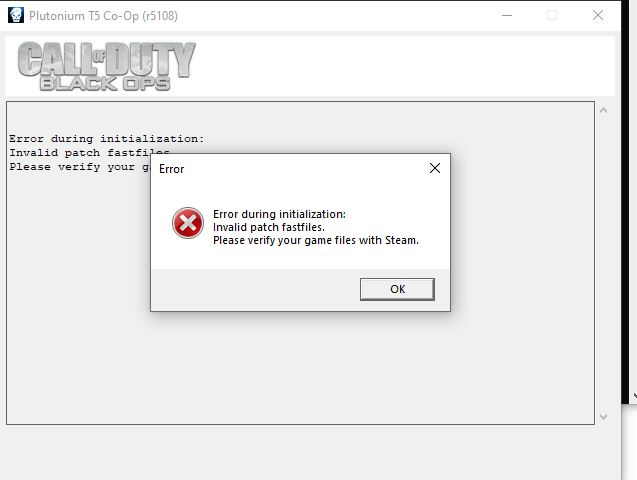 what i do
Hello! It looks like you're interested in this conversation, but you don't have an account yet.
Getting fed up of having to scroll through the same posts each visit? When you register for an account, you'll always come back to exactly where you were before, and choose to be notified of new replies (either via email, or push notification). You'll also be able to save bookmarks and upvote posts to show your appreciation to other community members.
With your input, this post could be even better 💗
Register Login