Skip to content
  • 0 Unread 0
  • Recent
  • Tags
  • Popular
  • Users
  • Groups
Collapse

Plutonium

  1. Home
  2. Launcher Support
  3. Blank CMD / Terminal when launching black ops 2 through the launcher.

Blank CMD / Terminal when launching black ops 2 through the launcher.

Scheduled Pinned Locked Moved Launcher Support
10 Posts 4 Posters 1.6k Views 1 Watching
  • Oldest to Newest
  • Newest to Oldest
  • Most Votes
Reply
  • Reply as topic
Log in to reply
This topic has been deleted. Only users with topic management privileges can see it.
  • TheRealSamuelundefined Offline
    TheRealSamuelundefined Offline
    TheRealSamuel
    wrote on last edited by TheRealSamuel
    #1

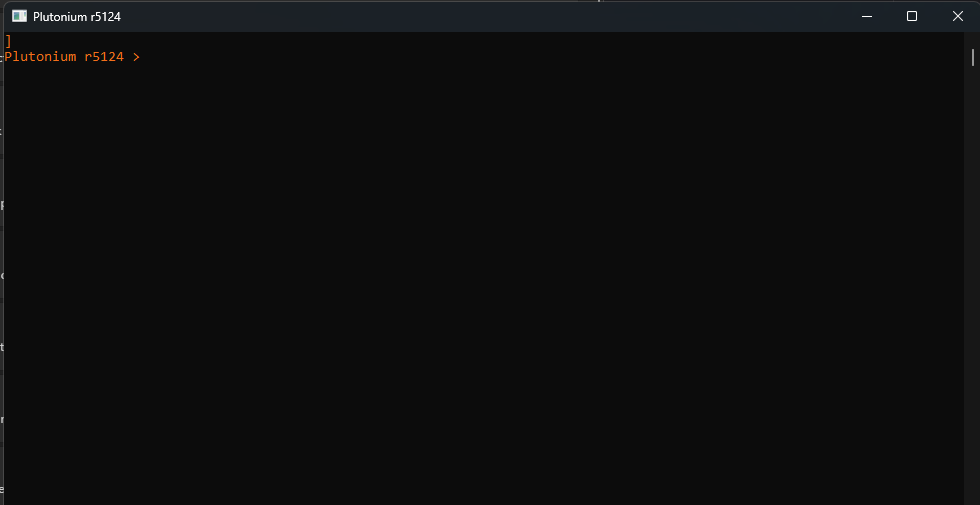
    image_2025-10-08_032212437.png

    I have made a post about this in the discord and had received someone trying to assist me with it and we was unable to find a reason to what could be causing this.

    Things I have tried,

    Installing all of the directx's using the web runtime installer.
    Installing of the vcredist's that I could (I also tried manually installing the one inside of black ops 2 directory)
    Installing all the .nets possible that I can install and also manually from the black ops 2 directory
    Turning off my antivirus (windows defender) and adding an exclusion path on the localappdata for Plutonium

    my full path for the game since people had suggested I had a problematic directory path is "C:\Program Files (x86)\Steam\steamapps\common\Call of Duty Black Ops II"

    I will also provide a video link here to show the full process of what happens. (streamable com/9ppcoi) - Since I do not have the reputation to post links unfortunately you will have to manually add the "." into the link I have provided with my mp4 attached since I do not have a direct way on this forum to upload a .mp4 file.

    1 Reply Last reply
    0
    • Jamalloundefined Offline
      Jamalloundefined Offline
      Jamallo
      wrote on last edited by
      #2

      same issue for me

      TheRealSamuelundefined 1 Reply Last reply
      0
      • Jamalloundefined Jamallo

        same issue for me

        TheRealSamuelundefined Offline
        TheRealSamuelundefined Offline
        TheRealSamuel
        wrote on last edited by
        #3

        Jamallo

        Damn, that isn't a good sign. Hopefully we can both get some answers from this to fix it ☠

        Jamalloundefined 1 Reply Last reply
        0
        • TheRealSamuelundefined TheRealSamuel

          Jamallo

          Damn, that isn't a good sign. Hopefully we can both get some answers from this to fix it ☠

          Jamalloundefined Offline
          Jamalloundefined Offline
          Jamallo
          wrote on last edited by Jamallo
          #4

          TheRealSamuel

          Hello, I just fixed it.

          disconnect all monitors and game controller if using..
          than restart the computer.

          when computer loads up, don't connect anything . Open plutonium and keep pressing the enter key on the CMD/Terminal.

          and should work.

          TheRealSamuelundefined 1 Reply Last reply
          0
          • Jamalloundefined Jamallo

            TheRealSamuel

            Hello, I just fixed it.

            disconnect all monitors and game controller if using..
            than restart the computer.

            when computer loads up, don't connect anything . Open plutonium and keep pressing the enter key on the CMD/Terminal.

            and should work.

            TheRealSamuelundefined Offline
            TheRealSamuelundefined Offline
            TheRealSamuel
            wrote on last edited by TheRealSamuel
            #5

            Jamallo

            It didn't work for me 😞

            Jamalloundefined 1 Reply Last reply
            0
            • TheRealSamuelundefined TheRealSamuel

              Jamallo

              It didn't work for me 😞

              Jamalloundefined Offline
              Jamalloundefined Offline
              Jamallo
              wrote on last edited by
              #6

              TheRealSamuel after pressing the enter key couple of times. wait 5-10min it should work.

              TheRealSamuelundefined 2 Replies Last reply
              0
              • Jamalloundefined Jamallo

                TheRealSamuel after pressing the enter key couple of times. wait 5-10min it should work.

                TheRealSamuelundefined Offline
                TheRealSamuelundefined Offline
                TheRealSamuel
                wrote on last edited by
                #7

                Jamallo

                I'll give it a shot now and let you know

                1 Reply Last reply
                0
                • Jamalloundefined Jamallo

                  TheRealSamuel after pressing the enter key couple of times. wait 5-10min it should work.

                  TheRealSamuelundefined Offline
                  TheRealSamuelundefined Offline
                  TheRealSamuel
                  wrote on last edited by
                  #8

                  Jamallo

                  You're an absolute legend, it's working. Thank you ❤

                  1 Reply Last reply
                  0
                  • lordfappington69undefined Offline
                    lordfappington69undefined Offline
                    lordfappington69
                    wrote on last edited by
                    #9

                    Same issue i will try this restart and spam enter fix.

                    1 Reply Last reply
                    0
                    • Stoucksundefined Offline
                      Stoucksundefined Offline
                      Stoucks
                      wrote on last edited by
                      #10

                      for me it freeze my PC

                      1 Reply Last reply
                      0

                      Hello! It looks like you're interested in this conversation, but you don't have an account yet.

                      Getting fed up of having to scroll through the same posts each visit? When you register for an account, you'll always come back to exactly where you were before, and choose to be notified of new replies (either via email, or push notification). You'll also be able to save bookmarks and upvote posts to show your appreciation to other community members.

                      With your input, this post could be even better 💗

                      Register Login
                      Reply
                      • Reply as topic
                      Log in to reply
                      • Oldest to Newest
                      • Newest to Oldest
                      • Most Votes


                      • Login

                      • Don't have an account? Register

                      • Login or register to search.
                      • First post
                        Last post
                      0
                      • Unread 0
                      • Recent
                      • Tags
                      • Popular
                      • Users
                      • Groups