Skip to content
  • Recent
  • Tags
  • Popular
  • Users
  • Groups
  • Donate
Collapse

Plutonium

  1. Home
  2. BO2 Modding Releases & Resources
  3. [Release] [ZM] TechnoOps Collection

[Release] [ZM] TechnoOps Collection

Scheduled Pinned Locked Moved BO2 Modding Releases & Resources
45 Posts 25 Posters 13.2k Views 5 Watching
  • Oldest to Newest
  • Newest to Oldest
  • Most Votes
Reply
  • Reply as topic
Log in to reply
This topic has been deleted. Only users with topic management privileges can see it.
  • SmellBourpundefined SmellBourp

    How do I activate the fast travel on Tranzit? I got everything else but Im still confused on how to do it

    techboy04gamingundefined Offline
    techboy04gamingundefined Offline
    techboy04gaming
    wrote on last edited by
    #33

    SmellBourp Turn on the power then interact with a desk inside the Bank in Town.

    1 Reply Last reply
    0
    • mrmarvin1983undefined Offline
      mrmarvin1983undefined Offline
      mrmarvin1983
      wrote on last edited by
      #34

      hey i was wondering what you use the navcard on?

      1 Reply Last reply
      0
      • techboy04gamingundefined techboy04gaming

        Vazquez_241 Make sure you download the mod properly! (Only zm_technoopscollection.zip in the Releases tab) and make sure that both mod.ff, images.iwd, and the mod sabl/sabs are all in the same folder. If you still need help, feel free to contact me on Discord (@tech_wave)

        AndreTOQU3undefined Offline
        AndreTOQU3undefined Offline
        AndreTOQU3
        wrote on last edited by
        #35

        techboy04gaming imagem_2025-07-11_155300616.png i download 3.7 but in game is name 3.5

        techboy04gamingundefined 1 Reply Last reply
        0
        • AndreTOQU3undefined AndreTOQU3

          techboy04gaming imagem_2025-07-11_155300616.png i download 3.7 but in game is name 3.5

          techboy04gamingundefined Offline
          techboy04gamingundefined Offline
          techboy04gaming
          wrote on last edited by Xerxes
          #36

          AndreTOQU3 The version on the Main Menu HUD is wrong and its fixed on a hotfix version, I dont know how long ago you downloaded that but be sure to download it here https://github.com/techboy04/TechnoOps-Collection/releases. If you are running further issues feel free to reach out on my Discord server via the mods support channel -snip- or Plutoniums discord server.

          AndreTOQU3undefined 3 Replies Last reply
          0
          • AndreTOQU3undefined Offline
            AndreTOQU3undefined Offline
            AndreTOQU3
            wrote on last edited by
            #37

            thanks, it working now.

            1 Reply Last reply
            0
            • techboy04gamingundefined techboy04gaming

              AndreTOQU3 The version on the Main Menu HUD is wrong and its fixed on a hotfix version, I dont know how long ago you downloaded that but be sure to download it here https://github.com/techboy04/TechnoOps-Collection/releases. If you are running further issues feel free to reach out on my Discord server via the mods support channel -snip- or Plutoniums discord server.

              AndreTOQU3undefined Offline
              AndreTOQU3undefined Offline
              AndreTOQU3
              wrote on last edited by
              #38
              This post is deleted!
              1 Reply Last reply
              0
              • techboy04gamingundefined techboy04gaming

                AndreTOQU3 The version on the Main Menu HUD is wrong and its fixed on a hotfix version, I dont know how long ago you downloaded that but be sure to download it here https://github.com/techboy04/TechnoOps-Collection/releases. If you are running further issues feel free to reach out on my Discord server via the mods support channel -snip- or Plutoniums discord server.

                AndreTOQU3undefined Offline
                AndreTOQU3undefined Offline
                AndreTOQU3
                wrote on last edited by
                #39

                techboy04gaming please create TechnoOps Collection + CW mod 🔥

                1 Reply Last reply
                0
                • flarewolf56undefined Offline
                  flarewolf56undefined Offline
                  flarewolf56
                  wrote on last edited by
                  #40

                  hey i reached out to you on discord but idk if the message actually went through so im posting here any way the mod seems to work fine but the global atm is not it says hold x (yes im on controller) to deposit 1k but when i do nothing happens please help?

                  1 Reply Last reply
                  0
                  • techboy04gamingundefined techboy04gaming

                    AndreTOQU3 The version on the Main Menu HUD is wrong and its fixed on a hotfix version, I dont know how long ago you downloaded that but be sure to download it here https://github.com/techboy04/TechnoOps-Collection/releases. If you are running further issues feel free to reach out on my Discord server via the mods support channel -snip- or Plutoniums discord server.

                    AndreTOQU3undefined Offline
                    AndreTOQU3undefined Offline
                    AndreTOQU3
                    wrote on last edited by
                    #41

                    techboy04gaming Hello guy, I really like your mod and I wanted to ask you to make a change for the next update. So, I'd like to ask you to make the health bar optional, allowing you to choose whether it's on or off before entering a match.

                    techboy04gamingundefined 1 Reply Last reply
                    0
                    • AndreTOQU3undefined AndreTOQU3

                      techboy04gaming Hello guy, I really like your mod and I wanted to ask you to make a change for the next update. So, I'd like to ask you to make the health bar optional, allowing you to choose whether it's on or off before entering a match.

                      techboy04gamingundefined Offline
                      techboy04gamingundefined Offline
                      techboy04gaming
                      wrote on last edited by
                      #42

                      AndreTOQU3 The health bar is toggleable! Type in enable_healthbar 0 in the console to disable it.

                      1 Reply Last reply
                      1
                      • Sonouge2025undefined Offline
                        Sonouge2025undefined Offline
                        Sonouge2025
                        wrote on last edited by
                        #43

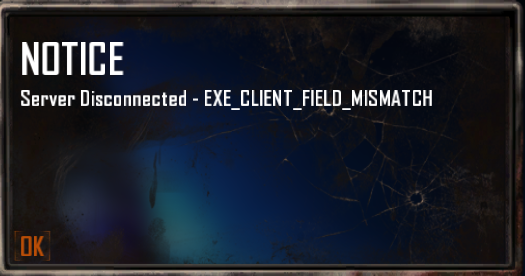
                        271ccd95-7d0a-4052-a52d-a224b2a60a33-image.png
                        Help!

                        techboy04gamingundefined 1 Reply Last reply
                        0
                        • Sonouge2025undefined Sonouge2025

                          271ccd95-7d0a-4052-a52d-a224b2a60a33-image.png
                          Help!

                          techboy04gamingundefined Offline
                          techboy04gamingundefined Offline
                          techboy04gaming
                          wrote on last edited by techboy04gaming
                          #44

                          Sonouge2025 Download the mod properly through the Releases page. Dont download the source. If that doesnt work lmk or feel free to contact me on Discord.

                          1 Reply Last reply
                          0
                          • techboy04gamingundefined techboy04gaming

                            technoopscollection header.png

                            TechnoOps Collection

                            GitHub Downloads (all assets, all releases) GitHub Release

                            A massive collection of scripts and mods I made over the years of making mods!

                            This mod idea was heavily inspired by Reapers Collection on Black Ops 3.

                            The mod includes:

                            • Exfil - Finish the match with style! Similar to Cold War + Black Ops 6.
                            • Rampage Statue - Similar to the Rampage Inducer but cant be disabled, zombies always run and there is no round delay.
                            • Gobblegums - Utilize Gobblegums in Black Ops 2!
                            • Global ATM - Allow players to share points to one public bank.
                            • Infected (Disabled by Default) - Similar to Advance Warfares Infection mechanic where players get infected randomly when damaged and can be cured by touching the cure skull
                            • Custom Game options to customize your experience. Through Custom Game menu and Dvars!
                            • Instant Pack a Punch - Upgrading is instant. No need to wait!
                            • Points underneath Perks - Crouch to get extra points underneath perk machines.
                            • Mod Quests currently available in Tranzit and Nuketown.
                            • zm_weapons and zm_perks integration from sehteria

                            Lightweight Features

                            • Health Bar
                            • Shield Bar
                            • Enemy Counter
                            • Hitmarker w/ Customizable sounds
                            • Secret Music for Survival Maps
                            • Zone Notifier - Shows the name of the area the player is in.
                            • Compass - Shows the players direction, current zone, and angle.
                            • Grabbable Starter Weapon - Ability to pickup the starter weapon instead of spawning with it.

                            Powerup and Perk Changes

                            • Bonus Points is on all maps.
                            • Max Ammo fills the magazine aswell.
                            • Nuke gives points per zombie killed.
                            • Carpenter repairs shield.
                            • Mulekick saves and retrieves the third weapon between downs.
                            • Doubletap gives faster mystery box spins and buildable repairs.
                            • Speedcola lets players perform actions quicker like swapping weapons.
                            • Staminup gives unlimited sprint.

                            There are also SOME map specific things aswell! (Not alot)

                            Tranzit:

                            • Fast Travel - Quickly teleport around the map.
                            • Better Power - When the power turns on it will open Pack A Punch along with any other power required doors.
                            • Toggleable fog and denizens - Be able to remove or keep the infamous fog and denizens.
                            • Jetgun has unlimited ammo - Jetgun doesn't go kaboom. Making it more fun to use.
                            • Ability to remove Lava damage
                            • Wall Weapon present in Town
                            • A ladder to travel from Town to between Diner and Farm
                            • Additional ladder placed in Diner to galvaknuckles
                            • Jetgun can be picked up by everyone
                            • A bunch of secrets

                            Origins:

                            • Toggleable Mud effects - Change whether you want to keep the mud movement or not.
                            • Removal of early voice lines from Samantha
                            • Right foot of Robot always open regardless if the hatch is opened or not
                            • Removal of recapture rounds

                            Nuketown:

                            • Perks Management - Choose how you want the perks to drop, from its normal behavior, every round, every time the bell chimes, or even all at once!

                            Mob of the Dead:

                            • Cat has 9 lives integration
                            • Afterlife doesnt down when mana expires, similar to the Beast from Shadows of Evil

                            Want a little fun? Try out our four gamemodes!

                            • Gun Game = Advance through the gun ladder by getting a certain amount of kills to progress, be the first to go through the entire ladder to win. Downs will demote you.
                            • Cranked = Survive as long as possible with a ticking time bomb that resets with every zombie kill, as the rounds progress, the max timer will being to shrink.
                            • Mystery Guns = Guns randomize after every round.
                            • Dead Light Green Light = Based off the Black Ops 6 LTM, players get double points during green light, upon red light you have to freeze aswell as getting no points, if you move, you get a punishment.
                            • Sharpshooter = Get a random gun every few seconds.
                            • Team Cranked = Similar to regular Cranked but the timer is shared.
                            • Zombie Snacks = Health doesnt regen and drops slowly, zombies drop energy to replenish health.

                            Configuration

                            The mod by default has preset settings but important settings can be changed via the Custom Games menu. All other settings are also configurable via the console. Both methods will save the choice for the next time you relaunch the mod. For a list of dvars, check out the dvar section of the wiki!

                            Try before you download!

                            Want to see how this script is played before downloading it? We have servers that host the script along with some extra features and maybe even early access to future updates! Just look up TechnoOps Collection on Plutonium T6 Zombie's server browser!

                            Download

                            How to install:

                            Mod (Recommended)

                            • Download the zm_technoopscollection.zip from the latest release via https://github.com/techboy04/TechnoOps-Collection/releases
                            • Place the .zip inside your %localappdata%/Plutonium/storage/t6/mods/
                              If the folders dont exist, create them.
                            • Extract the zip, MAKE SURE that the zm_technoopscollection FOLDER is in the mods folder so the structure should be mods/zm_technoopscollection/mod.ff
                            • Go to the Mods section on T6 Zombies and select the mod!

                            Scripts only! This is an older method but here incase you use a v1.X of the mod!

                            • Place the compiled or source script (along with the zm_transit folder if you want Solo Tombstone) in your scripts folder!
                            %localappdata%/Plutonium\storage\t6\scripts\zm
                            

                            Mod Wiki

                            Discord Support

                            Website Page

                            Credits

                            Logical Reaper - Mod Inspiration from Reaper Collection
                            Resxt, Bandit, afluffyofox, hinder, ZECxR3ap3r, Jezuz, and 2 Millimeter - Helping me throughout development of this mod and the other mods
                            JBleezy - Helped with Lua related stuff
                            XArtzyXundefined Offline
                            XArtzyXundefined Offline
                            XArtzyX
                            wrote on last edited by
                            #45
                            This post is deleted!
                            1 Reply Last reply
                            0
                            Reply
                            • Reply as topic
                            Log in to reply
                            • Oldest to Newest
                            • Newest to Oldest
                            • Most Votes


                            • 1
                            • 2
                            • 3
                            • Login

                            • Don't have an account? Register

                            • Login or register to search.
                            • First post
                              Last post
                            0
                            • Recent
                            • Tags
                            • Popular
                            • Users
                            • Groups
                            • Donate