Skip to content
  • 0 Unread 0
  • Recent
  • Tags
  • Popular
  • Users
  • Groups
  • Donate
Collapse

Plutonium

  1. Home
  2. BO2 Modding Releases & Resources
  3. [Release] Custom Icons [Call of Duty etc.]

[Release] Custom Icons [Call of Duty etc.]

Scheduled Pinned Locked Moved BO2 Modding Releases & Resources
bo2mw3plutoniumplutonium t6world at warbo2 helpbo1offlinelancamo pack
8 Posts 4 Posters 11.1k Views 1 Watching
  • Oldest to Newest
  • Newest to Oldest
  • Most Votes
Reply
  • Reply as topic
Log in to reply
This topic has been deleted. Only users with topic management privileges can see it.
  • TahjGadd Offline
    TahjGadd Offline
    TahjGadd
    wrote on last edited by TahjGadd
    #1

    9.PNG

    1.Download Icon Pack Mega or Mediafire
    Click "Download as zip if your using mega"

    2.After its Downloaded, Move Folder to your preferred path.
    I moved mine to the desktop.

    3.Next locate the folder you want to change, example:
    6.PNG

    (A) Right click folder

    (B) Select Properties

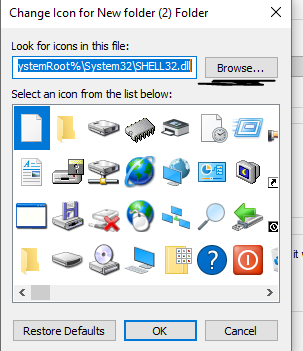
    (C) Select Customize and then change icon.
    7.PNG

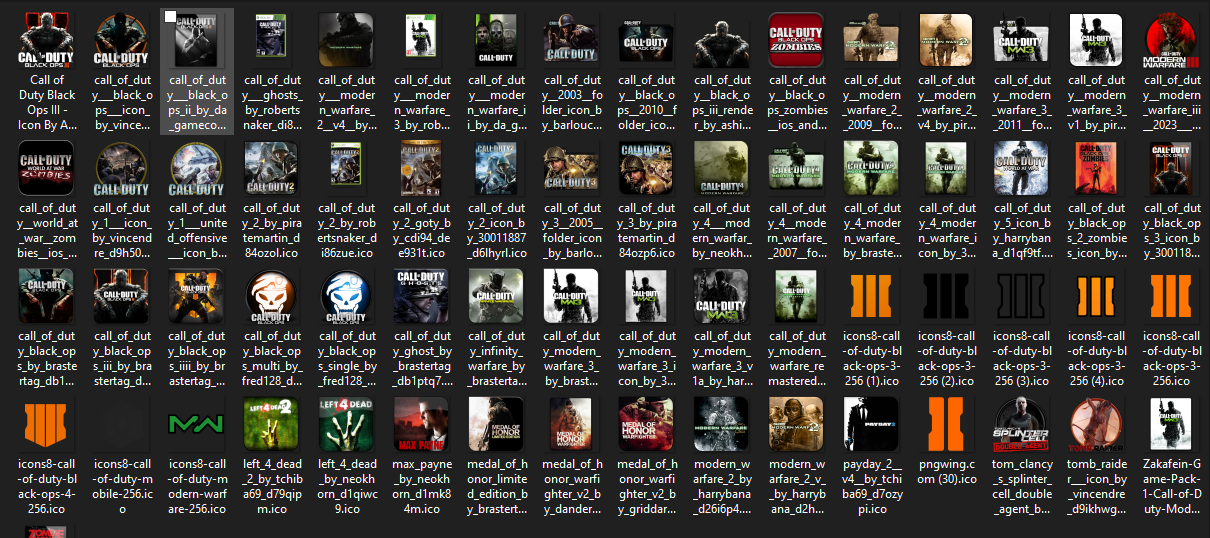
    (D) Select Browse and navigate to where you placed the icons folder.
    8.PNG
    I placed mine on the desktop so mine would be This PC > Desktop > Icons

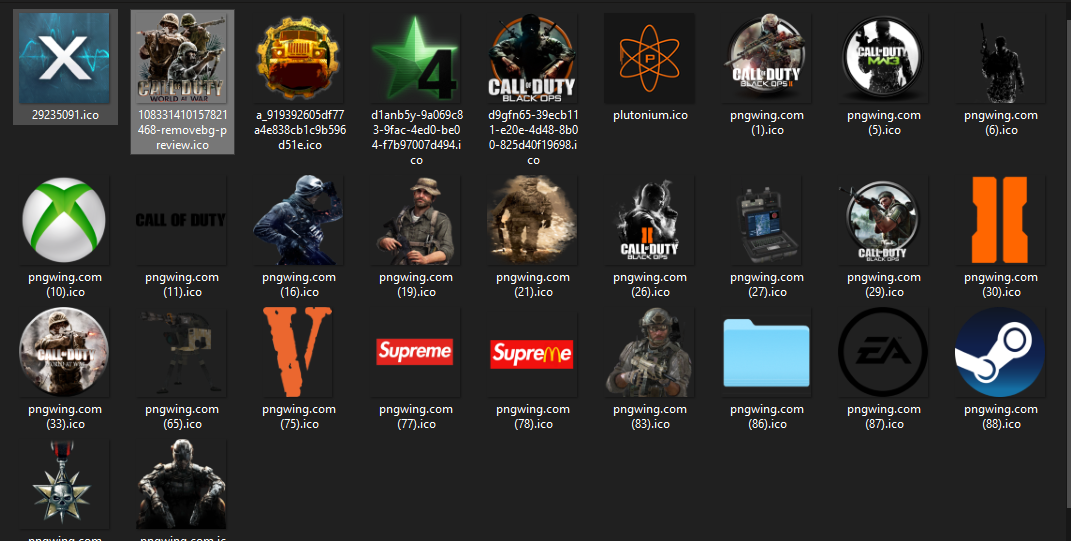
    (E) Select the one you want and press open then select ok.
    7.PNG

    4.Select Apply and then ok.
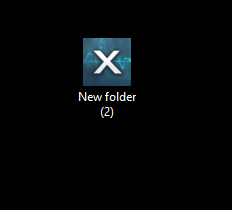
    10.PNG

    And that's it.
    11.PNG

    This icons folder has a couple icons to choose from.
    I will be adding more well scaled icons.

    THIS DOES NOT AFFECT GAME. Can be used on any Folder, Script file (shortcut), .bat files (shortcut).
    ENJOY!!

    MagicOGK 1 Reply Last reply
    4
    • GhostRider0125 Offline
      GhostRider0125 Offline
      GhostRider0125
      Banned
      wrote on last edited by
      #2

      cool idea i already done this for offline scripts😁😆

      TahjGadd 1 Reply Last reply
      1
      • GhostRider0125 GhostRider0125

        cool idea i already done this for offline scripts😁😆

        TahjGadd Offline
        TahjGadd Offline
        TahjGadd
        wrote on last edited by
        #3
        This post is deleted!
        1 Reply Last reply
        1
        • GhostRider0125 Offline
          GhostRider0125 Offline
          GhostRider0125
          Banned
          wrote on last edited by
          #4

          cool ladi😝

          1 Reply Last reply
          0
          • TahjGadd Offline
            TahjGadd Offline
            TahjGadd
            wrote on last edited by TahjGadd
            #5

            [Release] Custom Icons Update v2.
            Mega or MediaFire
            Capture.PNG

            1 Reply Last reply
            1
            • KinoBabyyy Offline
              KinoBabyyy Offline
              KinoBabyyy
              wrote on last edited by
              #6

              https://forum.plutonium.pw/assets/uploads/files/1728352400847-capture.png

              TahjGadd 1 Reply Last reply
              0
              • KinoBabyyy KinoBabyyy

                https://forum.plutonium.pw/assets/uploads/files/1728352400847-capture.png

                TahjGadd Offline
                TahjGadd Offline
                TahjGadd
                wrote on last edited by
                #7

                KinoBabyyy ?

                1 Reply Last reply
                0
                • TahjGadd TahjGadd

                  9.PNG

                  1.Download Icon Pack Mega or Mediafire
                  Click "Download as zip if your using mega"

                  2.After its Downloaded, Move Folder to your preferred path.
                  I moved mine to the desktop.

                  3.Next locate the folder you want to change, example:
                  6.PNG

                  (A) Right click folder

                  (B) Select Properties

                  (C) Select Customize and then change icon.
                  7.PNG

                  (D) Select Browse and navigate to where you placed the icons folder.
                  8.PNG
                  I placed mine on the desktop so mine would be This PC > Desktop > Icons

                  (E) Select the one you want and press open then select ok.
                  7.PNG

                  4.Select Apply and then ok.
                  10.PNG

                  And that's it.
                  11.PNG

                  This icons folder has a couple icons to choose from.
                  I will be adding more well scaled icons.

                  THIS DOES NOT AFFECT GAME. Can be used on any Folder, Script file (shortcut), .bat files (shortcut).
                  ENJOY!!

                  MagicOGK Offline
                  MagicOGK Offline
                  MagicOGK
                  wrote last edited by
                  #8

                  TahjGadd can you fix the download? zip the files instead of having to download one file at a time? and mega link is empty

                  1 Reply Last reply
                  0

                  Hello! It looks like you're interested in this conversation, but you don't have an account yet.

                  Getting fed up of having to scroll through the same posts each visit? When you register for an account, you'll always come back to exactly where you were before, and choose to be notified of new replies (either via email, or push notification). You'll also be able to save bookmarks and upvote posts to show your appreciation to other community members.

                  With your input, this post could be even better 💗

                  Register Login
                  Reply
                  • Reply as topic
                  Log in to reply
                  • Oldest to Newest
                  • Newest to Oldest
                  • Most Votes


                  • Login

                  • Don't have an account? Register

                  • Login or register to search.
                  • First post
                    Last post
                  0
                  • Unread 0
                  • Recent
                  • Tags
                  • Popular
                  • Users
                  • Groups
                  • Donate