the launcher closes.
-
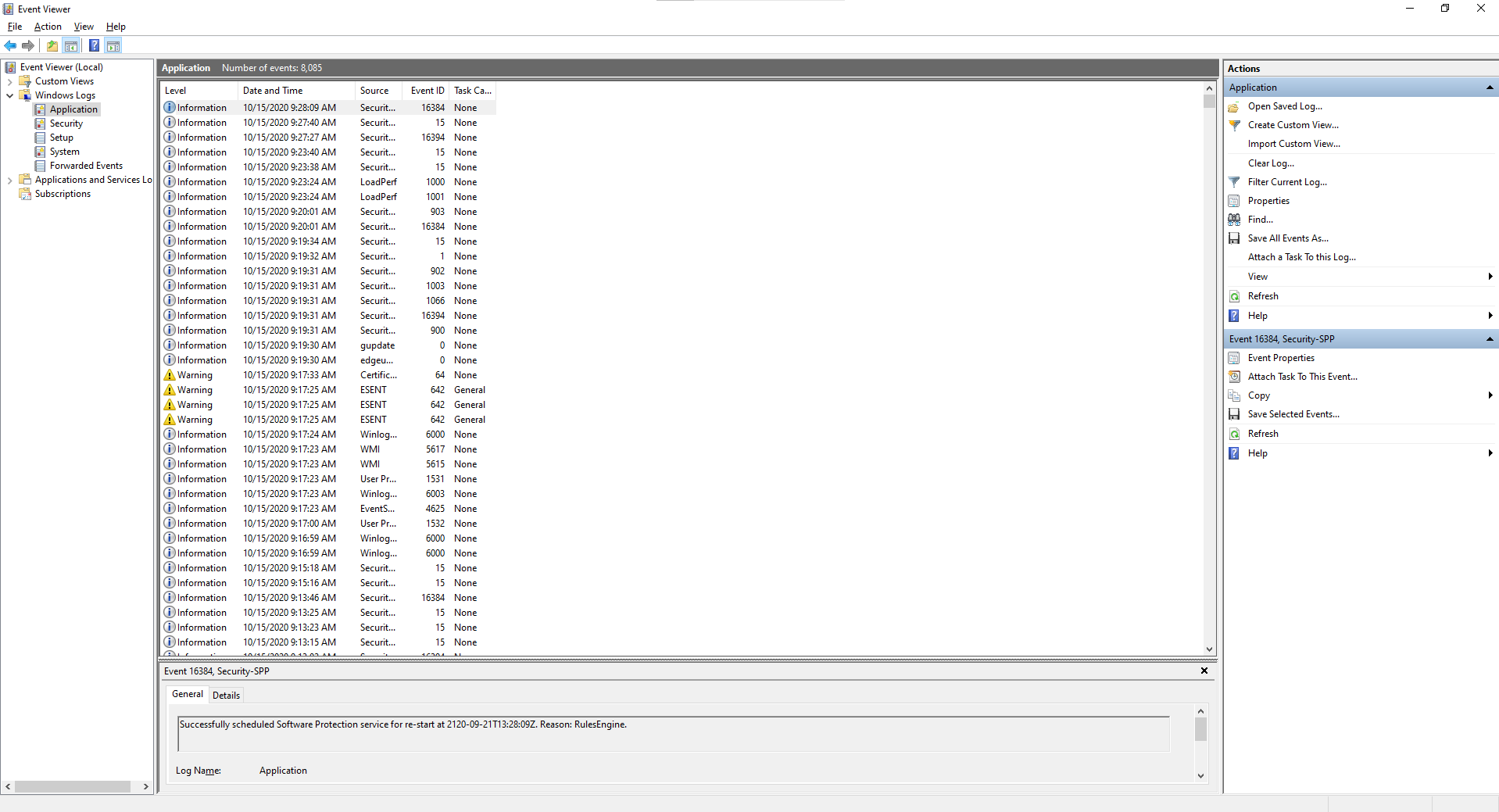
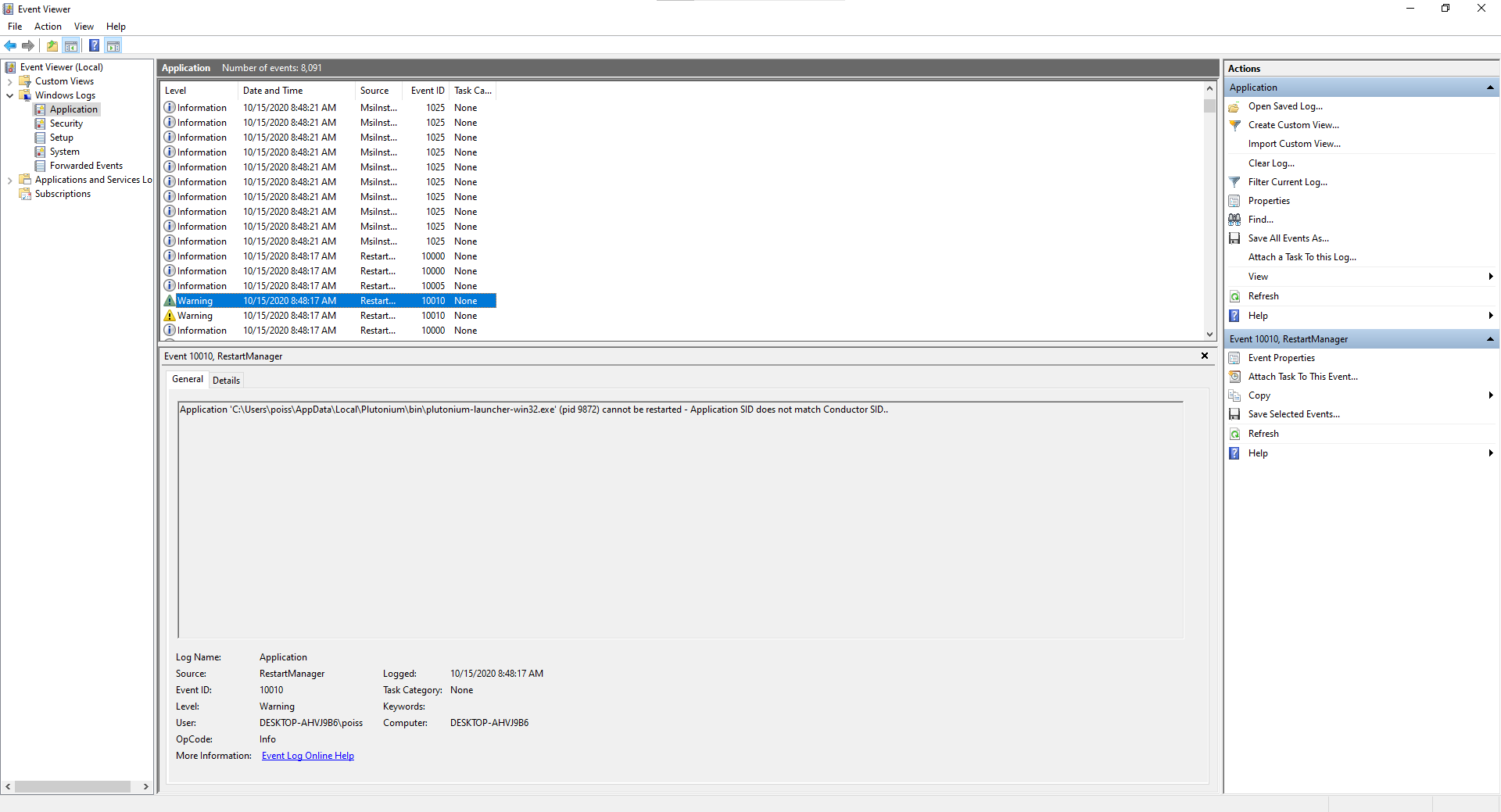
Qu1ck808 well the instructions he posted tell you what to look for.
You look at events that are marked as "warning" or "error" and then you click them and look at the even description underneath and see if it mentions plutonium.exe or plutonium-bootstrapper-win32.exe. -
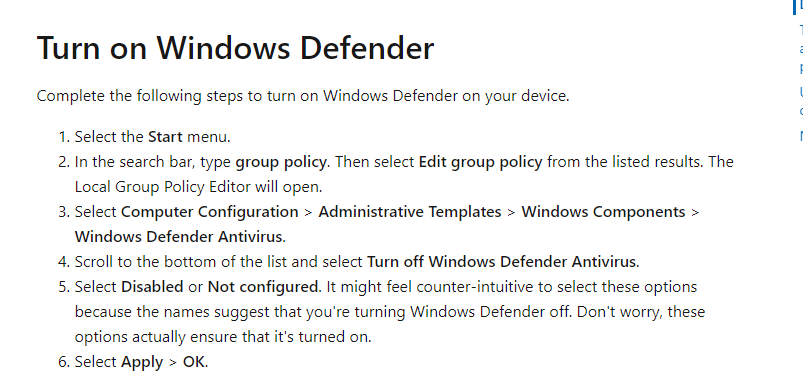
that should work for you if his suggestion isn't working -
Qu1ck808 that has prolly smth to do with your running it as admin. Anyways if disabling defender completely also didn't help i'm out of ideas.
-
Dss0 someone said when installing the torrent file to unclick create sub files or something like that which I did the 2nd time I installed Plutonium
Qu1ck808 said in the launcher closes.:
Dss0 someone said when installing the torrent file to unclick create sub files or something like that which I did the 2nd time I installed Plutonium
that's for repairing your existing game files but your game files are not the issue here, it's failing to start the bootstrapper for whatever reason.



Hello! It looks like you're interested in this conversation, but you don't have an account yet.
Getting fed up of having to scroll through the same posts each visit? When you register for an account, you'll always come back to exactly where you were before, and choose to be notified of new replies (either via email, or push notification). You'll also be able to save bookmarks and upvote posts to show your appreciation to other community members.
With your input, this post could be even better 💗
Register Login