I can't find the t6r folder
-
-
Hello, I would like to change some skins in the game, but I can't find the t6r folder, I tried to search, but I couldn't find

SrPanda create it in the game folder.
t6r/data/images -
-
-
I did what you said but it didn't work
SrPanda yes you create it there, that must work.
textures in .iwi format go into t6r/data/images (you have to create all 3 ofc).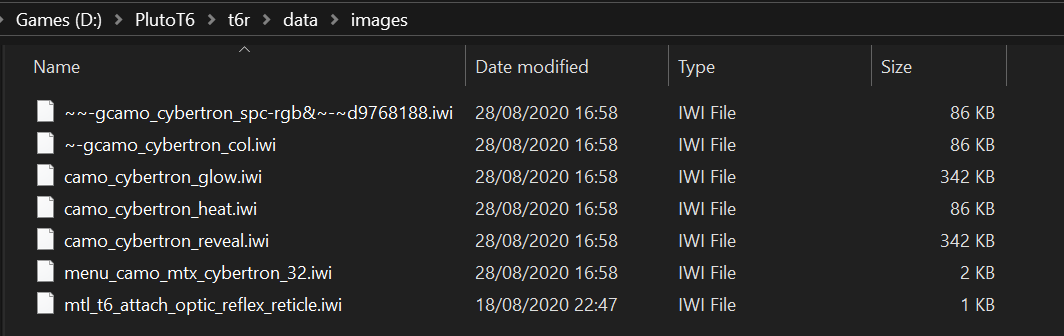
-

when i drag the files into the images folder nothing happens
-
when i drag the files into the images folder nothing happens

AbusingR99s
Well, you should already know that the path for Plutonium and the loading of scripts or .iwi images is where the Plutonium files are loaded, which is in AppData.The path you should use to install .iwi files or images is: C:\Users\YourUser\AppData\Local\Plutonium\storage\t6\images
Also, in the path where it says YourUser, you have to put the name of your computer.If the images folder is not created, create it and place the .iwi files inside before starting the Plutonium launcher.
-
when i drag the files into the images folder nothing happens

AbusingR99s read the doc and don't necro 3 years old posts
-
Resxt locked this topic on

Hello! It looks like you're interested in this conversation, but you don't have an account yet.
Getting fed up of having to scroll through the same posts each visit? When you register for an account, you'll always come back to exactly where you were before, and choose to be notified of new replies (either via email, or push notification). You'll also be able to save bookmarks and upvote posts to show your appreciation to other community members.
With your input, this post could be even better 💗
Register Login