[Release] Haisa's Skin Pack V3 + Tutorial
-

Hey guys, it's me again. I want to thank you all for being part of this great community. It's time for my last and final Skin Pack for Plutonium (atleast for a very very very long time). And this is why I decided to make a tutorial on how to make your own Custom Weapon Skins, so you don't rely on me releasing skins for you. It took a very long time to create and prepare everything for this video (and sorry for my bad english, but I tried my best), so I hope you enjoy it and create awesome Custom Skins! I would like to see what this community is capable of and I will be looking forward to see your skin creations!
https://www.youtube.com/watch?v=NFoJUuQHjnw
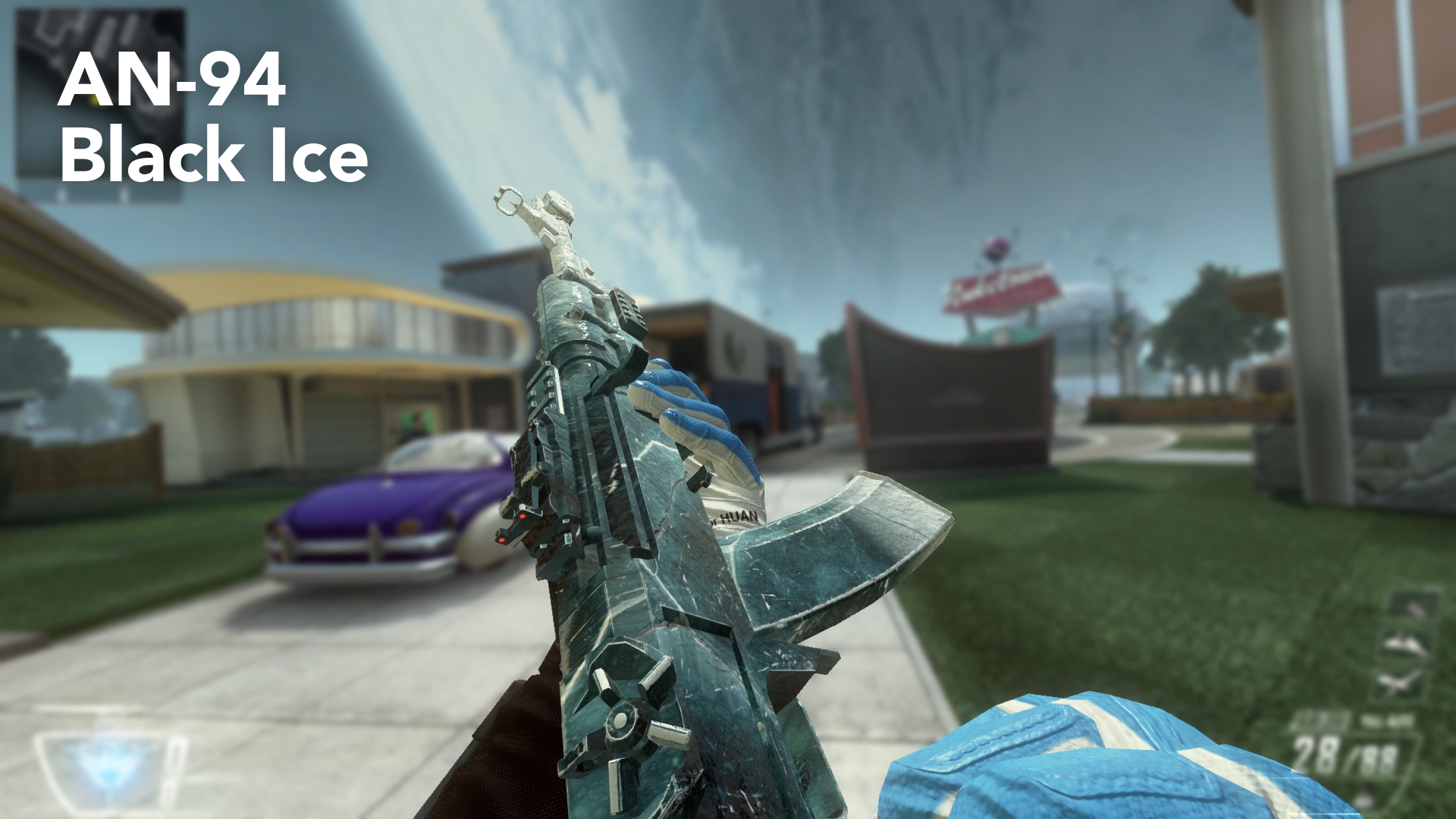
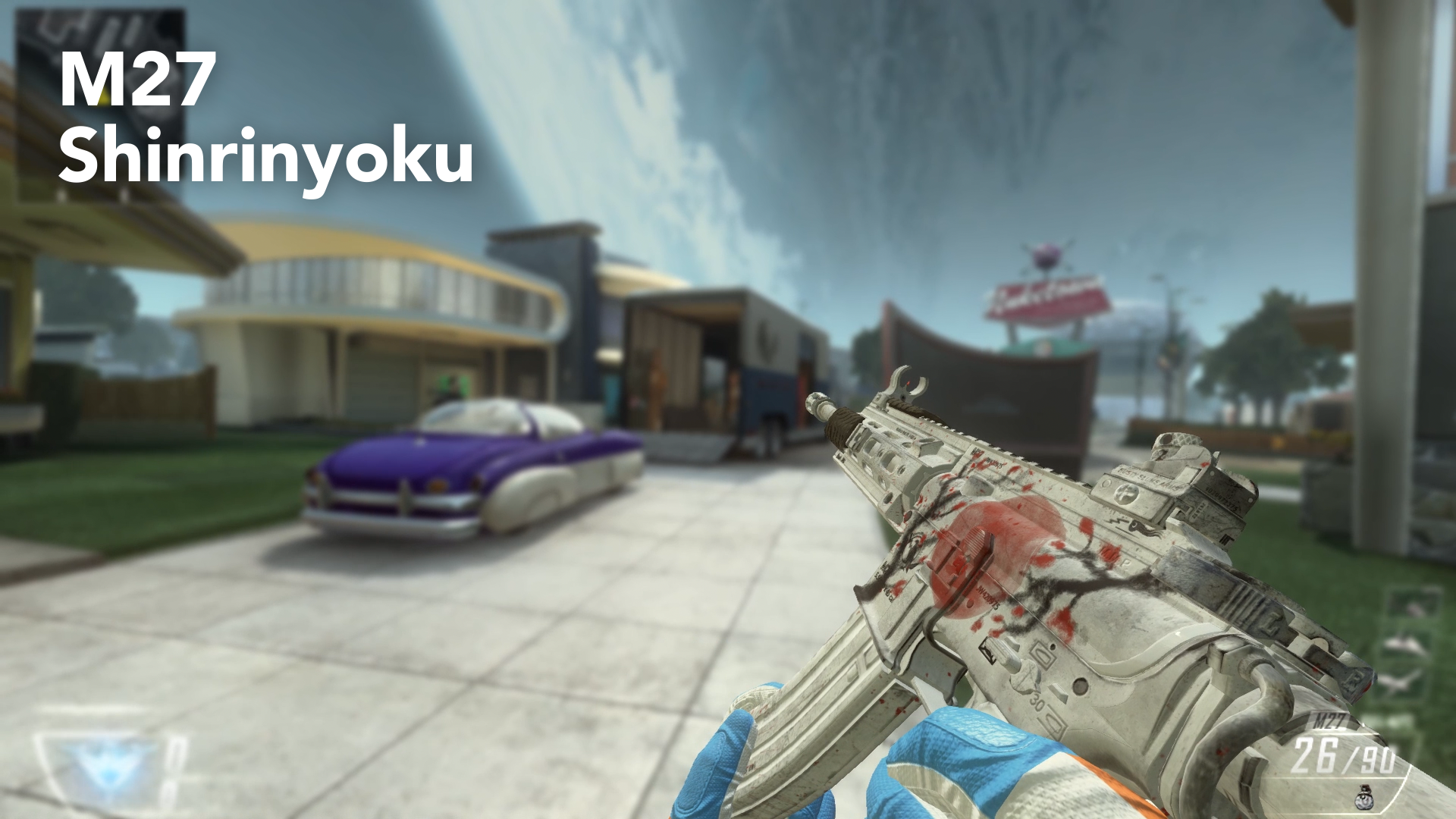
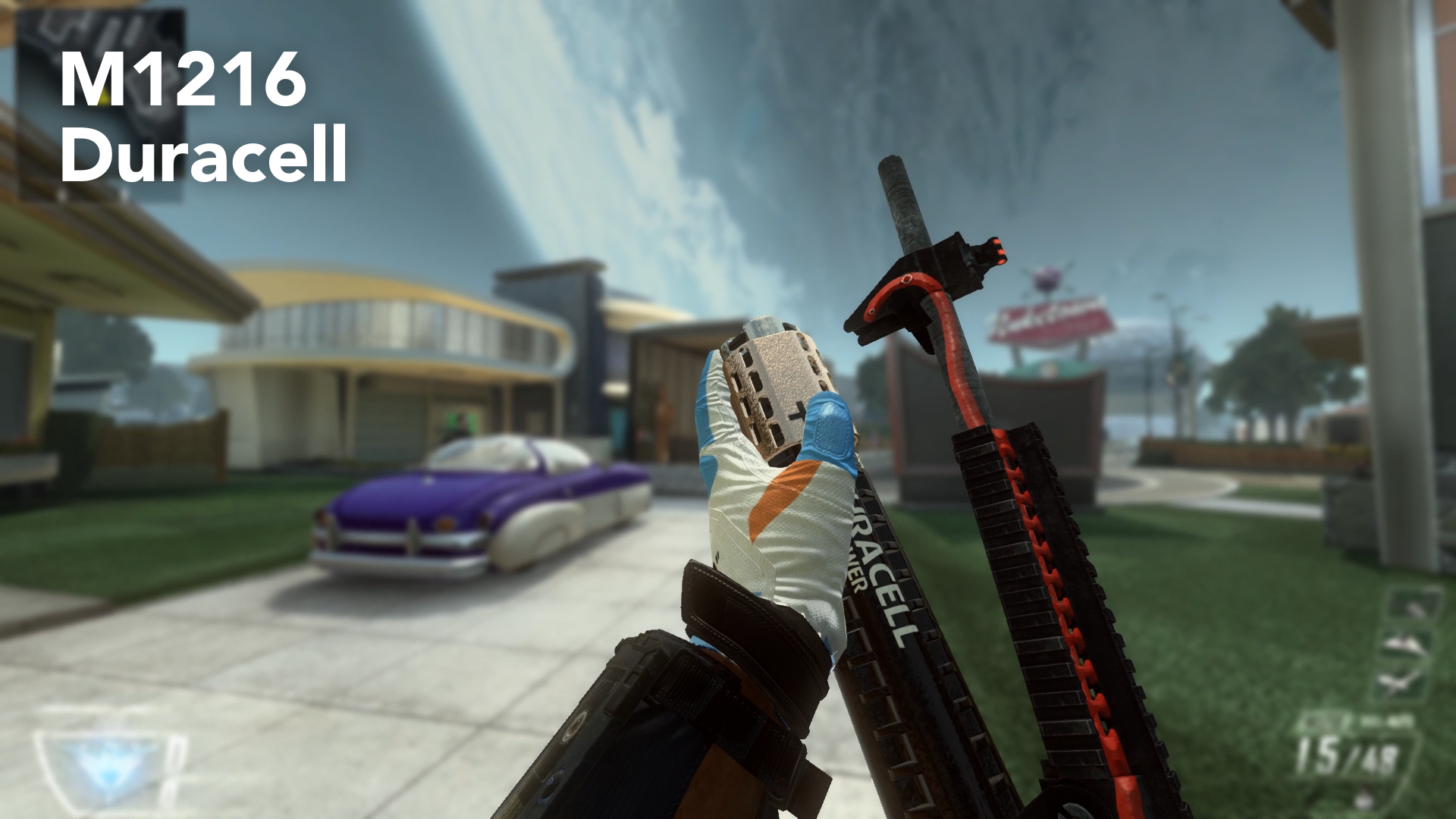

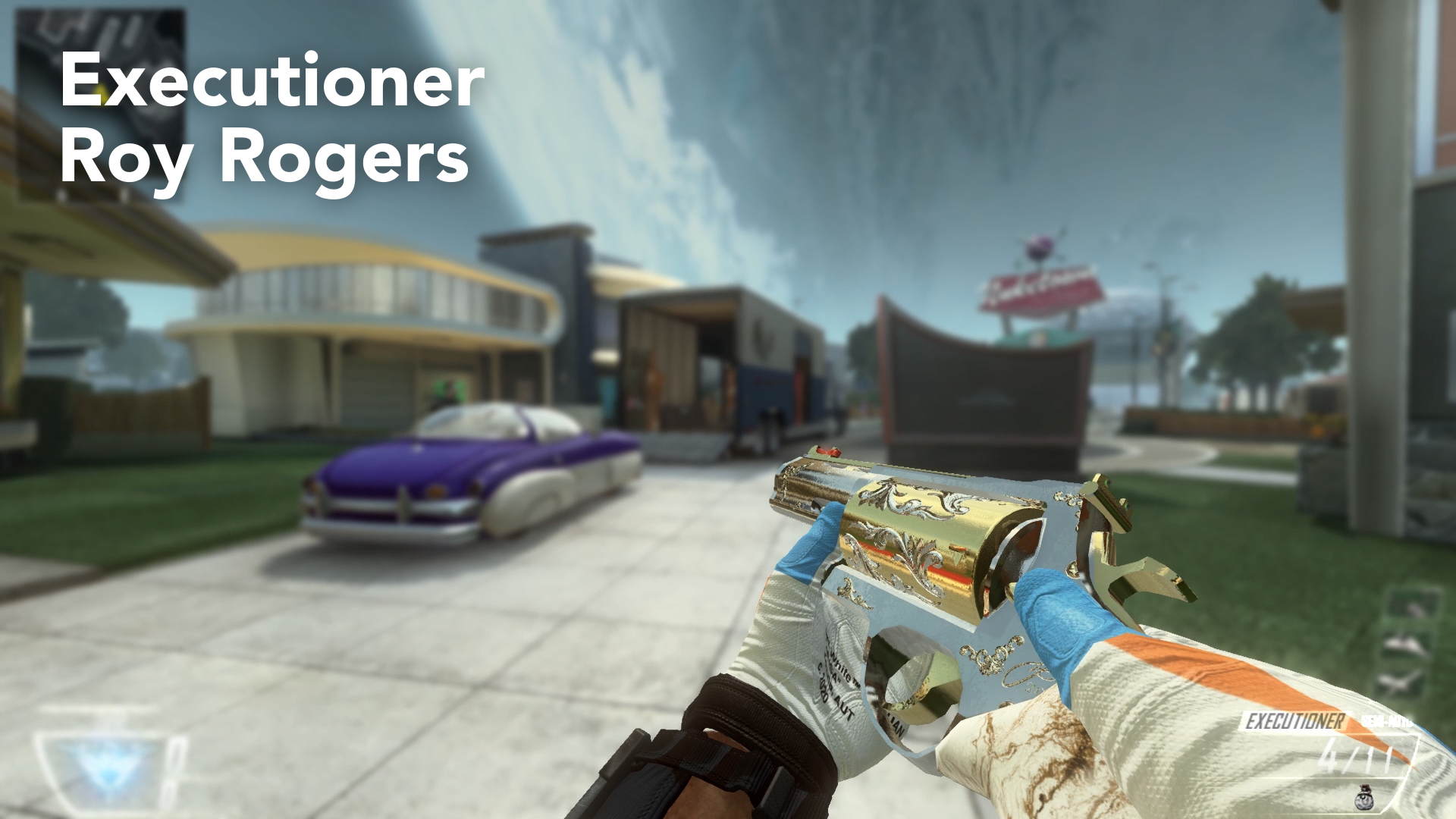
Installation Guide:
Just download the following files and place the .iwi files in your Plutonium>t6r>data>images folder. If you don't have these folders you can create them, but make sure that they have the exact names as mentioned before!
Warning: These skins replace your standard weapon skin! So you actually equip them by not choosing a camo in your Create-A-Class Menu! This also means, that you will have these camos in Zombies.
If you don't want them anymore, you can put a camo on the gun or delete the files from the folder.
Download Link:
https://www.dropbox.com/sh/ibonoh2pq7srjgb/AAC3339VurPSZq0KXroQFWvka?dl=0
on Dropboxhttps://mega.nz/file/Q5cyVBxJ#Qg3zU6tR4-5ddSeAmDWHSVrd6MQvpXaw0a2WCYYIAR8
on MegaPLEASE DOWNLOAD THE WHOLE FOLDER, there is a strange bug where it doesn't work if you download the files individually!
Thanks for being awesome as always guys and keep playing Plutonium!
- Greetings, Haisa!
-
-

Thank you for your contributions, your skins / camos look amazing as always

-
Hey guys, it's me again. I want to thank you all for being part of this great community. It's time for my last and final Skin Pack for Plutonium (atleast for a very very very long time). And this is why I decided to make a tutorial on how to make your own Custom Weapon Skins, so you don't rely on me releasing skins for you. It took a very long time to create and prepare everything for this video (and sorry for my bad english, but I tried my best), so I hope you enjoy it and create awesome Custom Skins! I would like to see what this community is capable of and I will be looking forward to see your skin creations!
https://www.youtube.com/watch?v=NFoJUuQHjnw
Installation Guide:
Just download the following files and place the .iwi files in your Plutonium>t6r>data>images folder. If you don't have these folders you can create them, but make sure that they have the exact names as mentioned before!
Warning: These skins replace your standard weapon skin! So you actually equip them by not choosing a camo in your Create-A-Class Menu! This also means, that you will have these camos in Zombies.
If you don't want them anymore, you can put a camo on the gun or delete the files from the folder.
Download Link:
https://www.dropbox.com/sh/ibonoh2pq7srjgb/AAC3339VurPSZq0KXroQFWvka?dl=0
on Dropboxhttps://mega.nz/file/Q5cyVBxJ#Qg3zU6tR4-5ddSeAmDWHSVrd6MQvpXaw0a2WCYYIAR8
on MegaPLEASE DOWNLOAD THE WHOLE FOLDER, there is a strange bug where it doesn't work if you download the files individually!
Thanks for being awesome as always guys and keep playing Plutonium!
- Greetings, Haisa!
-
-
Thank you for your contributions, your skins / camos look amazing as always
-
-
-
-
-
This is amazing
-

These are freaking amazing dude. DLing just for the battery one alone lol. And def checking out your first 2 entries into camos.
This is so cool. Everything about this client.
-

-
Which camo does the m27 one replace?

ThiccGoths it doesn’t replace anything, they’re base textures. If you ready the other posts by Haisa you would know that
-
-
Hey guys, it's me again. I want to thank you all for being part of this great community. It's time for my last and final Skin Pack for Plutonium (atleast for a very very very long time). And this is why I decided to make a tutorial on how to make your own Custom Weapon Skins, so you don't rely on me releasing skins for you. It took a very long time to create and prepare everything for this video (and sorry for my bad english, but I tried my best), so I hope you enjoy it and create awesome Custom Skins! I would like to see what this community is capable of and I will be looking forward to see your skin creations!
https://www.youtube.com/watch?v=NFoJUuQHjnw
Installation Guide:
Just download the following files and place the .iwi files in your Plutonium>t6r>data>images folder. If you don't have these folders you can create them, but make sure that they have the exact names as mentioned before!
Warning: These skins replace your standard weapon skin! So you actually equip them by not choosing a camo in your Create-A-Class Menu! This also means, that you will have these camos in Zombies.
If you don't want them anymore, you can put a camo on the gun or delete the files from the folder.
Download Link:
https://www.dropbox.com/sh/ibonoh2pq7srjgb/AAC3339VurPSZq0KXroQFWvka?dl=0
on Dropboxhttps://mega.nz/file/Q5cyVBxJ#Qg3zU6tR4-5ddSeAmDWHSVrd6MQvpXaw0a2WCYYIAR8
on MegaPLEASE DOWNLOAD THE WHOLE FOLDER, there is a strange bug where it doesn't work if you download the files individually!
Thanks for being awesome as always guys and keep playing Plutonium!
- Greetings, Haisa!

Haisa make black ice pack thats sick
-
Hey guys, it's me again. I want to thank you all for being part of this great community. It's time for my last and final Skin Pack for Plutonium (atleast for a very very very long time). And this is why I decided to make a tutorial on how to make your own Custom Weapon Skins, so you don't rely on me releasing skins for you. It took a very long time to create and prepare everything for this video (and sorry for my bad english, but I tried my best), so I hope you enjoy it and create awesome Custom Skins! I would like to see what this community is capable of and I will be looking forward to see your skin creations!
https://www.youtube.com/watch?v=NFoJUuQHjnw
Installation Guide:
Just download the following files and place the .iwi files in your Plutonium>t6r>data>images folder. If you don't have these folders you can create them, but make sure that they have the exact names as mentioned before!
Warning: These skins replace your standard weapon skin! So you actually equip them by not choosing a camo in your Create-A-Class Menu! This also means, that you will have these camos in Zombies.
If you don't want them anymore, you can put a camo on the gun or delete the files from the folder.
Download Link:
https://www.dropbox.com/sh/ibonoh2pq7srjgb/AAC3339VurPSZq0KXroQFWvka?dl=0
on Dropboxhttps://mega.nz/file/Q5cyVBxJ#Qg3zU6tR4-5ddSeAmDWHSVrd6MQvpXaw0a2WCYYIAR8
on MegaPLEASE DOWNLOAD THE WHOLE FOLDER, there is a strange bug where it doesn't work if you download the files individually!
Thanks for being awesome as always guys and keep playing Plutonium!
- Greetings, Haisa!
-
luigistyle Thank you very much!
Haisa the remington neutron is amazing
how did you get the different colors -
Thank you for your contributions, your skins / camos look amazing as always
luigistyle come pija
-




Hello! It looks like you're interested in this conversation, but you don't have an account yet.
Getting fed up of having to scroll through the same posts each visit? When you register for an account, you'll always come back to exactly where you were before, and choose to be notified of new replies (either via email, or push notification). You'll also be able to save bookmarks and upvote posts to show your appreciation to other community members.
With your input, this post could be even better 💗
Register Login