Skip to content
  • 0 Unread 0
  • Recent
  • Tags
  • Popular
  • Users
  • Groups
  • Donate
Collapse

Plutonium

  1. Home
  2. BO2 Modding Releases & Resources
  3. [Release] Haisa's Skin Pack V3 + Tutorial

[Release] Haisa's Skin Pack V3 + Tutorial

Scheduled Pinned Locked Moved BO2 Modding Releases & Resources
20 Posts 18 Posters 25.2k Views 2 Watching
  • Oldest to Newest
  • Newest to Oldest
  • Most Votes
Reply
  • Reply as topic
Log in to reply
This topic has been deleted. Only users with topic management privileges can see it.
  • luigistyle luigistyle

    Thank you for your contributions, your skins / camos look amazing as always ๐Ÿ™‚

    Haisa Offline
    Haisa Offline
    Haisa
    wrote on last edited by
    #6

    luigistyle Thank you very much!

    A Former User? 1 Reply Last reply
    2
    • Dss0 Dss0

      Haisa richtig gute texturen + tutorial!

      You can export straight to dds from photoshop using the intel texture works plugin btw so you can skip the paint.net conversion step.

      Haisa Offline
      Haisa Offline
      Haisa
      wrote on last edited by Haisa
      #7

      Dss0 Danke! Yes but i thought it would be easier to just use paint.net for this tutorial haha but I will put a link to the plugin in the video description, thanks for pointing it out!

      1 Reply Last reply
      2
      • Domse Offline
        Domse Offline
        Domse
        wrote on last edited by
        #8

        Once again awesome skins!

        1 Reply Last reply
        3
        • MASL_ Offline
          MASL_ Offline
          MASL_
          wrote on last edited by
          #9

          pog pog pog

          1 Reply Last reply
          2
          • kingofnowhere Offline
            kingofnowhere Offline
            kingofnowhere
            wrote on last edited by
            #10

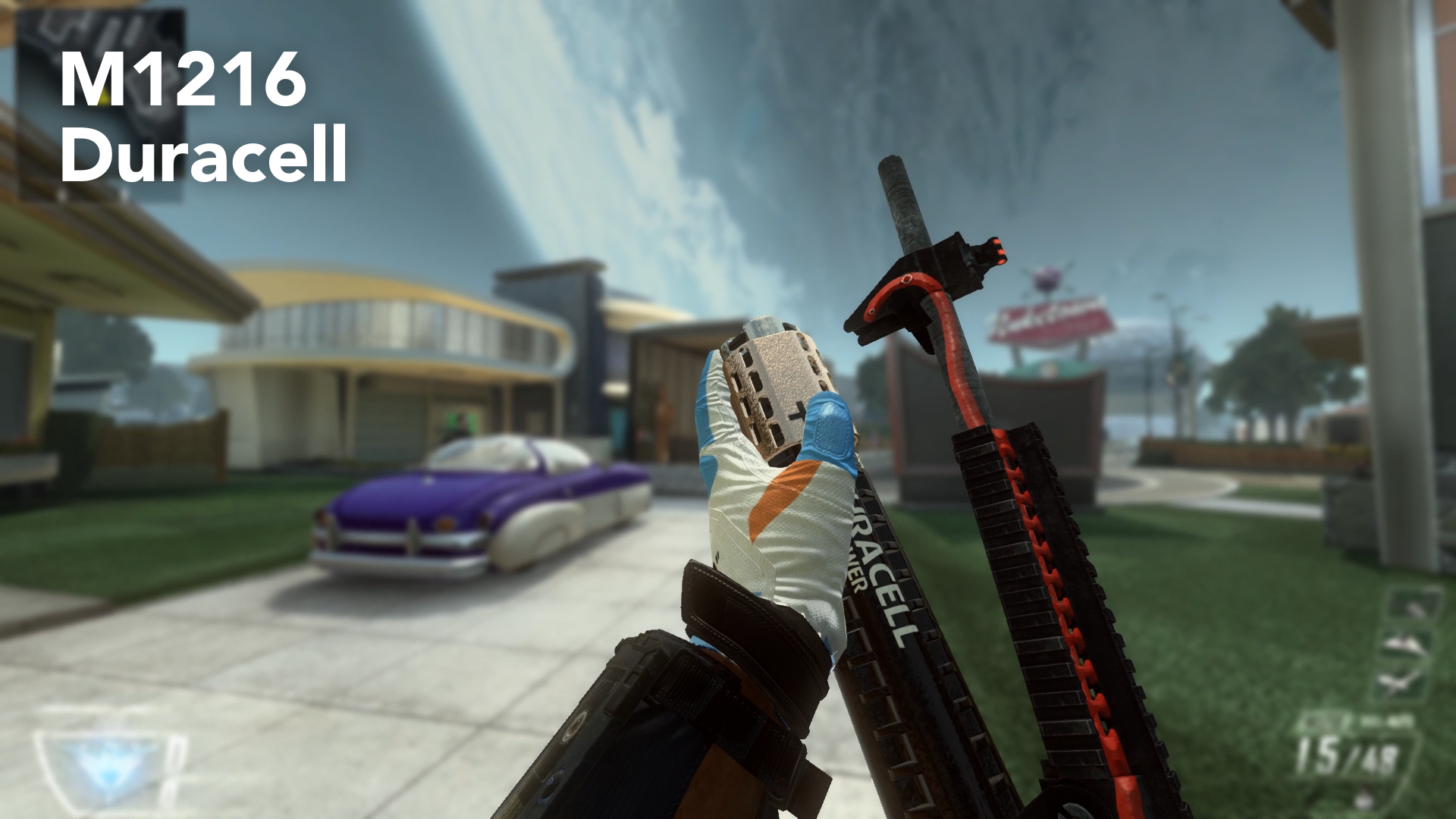
            That duracell one tho.

            1 Reply Last reply
            2
            • Kitchen Gun Offline
              Kitchen Gun Offline
              Kitchen Gun
              wrote on last edited by
              #11

              This is amazing

              1 Reply Last reply
              2
              • YaMissediDidnt Offline
                YaMissediDidnt Offline
                YaMissediDidnt
                Contributor
                wrote on last edited by
                #12

                These are freaking amazing dude. DLing just for the battery one alone lol. And def checking out your first 2 entries into camos.

                This is so cool. Everything about this client.

                1 Reply Last reply
                2
                • ThiccGoths Offline
                  ThiccGoths Offline
                  ThiccGoths
                  wrote on last edited by
                  #13

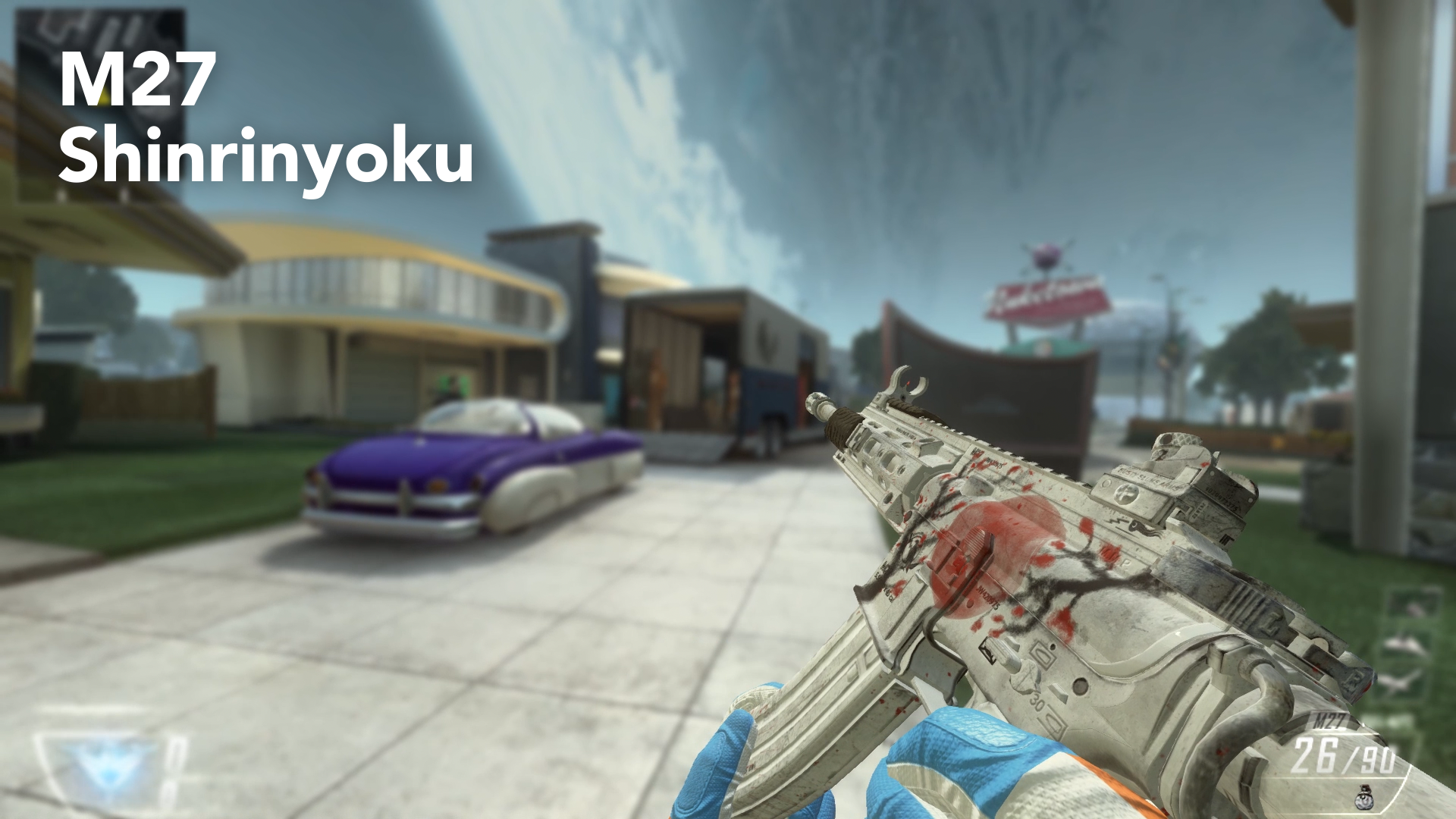
                  Which camo does the m27 one replace?

                  Odd Angel 1 Reply Last reply
                  0
                  • ThiccGoths ThiccGoths

                    Which camo does the m27 one replace?

                    Odd Angel Offline
                    Odd Angel Offline
                    Odd Angel
                    wrote on last edited by
                    #14

                    ThiccGoths it doesnโ€™t replace anything, theyโ€™re base textures. If you ready the other posts by Haisa you would know that

                    1 Reply Last reply
                    0
                    • Naomi_ Offline
                      Naomi_ Offline
                      Naomi_
                      wrote on last edited by
                      #15
                      This post is deleted!
                      1 Reply Last reply
                      0
                      • Haisa Haisa

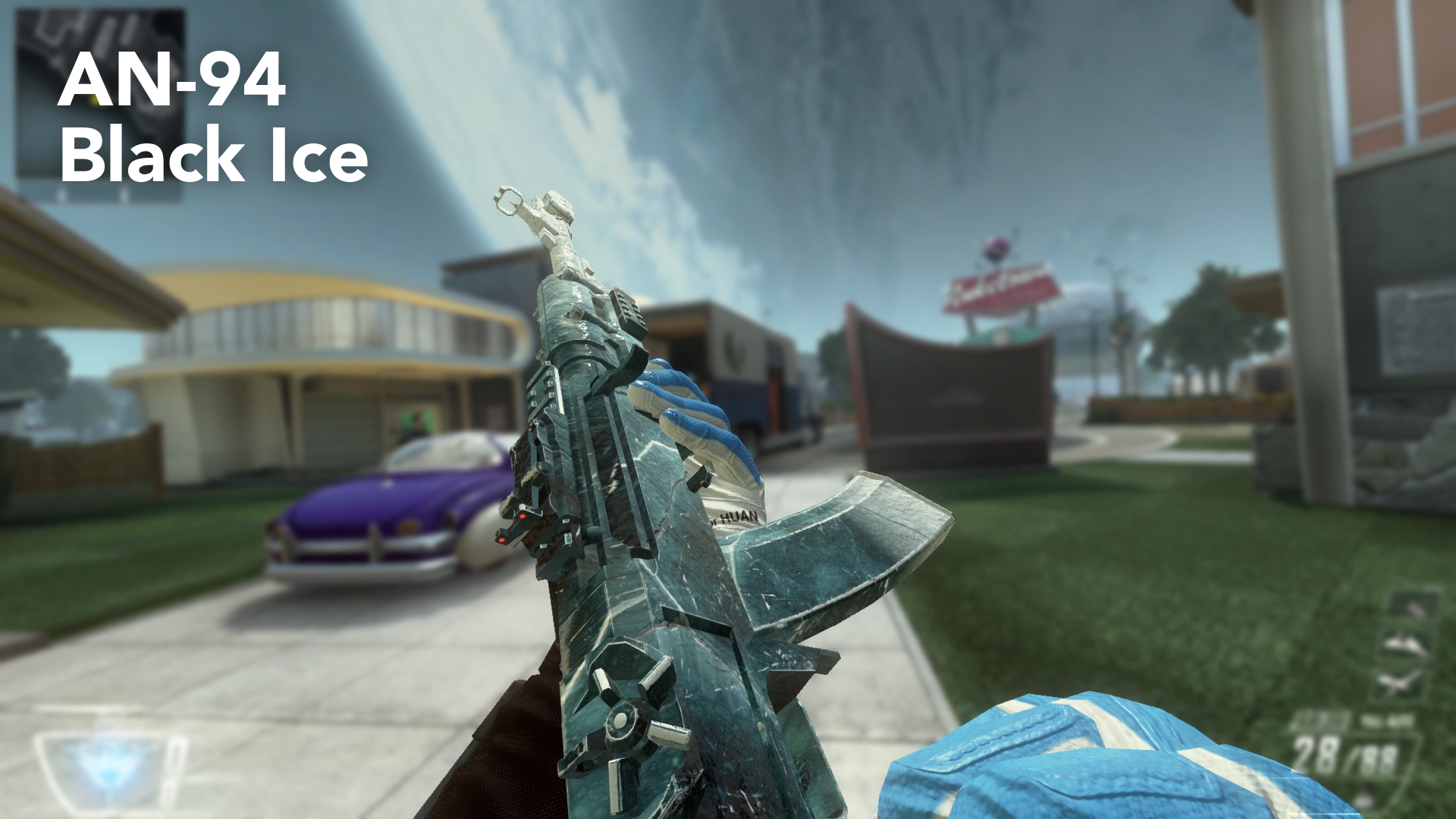
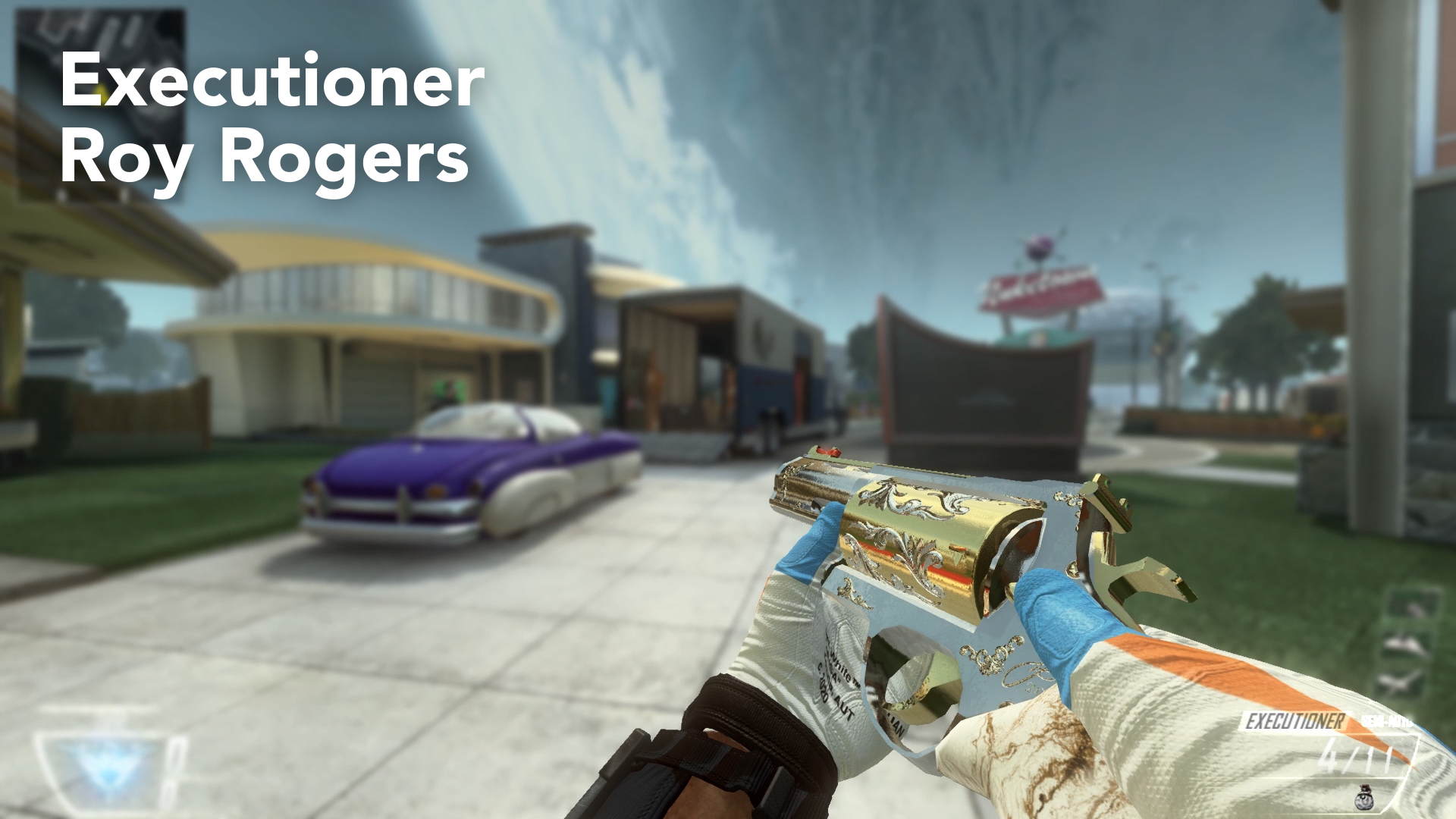
                        Hey guys, it's me again. I want to thank you all for being part of this great community. It's time for my last and final Skin Pack for Plutonium (atleast for a very very very long time). And this is why I decided to make a tutorial on how to make your own Custom Weapon Skins, so you don't rely on me releasing skins for you. It took a very long time to create and prepare everything for this video (and sorry for my bad english, but I tried my best), so I hope you enjoy it and create awesome Custom Skins! I would like to see what this community is capable of and I will be looking forward to see your skin creations!

                        https://www.youtube.com/watch?v=NFoJUuQHjnw

                        AN94.png

                        M27.png

                        M1216.png

                        Remington.png

                        Executioner.png

                        Installation Guide:

                        Just download the following files and place the .iwi files in your Plutonium>t6r>data>images folder. If you don't have these folders you can create them, but make sure that they have the exact names as mentioned before!

                        Warning: These skins replace your standard weapon skin! So you actually equip them by not choosing a camo in your Create-A-Class Menu! This also means, that you will have these camos in Zombies.

                        If you don't want them anymore, you can put a camo on the gun or delete the files from the folder.

                        Download Link:
                        https://www.dropbox.com/sh/ibonoh2pq7srjgb/AAC3339VurPSZq0KXroQFWvka?dl=0
                        on Dropbox

                        https://mega.nz/file/Q5cyVBxJ#Qg3zU6tR4-5ddSeAmDWHSVrd6MQvpXaw0a2WCYYIAR8
                        on Mega

                        PLEASE DOWNLOAD THE WHOLE FOLDER, there is a strange bug where it doesn't work if you download the files individually!

                        Thanks for being awesome as always guys and keep playing Plutonium!

                        • Greetings, Haisa!
                        zxc_scorpion Offline
                        zxc_scorpion Offline
                        zxc_scorpion
                        Banned
                        wrote on last edited by
                        #16

                        Haisa make black ice pack thats sick

                        1 Reply Last reply
                        0
                        • Haisa Haisa

                          Hey guys, it's me again. I want to thank you all for being part of this great community. It's time for my last and final Skin Pack for Plutonium (atleast for a very very very long time). And this is why I decided to make a tutorial on how to make your own Custom Weapon Skins, so you don't rely on me releasing skins for you. It took a very long time to create and prepare everything for this video (and sorry for my bad english, but I tried my best), so I hope you enjoy it and create awesome Custom Skins! I would like to see what this community is capable of and I will be looking forward to see your skin creations!

                          https://www.youtube.com/watch?v=NFoJUuQHjnw

                          AN94.png

                          M27.png

                          M1216.png

                          Remington.png

                          Executioner.png

                          Installation Guide:

                          Just download the following files and place the .iwi files in your Plutonium>t6r>data>images folder. If you don't have these folders you can create them, but make sure that they have the exact names as mentioned before!

                          Warning: These skins replace your standard weapon skin! So you actually equip them by not choosing a camo in your Create-A-Class Menu! This also means, that you will have these camos in Zombies.

                          If you don't want them anymore, you can put a camo on the gun or delete the files from the folder.

                          Download Link:
                          https://www.dropbox.com/sh/ibonoh2pq7srjgb/AAC3339VurPSZq0KXroQFWvka?dl=0
                          on Dropbox

                          https://mega.nz/file/Q5cyVBxJ#Qg3zU6tR4-5ddSeAmDWHSVrd6MQvpXaw0a2WCYYIAR8
                          on Mega

                          PLEASE DOWNLOAD THE WHOLE FOLDER, there is a strange bug where it doesn't work if you download the files individually!

                          Thanks for being awesome as always guys and keep playing Plutonium!

                          • Greetings, Haisa!
                          1chi Offline
                          1chi Offline
                          1chi
                          wrote on last edited by
                          #17

                          Haisa Loved rainbow six black ice

                          1 Reply Last reply
                          0
                          • Haisa Haisa

                            luigistyle Thank you very much!

                            A Former User? Offline
                            A Former User? Offline
                            A Former User
                            wrote on last edited by
                            #18

                            Haisa the remington neutron is amazing
                            how did you get the different colors

                            1 Reply Last reply
                            0
                            • luigistyle luigistyle

                              Thank you for your contributions, your skins / camos look amazing as always ๐Ÿ™‚

                              THE_KEVIN_UWU Offline
                              THE_KEVIN_UWU Offline
                              THE_KEVIN_UWU
                              wrote on last edited by
                              #19

                              luigistyle come pija

                              1 Reply Last reply
                              0
                              • djjakub23 Offline
                                djjakub23 Offline
                                djjakub23
                                wrote on last edited by
                                #20

                                The duracell camo is awesome .

                                1 Reply Last reply
                                0

                                Hello! It looks like you're interested in this conversation, but you don't have an account yet.

                                Getting fed up of having to scroll through the same posts each visit? When you register for an account, you'll always come back to exactly where you were before, and choose to be notified of new replies (either via email, or push notification). You'll also be able to save bookmarks and upvote posts to show your appreciation to other community members.

                                With your input, this post could be even better ๐Ÿ’—

                                Register Login
                                Reply
                                • Reply as topic
                                Log in to reply
                                • Oldest to Newest
                                • Newest to Oldest
                                • Most Votes


                                • Login

                                • Don't have an account? Register

                                • Login or register to search.
                                • First post
                                  Last post
                                0
                                • Unread 0
                                • Recent
                                • Tags
                                • Popular
                                • Users
                                • Groups
                                • Donate