Skip to content
  • 0 Unread 0
  • Recent
  • Tags
  • Popular
  • Users
  • Groups
  • Donate
Collapse

Plutonium

  1. Home
  2. BO2 Client Support
  3. Resolution bug

Resolution bug

Scheduled Pinned Locked Moved BO2 Client Support
39 Posts 15 Posters 8.9k Views 2 Watching
  • Oldest to Newest
  • Newest to Oldest
  • Most Votes
Reply
  • Reply as topic
Log in to reply
This topic has been deleted. Only users with topic management privileges can see it.
  • slobislove Offline
    slobislove Offline
    slobislove
    wrote on last edited by
    #1

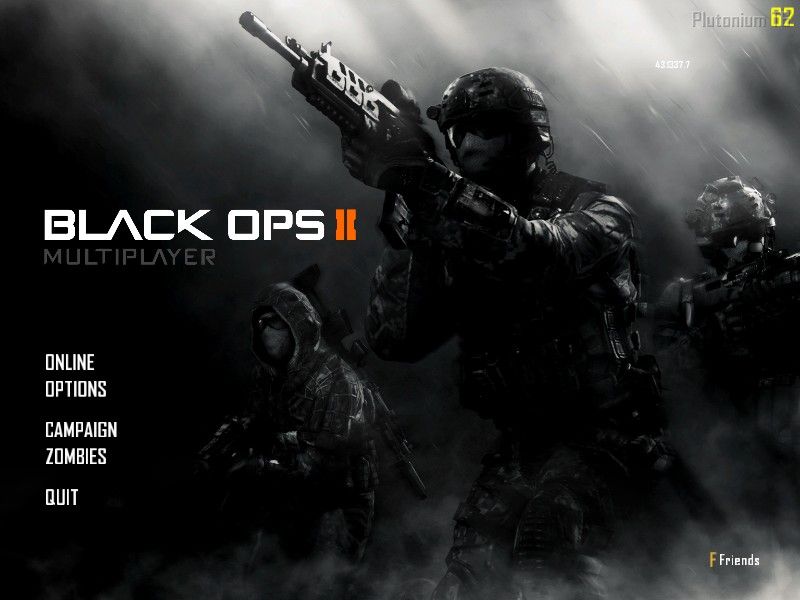
    Hello Plutonium developers. I am here to report a resolution bug on plutonium. Since I don't have the best pc in the world, I have to run the game with a low resolution. The 800x600. And it is now way more stretched than before. Can you please tell me how does this work and how can I solve it? Thanks.

    RektInator Mateo Skywalker H3X1C JTAG 4 Replies Last reply
    0
    • slobislove slobislove

      Hello Plutonium developers. I am here to report a resolution bug on plutonium. Since I don't have the best pc in the world, I have to run the game with a low resolution. The 800x600. And it is now way more stretched than before. Can you please tell me how does this work and how can I solve it? Thanks.

      RektInator Offline
      RektInator Offline
      RektInator
      Plutonium Admin
      wrote on last edited by
      #2

      @WantedForContnt Can you post a screenshot of the problem?

      Mateo Skywalker 1 Reply Last reply
      0
      • Jovany159 Offline
        Jovany159 Offline
        Jovany159
        wrote on last edited by
        #3
        This post is deleted!
        1 Reply Last reply
        0
        • slobislove Offline
          slobislove Offline
          slobislove
          wrote on last edited by
          #4

          mpshot0005.jpg

          1 Reply Last reply
          0
          • slobislove slobislove

            Hello Plutonium developers. I am here to report a resolution bug on plutonium. Since I don't have the best pc in the world, I have to run the game with a low resolution. The 800x600. And it is now way more stretched than before. Can you please tell me how does this work and how can I solve it? Thanks.

            Mateo Skywalker Offline
            Mateo Skywalker Offline
            Mateo Skywalker
            wrote on last edited by
            #5
            This post is deleted!
            1 Reply Last reply
            0
            • Dss0 Offline
              Dss0 Offline
              Dss0
              Plutonium Staff
              wrote on last edited by
              #6

              so what's the issue with that? would you rather have black borders?

              Mateo Skywalker 1 Reply Last reply
              0
              • RektInator RektInator

                @WantedForContnt Can you post a screenshot of the problem?

                Mateo Skywalker Offline
                Mateo Skywalker Offline
                Mateo Skywalker
                wrote on last edited by
                #7

                RektInator Same here!
                https://photos.app.goo.gl/RsFsZ5XDa1z6awAe7

                1 Reply Last reply
                0
                • Dss0 Dss0

                  so what's the issue with that? would you rather have black borders?

                  Mateo Skywalker Offline
                  Mateo Skywalker Offline
                  Mateo Skywalker
                  wrote on last edited by
                  #8

                  Dss0 The problem is that everything is wide as in fat (i dont know if you can see the picture)

                  1 Reply Last reply
                  0
                  • Jovany159 Offline
                    Jovany159 Offline
                    Jovany159
                    wrote on last edited by
                    #9

                    I have the same problem

                    1 Reply Last reply
                    0
                    • Xerxes Offline
                      Xerxes Offline
                      Xerxes
                      Plutonium Staff
                      wrote on last edited by Xerxes
                      #10

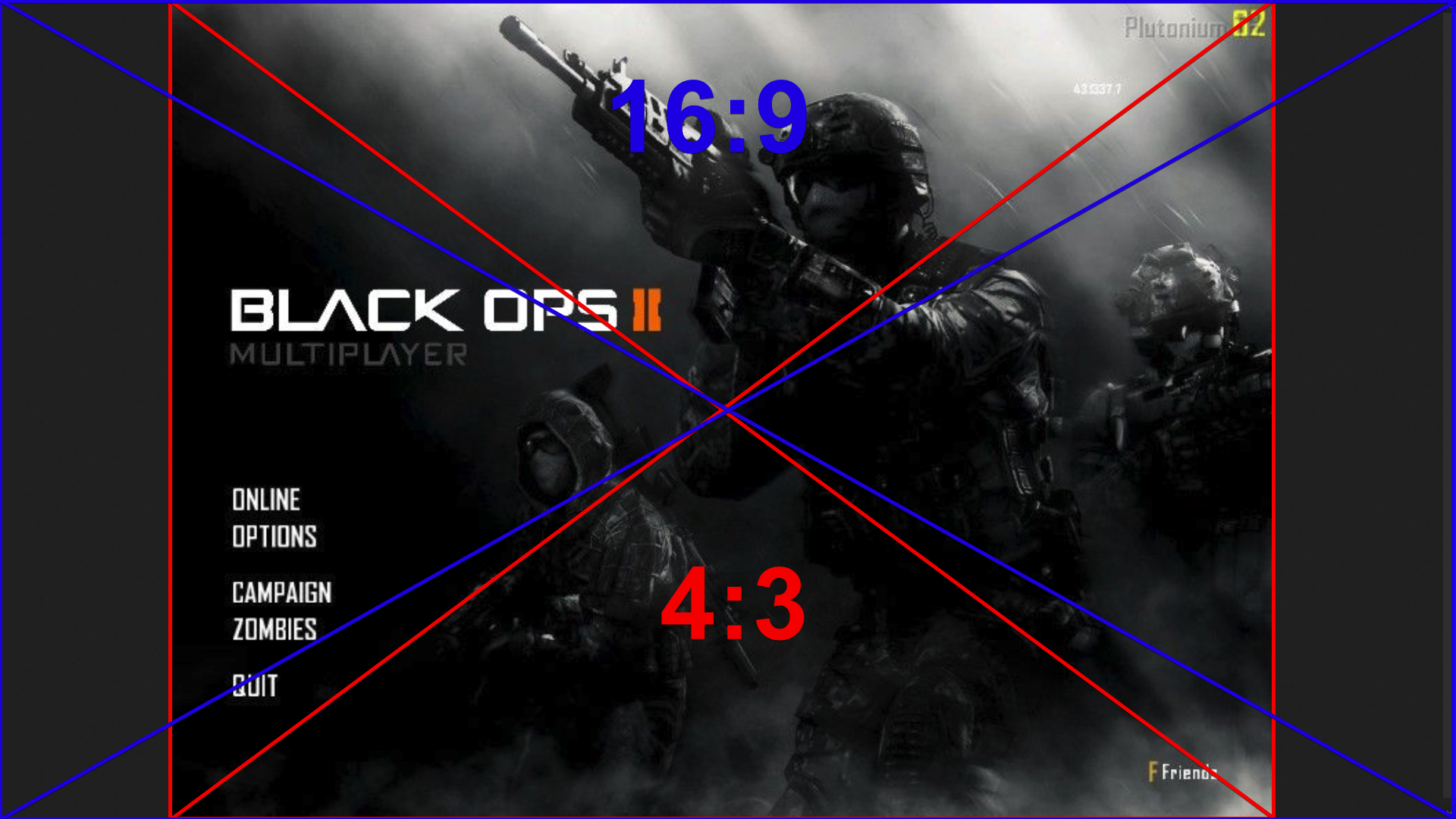
                      800x600 is a resolution with an aspect ration of 4:3, you monitor probably is a 16:9 or 16:10 display so if you change the resolution to an 4:3 resolution it will stretch it to 16:0/10 or draw black borders depending on your Monitor.
                      2e370de8-2b11-442a-8565-8cc5ca0439aa-grafik.png

                      1 Reply Last reply
                      1
                      • slobislove Offline
                        slobislove Offline
                        slobislove
                        wrote on last edited by
                        #11

                        The thing is, it does not have any black bars. Everything is way more stretched after the update.

                        1 Reply Last reply
                        0
                        • Xerxes Offline
                          Xerxes Offline
                          Xerxes
                          Plutonium Staff
                          wrote on last edited by
                          #12

                          75f332b3-6284-4500-9f03-df99b0dccb18-grafik.png

                          Mateo Skywalker 1 Reply Last reply
                          0
                          • Xerxes Xerxes

                            75f332b3-6284-4500-9f03-df99b0dccb18-grafik.png

                            Mateo Skywalker Offline
                            Mateo Skywalker Offline
                            Mateo Skywalker
                            wrote on last edited by
                            #13

                            Xerxes But before update the screen wasn't stretched NOR did it have black bars, so how do we fix this?

                            1 Reply Last reply
                            0
                            • Xerxes Offline
                              Xerxes Offline
                              Xerxes
                              Plutonium Staff
                              wrote on last edited by
                              #14

                              We don't fix anything since nothing is broken.
                              You will have to change your resolution if you don't want it.

                              Mateo Skywalker 1 Reply Last reply
                              0
                              • Xerxes Xerxes

                                We don't fix anything since nothing is broken.
                                You will have to change your resolution if you don't want it.

                                Mateo Skywalker Offline
                                Mateo Skywalker Offline
                                Mateo Skywalker
                                wrote on last edited by
                                #15

                                Xerxes I cant, my computer cant run the game at higher resolutions. And dont tell me to get a new one

                                1 Reply Last reply
                                0
                                • Jovany159 Offline
                                  Jovany159 Offline
                                  Jovany159
                                  wrote on last edited by
                                  #16

                                  then there is no solution

                                  1 Reply Last reply
                                  0
                                  • Xerxes Offline
                                    Xerxes Offline
                                    Xerxes
                                    Plutonium Staff
                                    wrote on last edited by Xerxes
                                    #17

                                    Set it to 800x450, thats the next lower 16:9 resolution.

                                    https://en.wikipedia.org/wiki/16:9_aspect_ratio#Common_resolutions

                                    Newtoneena 1 Reply Last reply
                                    0
                                    • Xerxes Xerxes

                                      Set it to 800x450, thats the next lower 16:9 resolution.

                                      https://en.wikipedia.org/wiki/16:9_aspect_ratio#Common_resolutions

                                      Newtoneena Offline
                                      Newtoneena Offline
                                      Newtoneena
                                      wrote on last edited by
                                      #18

                                      Xerxes I have the same problem after the plut update but I can't set a specific resolution with my laptop so I am stuck with the stretched screen I need help

                                      Mateo Skywalker 1 Reply Last reply
                                      0
                                      • Newtoneena Newtoneena

                                        Xerxes I have the same problem after the plut update but I can't set a specific resolution with my laptop so I am stuck with the stretched screen I need help

                                        Mateo Skywalker Offline
                                        Mateo Skywalker Offline
                                        Mateo Skywalker
                                        wrote on last edited by
                                        #19

                                        @Newton-The-Simp See if you can set your laptop's screen resolution to 800x600 and then, in the game settings, go to "graphics" and set display mode to "windowed (fullscreen)". That should make the game have the same resolution as your screen (800x600). That's what i did. Nothing will be stretched anymore, but you will have black bars on the sides. Hope it helps.
                                        Newtoneena slobislove 2 Replies Last reply
                                        0
                                        • Jovany159 Offline
                                          Jovany159 Offline
                                          Jovany159
                                          wrote on last edited by
                                          #20

                                          thank you very much bro

                                          Mateo Skywalker 1 Reply Last reply
                                          0

                                          Hello! It looks like you're interested in this conversation, but you don't have an account yet.

                                          Getting fed up of having to scroll through the same posts each visit? When you register for an account, you'll always come back to exactly where you were before, and choose to be notified of new replies (either via email, or push notification). You'll also be able to save bookmarks and upvote posts to show your appreciation to other community members.

                                          With your input, this post could be even better 💗

                                          Register Login
                                          Reply
                                          • Reply as topic
                                          Log in to reply
                                          • Oldest to Newest
                                          • Newest to Oldest
                                          • Most Votes


                                          • 1
                                          • 2
                                          • Login

                                          • Don't have an account? Register

                                          • Login or register to search.
                                          • First post
                                            Last post
                                          0
                                          • Unread 0
                                          • Recent
                                          • Tags
                                          • Popular
                                          • Users
                                          • Groups
                                          • Donate