i dont know how too fix this can somebody please help me
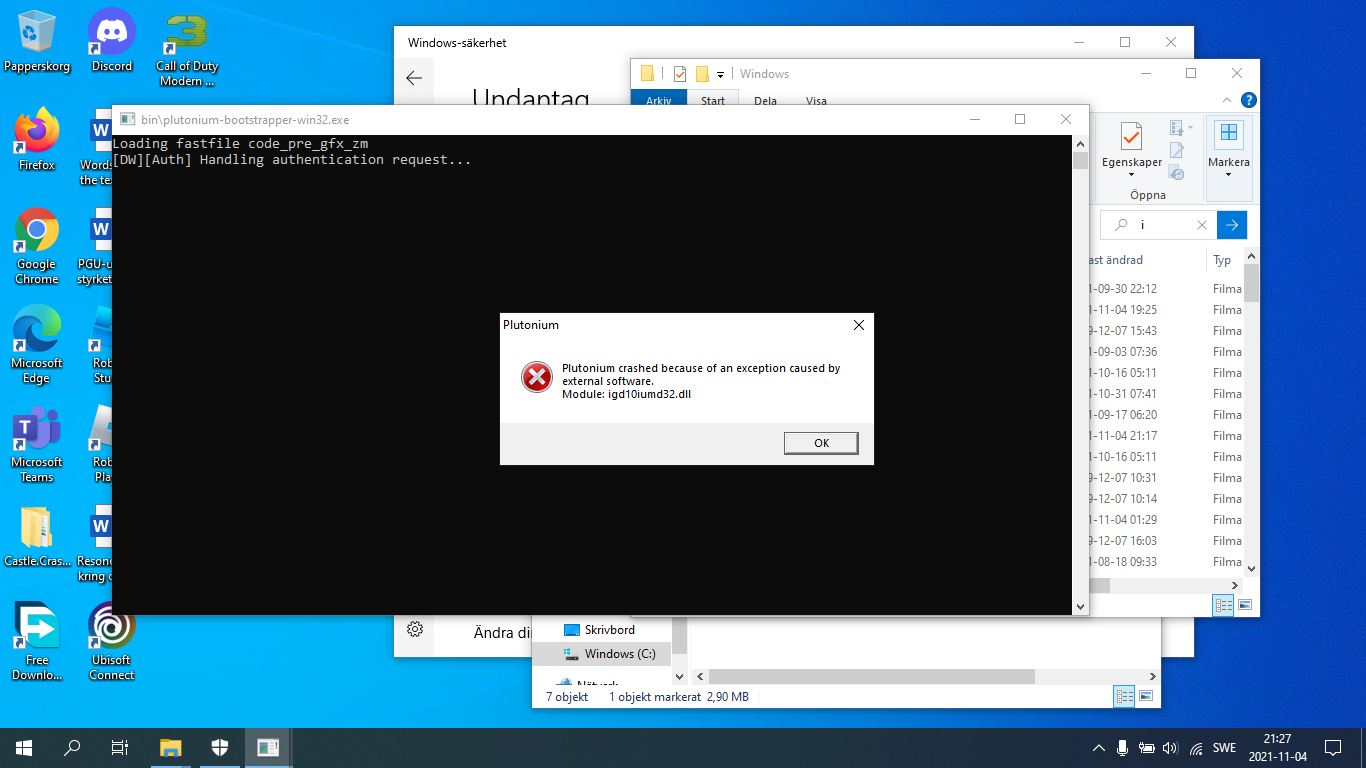
-
-
 image url)
idontknow123 your intel graphics driver is crashing. Are you using a laptop with dual gpu's or do you only have intel hd graphics? If yes which cpu is installed in your pc?
Try updating your intel graphics drivers.
-
how do i update the graphics and its intel hdu graphics
-
how do i update the graphics and its intel hdu graphics
idontknow123 go to the intel website and download the latest drivers..
-
-
i did that and it didnt work
idontknow123 which cpu is installed in your pc?
-
the newest version
-
Go to task manager > performance > specify what CPU you have. You probably don't even have the minimum requirements to run the game.
-
ok i will do that but i never had this problem before i have been abble to play before 11th gen intel(R) core(TM) i3-1115G4 is the cpu
-
ok i will do that but i never had this problem before i have been abble to play before 11th gen intel(R) core(TM) i3-1115G4 is the cpu
idontknow123 said in i dont know how too fix this can somebody please help me:
i3-1115G4
alright, you installed this? https://www.intel.com/content/www/us/en/download/19344/intel-graphics-windows-dch-drivers.html
You can also try installing directx from the redist folder in your game folder (redist/DirectX/DXSETUP.exe).
-
tried it and it didnt work
-
Have any dx hooking softwares running in the background? For example any overlays/recording software (afterburner, avermedia, etc)?
Try quitting any useless apps running in the background. Also where did you download bo2 from?
-
i downloaded torrent or can i just repair the game fails?
-
hello



Hello! It looks like you're interested in this conversation, but you don't have an account yet.
Getting fed up of having to scroll through the same posts each visit? When you register for an account, you'll always come back to exactly where you were before, and choose to be notified of new replies (either via email, or push notification). You'll also be able to save bookmarks and upvote posts to show your appreciation to other community members.
With your input, this post could be even better 💗
Register Login