Skip to content
  • 0 Unread 0
  • Recent
  • Tags
  • Popular
  • Users
  • Groups
  • Donate
Collapse

Plutonium

  1. Home
  2. BO2 Client Support
  3. T6 BO2 resolution can't set 4K

T6 BO2 resolution can't set 4K

Scheduled Pinned Locked Moved BO2 Client Support
16 Posts 6 Posters 17.7k Views 1 Watching
  • Oldest to Newest
  • Newest to Oldest
  • Most Votes
Reply
  • Reply as topic
Log in to reply
This topic has been deleted. Only users with topic management privileges can see it.
  • frnchkick Offline
    frnchkick Offline
    frnchkick
    Contributor
    wrote on last edited by frnchkick
    #2

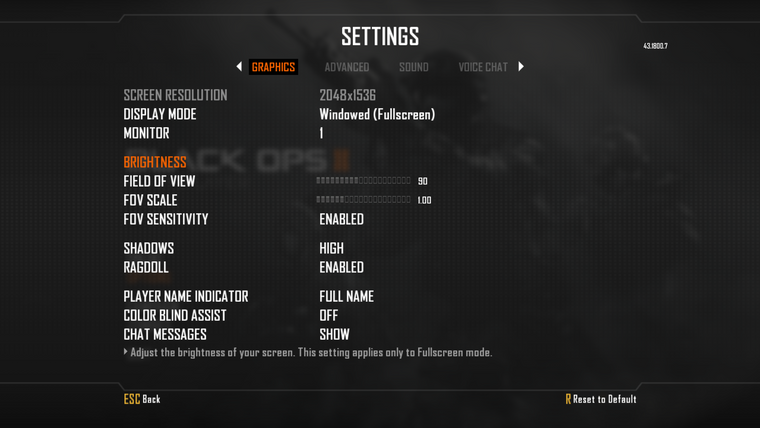
    t4 waw (3200x1800) and iw5 mw3(3200x1800) works but bo2 (game from torrent) won't work. 800x600 default, 2048x1536 max. windowed fullscreen or fullscreen nothing change

    1 Reply Last reply
    0
    • frnchkick Offline
      frnchkick Offline
      frnchkick
      Contributor
      wrote on last edited by frnchkick
      #3

      bug.png

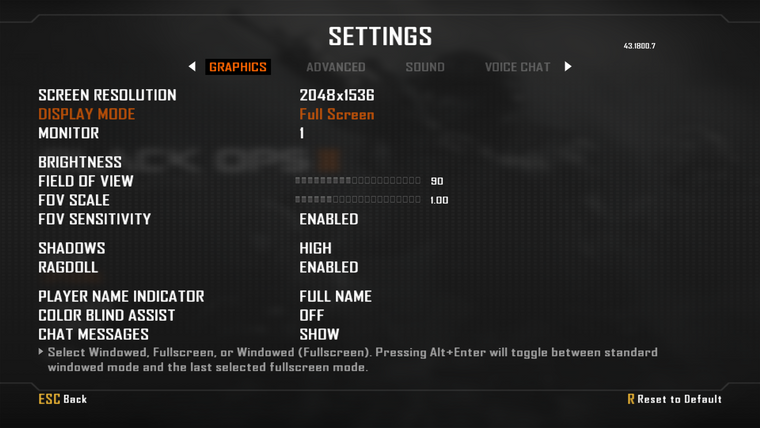
      the way that seems correct would be to play in windowed fullscreen even though the grayed out resolution displayed is not the maximum resolution of the screen.

      fullscreen
      fullscreen.png

      windowed fullscreen
      windowed fullscreen.png

      1 Reply Last reply
      0
      • Dss0 Offline
        Dss0 Offline
        Dss0
        Plutonium Staff
        wrote on last edited by
        #4

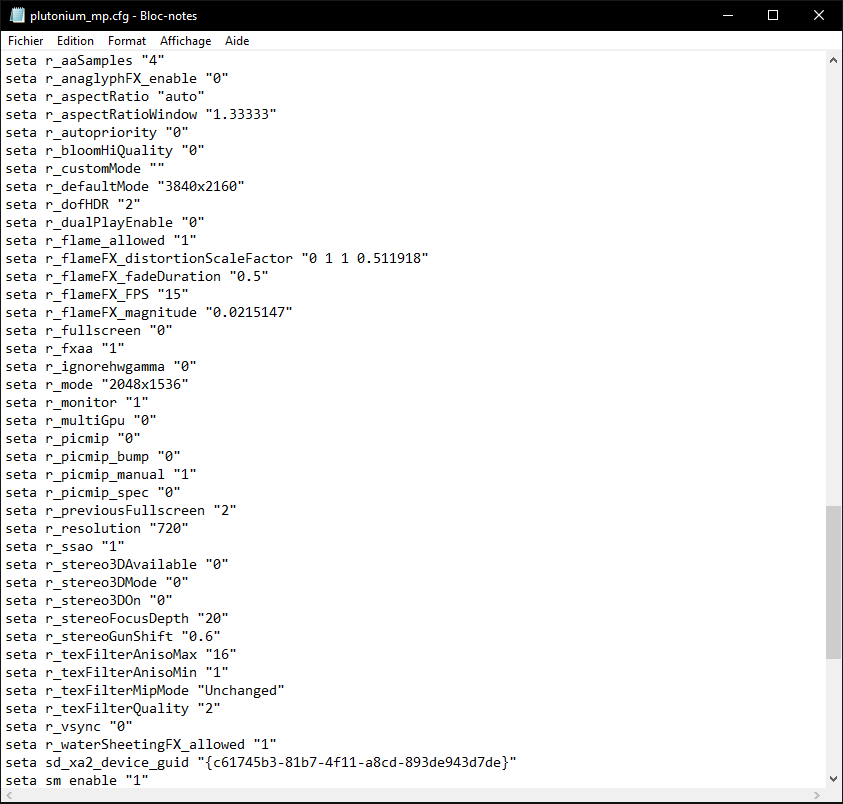
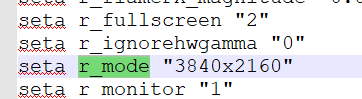
        what if you manually set it via the config file? plutonium_mp and plutonium_zm.cfg located in %localappdata%/Plutonium/storage/t6/players.

        frnchkick 1 Reply Last reply
        0
        • Dss0 Dss0

          what if you manually set it via the config file? plutonium_mp and plutonium_zm.cfg located in %localappdata%/Plutonium/storage/t6/players.

          frnchkick Offline
          frnchkick Offline
          frnchkick
          Contributor
          wrote on last edited by frnchkick
          #5

          Dss0
          it does not take into account why i don't know above 2048x1536 (can't answer i have to wait 600sec each message)

          Dss0 1 Reply Last reply
          0
          • frnchkick frnchkick

            Dss0
            it does not take into account why i don't know above 2048x1536 (can't answer i have to wait 600sec each message)

            Dss0 Offline
            Dss0 Offline
            Dss0
            Plutonium Staff
            wrote on last edited by
            #6

            frnchkick strange, it works here.

            alt text

            frnchkick 1 Reply Last reply
            0
            • Dss0 Dss0

              frnchkick strange, it works here.

              alt text

              frnchkick Offline
              frnchkick Offline
              frnchkick
              Contributor
              wrote on last edited by frnchkick
              #7

              Dss0 Capture d’écran 2022-04-16 230914.png
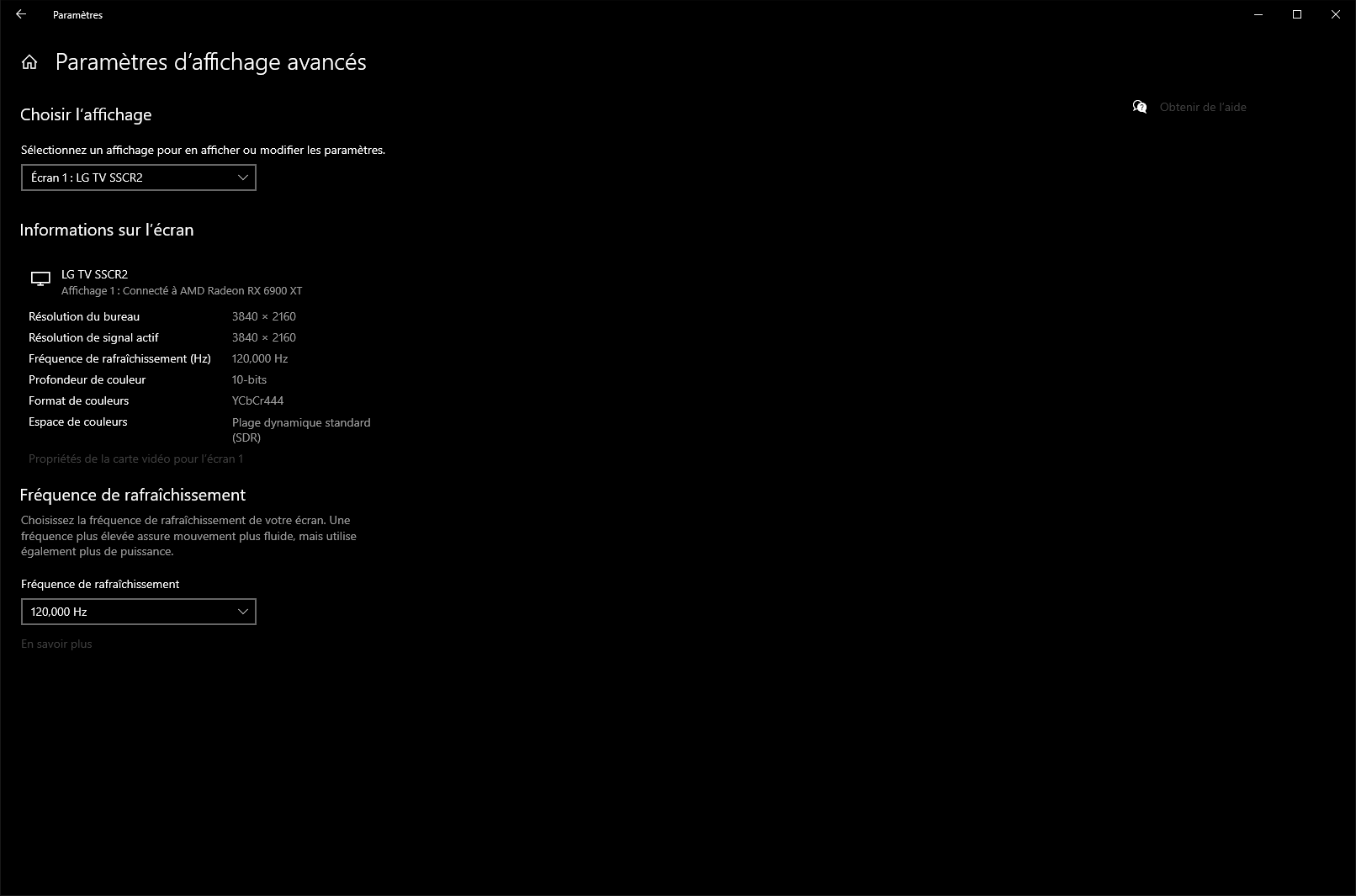
              in fullscreen the aspect ratio is wrong 1.33 - 4:3 while my screen is 1.77 - 16:9 which in windowed fs is correct
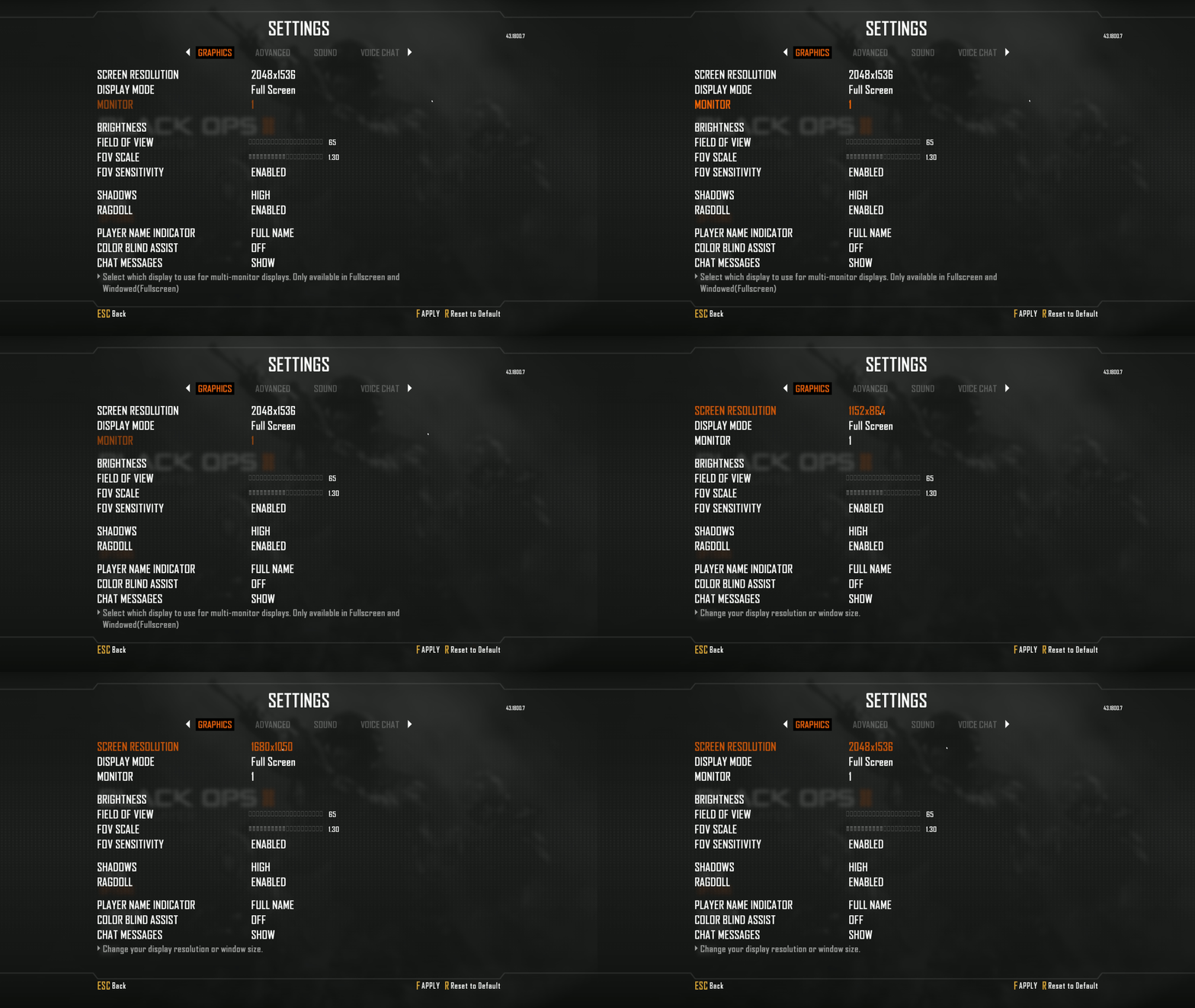
              unknown_2022.04.16-23.07.gif
              all the resolutions available

              Dss0 1 Reply Last reply
              0
              • frnchkick frnchkick

                Dss0 Capture d’écran 2022-04-16 230914.png
                in fullscreen the aspect ratio is wrong 1.33 - 4:3 while my screen is 1.77 - 16:9 which in windowed fs is correct

                unknown_2022.04.16-23.07.gif
                all the resolutions available

                Dss0 Offline
                Dss0 Offline
                Dss0
                Plutonium Staff
                wrote on last edited by
                #8

                frnchkick ok so when you change it in the config it changes back as soon as you start the game?

                frnchkick 1 Reply Last reply
                0
                • Dss0 Dss0

                  frnchkick ok so when you change it in the config it changes back as soon as you start the game?

                  frnchkick Offline
                  frnchkick Offline
                  frnchkick
                  Contributor
                  wrote on last edited by
                  #9

                  Dss0 above 2048x1536 the game don't want to set a higher resolution in fullscreen mode. in console with the command r_mode above 2048x1536 it reset to default 800x600 after vid restart. the only way to have the max resolution of the screen its in windowed fullscreen but the greyed resolution isn't the one who is set, i think its the max screen resolution when i compare the screenshots above

                  1 Reply Last reply
                  1
                  • frnchkick Offline
                    frnchkick Offline
                    frnchkick
                    Contributor
                    wrote on last edited by
                    #10

                    Capture d’écran 2022-04-16 232936.png
                    Capture d’écran 2022-04-16 232554.png

                    JezuzLizard 1 Reply Last reply
                    0
                    • frnchkick Offline
                      frnchkick Offline
                      frnchkick
                      Contributor
                      wrote on last edited by
                      #11

                      problem solved was my settings with amd adrenalin software i think

                      1 Reply Last reply
                      0
                      • yeeman1337 Offline
                        yeeman1337 Offline
                        yeeman1337
                        wrote on last edited by
                        #12

                        I have a similar problem, when i set the resolution to 2560x1440 via the config file, the game changes the resolution back to 1920x1080 when starting.
                        Is there a trick or sth.?

                        I've checked windows and nvidia settings and everythins seems like it should be.

                        NATEROX 1 Reply Last reply
                        0
                        • yeeman1337 yeeman1337

                          I have a similar problem, when i set the resolution to 2560x1440 via the config file, the game changes the resolution back to 1920x1080 when starting.
                          Is there a trick or sth.?

                          I've checked windows and nvidia settings and everythins seems like it should be.

                          NATEROX Offline
                          NATEROX Offline
                          NATEROX
                          wrote on last edited by
                          #13

                          yeeman1337 set the config file to read only? That normal works for game config files that rewrite on launch.

                          1 Reply Last reply
                          0
                          • frnchkick frnchkick

                            Capture d’écran 2022-04-16 232936.png
                            Capture d’écran 2022-04-16 232554.png

                            JezuzLizard Offline
                            JezuzLizard Offline
                            JezuzLizard
                            Plutonium Staff
                            wrote on last edited by
                            #14

                            frnchkick Try r_customMode it lets you set any resolution but I think it only works for windowed type screen modes.

                            1 Reply Last reply
                            0
                            • frnchkick Offline
                              frnchkick Offline
                              frnchkick
                              Contributor
                              wrote on last edited by
                              #15

                              its ok now, before i couldn't set a resolution above 2048x1536 and i don't know why now i can put my native one on fullscreen mode (maybe fsr 2.0 was the culprit).

                              darko_06 1 Reply Last reply
                              0
                              • frnchkick frnchkick

                                its ok now, before i couldn't set a resolution above 2048x1536 and i don't know why now i can put my native one on fullscreen mode (maybe fsr 2.0 was the culprit).

                                darko_06 Offline
                                darko_06 Offline
                                darko_06
                                wrote on last edited by
                                #16

                                frnchkick how did you fix it in your graphic cards control panel? I wish I can set it to 2560x1440p.

                                1 Reply Last reply
                                3
                                • FutureRave FutureRave locked this topic on
                                Hello! It looks like you're interested in this conversation, but you don't have an account yet.

                                Getting fed up of having to scroll through the same posts each visit? When you register for an account, you'll always come back to exactly where you were before, and choose to be notified of new replies (either via email, or push notification). You'll also be able to save bookmarks and upvote posts to show your appreciation to other community members.

                                With your input, this post could be even better đź’—

                                Register Login
                                Reply
                                • Reply as topic
                                Log in to reply
                                • Oldest to Newest
                                • Newest to Oldest
                                • Most Votes


                                • Login

                                • Don't have an account? Register

                                • Login or register to search.
                                • First post
                                  Last post
                                0
                                • Unread 0
                                • Recent
                                • Tags
                                • Popular
                                • Users
                                • Groups
                                • Donate