[ZM] RM|T Zombies Menu V2.6 - Mod Menu
-
Is it possible to remove the "press these keys to open the menu" message? it kind of gets in the way
-
i have mine where it needs to be but when i open a game it refuses to open the mod
-
how do i get it to work on the servers? i get it to work in custom game/private match and it wokrs
-
I have the Mod installed and put in my scripts folder when I load into a game it says that it ran the folder "'scripts/zm/ranked' loaded" but when I try to pull the menu up it wont come up?
ElementRxnin you need to open the mod menu by aim + knife
are u doing that? -
I have the Mod installed and put in my scripts folder when I load into a game it says that it ran the folder "'scripts/zm/ranked' loaded" but when I try to pull the menu up it wont come up?
ElementRxnin are you sure you installed it in the right folder? Screenshot it
Also yes make sure you press the right keys to open it -
Could i get the source so i can add it to my server? thanks!
-
decompiled gsc file
https://www.mediafire.com/file/rttay4zbkvni42i/decompiled.gsc
-
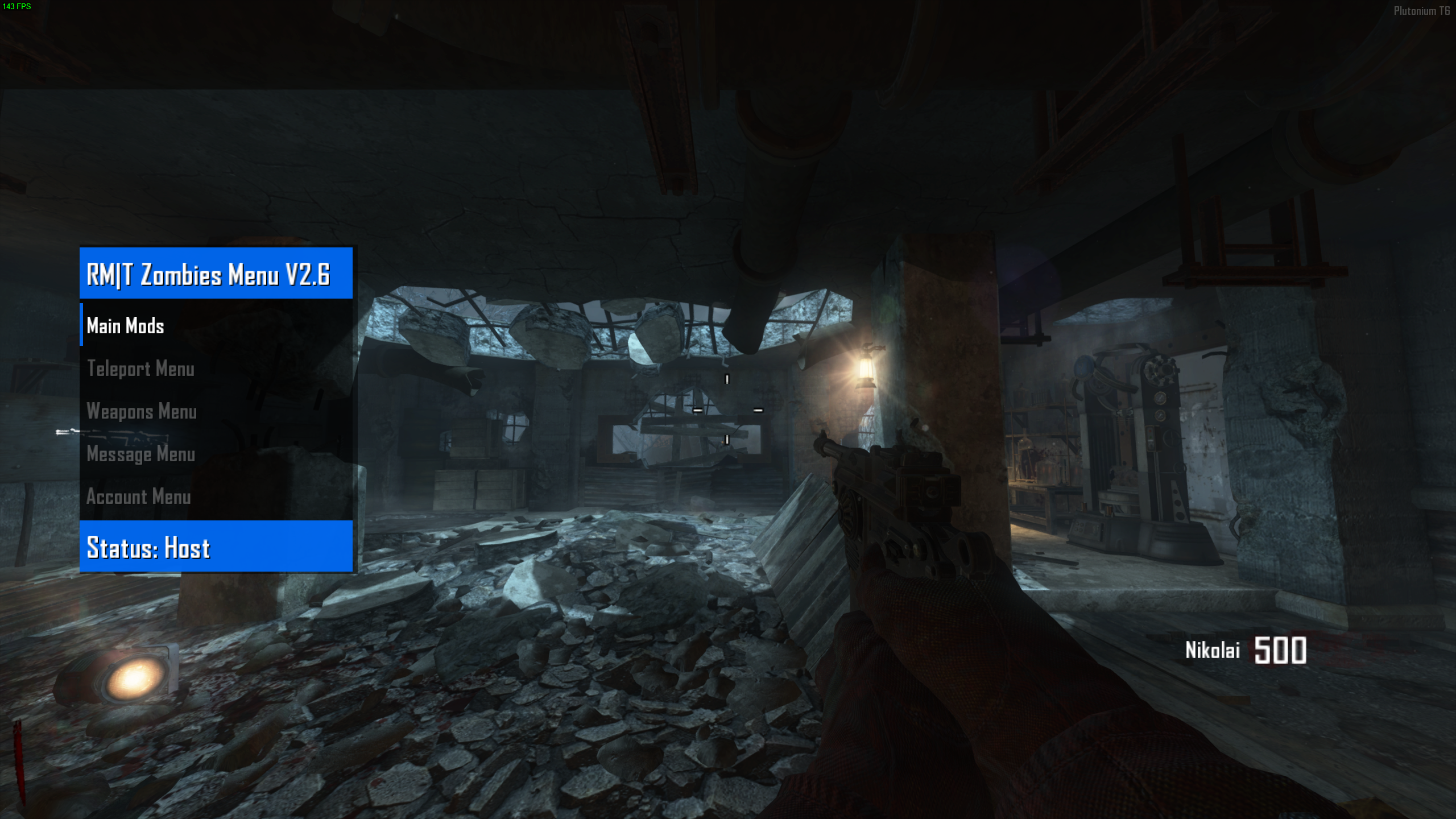
Today I'm sharing RM|T Zombies Menu V2.6 which is a zombie mod menu for Black Ops II.
Note that I am not the original author of this mod menu.It's already compiled so you just have to drag and drop it and enjoy!
It's not recommended to mess with settings that weren't meant for PC or Plutonium like account settings, unlock trophies etc.

How to use
Open the menu:Aim key + Knife key
Confirm:Jump key
Cancel:Use key
Go down:Previous scorestreak key
Go up:Next scorestreak key
Installation
Follow the instructions on the T6 modding guideDownload
Proton Drive | Mediafire
You can watch a preview of the mod menu here
https://youtu.be/yJ0nR1OBMLk?t=11Resxt Will there be a moderation menu? who is connected with iw4madmin
-
Resxt Will there be a moderation menu? who is connected with iw4madmin
andresito_20 create it yourself or find it yourself
-
nym2004 that aio base should already be archived/stealth
-
Today I'm sharing RM|T Zombies Menu V2.6 which is a zombie mod menu for Black Ops II.
Note that I am not the original author of this mod menu.It's already compiled so you just have to drag and drop it and enjoy!
It's not recommended to mess with settings that weren't meant for PC or Plutonium like account settings, unlock trophies etc.
How to use
Open the menu:Aim key + Knife key
Confirm:Jump key
Cancel:Use key
Go down:Previous scorestreak key
Go up:Next scorestreak key
Installation
Follow the instructions on the T6 modding guideDownload
Proton Drive | Mediafire
You can watch a preview of the mod menu here
https://youtu.be/yJ0nR1OBMLk?t=11Resxt hola queria preguntar como se abre el menu en pc ya que llevo varios minutos alrededor de 30 minutos intentando con el del cuchillo tal y como dice y no se abre
-
khanoz if you find the source code and find how to do it then recompile it yes but I don't know where to find it or how to change the code.
-
Today I'm sharing RM|T Zombies Menu V2.6 which is a zombie mod menu for Black Ops II.
Note that I am not the original author of this mod menu.It's already compiled so you just have to drag and drop it and enjoy!
It's not recommended to mess with settings that weren't meant for PC or Plutonium like account settings, unlock trophies etc.
How to use
Open the menu:Aim key + Knife key
Confirm:Jump key
Cancel:Use key
Go down:Previous scorestreak key
Go up:Next scorestreak key
Installation
Follow the instructions on the T6 modding guideDownload
Proton Drive | Mediafire
You can watch a preview of the mod menu here
https://youtu.be/yJ0nR1OBMLk?t=11







Hello! It looks like you're interested in this conversation, but you don't have an account yet.
Getting fed up of having to scroll through the same posts each visit? When you register for an account, you'll always come back to exactly where you were before, and choose to be notified of new replies (either via email, or push notification). You'll also be able to save bookmarks and upvote posts to show your appreciation to other community members.
With your input, this post could be even better 💗
Register Login