Skip to content
  • 0 Unread 0
  • Recent
  • Tags
  • Popular
  • Users
  • Groups
Collapse

Plutonium

  1. Home
  2. Launcher Support
  3. The game doesn't open after I press play

The game doesn't open after I press play

Scheduled Pinned Locked Moved Launcher Support
10 Posts 4 Posters 548 Views 1 Watching
  • Oldest to Newest
  • Newest to Oldest
  • Most Votes
Reply
  • Reply as topic
Log in to reply
This topic has been deleted. Only users with topic management privileges can see it.
  • PieFreak229undefined Offline
    PieFreak229undefined Offline
    PieFreak229
    wrote on last edited by
    #1

    The game doesn't open after I press play, and the launcher closes. I redownloaded the launcher many times and checked the common issues and solutions, it said to download the redistributables and directx but when i try to run any of them it says that my device already has a version of it and that if i want to remove it to download the one i just got i should go to control panel and delete the older versions myself, idk what to do or where to go in the control panel or if i even need to do that

    Dss0undefined 1 Reply Last reply
    0
    • PieFreak229undefined PieFreak229

      The game doesn't open after I press play, and the launcher closes. I redownloaded the launcher many times and checked the common issues and solutions, it said to download the redistributables and directx but when i try to run any of them it says that my device already has a version of it and that if i want to remove it to download the one i just got i should go to control panel and delete the older versions myself, idk what to do or where to go in the control panel or if i even need to do that

      Dss0undefined Offline
      Dss0undefined Offline
      Dss0
      Plutonium Staff
      wrote on last edited by
      #2

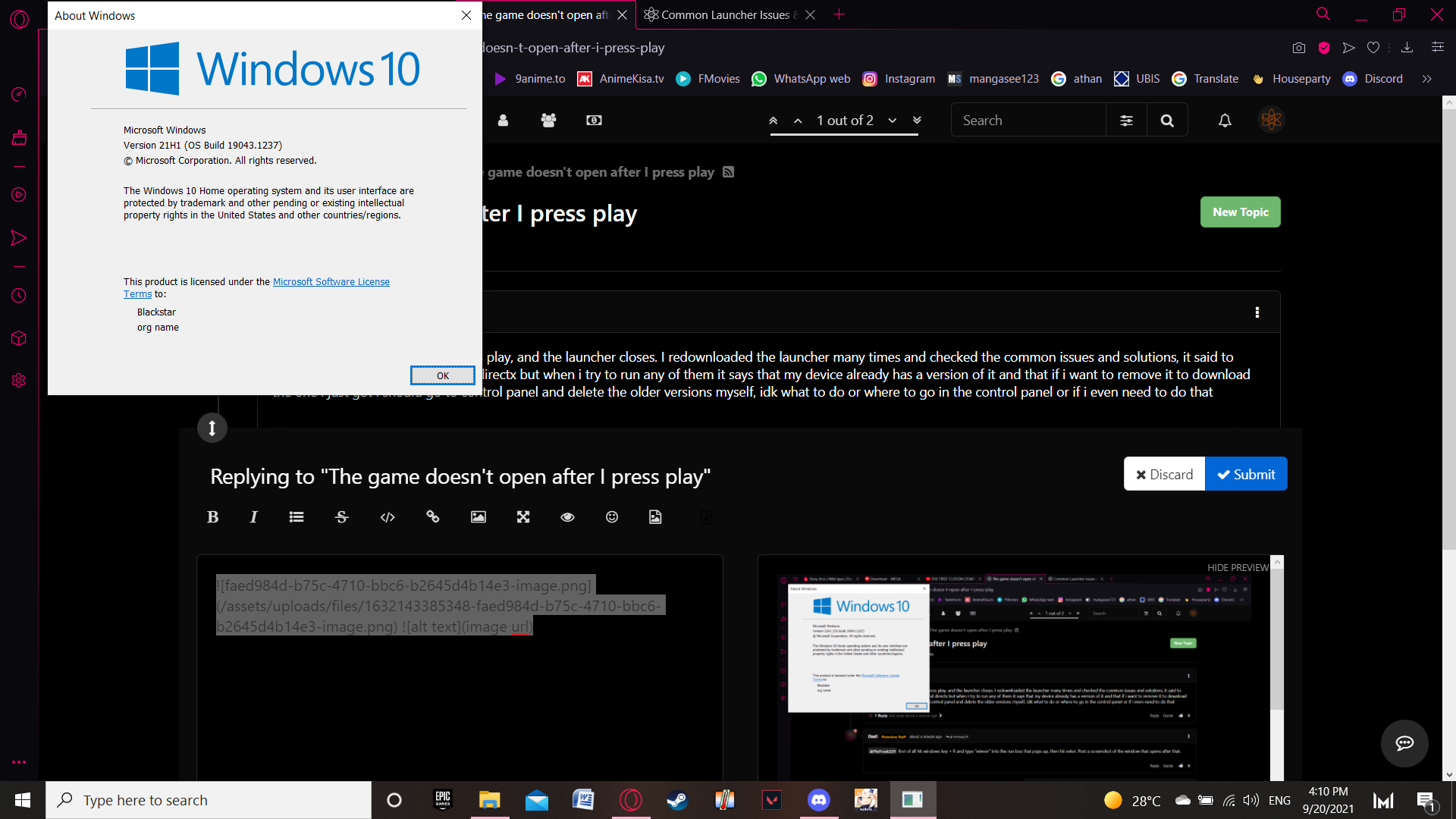
      PieFreak229 first of all hit windows key + R and type "winver" into the run box that pops up, then hit enter. Post a screenshot of the window that opens after that.

      1 Reply Last reply
      0
      • PieFreak229undefined Offline
        PieFreak229undefined Offline
        PieFreak229
        wrote on last edited by
        #3

        e96c10d0-08b6-4edc-be82-03383a92d778-image.png

        1 Reply Last reply
        0
        • HannesCundefined Offline
          HannesCundefined Offline
          HannesC
          Plutonium Staff
          wrote on last edited by
          #4

          Probably your AV then, what antivirus do you use? Have you added Plutonium to its exclusions? https://plutonium.pw/docs/antivirus/#how-do-i-fix-this-windows-defender

          PieFreak229undefined 1 Reply Last reply
          0
          • HannesCundefined HannesC

            Probably your AV then, what antivirus do you use? Have you added Plutonium to its exclusions? https://plutonium.pw/docs/antivirus/#how-do-i-fix-this-windows-defender

            PieFreak229undefined Offline
            PieFreak229undefined Offline
            PieFreak229
            wrote on last edited by
            #5

            HannesC I reinstalled the game and added it to exclusion but it still doesn't work, no error sign whatsoever the launcher simply closes after i select play and nothing pops up at all

            Dss0undefined 1 Reply Last reply
            0
            • PieFreak229undefined PieFreak229

              HannesC I reinstalled the game and added it to exclusion but it still doesn't work, no error sign whatsoever the launcher simply closes after i select play and nothing pops up at all

              Dss0undefined Offline
              Dss0undefined Offline
              Dss0
              Plutonium Staff
              wrote on last edited by
              #6

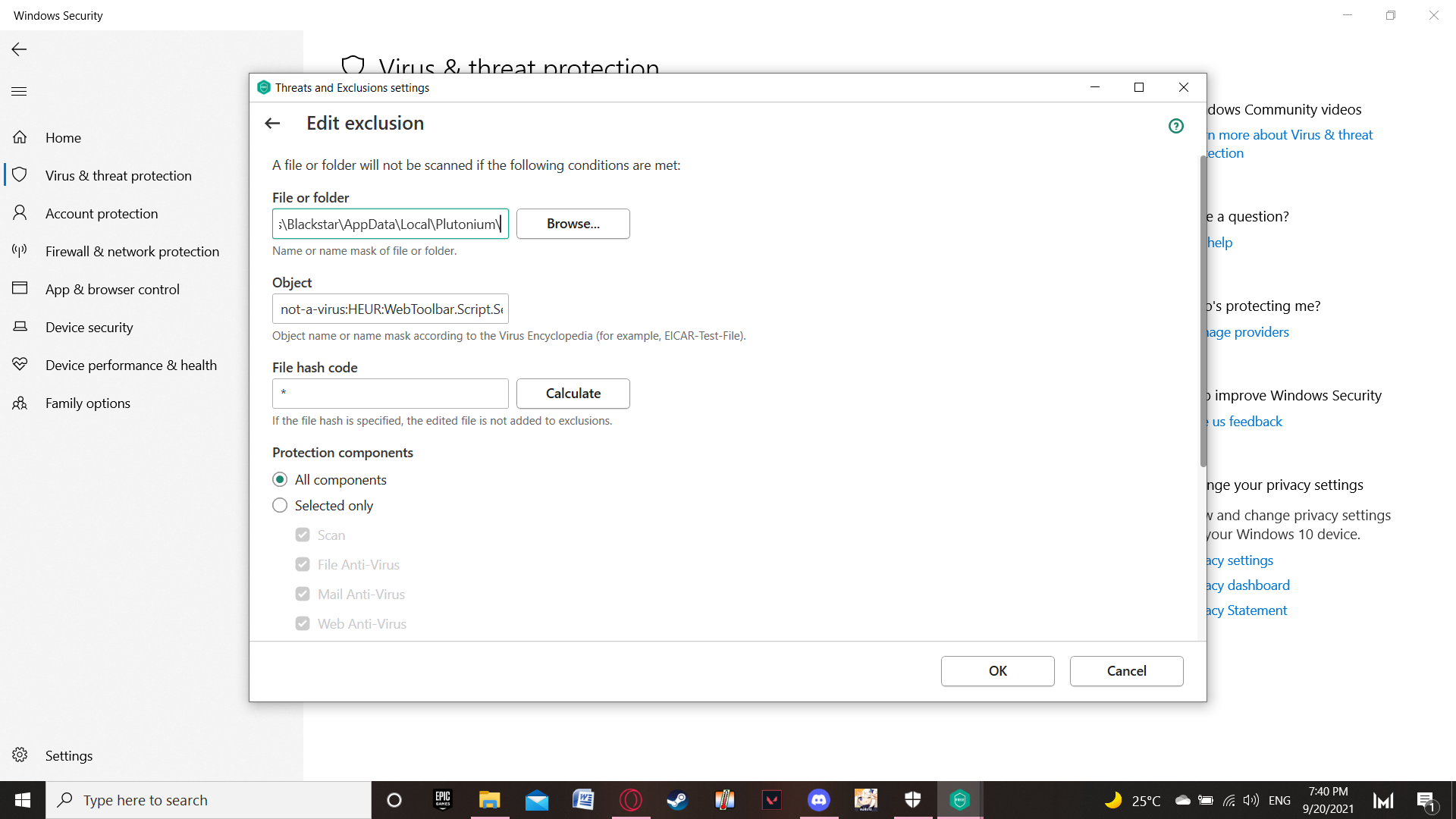
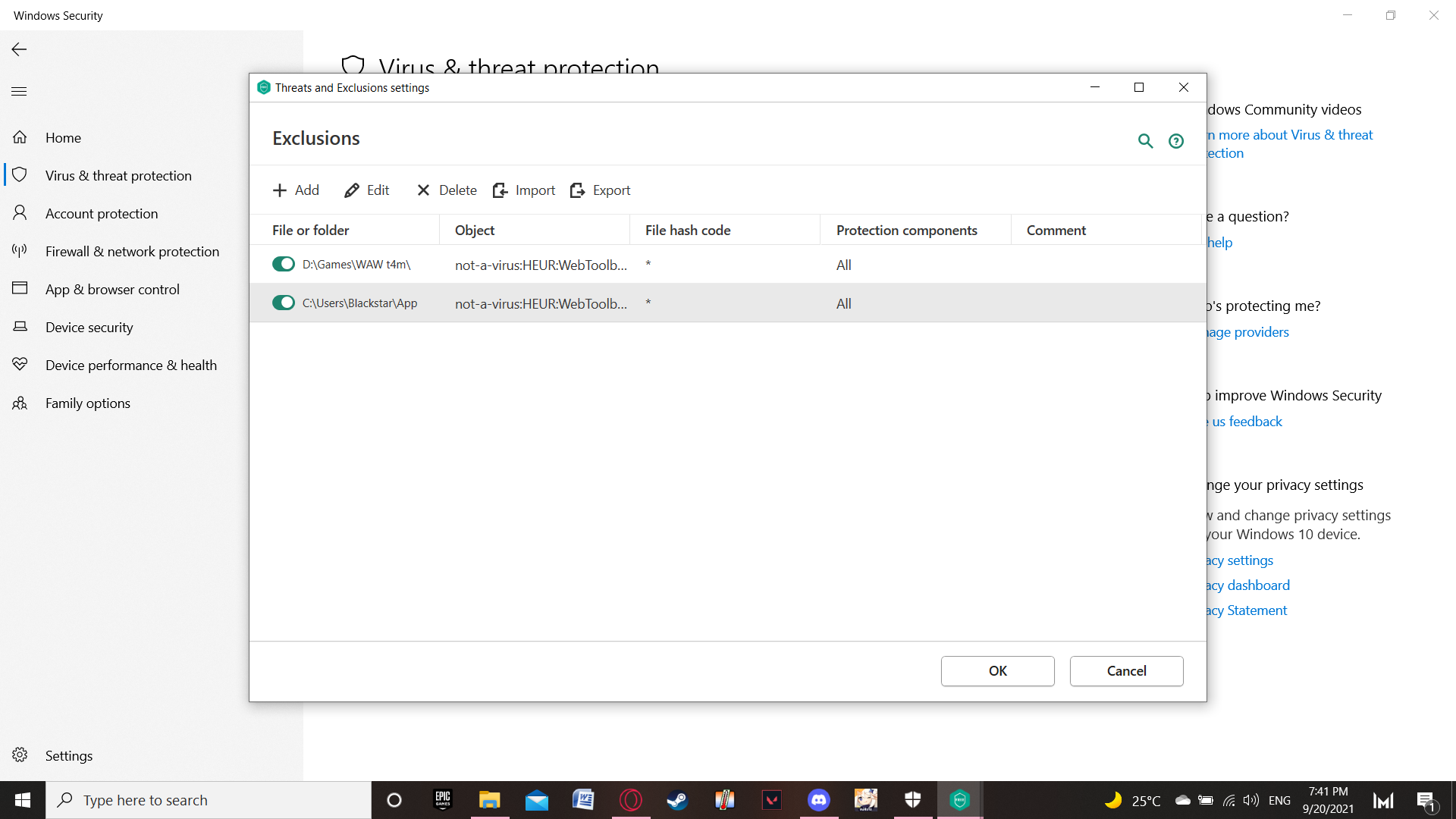
              PieFreak229 post a screenshot of your exclusion settings.

              PieFreak229undefined 1 Reply Last reply
              0
              • Dss0undefined Dss0

                PieFreak229 post a screenshot of your exclusion settings.

                PieFreak229undefined Offline
                PieFreak229undefined Offline
                PieFreak229
                wrote on last edited by
                #7

                Dss0 6ad7a478-b304-45c5-ae26-d48b7165edaa-image.png
                eb243cba-8405-4246-adb5-5076626decea-image.png

                1 Reply Last reply
                0
                • PieFreak229undefined Offline
                  PieFreak229undefined Offline
                  PieFreak229
                  wrote on last edited by PieFreak229
                  #8

                  I made another exclusion and gave it no object or anything i only linked the folder and to my surprise it worked. I will leave this here incase someone faces the same problems.
                  44790bb4-bb47-4224-99ae-5ea6ecba453e-image.png

                  1 Reply Last reply
                  0
                  • TTVPachanoundefined Offline
                    TTVPachanoundefined Offline
                    TTVPachano
                    wrote on last edited by
                    #9

                    Did you finally solve this, going through the same thing.

                    Dss0undefined 1 Reply Last reply
                    0
                    • TTVPachanoundefined TTVPachano

                      Did you finally solve this, going through the same thing.

                      Dss0undefined Offline
                      Dss0undefined Offline
                      Dss0
                      Plutonium Staff
                      wrote on last edited by
                      #10

                      TTVPachano

                      PieFreak229 said in The game doesn't open after I press play:

                      I made another exclusion and gave it no object or anything i only linked the folder and to my surprise it worked.

                      It would appear he did.

                      PieFreak229 which antivirus software is that btw?

                      1 Reply Last reply
                      0

                      Hello! It looks like you're interested in this conversation, but you don't have an account yet.

                      Getting fed up of having to scroll through the same posts each visit? When you register for an account, you'll always come back to exactly where you were before, and choose to be notified of new replies (either via email, or push notification). You'll also be able to save bookmarks and upvote posts to show your appreciation to other community members.

                      With your input, this post could be even better 💗

                      Register Login
                      Reply
                      • Reply as topic
                      Log in to reply
                      • Oldest to Newest
                      • Newest to Oldest
                      • Most Votes


                      • Login

                      • Don't have an account? Register

                      • Login or register to search.
                      • First post
                        Last post
                      0
                      • Unread 0
                      • Recent
                      • Tags
                      • Popular
                      • Users
                      • Groups