server is open, others cannot find it in list
-
I created a server using a separate port (i made sure to make in/outbound rule in firewall). I open the game launcher, then run dedicated_zm. the file runs and indicates that a heartbeat is detected.

 when attempting to connect to the server ive found that only i can connect (and only using the code connect 127.0.0.1:<port#>). i looked at the command screen and when joining it states:
"user with id (number) successfully authenticated
Letting player with userid (number) into the server because the challenge verification completed successfully".any help is appreciated,
BaristaBot -
I created a server using a separate port (i made sure to make in/outbound rule in firewall). I open the game launcher, then run dedicated_zm. the file runs and indicates that a heartbeat is detected.

 when attempting to connect to the server ive found that only i can connect (and only using the code connect 127.0.0.1:<port#>). i looked at the command screen and when joining it states:
"user with id (number) successfully authenticated
Letting player with userid (number) into the server because the challenge verification completed successfully".any help is appreciated,
BaristaBotBaristaBot post a screenshot of your port forwarding settings.
-
-
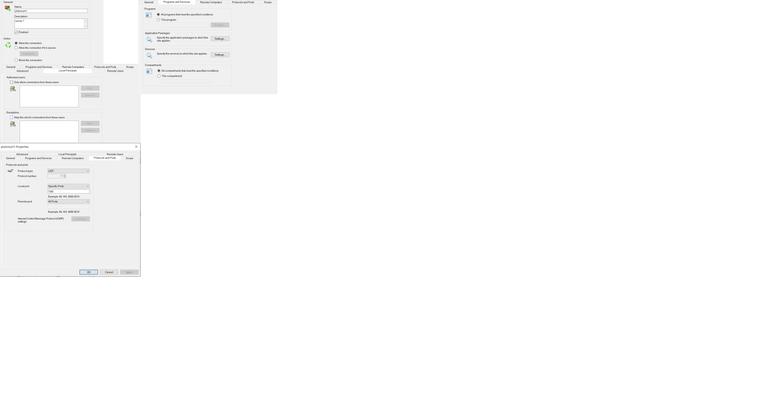
BaristaBot that's the windows firewall. You're hosting this server at home right? You need to forward the port via your router's web interface.
-
-
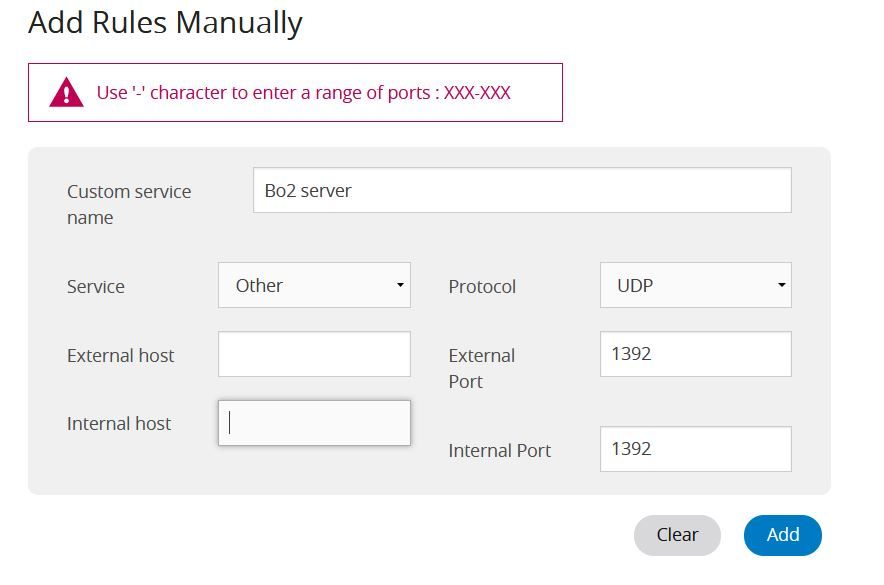
BaristaBot yea so you need to add a port range. so ext. + int. port = 1391-1393. You may also have to input your pc's lan ip into the "internal host" field.
If it still doesn't work try using port 4977, i think i remember someone having issues before when using an unusual port for the server.
-
 i applyed the rule and the server does not show. i can still connect via 'connect 127.0.0.1: port'
 -
i fixed the in/ out port to 1391 and 1393. ididnt write it in correct to ur instrutions. the sever didnt open. one thing i noticed that may be a part of the issue is that my port in game (which is default 4976) keeps going up by 1 . in my router it has like 3 rules for pultonium and im wondering if thats causing a problem
-
i fixed the in/ out port to 1391 and 1393. ididnt write it in correct to ur instrutions. the sever didnt open. one thing i noticed that may be a part of the issue is that my port in game (which is default 4976) keeps going up by 1 . in my router it has like 3 rules for pultonium and im wondering if thats causing a problem
BaristaBot ye but the other 2 are upnp, so automatic rules that the client creates, the server does not use upnp. Try setting the server to 4977 instead of 1392.
-
hey so i changed the open port to 4977 in my router, windows firewall, and on the dedicated_zm.cfg. server does not show up
-
SERVER IS UP! ok so i forgot that due to loopback i cant see my server in the list (even if its up). i went on https://pluto.mxve.de/t6zm, and also had someone else search for it in game and its working now! thank you so much Dss0 , i wouldnt have been able to fix it without your help

-
Hey dude i'm having the same probolem as you, i made the configuration right as the officiqal plutonium tutorial says, i'm even getting the message heartbeat succesfull, and even that way mi friends cant find my server but i can connect to it by cmd, so i would like to know what kind of NAT do u have, maybe that could be the problem


Hello! It looks like you're interested in this conversation, but you don't have an account yet.
Getting fed up of having to scroll through the same posts each visit? When you register for an account, you'll always come back to exactly where you were before, and choose to be notified of new replies (either via email, or push notification). You'll also be able to save bookmarks and upvote posts to show your appreciation to other community members.
With your input, this post could be even better 💗
Register Login