Skip to content
  • 0 Unread 0
  • Recent
  • Popular
  • Users
  • Donate
Collapse

Plutonium

  1. Home
  2. WAW Server Hosting Support
  3. WAW server not starting

WAW server not starting

Scheduled Pinned Locked Moved WAW Server Hosting Support
41 Posts 7 Posters 7.1k Views 2 Watching
  • Oldest to Newest
  • Newest to Oldest
  • Most Votes
Reply
  • Reply as topic
Log in to reply
This topic has been deleted. Only users with topic management privileges can see it.
  • Dss0 Dss0

    felixoboyytb the alternative is renting a server somewhere and hosting there. you can't host from home without port forwarding.

    felixoboyytb Offline
    felixoboyytb Offline
    felixoboyytb
    wrote on last edited by
    #29

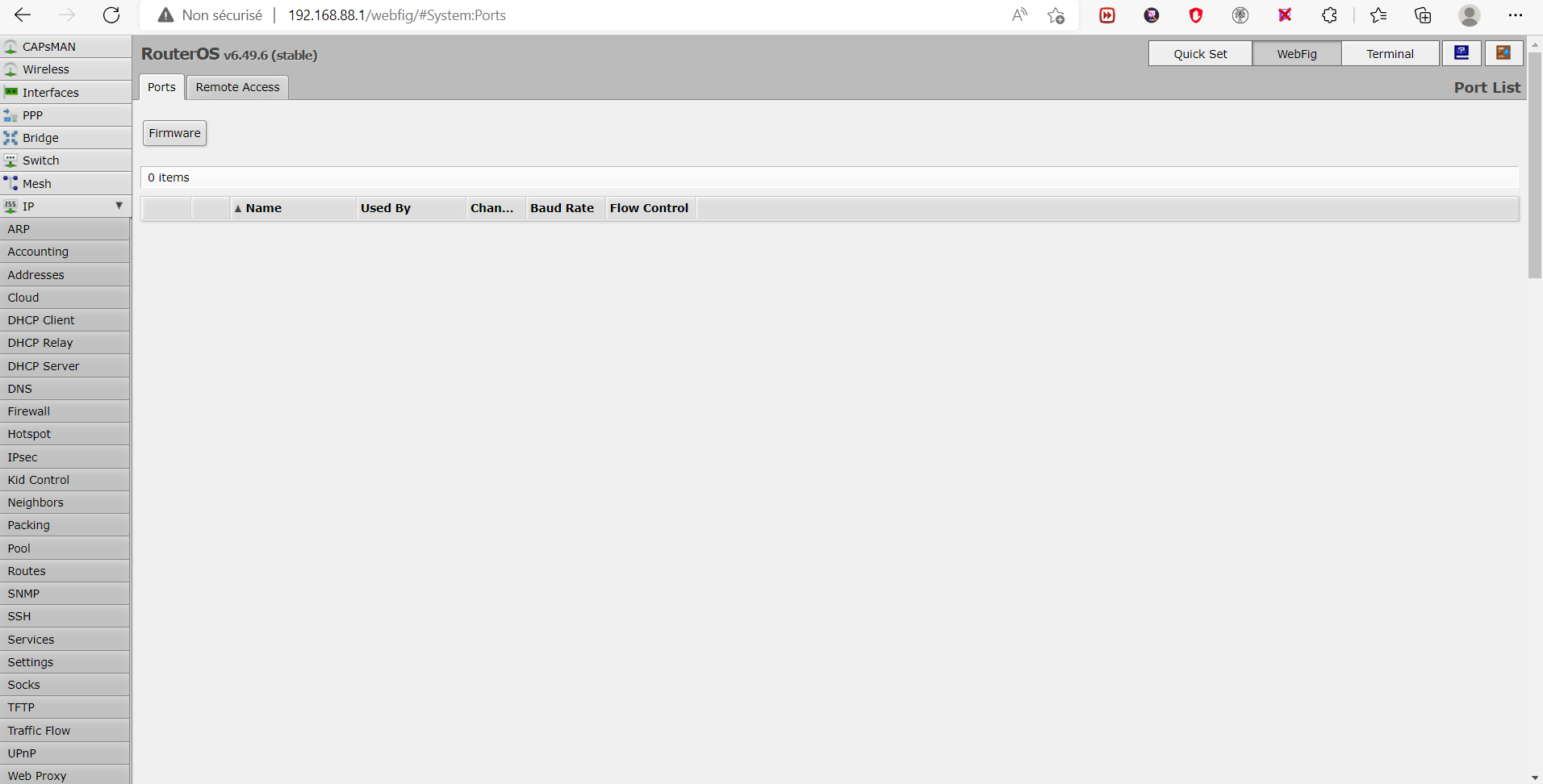
    Dss0 this?
    5ce0eb2e-0d41-477b-983e-a3446e458642-image.png

    Dss0 1 Reply Last reply
    0
    • felixoboyytb felixoboyytb

      Dss0 this?
      5ce0eb2e-0d41-477b-983e-a3446e458642-image.png

      Dss0 Offline
      Dss0 Offline
      Dss0
      Plutonium Staff
      wrote on last edited by
      #30

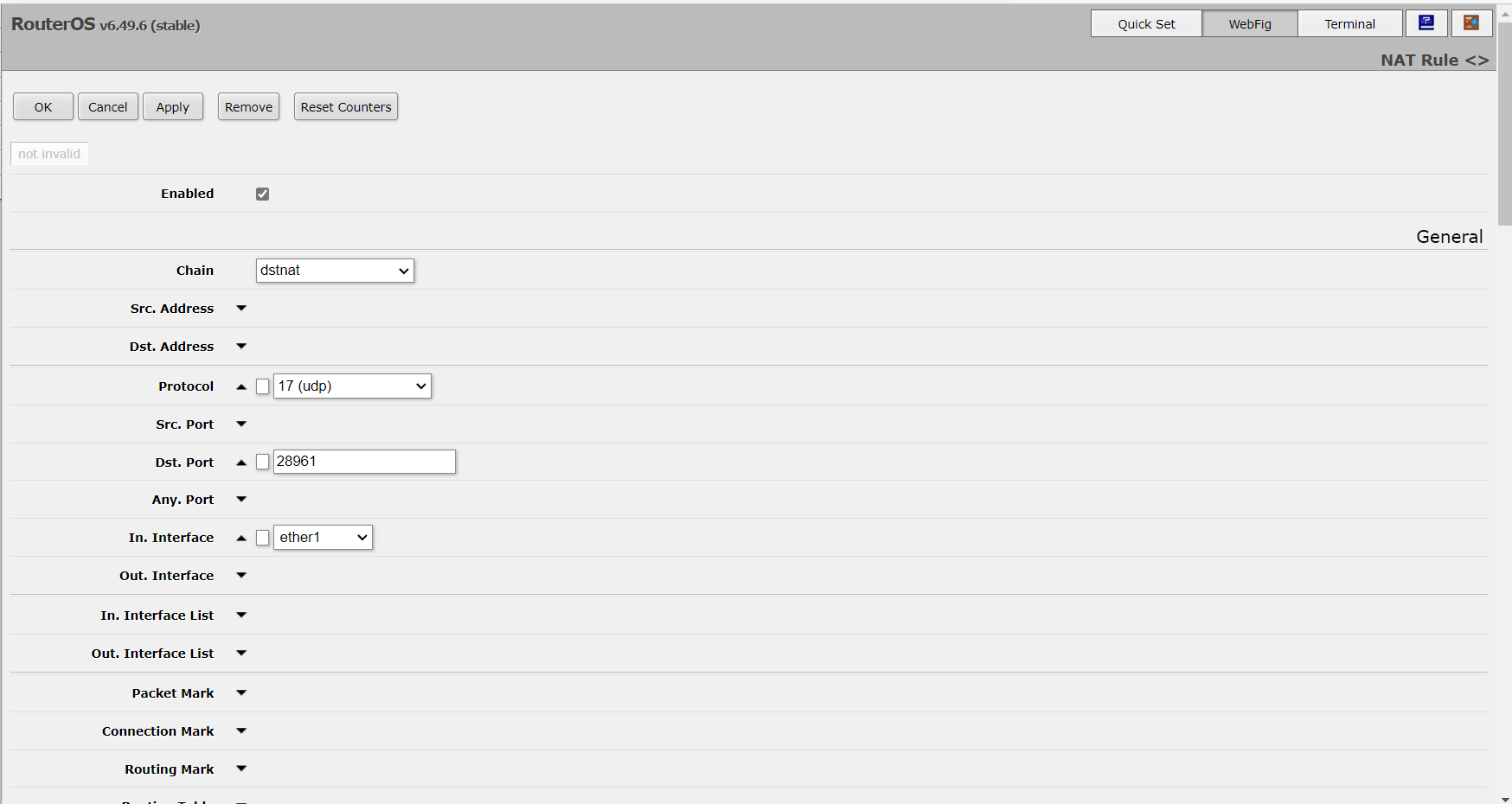
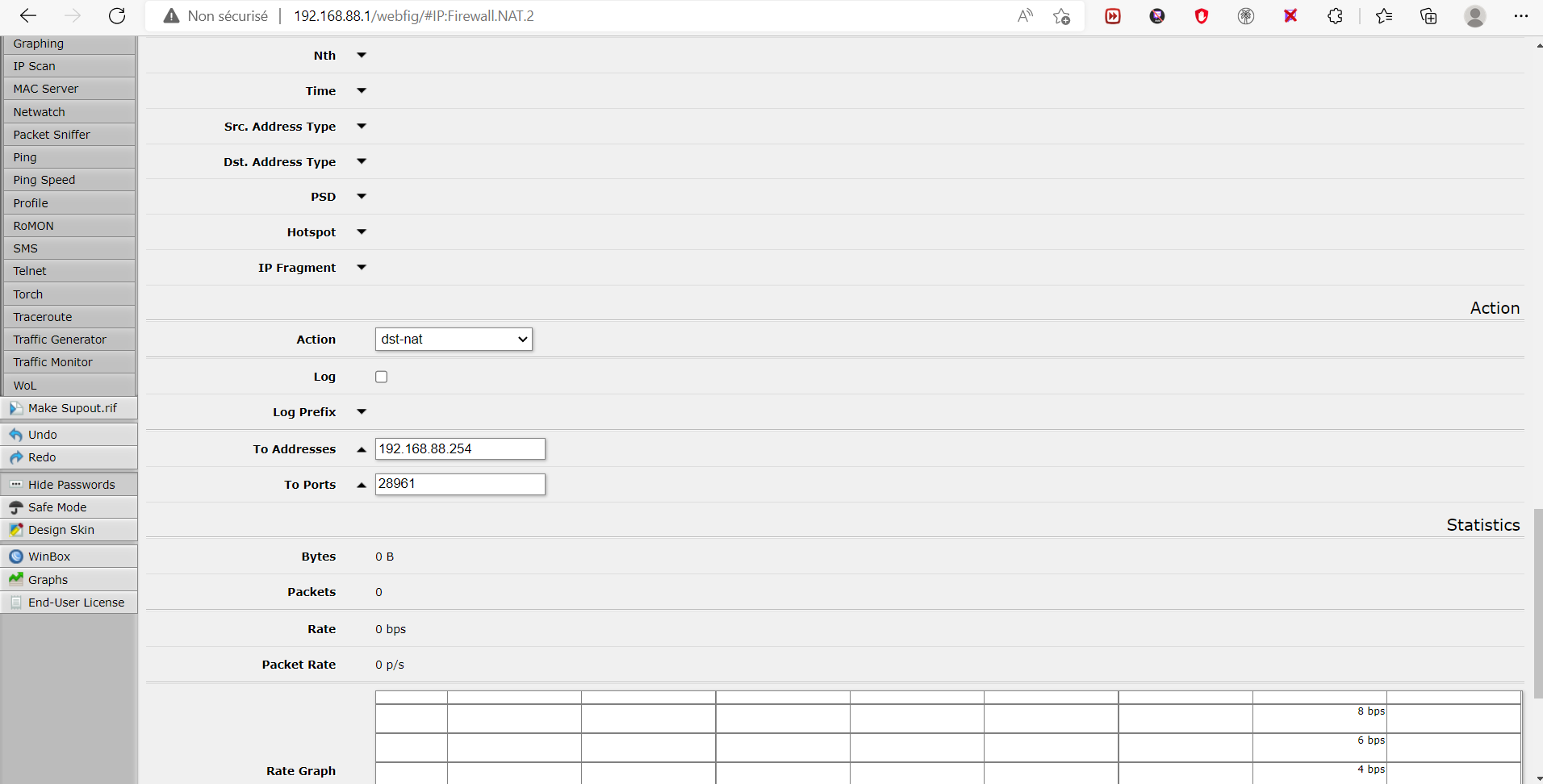
      felixoboyytb no, it's at IP -> Firewall -> NAT. Then click "add new". Settings should be as follows:

      Chain: dstnat
      Protocol: UDP
      Dst. Port: 28961
      In. Interface: ether1
      Action: dst-nat
      To Addresses: 192.168.x.x (this will be your pc's local ipv4 address, you can get it by running "ipconfig" via cmd on the pc that runs the server).
      To Ports: 28961

      don't change any of the other settings on that page and hit OK on top of the page.

      felixoboyytb 2 Replies Last reply
      0
      • Dss0 Dss0

        felixoboyytb no, it's at IP -> Firewall -> NAT. Then click "add new". Settings should be as follows:

        Chain: dstnat
        Protocol: UDP
        Dst. Port: 28961
        In. Interface: ether1
        Action: dst-nat
        To Addresses: 192.168.x.x (this will be your pc's local ipv4 address, you can get it by running "ipconfig" via cmd on the pc that runs the server).
        To Ports: 28961

        don't change any of the other settings on that page and hit OK on top of the page.

        felixoboyytb Offline
        felixoboyytb Offline
        felixoboyytb
        wrote on last edited by
        #31

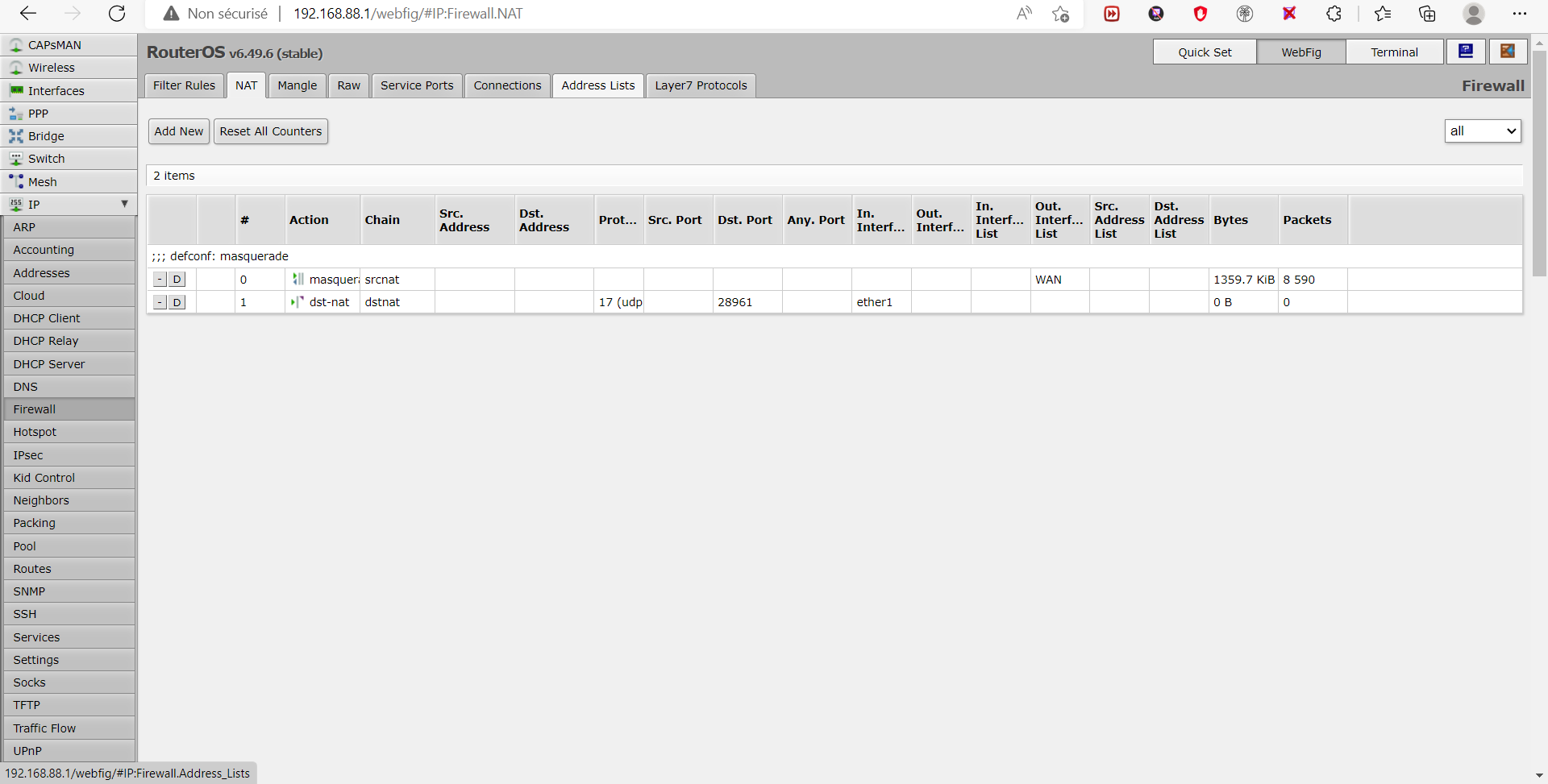
        Dss0 ok, all is good and now?
        9b896fac-3e21-4ddd-8d1e-25929f0a35e7-image.png

        Dss0 1 Reply Last reply
        0
        • felixoboyytb felixoboyytb

          Dss0 ok, all is good and now?
          9b896fac-3e21-4ddd-8d1e-25929f0a35e7-image.png

          Dss0 Offline
          Dss0 Offline
          Dss0
          Plutonium Staff
          wrote on last edited by Dss0
          #32

          felixoboyytb did you fill in "To Addresses"? seems your pc's ip is missing from the rule. After that the server should be visible on the serverlist and joinable from outside your network.

          felixoboyytb 1 Reply Last reply
          0
          • Dss0 Dss0

            felixoboyytb no, it's at IP -> Firewall -> NAT. Then click "add new". Settings should be as follows:

            Chain: dstnat
            Protocol: UDP
            Dst. Port: 28961
            In. Interface: ether1
            Action: dst-nat
            To Addresses: 192.168.x.x (this will be your pc's local ipv4 address, you can get it by running "ipconfig" via cmd on the pc that runs the server).
            To Ports: 28961

            don't change any of the other settings on that page and hit OK on top of the page.

            felixoboyytb Offline
            felixoboyytb Offline
            felixoboyytb
            wrote on last edited by
            #33

            Dss0 2449d18c-9435-4dc7-9c42-2cf891127640-image.png
            b4abb8e0-71cf-469d-96ed-3c4deb95c769-image.png

            1 Reply Last reply
            0
            • Dss0 Dss0

              felixoboyytb did you fill in "To Addresses"? seems your pc's ip is missing from the rule. After that the server should be visible on the serverlist and joinable from outside your network.

              felixoboyytb Offline
              felixoboyytb Offline
              felixoboyytb
              wrote on last edited by
              #34

              Dss0 so?

              Dss0 1 Reply Last reply
              0
              • felixoboyytb felixoboyytb

                Dss0 so?

                Dss0 Offline
                Dss0 Offline
                Dss0
                Plutonium Staff
                wrote on last edited by
                #35

                felixoboyytb so it should be fine, if 192.168.88.254 is actually your pc's ip.. seems a bit strange to me but if ipconfig shows that as "IPv4 Address" it's fine.
                Check if the server is visible/ask your friends.

                felixoboyytb 1 Reply Last reply
                0
                • Dss0 Dss0

                  felixoboyytb so it should be fine, if 192.168.88.254 is actually your pc's ip.. seems a bit strange to me but if ipconfig shows that as "IPv4 Address" it's fine.
                  Check if the server is visible/ask your friends.

                  felixoboyytb Offline
                  felixoboyytb Offline
                  felixoboyytb
                  wrote on last edited by
                  #36

                  Dss0 so the server it can be public to you? and how do we load a card to join on the server?

                  Dss0 1 Reply Last reply
                  0
                  • felixoboyytb felixoboyytb

                    Dss0 so the server it can be public to you? and how do we load a card to join on the server?

                    Dss0 Offline
                    Dss0 Offline
                    Dss0
                    Plutonium Staff
                    wrote on last edited by
                    #37

                    felixoboyytb if you open the port the server will be visible to everyone. What do you mean by load a card? a custom map? It should be similar to this minus the mp_ prefix https://plutonium.pw/docs/server/t4/loading-mods/#loading-custom-maps-mp

                    felixoboyytb 2 Replies Last reply
                    0
                    • Dss0 Dss0

                      felixoboyytb if you open the port the server will be visible to everyone. What do you mean by load a card? a custom map? It should be similar to this minus the mp_ prefix https://plutonium.pw/docs/server/t4/loading-mods/#loading-custom-maps-mp

                      felixoboyytb Offline
                      felixoboyytb Offline
                      felixoboyytb
                      wrote on last edited by
                      #38

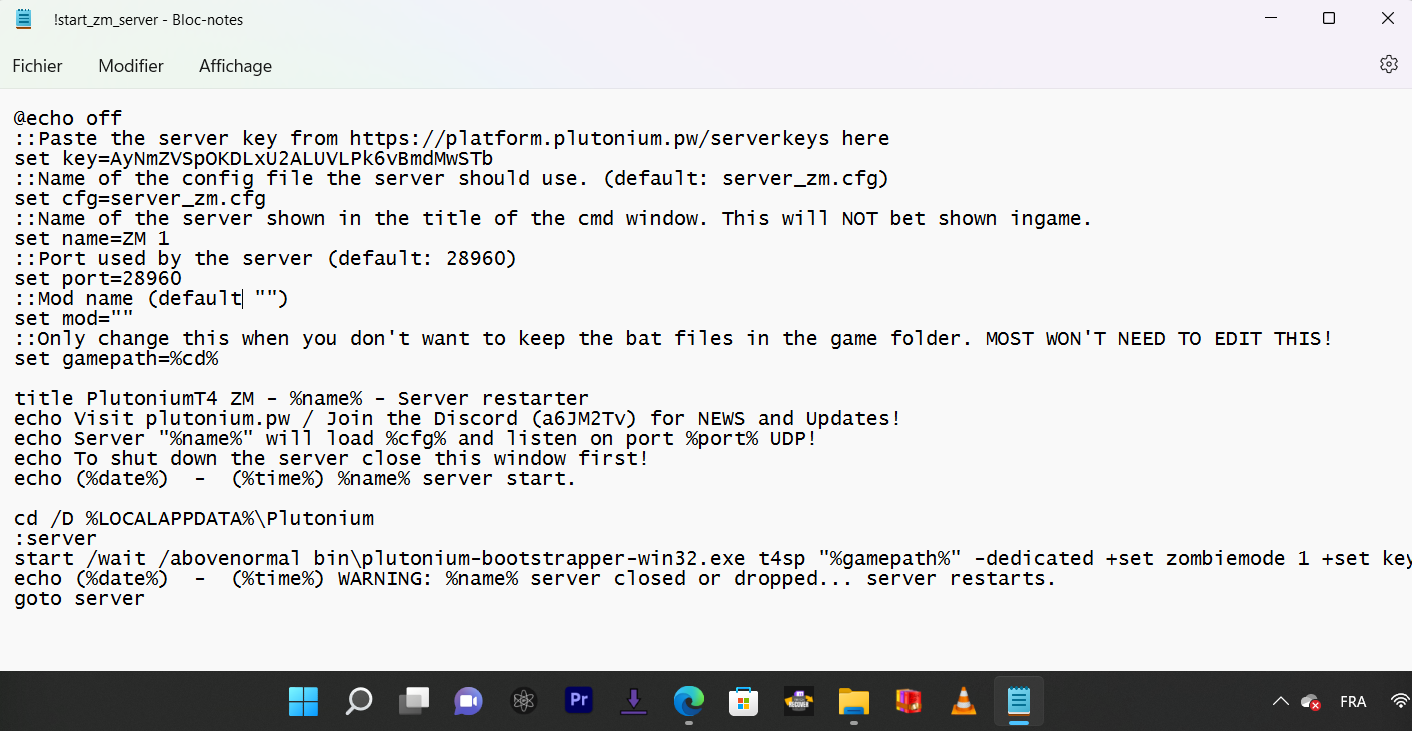
                      Dss0 where i put the map?
                      2e2dd980-00da-470f-bbb5-d31fa63b6f99-image.png

                      Resxt 1 Reply Last reply
                      0
                      • felixoboyytb felixoboyytb

                        Dss0 where i put the map?
                        2e2dd980-00da-470f-bbb5-d31fa63b6f99-image.png

                        Resxt Offline
                        Resxt Offline
                        Resxt
                        Plutonium Staff
                        wrote on last edited by
                        #39

                        felixoboyytb in the server cfg.
                        Stop being so lazy..

                        felixoboyytb 1 Reply Last reply
                        0
                        • Resxt Resxt

                          felixoboyytb in the server cfg.
                          Stop being so lazy..

                          felixoboyytb Offline
                          felixoboyytb Offline
                          felixoboyytb
                          wrote on last edited by
                          #40
                          This post is deleted!
                          1 Reply Last reply
                          0
                          • Dss0 Dss0

                            felixoboyytb if you open the port the server will be visible to everyone. What do you mean by load a card? a custom map? It should be similar to this minus the mp_ prefix https://plutonium.pw/docs/server/t4/loading-mods/#loading-custom-maps-mp

                            felixoboyytb Offline
                            felixoboyytb Offline
                            felixoboyytb
                            wrote on last edited by
                            #41

                            Dss0 how, I had seen that it was between the set mod but must believe not, did we put the path of the file?


                            1 Reply Last reply
                            0

                            Hello! It looks like you're interested in this conversation, but you don't have an account yet.

                            Getting fed up of having to scroll through the same posts each visit? When you register for an account, you'll always come back to exactly where you were before, and choose to be notified of new replies (either via email, or push notification). You'll also be able to save bookmarks and upvote posts to show your appreciation to other community members.

                            With your input, this post could be even better 💗

                            Register Login
                            Reply
                            • Reply as topic
                            Log in to reply
                            • Oldest to Newest
                            • Newest to Oldest
                            • Most Votes


                            • 1
                            • 2
                            • 3
                            • Login

                            • Don't have an account? Register

                            • Login or register to search.
                            • First post
                              Last post
                            0
                            • Unread 0
                            • Recent
                            • Popular
                            • Users
                            • Donate