Linux Plutonium Launcher Auto Installer & Manager
-
Source code on Github
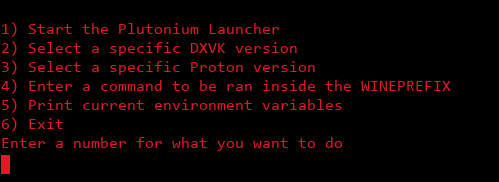
Features:
- Automatically installs all winetricks dependencies
- Installs everything you need to run every game supported by the Plutonium Launcher
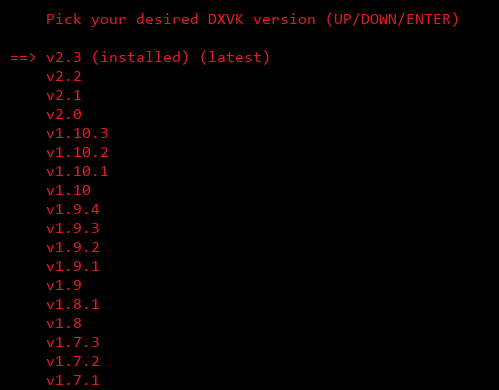
- Automatically installs & updates DXVK
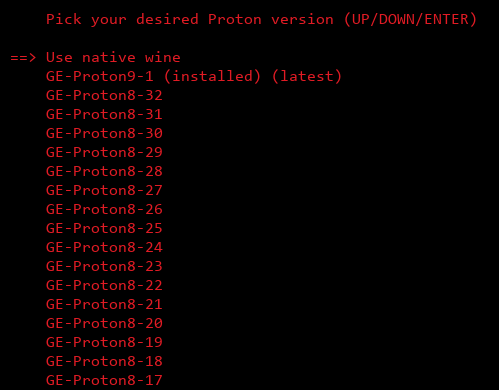
- Easy-to-use installer for Proton
Dependencies
- WINE
- Winetricks (Installs for you for most distributions)
- Python 3 (Pre-installed on most distributions)
How to use
-
Download the program
- Download the ZIP folder here, then extract the folder somewhere you'll remember
- Alternatively, you can download it through git:
git clone https://github.com/meow6969/plutonium-linux-launcher- It will create a subfolder called
plutonium-linux-launcher, open that folder
- It will create a subfolder called
- Alternatively, you can download it through git:
- Download the ZIP folder here, then extract the folder somewhere you'll remember
-
To run the program, open the folder we just created in the last step, then open a terminal in that folder
- Right click > "Open Terminal Here" (This could be different depending on the OS)
- After the initial setup, do this step again to play Plutonium
- Right click > "Open Terminal Here" (This could be different depending on the OS)
-
In the terminal we just opened, enter the command
bash start.sh -
Follow the instructions the program gives you
- Automatically installs all winetricks dependencies
-
Nice Thanks
-
 dontknowletspl referenced this topic on
-
: D thx


Hello! It looks like you're interested in this conversation, but you don't have an account yet.
Getting fed up of having to scroll through the same posts each visit? When you register for an account, you'll always come back to exactly where you were before, and choose to be notified of new replies (either via email, or push notification). You'll also be able to save bookmarks and upvote posts to show your appreciation to other community members.
With your input, this post could be even better 💗
Register Login