i can't update the launcher
-
look at the image
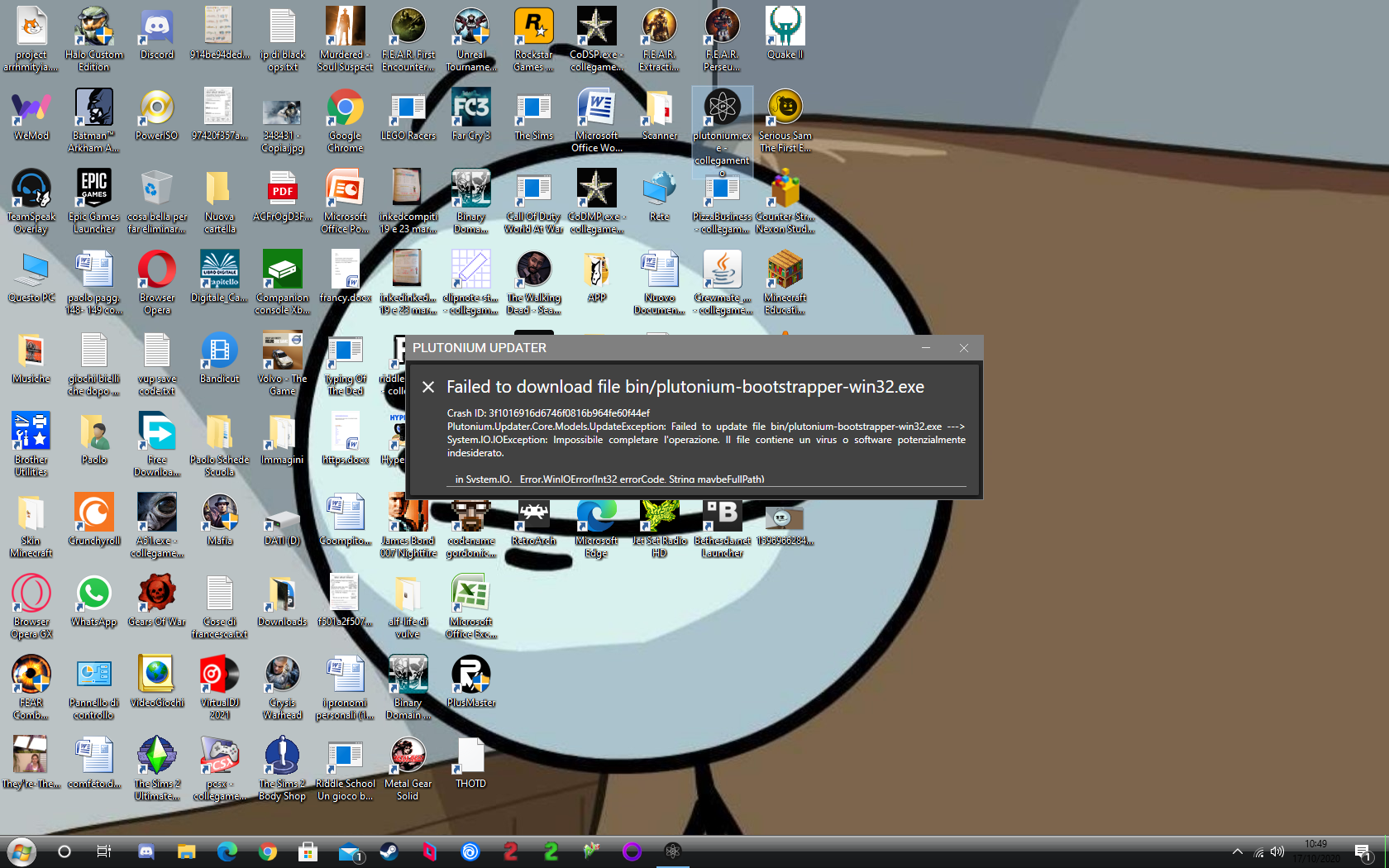
-
@Ax0l I cant see the image
-
try to copy and paste the link
-
@Ax0l nope is only comes up with random images
-
@Ax0l nope is only comes up with random images
Galaxy_Drifterz so what i can do?
-
@Ax0l now i can see the image
-
@Ax0l i have the same problem as you.
U need to ungrade to win 10 -
i have win 10 it's just a program to change the bar, also now it's working
-
Press your windows key and type in "Virus & Threat Protection" Then click "manage settings" (It's coloured blue) Under the exclusions tab "add an exclusion" select "folder" and set your Pluto game folder as the folder. Launch the updater and it should work... I had this same error happen to my friend and that fixed it.
-
look at the image
@Ax0l qXc no it's not the pluto game folder you have to exclude, it's %localappdata%/Plutonium.
This video shows it: https://streamable.com/5giauo -
Thank you my launcher is now working



Hello! It looks like you're interested in this conversation, but you don't have an account yet.
Getting fed up of having to scroll through the same posts each visit? When you register for an account, you'll always come back to exactly where you were before, and choose to be notified of new replies (either via email, or push notification). You'll also be able to save bookmarks and upvote posts to show your appreciation to other community members.
With your input, this post could be even better 💗
Register Login