im having a GPUdriver D3D11 error my gpu supports dx12 please help
-
I COULD SEND CAPTURES OF ALL THE STEP THAT I DID NOT UNDERSTAND IT WELL
-
-
How do I get into that folder?
valentinoxd12 you can just copy and paste the path i posted into the "Enter a process or folder name" line. Just replace "YOURUSERNAME" with your actual windows username.
-
where I fix my name that I don't remember
-
where I fix my name that I don't remember
valentinoxd12 just go to C:\Users and you will find a folder with your username..
-
-
what do I do with run
valentinoxd12 run?
-
windows+ r that I mean
-
sure the method works?
-
windows+ r that I mean
valentinoxd12 who tf told you you have to use "run" to execute a command? Open the windows explorer and go to C:\Users then note your username (it will be the name of a folder) and post it here.
-
Sorry if I'm annoying but I could send a capture.
-
is that I'm new with all this sorry
-
after local disk which folder do I open
-
is that I'm new with all this sorry
valentinoxd12 I told you 3 times now. the "USERS" folder.
-
I'm sorry, it doesn't appear, I'll send you capture
-
-
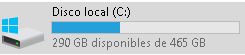
-
valentinoxd12 yea so what could "users" be in spanish?

-
sorry if I speak in Spanish but I translate
-





Hello! It looks like you're interested in this conversation, but you don't have an account yet.
Getting fed up of having to scroll through the same posts each visit? When you register for an account, you'll always come back to exactly where you were before, and choose to be notified of new replies (either via email, or push notification). You'll also be able to save bookmarks and upvote posts to show your appreciation to other community members.
With your input, this post could be even better 💗
Register Login