Skip to content
  • 0 Unread 0
  • Recent
  • Tags
  • Popular
  • Users
  • Groups
  • Donate
Collapse

Plutonium

ak47uh

ak47uh

@ak47uh
Unfollow Follow
About
Posts
20
Topics
8
Shares
0
Groups
0
Followers
4
Following
5

Posts

Recent Best Controversial

  • [Release][ZM] Custom Bo1 Misty Gloves.
    ak47uh ak47uh

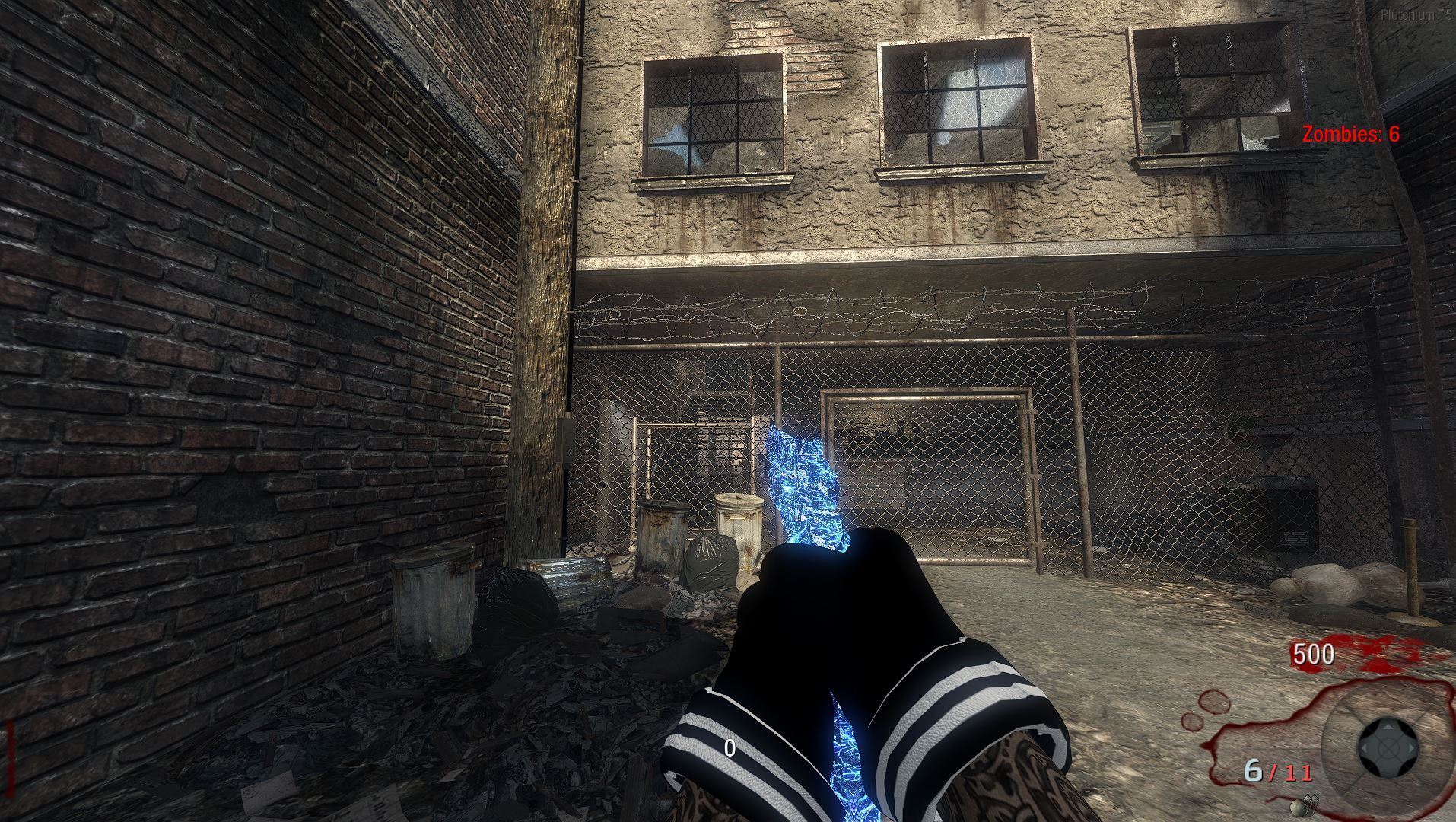
    someone in my discord server wanted this so ill share it with the rest of the forum. It adds a variety of clean color options for your character's gloves in BO1 (T5).

    A quick headsup, I know a couple of the variants have minor texturing lines visible while others don't. I'll be pushing out an updated fix for those very soon, I just desperately need to catch up on some sleep first! 💔


    Previews

    Cyan
    cyan gloves.JPG

    Green
    Green.JPG

    Pink
    Pink.JPG

    Red
    Red.JPG

    White
    white gloves.JPG

    Yellow
    Yellow.JPG


    Download

    Download via MEGA


    Installation Guide

    To install these custom glove textures in your T5 client, follow these steps:

    1. Locate your main game installation directory. Standard examples include:
      • Standalone Client: ...\games\pluto_t5_full_game\
      • Steam Client: ...\steamapps\common\Call of Duty Black Ops\
    2. Open the main folder inside that game directory.
    3. Drop the downloaded viewarm_zom_farmergirl_c.iwi file directly into that main\iw_39.iwd folder.
    4. Next, go back and navigate to the zone\common folder inside your T5 game directory.
    5. Drop the custom patch files from Old Post (please if you install "iw_39.iwd" from that replace the viewarm_zom_farmergirl_c.iwi ) straight into that zone\common
      folder.
    6. enjoy your gloves ❤

    If you run into any issues, have feedback, or want to suggest new colors, reply below or hit me up on Discord: p7zu.

    BO1 Modding Releases & Resources

  • [Release][MP] Custom Backgrounds for Multiplayer BO2.
    ak47uh ak47uh

    i have put together some backgrounds for people who play Multiplayer on Black Ops 2 if you have any ideas on you want let me know! ❤

    Previews

    Background 1
    Egirl 1.JPG

    Background 2
    Egirl 2.JPG

    Background 3
    Egirl 3.JPG

    Background 4
    Egirl 4.JPG

    Background 5
    Egirl 5.JPG


    Download

    Download via MEGA

    Installation Guide

    Since these are custom backgrounds, they go right into your T6 images folder:

    1. Press Win + R to open the Run dialog.
    2. Type %localappdata% and hit Enter.
    3. Navigate to: Plutonium -> storage -> t6.
    4. Look for a folder named images. If you don't see it, right-click, create a new folder, and name it images.
    5. Extract and drop all the downloaded .iwi icon files directly into that images folder.
    6. Boot up the game and enjoy the new look!

    If you run into any issues or have feedback, reply below or reach out to me on Discord: p7zu.

    BO2 Modding Releases & Resources

  • [Release] Custom BO1 Animated Camos Pack (first time ever messing with bo1 or any black ops!)
    ak47uh ak47uh

    Here is a custom camo pack I've put together for T5. Below are some in-game previews of how it looks across various weapons. WITH PATCHES SO YOU DONT EVEN GOTTA TOUCH YOUR GAME FILES 🙂 its just a mod that does everything for you. and it has everymap patched and if you dont like it all you gotta do its delete one file instead of 30.

    Previews

    1911
    1911.png

    M14
    m14.png

    M16
    m16.png

    MP5k
    mp5k.png

    MP40
    mp40.png

    Commando
    Capture.JPG

    Ray Gun
    ray.png

    RPK
    rpk.png

    Wunderwaffe DG-2
    Wonder.png

    Installation Guide

    https://mega.nz/folder/EmAAQSKb#fExyCf_gTZ-N4IX27XwMgw

    To install this in your T5 client, follow these steps:

    1. Press Win + R to open the Run dialog.
    2. Type %localappdata% and hit Enter.
    3. Navigate through the folders: Plutonium -> storage -> t5.
    4. Look for a folder named mods. If you don't see one, right-click and create a new folder named mods.
    5. Drop the downloaded camo mod into this mods folder.
    6. Launch your game, interact with the TV on the main menu, and you will see the pack in your mods list.

    If you run into any issues or have feedback, reply below or reach out to me on Discord: p7zu.

    BO1 Modding Releases & Resources

  • [Release] Custom Neon Black Perk Icons Pack (All Bo2 Perks)
    ak47uh ak47uh

    I put together a custom set of perk icons featuring a sleek Neon Black aesthetic for Black Ops 2.
    Please if you have any ideas put them below

    Perks Included

    • Jugger-Nog
    • Speed Cola
    • Double Tap II
    • Quick Revive
    • Mule Kick
    • Stamin-Up
    • Electric Cherry
    • Who's Who
    • PhD Flopper

    Previews

    • Jugger-Nog
      specialty_juggernaut_zombies.png

    • Speed Cola
      specialty_fastreload_zombies.png

    • Double Tap II
      specialty_doubletap_zombies.png

    • Quick Revive
      specialty_quickrevive_zombies.png

    • Mule Kick
      specialty_mulekick_zombies.png

    • Stamin-Up
      specialty_marathon_zombies.png

    • Electric Cherry
      minimap_icon_electric_cherry.png

    • Who's Who
      minimap_icon_chugabud.png

    • PhD Flopper
      specialty_divetonuke_zombies.png

    Download

    Download via MEGA


    Installation Guide

    Since these are custom textures, they go right into your T6 images folder:

    1. Press Win + R to open the Run dialog.
    2. Type %localappdata% and hit Enter.
    3. Navigate to: Plutonium -> storage -> t6.
    4. Look for a folder named images. If you don't see it, right-click, create a new folder, and name it images.
    5. Extract and drop all the downloaded .iwi icon files directly into that images folder.
    6. Boot up the game and enjoy the new look!

    If you run into any issues or have feedback, reply below or reach out to me on Discord: p7zu.

    BO2 Modding Releases & Resources

  • [ZM][Release] Custom animated camos for T5 client
    ak47uh ak47uh

    mr.kennutbuster yessir thank you so much it means alot

    BO1 Modding Releases & Resources

  • [ZM][Release] Custom animated camos for T5 client
    ak47uh ak47uh

    Hello I'm really excited to share this pack with you all. This project took a massive amount of time to complete because every single camo was entirely hand-drawn by me from scratch. (and yes i know they all dont look the best 😞 but going forward we all try to be better and im new to this so sorry!)

    I put a lot of work into these, so if you end up using them or just like how they look, I would deeply appreciate it if you could drop an upvote on this post so other people in the community can see it! ❤


    Previews

    Camo Pack 1
    camo 1.JPG

    Camo Pack 2
    camo 2.JPG

    Camo Pack 3
    camo 3.JPG

    Camo Pack 4
    camo 4.JPG


    Download

    Download via MEGA


    Installation Guide

    To install these custom camos in your T5 client, follow these steps:

    1. Locate your main game installation directory. Standard examples include:
      • Standalone Client: \pluto_t5_full_game\
      • Steam Client: \steamapps\common\Call of Duty Black Ops\
    2. Open the main folder inside that game directory.
    3. Drop the downloaded iw_39.iwd file directly into that main folder.
      NOTE. PLEASE IF YOU HAVE A iw_39.iwd please make a backup incase you dont like these that i made.
    4. Navigate to the zone\common folder inside your main game directory.
    5. Drop the custom patch files from the downloaded folder straight into that zone\common folder.
    6. Boot up Plutonium T5 and enjoy!

    One more note if you dont like the pink gloves find some more gloves or tryout some of mine glove post Thank you!


    If you run into any issues or have feedback on the designs, reply below or reach out to me on Discord: pz7u.

    BO1 Modding Releases & Resources

  • [Release][ZM] Custom BO1 Animated Origins Pack A Punch Camos
    ak47uh ak47uh

    Hello i put together an Origins-inspired Pack-A-Punch camo pack for BO1 (T5). I tried to get it as close to the classic Origins aesthetic as possible, let me know how I did!

    There are actually a lot more weapons covered in this pack, but I didn't want to make the post a mile long, so here is a quick look at a few of them in-game.


    Previews

    AK47u
    Ak47u.JPG

    AUG
    aug.JPG

    Commando
    commando.JPG

    Dragunov
    darg.JPG

    Galil
    galil.JPG

    L96A1
    l9.JPG

    M14
    M14.JPG

    MP40
    mp40.JPG

    MPL
    mpl.JPG

    Python
    python.JPG

    Ray Gun
    ray_gun.JPG

    Stakeout
    stakeout_zm.JPG

    Thundergun
    thundergun_zm.JPG


    Download

    Download via MEGA


    Installation Guide

    To install this file setup in your T5 client, follow these steps:

    1. Locate your main game installation directory. Standard examples include:
      • Standalone Client: ...\pluto_t5_full_game\
      • Steam Client: ...\steamapps\common\Call of Duty Black Ops\
    2. Open the main folder inside that game directory.
    3. Drop the downloaded iw_39.iwd file directly into that main folder.
    4. Next, navigate to the zone\common folder inside your game directory.
    5. Drop the custom patch files from the downloaded folder straight into that zone\common folder.
    6. Boot up Plutonium T5 and enjoy!

    If you run into any issues or have feedback, reply below or reach out to me on Discord: p7zu.

    BO1 Modding Releases & Resources

  • [Release][ZM] Custom BO1 Animated Origins Pack A Punch Camos
    ak47uh ak47uh

    GhostRider01250 thank you it means alot ❤ i took a big break due to just bad mental state i was just sad 24-7 but im back and making more stuff now

    BO1 Modding Releases & Resources
  • 1 / 1
  • Login

  • Don't have an account? Register

  • Login or register to search.
  • First post
    Last post
0
  • Unread 0
  • Recent
  • Tags
  • Popular
  • Users
  • Groups
  • Donate