Furiaverde5046 0x000007b can be caused by your antivirus software blocking plutonium -> https://plutonium.pw/docs/antivirus/ but it can also be caused by missing redistributables so if excluding it from your av software doesn't work download and run this: https://github.com/ChxseH/Redist-Installer/releases/download/latest/Redist-Installer.bat
 undefined
Dss0
@Dss0
Posts
-
help does not open bo2 -
"Does anyone have the D3DCOMPILER_43.dll" file?@lcaart you have to run dxsetup.exe from inside the folder to install it, just having the folder does not mean it's installed.
-
error -
BO2 misses my savingsluky96c this has been answered many times already. The last update changed how stats worked, they are also saved online now. Everyone's stats have been reset and there is no way to get your old stats back.
-
plutonium crashes noerrorninpauline what if you type
vid_restartinto the bootstrapper cmd window and hit enter?
If it doesn't work tryr_fullscreen 0; vid_restart -
plutonium crashes noerrorninpauline also made sure you have no overlay software running in the background (rivatuner, msi afterburner, ...)?
-
map wontChopaCharlie so did you repair your game files? It still looks like you're missing files.
The first screenshot shows missing (dlc) files.
The second one is normal. -
plutonium crashes noerrorninpauline it doesn't like overlays, fps counters and such. Dunno why it worked the first time, it shouldn't have

-
BO2 crashesCobra_Elegante i know but i have no idea what could cause this.
Just try this
- open the start menu and search for "cmd"
- run cmd as admin
- execute the following command
dism /online /cleanup-image /restorehealth- after dism has finished repairing your system restart your pc
-
bo2/plutonuim crashes everytime i join a serverYoung God sorry but your game files are a mess. Most of this stuff isn't needed by pluto and might cause issues. I'd recommend reinstalling the game using our torrent, if you want to use redacted create a separate game folder for it.
There have also been some issues lately when joining servers too quickly, wait for 20-30s after launching the game before joining one.
-
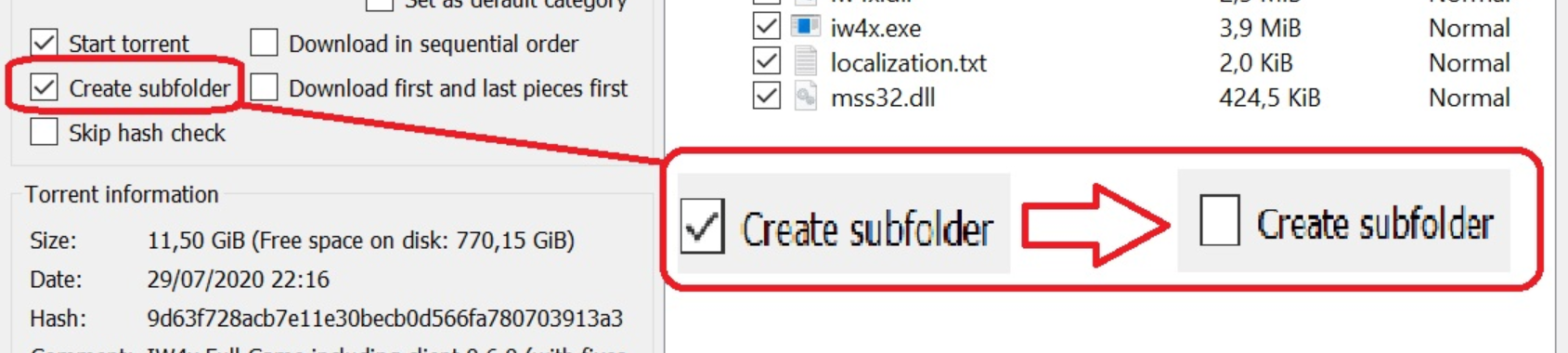
Ineed help plzgtnitr_lol yea so if you open the torrent file with qbittorrent then you will get a window that lets you select download location and stuff so you select your bo2 game folder there and you deselect "create subfolder". Depending on the version of qbittorrent it's either gonna be called "create subfolder" or "keep top level folder" but it does the same thing.
-
language -
problem bo2 zombiesSerfio_95 the error message contains the filepath to a folder containing crashdumps, upload your crashdump to google drive and post the link here.
-
BO2 chrashes when trying to load zombiesDealorG you can't launch zombies from mp or vise versa, you need to start zombies via the pluto launcher.
-
i accidentally changed my resolution to 1920 x 1080 240hz and i cant tab to bo2, how i fix it@die-Katze yes via your config file, it's located in the "players" folder in your bo2 folder. Open plutonium_mp.cfg and/or plutonium_zm.cfg with a text editor and look for "r_mode".
-
Disable Boosting My Mic To 100%Timino just disable voice chat ingame?
Or: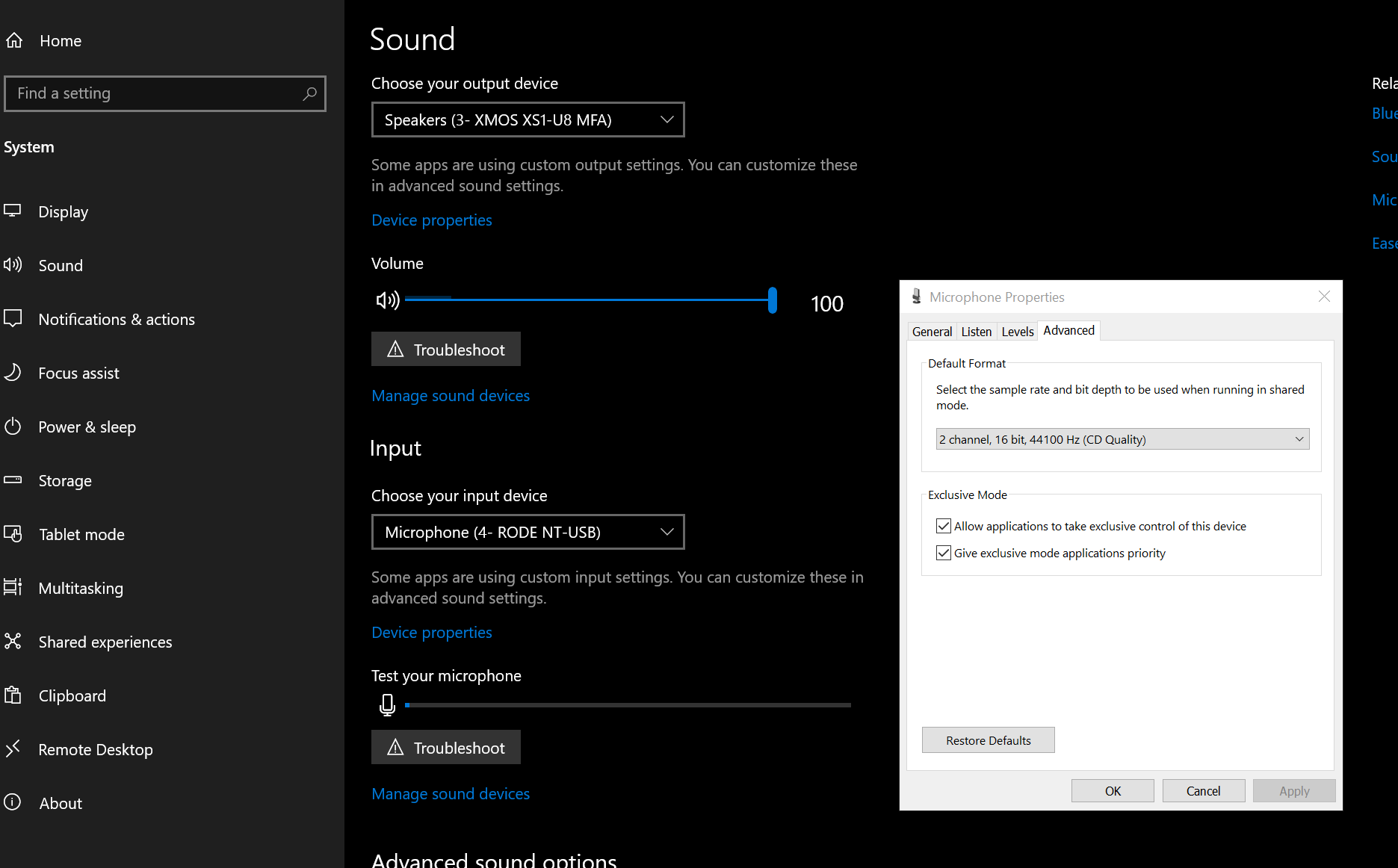
System -> Sound -> Device properties below your output device -> Additional device properties -> advanced -> disable "allow applications to take exclusive control of this device".
-
UPNP looks like unsolvable problemyou don't need upnp anymore, bo2 now uses the built-in friendlist (bottom right corner on the menu). the only relevant thing now is what your NAT status is, it also displays that on the bottom right.
-
I can't find the t6r folder -
Origins crash on startup?