HannesC yeah now its back to not starting again even after entering these commands. This is also on a fresh boot / no other programs running.
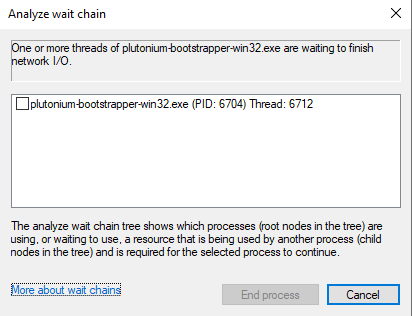
Edit: could that be of relevance?

Tqhr
@Tqhr
Posts
-
After pressing play Bootstrapper sits at 0% cpu usage and doesnt open the Game -
After pressing play Bootstrapper sits at 0% cpu usage and doesnt open the GameHannesC it didnt even launch before, just the cmd as shown in the pic. I tried the commands and that seemed to start my game normally again. It still is a bit weird because sometimes it just reverts back to not starting but atleast i can go ingame now so thx for that! And no i dont have any overlay running when im starting the game (no dc, nvidia, rtss and so on)
-
After pressing play Bootstrapper sits at 0% cpu usage and doesnt open the Game
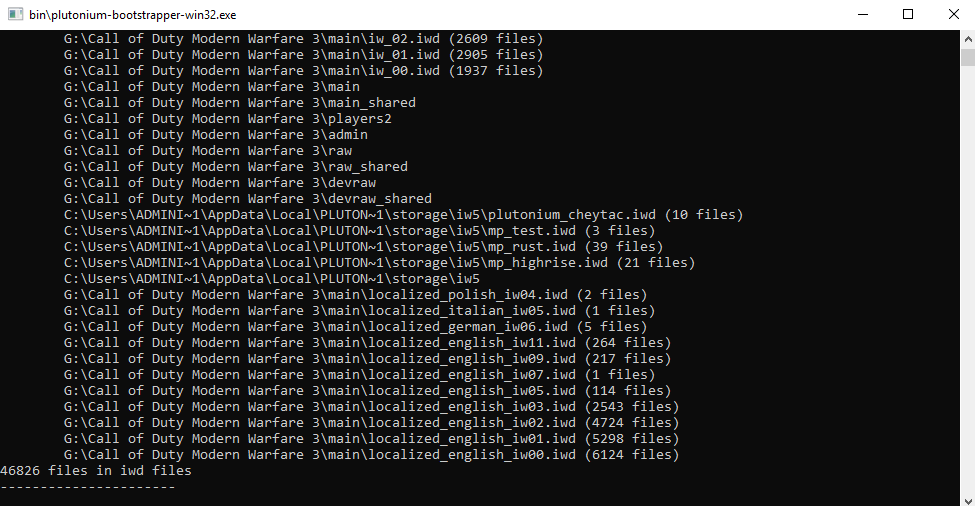
It doesnt crash nor give me an error. It just sits there and doesnt open the game, which is weird because it worked perfectly fine up until now. I have completely wiped my Mw3 install and re-downloaded it, deleted the %appdata% pluto folder and re-downloaded the pluto launcher. I dont have any anti-virus and Windows defender is completely disabled.
I also re-installed the vc packages + directX. -
UNBANit is strongly advised to launch any pluto game in lan mode so the anti cheat is disabled. If you didnt do that then i dont think you will get unbanned, you would have to wait until your ban expires
-
this guy is cheating as you can see (AIMBOT) -
My UPNP Is enabled and NAT is open, why cant no one join me?if that doesnt work you may try connecting with your friends on "Hamachi" and connecting via the ipv4 address
-
Audio issue above 32bit 192khzAutisticLulu I didnt ask for advice on what quality to use, i wanted to know if its something that they are maybe gonna take a look at in the future or not. Because the game starting without sound under certain circumstances IS an issue.
-
Audio issue above 32bit 192khzSo basically my Soundcard is native 32 bit 384khz but no cod that is launched with Pluto will have ANY sound above 32 bit 192khz, which is quite annoying to always change my audio quality before playing said titles. Is this an issue that can be fixed in future updates? And im not talking about upping the audio quality, just to fix the output sound even if the default audio device is running above 192khz