Skip to content

Launcher Support

4.0k Topics 14.1k Posts

Request support for the Plutonium Launcher, please wait at-least 1 day for a reply, it can get busy.

  • ...

    2
    1
    0 Votes
    2 Posts
    152 Views
    Client files automatically get downloaded when you run plutonium.exe, whenever there's a new update. So yeah that's normal.
  • Could not authenticate to plutonium non-success status Error 401

    2
    0 Votes
    2 Posts
    301 Views
    @S0beK try to delete the Plutonium folder in %localppdata% while the launcher is closed then open it again. Also what is your antivirus? You could try adding both the Plutonium folder and your game folder as exclusions by following this guide.
  • it appears you have selected an invalid game folder

    2
    0 Votes
    2 Posts
    158 Views
    @RoadRunnxSJ send a screenshot of the error
  • what can i do?

    Moved
    2
    1
    0 Votes
    2 Posts
    181 Views
    Upgrade to Windows 10.
  • error.

    Moved
    2
    1
    0 Votes
    2 Posts
    256 Views
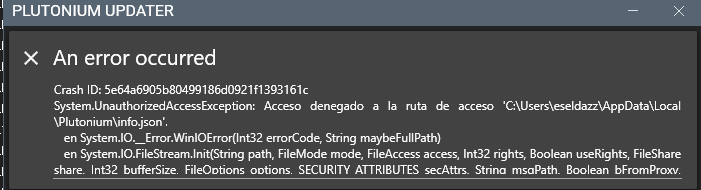
    @eseldazz try deleting %localappdata%/Plutonium/info.json, also try running the launcher as admin.
  • it doesn't work when i launch it

    Moved
    7
    1
    0 Votes
    7 Posts
    525 Views
    @Dss0 thank you dude
  • help me fix this

    Moved
    4
    1
    0 Votes
    4 Posts
    275 Views
    @azariy damn if only someone answered @lResxt question
  • Can't launch the game

    Moved
    2
    1
    0 Votes
    2 Posts
    235 Views
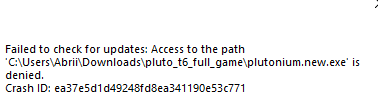
    @Abrikot Delete plutonium.exe and plutonium.new.exe and download a new copy of the launcher here: https://cdn.plutonium.pw/updater/plutonium.exe Then place the new exe anywhere you want: on your desktop or in your game files folder for example and run it. The update process will start and you won't have anything more to do next times, only run plutonium.exe and it'll automatically update
  • when open luncher error gpudriverd3d11

    4
    1
    0 Votes
    4 Posts
    284 Views
    @Dss0 thanku very much ..you help me very big now my game is ok and i play game mw3 plutunium
  • erro parece que você selecionou uma pasta invalida

    2
    0 Votes
    2 Posts
    140 Views
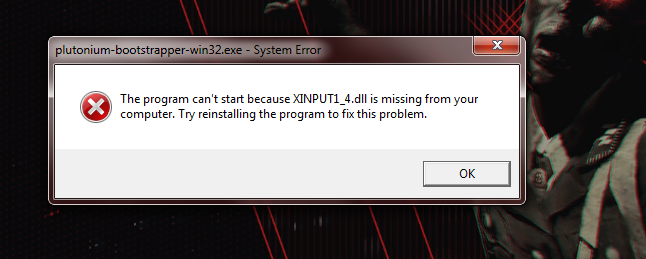
    Does the error say binkw32.dll or xinput1_3.dll in it? If it's the first, screenshot your game folder and game settings of the launcher. If its the second, run this file and restart your PC once it's done https://github.com/ChxseH/Redist-Installer/releases/download/latest/Redist-Installer.bat
  • MSVCP140.DLL and VCRUNTIME140.DLL Problems

    Locked Moved
    5
    0 Votes
    5 Posts
    647 Views
    i did, found out the problem. it was my pc who has been running for 48+ hours, closed it and reopened it again, thanks!
  • no me inicia el launcher

    Moved
    2
    0 Votes
    2 Posts
    183 Views
    What windows version are you on? Hit Win+R, type winver and screenshot the window.
  • no inicia el lanzador

    Moved
    5
    0 Votes
    5 Posts
    313 Views
    Gracias
  • launcher no abre

    Moved
    2
    2
    0 Votes
    2 Posts
    230 Views
    Weird error, what antivirus do you use? Also make sure you've stopped seeding the pluto_t6_full_game torrent (right click torrent -> hit pause or remove).
  • No abre el launcher

    Locked
    4
    0 Votes
    4 Posts
    296 Views
    @VoxVesper_ Nope, upgrade to win10.
  • no me abre el juego

    2
    0 Votes
    2 Posts
    128 Views
    Have you followed this guide? https://forum.plutonium.pw/topic/6832/common-launcher-issues-solutions Also don't deactivate your AV, put %localappdata%/Plutonium into exclusions instead.
  • missing 2 .dll files and reinstalled 3 times

    3
    0 Votes
    3 Posts
    221 Views
    all is good just had to redownload microsoft c++ redistributable
  • 0 Votes
    1 Posts
    88 Views
    No one has replied
  • URgente Alguém pode me ajudar?

    2
    1
    0 Votes
    2 Posts
    136 Views
    First, piry doesn't work anymore, follow this guide to get the gamefiles https://forum.plutonium.pw/topic/2819/how-to-install-plutonium-t6/ Second, you're selecting BO2 files in game settings of the IW5 tab (they're different games so obviously that won't work). Select BO2 MP/ZM from left hand side of the launcher and reselect the directory.
  • forever loading

    7
    0 Votes
    7 Posts
    374 Views
    @UmbralAngel said in forever loading: How did you fix this? I've been trying for a while now, deleted .cfg, deleted the entire folder, redownloaded the exe and changed DNS. I don't know what else to do To be fair, I didn't fix it, it resolved itself over time