Error 0xC0000005 is not related to outdated server
-
FutureRave any Updates? It's not only a problem that I have, a few other have it too, at least give us a Debugger Version or whatever to reproduce the issue

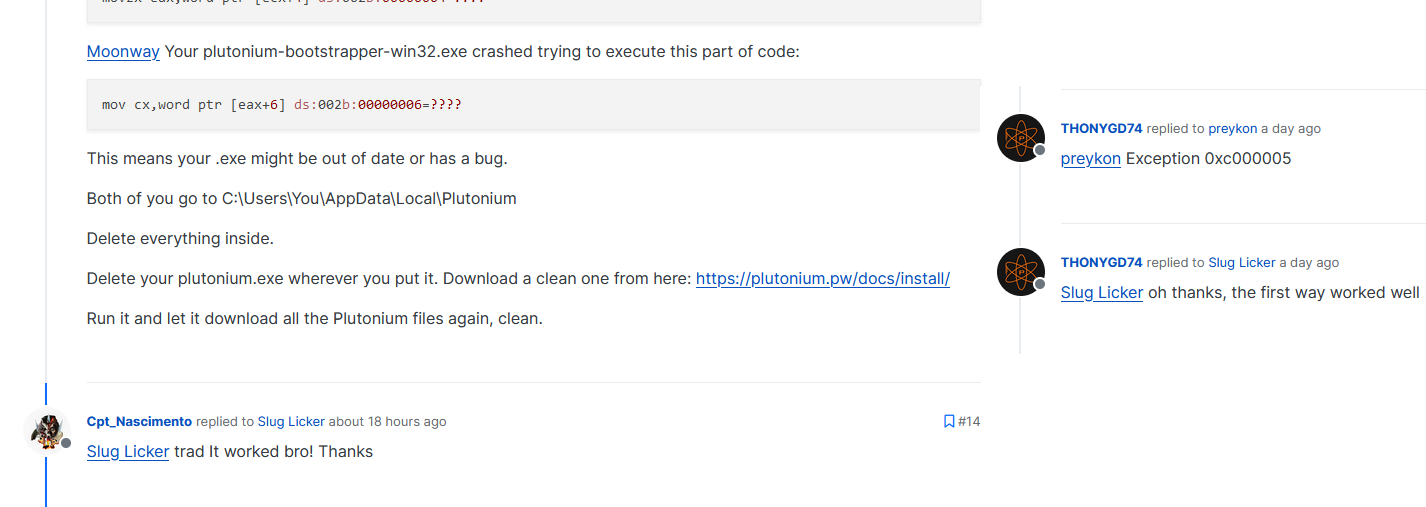
Your .exe might be out of date or has a bug/corrupted.
go to C:\Users\You\AppData\Local\Plutonium
Delete everything inside.
Delete your plutonium.exe wherever you put it. Download a clean one from here: https://plutonium.pw/docs/install/
Run it and let it download all the Plutonium files again, clean.
-
Your .exe might be out of date or has a bug/corrupted.
go to C:\Users\You\AppData\Local\Plutonium
Delete everything inside.
Delete your plutonium.exe wherever you put it. Download a clean one from here: https://plutonium.pw/docs/install/
Run it and let it download all the Plutonium files again, clean.
Slug Licker Thx for the help but you can guess that we went through this before posting this in the forum
-
Slug Licker Thx for the help but you can guess that we went through this before posting this in the forum
Run a windows memory diagnostic scan to check if your RAM is corrupted or experiencing failure in some way.
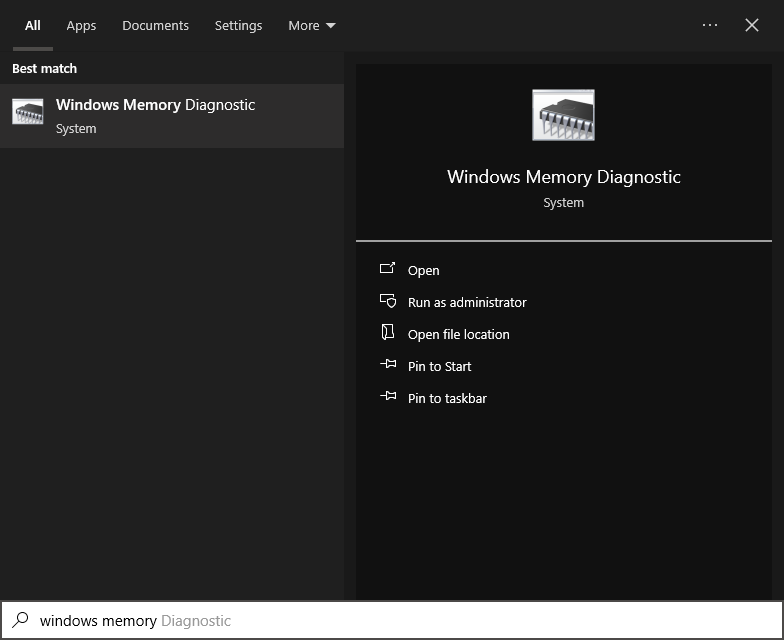
Reset your firewall settings to default by opening command prompt as administrator and typing the following:
netsh advfirewall resetReset your group policy settings to default by saving this segment as a .bat file and running it as admin:
@echo off
RD /S /Q "%WinDir%\System32\GroupPolicyUsers" && RD /S /Q "%WinDir%\System32\GroupPolicy"
gpupdate /force
pause
Restart your pc.
Then try playing the game.Right click the .exe file, select 'Run as Administrator'.
Right click Plutonium's folder, select 'Properties', untick 'Read Only', click Apply, then try running it.
Disable the UAC (User Account Controls).
Kill "taskhost.exe" process in your task manager.
Occasionally your download may just be corrupted, try re-downloading the entirety of Plutonium and see if you encounter the same bug. -
Try this new potential fix I've found:
Hm. Try this: Open command prompt, copy and paste this, save it as "dataexecutionpolicy.bat", run it as admin:
@echo off
bcdedit /set {current} nx OptIn
bcdedit /set {current} nx AlwaysOff
Restart your pc.
Then try playing the game.This makes it so your computer has no restrictions for data execution, according to a Microsoft advisor. They also say try to play the game in safe mode and, if it works in safe mode, it's almost certainly a 3rd party app running at the same time causing it.
It's also worth noting that faulty RAM or faulty motherboard slot for a RAM stick can cause c0000005.
-
Try this new potential fix I've found:
Hm. Try this: Open command prompt, copy and paste this, save it as "dataexecutionpolicy.bat", run it as admin:
@echo off
bcdedit /set {current} nx OptIn
bcdedit /set {current} nx AlwaysOff
Restart your pc.
Then try playing the game.This makes it so your computer has no restrictions for data execution, according to a Microsoft advisor. They also say try to play the game in safe mode and, if it works in safe mode, it's almost certainly a 3rd party app running at the same time causing it.
It's also worth noting that faulty RAM or faulty motherboard slot for a RAM stick can cause c0000005.
Slug Licker can you please stop posting useless chatgpt answers and fill up the thread? Dev is working on a fix once he has time
-
Slug Licker can you please stop posting useless chatgpt answers and fill up the thread? Dev is working on a fix once he has time
Elbaan The current up-to-date plutonium-bootstrapper-win32.exe is working for over 2000 people right now and they're not experiencing this issue, nor am I.
I've only asked chat GPT once, I just write formally. I'm doing research for you that you could do yourself rather than blaming the Plutonium program for something that could be entirely to do with you having broken hardware or a badly configured operating system. So, instead of writing off these troubleshooting methods as "useless" because you can't be bothered to do them, do them.
Source for my recent answer:
https://answers.microsoft.com/en-us/windows/forum/all/keep-getting-exception-code-c0000005-even-after/1cb53bfd-3629-41b2-87fa-e912fcde29f0These random methods are working for some people:
-
The issue have multiple people after the previous update, you can find in Google a tons of invalid mem errors, the issue can only be figured out by the dev, I don't have the pdb or anything to debug it, if you would look in the other forum post or in discord, many things already have been tried and the current error could be related that people have something in the gac that we don't have, it's clear that it's not a network error or damaged ram, else a lot of other things would not work
-
i been doing post for over 7 days and no one answered me why i have this error i tried to delete the plutonium file to install new files but i have the same files with the same images and i dont know what to do i installed pluto over 3 times and i deleted all of the files i dont know what to do.
its a crashdump error. -
i been doing post for over 7 days and no one answered me why i have this error i tried to delete the plutonium file to install new files but i have the same files with the same images and i dont know what to do i installed pluto over 3 times and i deleted all of the files i dont know what to do.
its a crashdump error.
-
-
Elbaan The errors are related. The error code is the same, even if the exception address is different. My setup is throwing several different exception addresses when crashing, with the same error code.
t_resa420 yet not the same error, those who have the issue have the same code & address, your exception might look the same and you can reproduce this as we do, but its not the same, the access violation exception is not a global known "ah its this error at position X" especially since you said you get different addresses when the exception is thrown, a own thread would make more sense
-
its the same but i dont know how to fix it
-

A fix will be included in the next Plutonium update
-
FutureRave locked this topic on
-
Elbaan referenced this topic on
-
NotCracked referenced this topic on

Hello! It looks like you're interested in this conversation, but you don't have an account yet.
Getting fed up of having to scroll through the same posts each visit? When you register for an account, you'll always come back to exactly where you were before, and choose to be notified of new replies (either via email, or push notification). You'll also be able to save bookmarks and upvote posts to show your appreciation to other community members.
With your input, this post could be even better 💗
Register Login