Server not showing up on server list ?
-
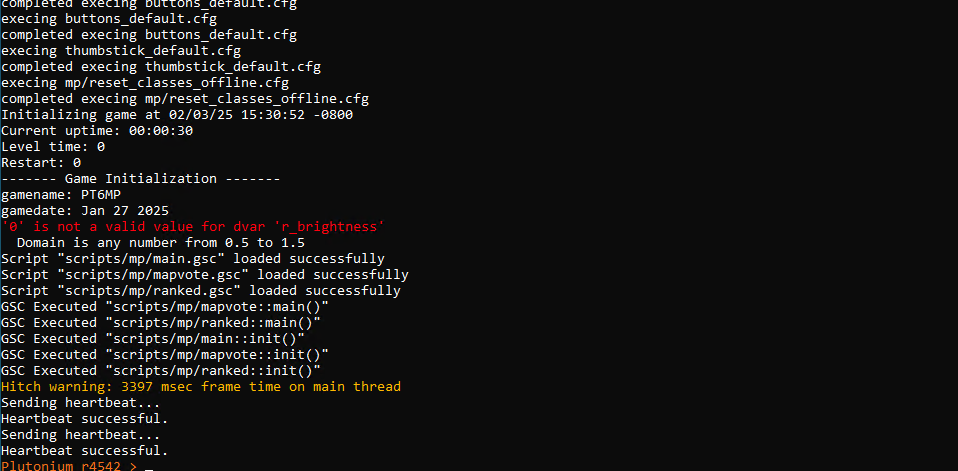
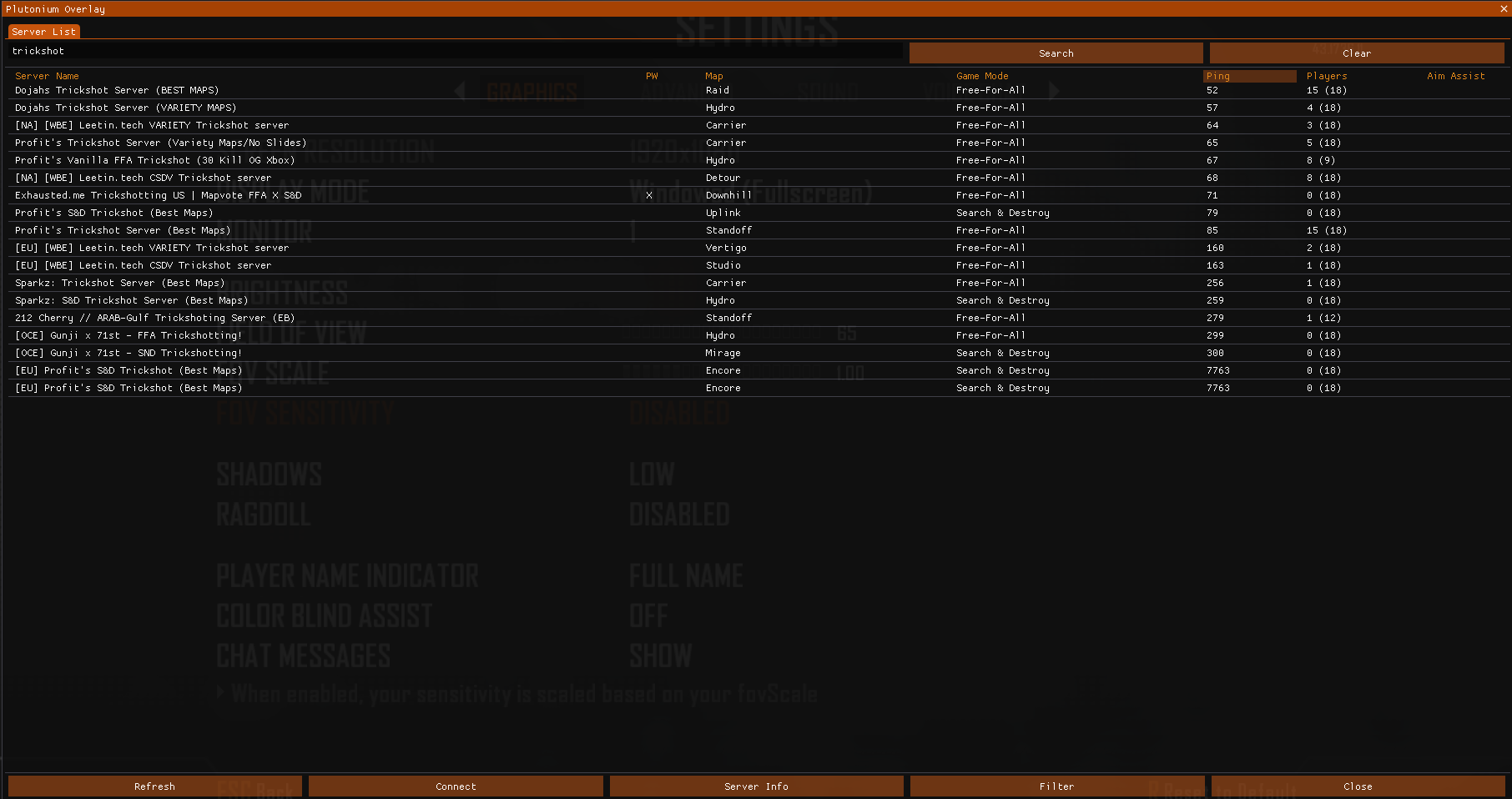
Heartbeat successful just means the key is correct, not showing up on the server list means you are missing one of the 5 port forwarding things.
- 1 in your router
- 2 outbound rules in windows advanced firewall
- 2 inbound rules in windows advanced firewall
-
depending on the VPS you may still need to use a dashboard to open ports...
and you have 2 rules in both inbound and outbound? total of 4?
and they are all enabled (check marks)
and the outbound once (which default to deny) you changed to allow? -
it's not all good on your end... that's the issue. otherwise your server would be listed.
if you come to discord and want to share screen shots, we might be able to find it.
-
Which provider do you use?
I helped him fix it last night! probably should have edited his post with a "SOLVED"

-
SOLVED (SORRY ABOUT THAT) JUST WOKE UP
-
Joeadr18 if your server has a heartbeat and is running but doesn't show up on the server list then (like it says above) your issue is port forwarding.
-
Joeadr18 if your server has a heartbeat and is running but doesn't show up on the server list then (like it says above) your issue is port forwarding.
DirkRockface I'm also encountering the same thing however i can confirm that my port-forwarding is working correctly as i can run the command "connect public-ip:4977" and connect, i was also able to connect behind an SRV record such as "connect "t6.mydomain.tld:4977".
I checked my Asus WRT router for NAT-Loopback as it appears to people have resolved their issue by enabling it however, my router has it enabled by default and offers no way of disabling it.
I should note my environment is on a headless Debian VM with IW4MADMIN & T6-Zombies containerized in Docker.
-
Joeadr18 if your server has a heartbeat and is running but doesn't show up on the server list then (like it says above) your issue is port forwarding.
DirkRockface damn. ok ty man, i tried everything, I called the internet company and they supposedly activated the ports I specified (4976), but maybe they didn't; they just said that so I wouldn't call again, lol.
-
DirkRockface I'm also encountering the same thing however i can confirm that my port-forwarding is working correctly as i can run the command "connect public-ip:4977" and connect, i was also able to connect behind an SRV record such as "connect "t6.mydomain.tld:4977".
I checked my Asus WRT router for NAT-Loopback as it appears to people have resolved their issue by enabling it however, my router has it enabled by default and offers no way of disabling it.
I should note my environment is on a headless Debian VM with IW4MADMIN & T6-Zombies containerized in Docker.
Replying to my previous comment -
Turns out my server is displaying on the server list however, i suspect due to it being forced through a VPN tunnel via my router Plutonium is displaying the VPN's IP opposed to my at-home IP, this is likely preventing people from connecting through the server browser.
i figured this out when i checked out https:// pluservers.ddns .net/ (i cannot post links here, hence the spaces) and was able to see my server there with the VPN's IP.
Unfortunately my other machine, that isn't behind a VPN and is exposed to the internet via port-forwarding, has an Arm chipset and currently will not work with the container images that i currently use.
TIL
-
How did you solve this because I have triple checked all my settings and all 6 of my T6 servers went offline. They're all orchestrated via Docker and can confirm connecting directly is working perfectly fine it just fails to display on the server list... Tried new keys, new IP and nothing!





Hello! It looks like you're interested in this conversation, but you don't have an account yet.
Getting fed up of having to scroll through the same posts each visit? When you register for an account, you'll always come back to exactly where you were before, and choose to be notified of new replies (either via email, or push notification). You'll also be able to save bookmarks and upvote posts to show your appreciation to other community members.
With your input, this post could be even better 💗
Register Login