HOW CAN I CHANGE THE ENCODING TO ANSI
-

As you can see i can't run the plutonium launcher because the incoding
is not ANSI and i can't change it<watch the vedio
https://drive.google.com/file/d/1Kuxm_VzJA0S0I2obGWZsDh_2O2MKqqbT/view?usp=sharing -
As you can see i can't run the plutonium launcher because the incoding
is not ANSI and i can't change it<watch the vedio
https://drive.google.com/file/d/1Kuxm_VzJA0S0I2obGWZsDh_2O2MKqqbT/view?usp=sharing
OMR1 doesn't matter, it's not related to the formatting. Did you run the launcher before running exclusions.bat? It can't exclude folders that don't exist.
-
OMR1 doesn't matter, it's not related to the formatting. Did you run the launcher before running exclusions.bat? It can't exclude folders that don't exist.
-
OMR1 that wasn't my question. What i'm saying is that you have to run plutonium.exe first so it can download the clientfiles and actually create the folders that the batch file will then add to the exclusions.
-
OMR1 that wasn't my question. What i'm saying is that you have to run plutonium.exe first so it can download the clientfiles and actually create the folders that the batch file will then add to the exclusions.
-
OMR1 try redownloading it from here https://cdn.plutonium.pw/updater/plutonium.exe
-
OMR1 try redownloading it from here https://cdn.plutonium.pw/updater/plutonium.exe
-
- disable avast
- run the launcher as admin
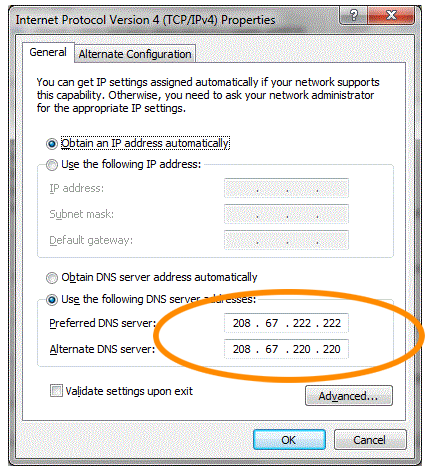
- change your dns servers to 1.1.1.1 and 1.0.0.1 (https://www.windowscentral.com/how-change-your-pcs-dns-settings-windows-10)
- exclude C:\Users\YOURUSERNAME\AppData\Local\Plutonium from scanning in avast
If it still doesn't work i have no idea.
-
- disable avast
- run the launcher as admin
- change your dns servers to 1.1.1.1 and 1.0.0.1 (https://www.windowscentral.com/how-change-your-pcs-dns-settings-windows-10)
- exclude C:\Users\YOURUSERNAME\AppData\Local\Plutonium from scanning in avast
If it still doesn't work i have no idea.
-
- disable avast
- run the launcher as admin
- change your dns servers to 1.1.1.1 and 1.0.0.1 (https://www.windowscentral.com/how-change-your-pcs-dns-settings-windows-10)
- exclude C:\Users\YOURUSERNAME\AppData\Local\Plutonium from scanning in avast
If it still doesn't work i have no idea.
-

Have you ever played pluto before? If it's your first time launching it and getting that error, there won't be a Plutonium folder in %localappdata% but if you've played before, then yeah it should be there.
Also some AVs don't disable themselves completely even after manually disabling them, try uninstalling avast completely. It's a trash AV anyway. You'll be left with win defender, follow this and run pluto as admin again.
-
Have you ever played pluto before? If it's your first time launching it and getting that error, there won't be a Plutonium folder in %localappdata% but if you've played before, then yeah it should be there.
Also some AVs don't disable themselves completely even after manually disabling them, try uninstalling avast completely. It's a trash AV anyway. You'll be left with win defender, follow this and run pluto as admin again.
-
OMR1 win7 is not supported btw.
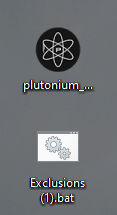
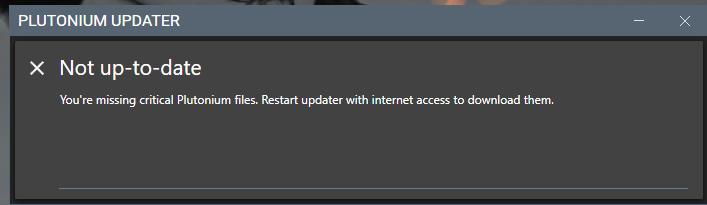 i can't run it
Hello! It looks like you're interested in this conversation, but you don't have an account yet.
Getting fed up of having to scroll through the same posts each visit? When you register for an account, you'll always come back to exactly where you were before, and choose to be notified of new replies (either via email, or push notification). You'll also be able to save bookmarks and upvote posts to show your appreciation to other community members.
With your input, this post could be even better 💗
Register Login